Free AI Figure Legend Generator
Journal-ready captions from your figure
Upload a scientific figure and let AI draft a clear, structured legend — title sentence, panel-by-panel descriptions, and methods cues — ready to refine and drop into your manuscript.
Drag a figure here or click to browse
PNG, JPG, WebP, TIFF, SVG, PDF (max 8MB)
Figure Legend Features
Generate a clean legend draft, then copy it as plain text or LaTeX.
Choose Output Language
Generate the legend in the current page language by default, then switch to any supported output language when needed.
Manuscript-Ready Draft
The output is designed to read like a concise figure legend rather than a generic image description.
LaTeX Caption Copy
Copy a ready-to-paste LaTeX caption for manuscript source files and Overleaf workflows.
One-Click Copy
Copy either plain text or LaTeX directly from the results area without reformatting by hand.
Panel-Aware Writing
When panel labels such as A, B, and C are visible, the legend is prompted to describe them in order.
Fast Drafting Loop
Upload, generate, copy, and edit the result quickly when you need a first-pass legend during figure preparation.
Figure Legend FAQ
What this tool does, and how to use the output in writing workflows.
What does this AI figure legend generator do?
It reads your uploaded figure and drafts a complete legend in the standard figure legend format journals expect: a concise title sentence, a description of each panel (A, B, C…), and cues for the methods and statistics shown. Whether you call it a figure legend, a figure caption, or a figures legend, the structure is the same — and this generator produces it for you. Instead of staring at a blank caption box, you start from a solid draft and edit it to match your data and your target journal's style — a fast way to learn how to write a figure legend or caption by example.
Why figure legends are hard to write
- A good legend must be self-contained — readers should understand the figure without the main text.
- Multi-panel figures need consistent, ordered descriptions for every panel.
- Journals expect specific elements: sample sizes, statistical tests, scale bars, and abbreviations.
- Captions written last, under deadline, often end up vague or incomplete.
- Non-native English speakers spend extra time getting caption phrasing right.
How to write a strong figure legend
Follow the standard figure legend format: open with a short title sentence summarizing the finding, describe each panel in order (A, B, C…), and spell out abbreviations, scale bars, error bars, sample sizes, and the statistical tests used. Keep it concise but complete, write it to be self-contained, and align the terminology with your manuscript. A weak legend reads 'Figure 2. Results of the experiment.' — a strong one reads 'Figure 2. TNF-α increases apoptosis in HeLa cells. (A) Representative flow-cytometry plots… (B) Quantification across n = 3 biological replicates; **p < 0.01, two-tailed t-test.' Watch journal limits too: Nature caps legends around 300 words, Science around 200, and PLOS ONE has no hard limit but expects self-contained captions. Upload your figure to generate a draft in this format, then refine it against your target journal's rules before submitting.
What belongs in a figure legend
- A title sentence stating the figure's main message.
- Panel-by-panel descriptions (A, B, C…).
- Definitions of symbols, colors, and abbreviations.
- Sample sizes (n) and the statistical tests applied.
- Scale bars, units, and error-bar definitions.
- Any data-source or methods notes needed to interpret the figure.
Learn how to write figure legends
How to Write a Figure Legend for a Research Paper
A practical structure for figure legends in a manuscript, with strong vs weak examples, the figure legend vs caption distinction, and a final checklist.
Read the guideNature & Science Figure Requirements
How top journals want figures and legends formatted — caption length, panel labels, and the legend rules reviewers check first.
Read the guideHow to Make Figures for Research Papers
From first draft to submission: designing, captioning, and exporting publication-ready figures for a research paper.
Read the guideFigure Legend Generator FAQ
What is a figure legend?
A figure legend (or caption) is the text below a figure that explains what it shows — its title, panels, symbols, and methods — so readers can interpret it without the main text.
How does the AI generate the legend?
It analyzes your uploaded figure and drafts a structured legend based on what it detects — panels, axes, labels, and chart type. You then edit it to match your exact data.
Will it know my sample sizes and statistics?
It cannot read values that aren't visible in the figure, so it leaves clear placeholders for sample sizes, p-values, and tests for you to fill in.
Which figure types are supported?
Any common scientific figure — bar and line charts, micrographs, gels, schematics, and multi-panel composites across all disciplines.
Can I edit the generated legend?
Yes. The draft is fully editable — refine the wording, add details, and match your target journal's style before submitting.
Is it free?
Each generation uses a small number of credits. New accounts get free credits, so you can try it without a subscription.
What is the standard figure legend format (图注格式)?
A standard figure legend format starts with a bold figure number and a short title sentence stating the main finding, followed by panel-by-panel descriptions (A, B, C…), then definitions of symbols, colors, and abbreviations, and finally the sample sizes (n), statistical tests, scale bars, and error-bar definitions. Most journals place the legend below the figure and ask it to be self-contained. The generator drafts your caption in this format so you can adapt it to your target journal.
How do I write a good figure caption?
A good figure caption is self-contained — a reader should understand the figure without the main text. Lead with a one-sentence title that states the result rather than just naming the figure, describe each panel in order, define every symbol and abbreviation, and report n values, statistical tests, and scale bars. Keep it concise, use consistent terminology with your manuscript, and avoid interpreting beyond what the figure shows. Generate a draft, then tighten the wording to match your journal's style.
Explore More Tools
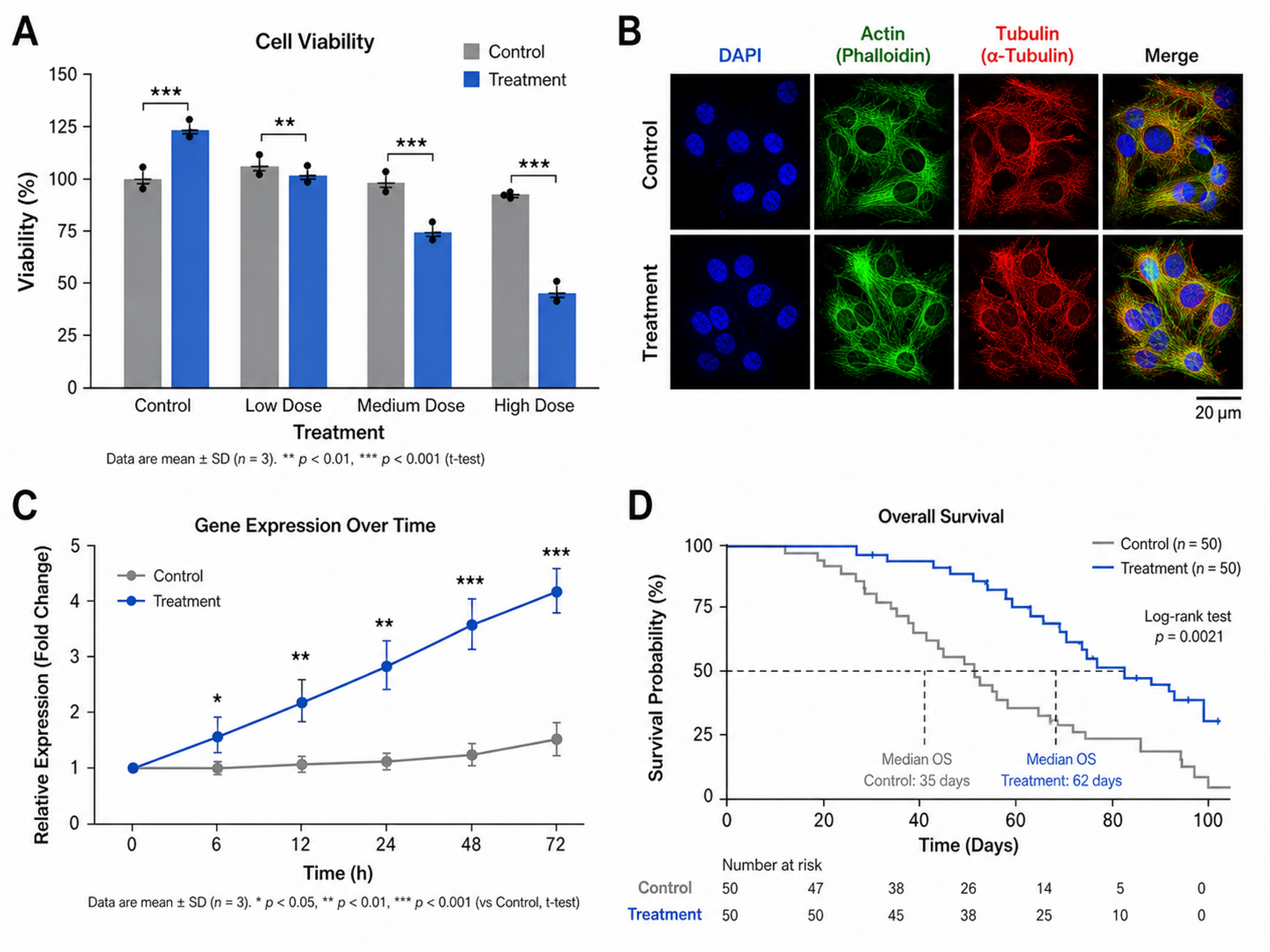
Scientific Figure Maker
Create publication-ready figures for research papers
Try it free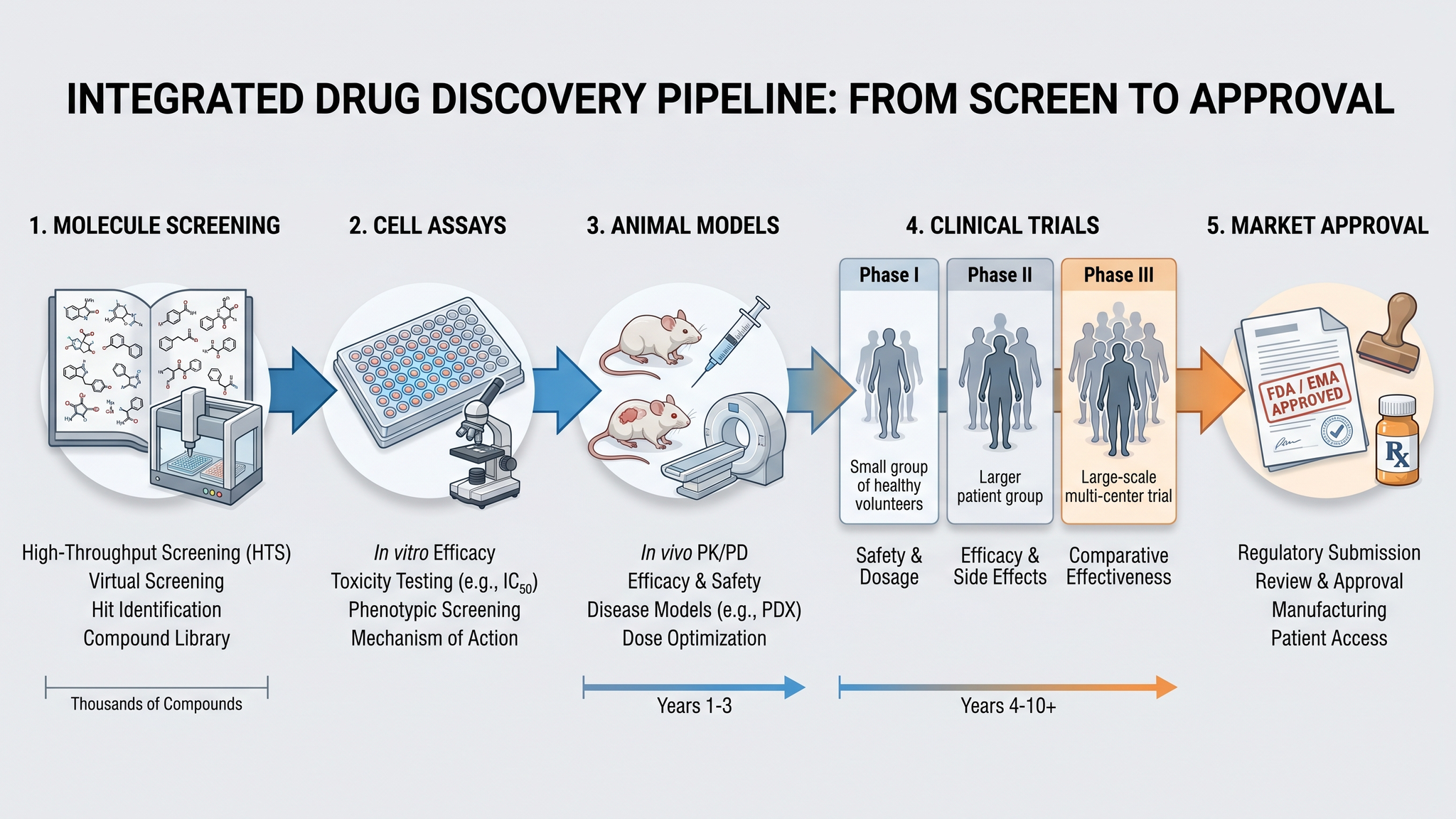
Graphical Abstract Maker
Create stunning graphical abstracts for journal submissions
Try it free
Manuscript to Figure Generator
Create manuscript to figure visuals for abstracts, methods, results, study workflows, graphical abstracts, and multi-panel paper figures.
Try it freeNeed the figure itself, not just the caption?
Create publication-ready figures from plain text with SciDraw AI.