AI Manuscript to Figure Generator
Turn a paper PDF, abstract, methods section, or results summary into a figure
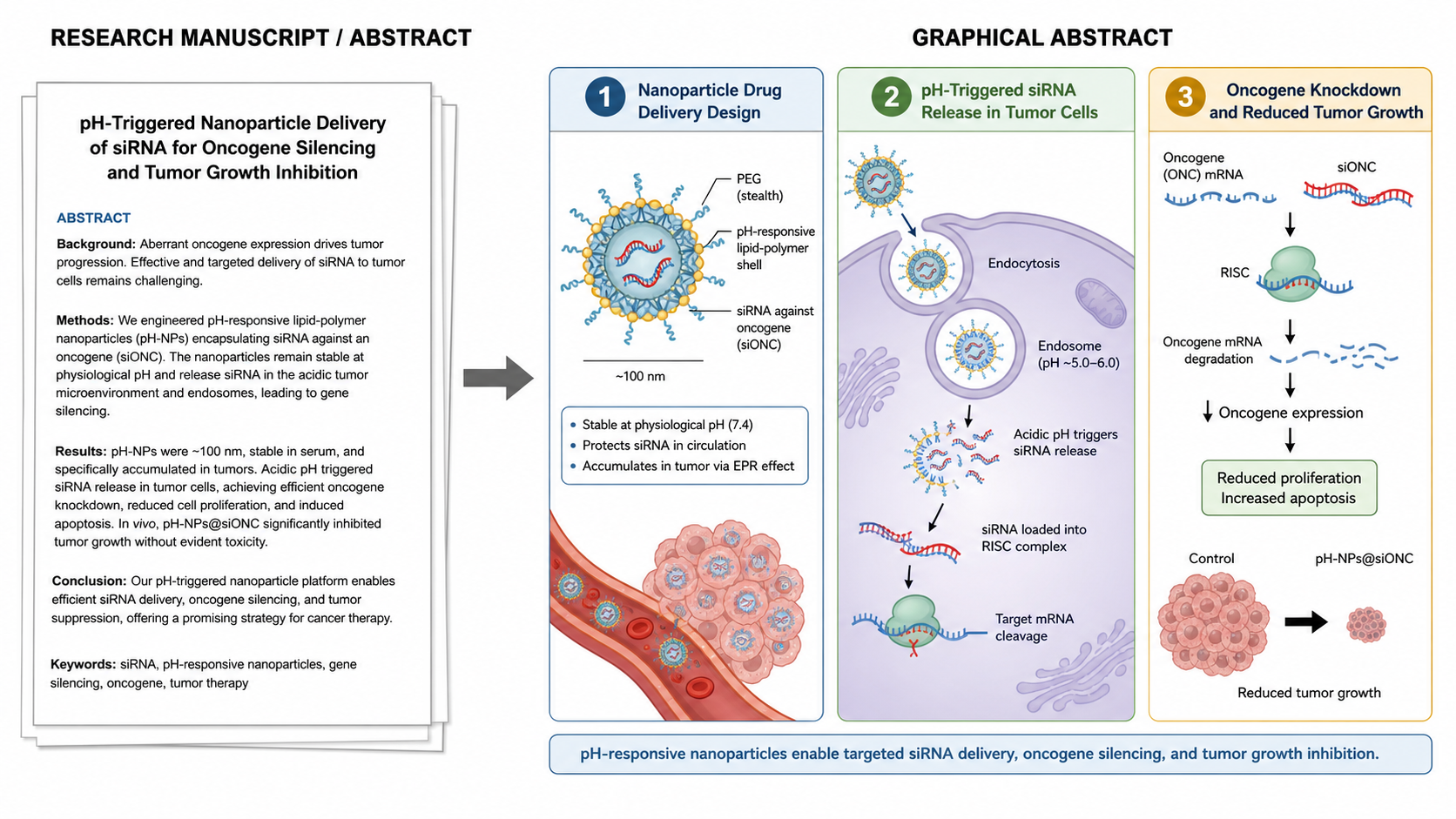
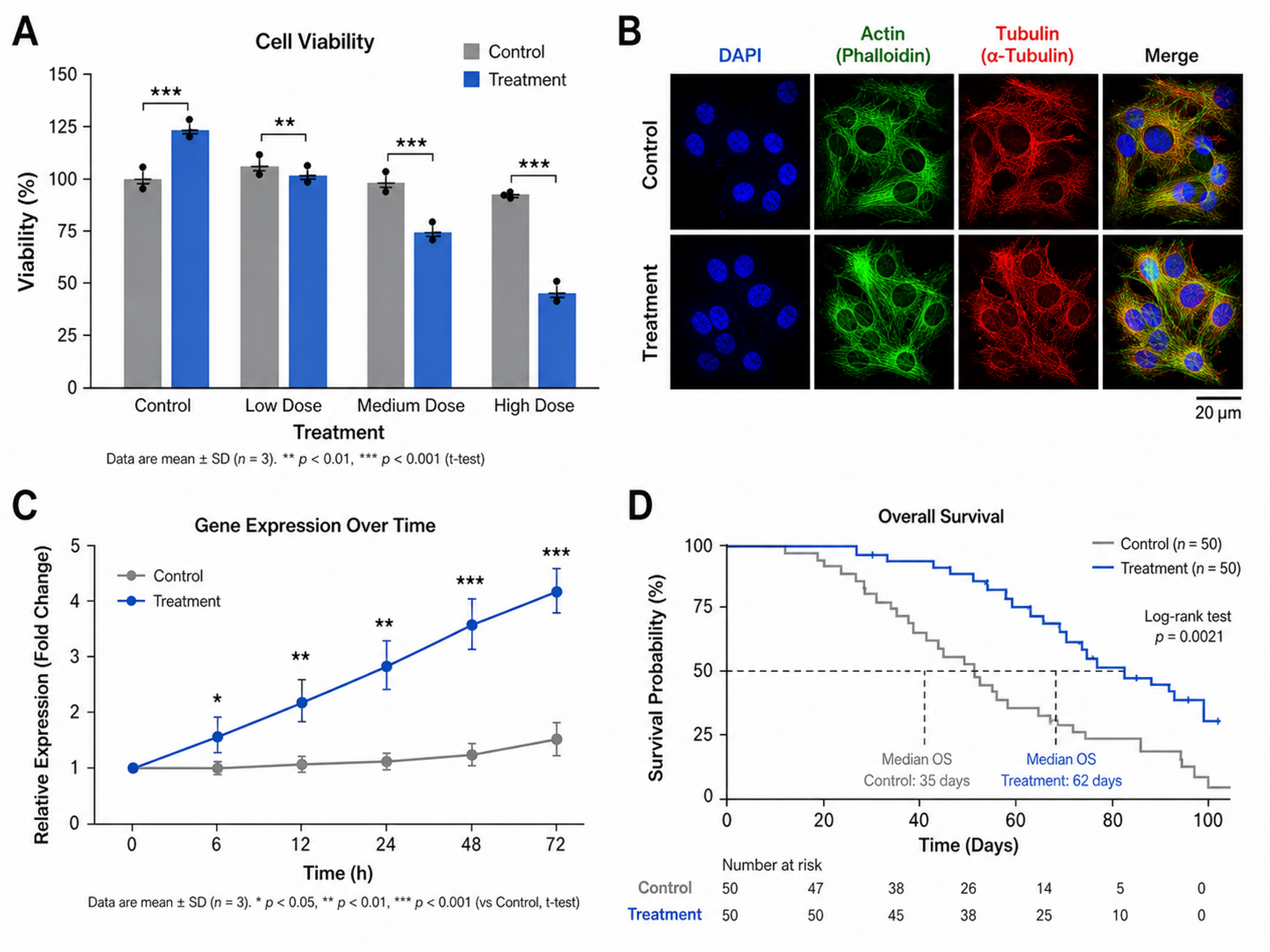
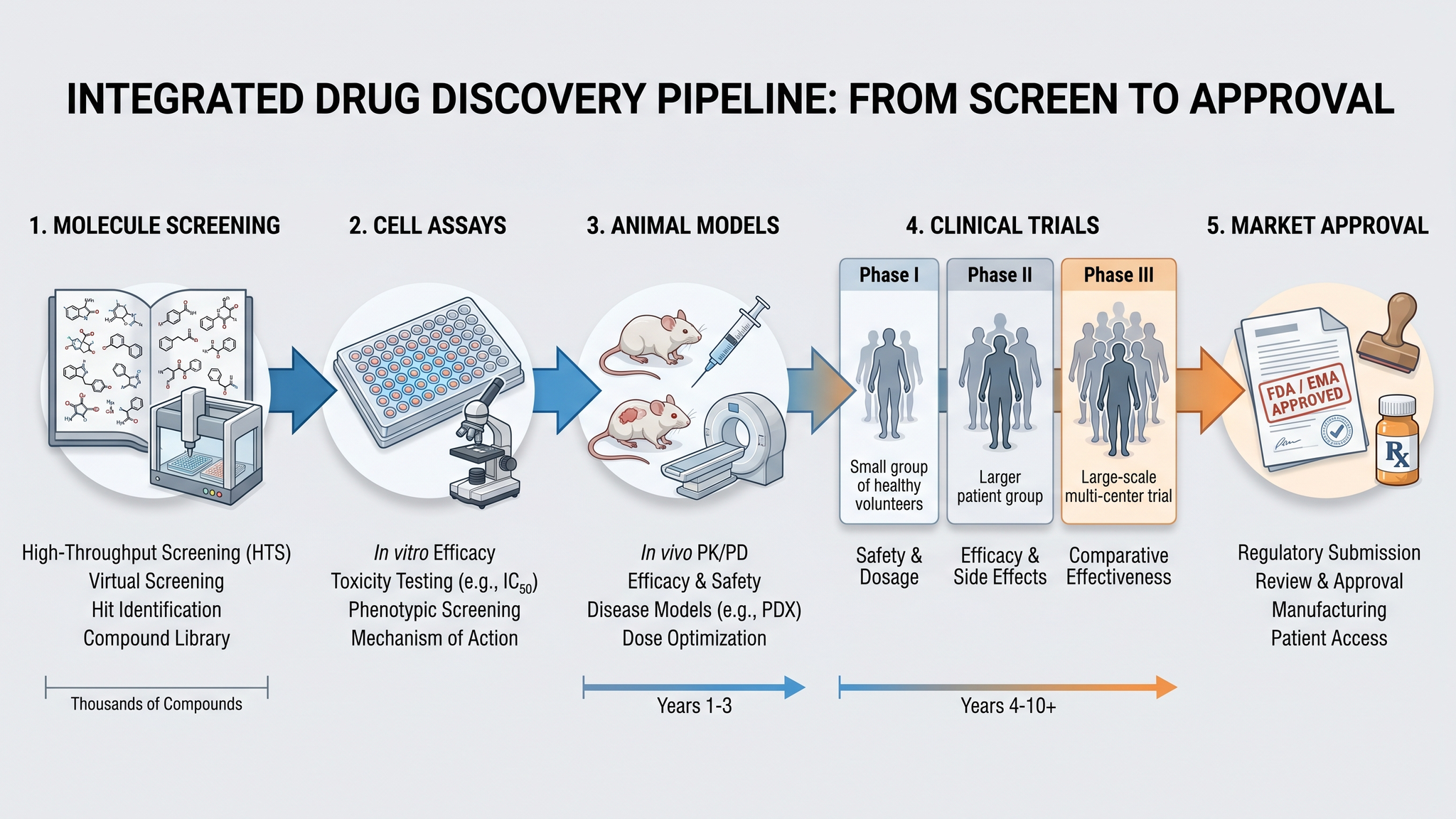
Upload a manuscript PDF or paste research text, then generate a mechanism diagram, methods workflow, results-focused figure, or multi-panel visual with publication-ready structure.
Generate a figure from your paper PDF
Upload a manuscript and AI drafts a figure prompt from its abstract, methods, and results. Review the prompt before generating.
Manuscript to Figure Examples
Start from a realistic research scenario, reuse the prompt, or write your own version above.
Turn a manuscript, paper, or PDF into a scientific figure
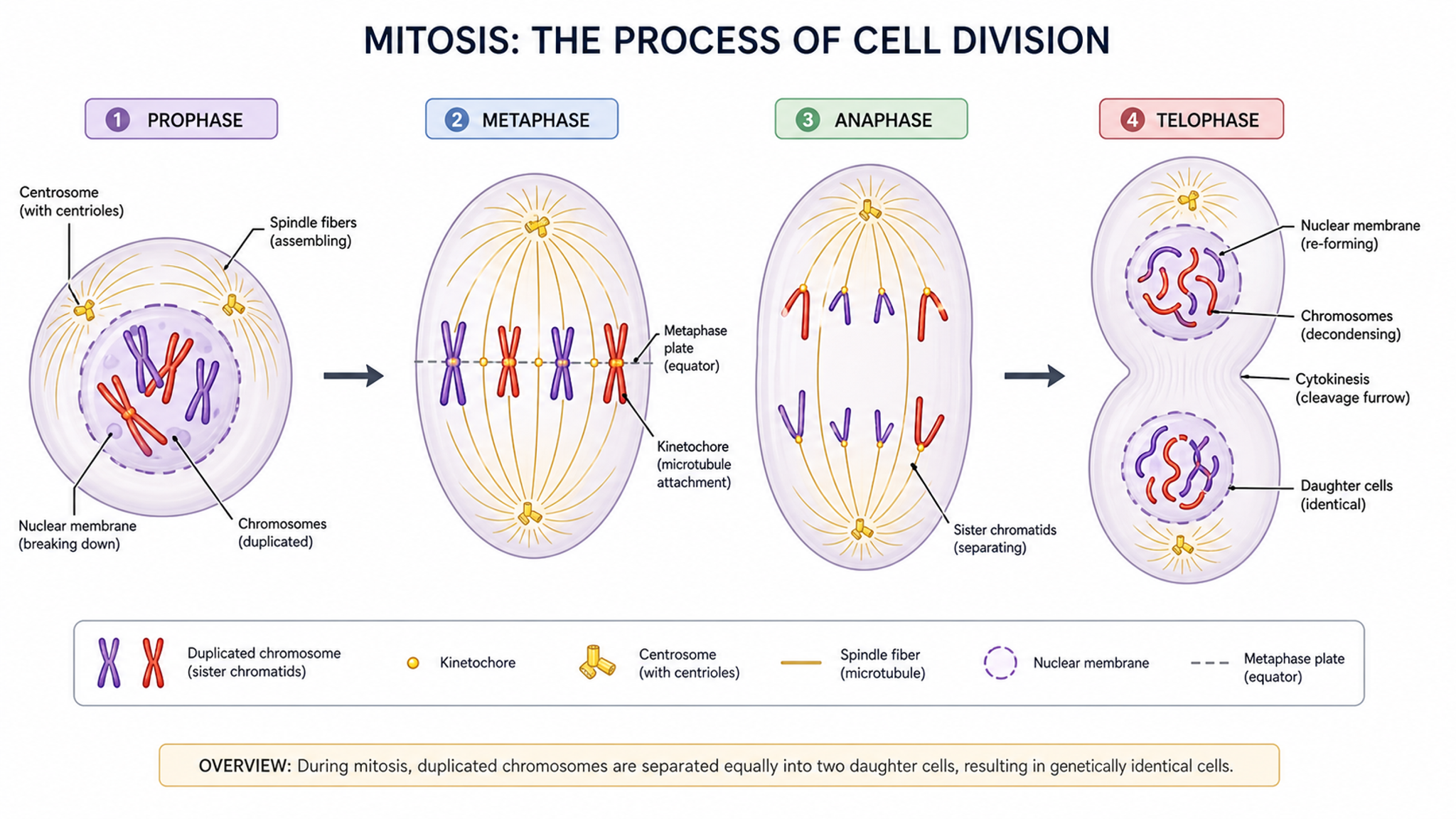
This manuscript to figure generator reads a paper PDF or research description and drafts the most useful visual structure: a mechanism diagram, methods workflow, results-focused figure, system schematic, or multi-panel paper figure. Review the extracted prompt, then refine labels, arrows, compartments, and reading order before generation.
Why researchers use this page
- Turn abstracts, methods, results, study workflows, graphical abstracts, and multi-panel paper figures into a figure without redrawing every element by hand
- Keep terminology, labels, and arrow direction consistent across the visual
- Move faster from manuscript notes to a shareable figure draft
- Create teaching, poster, and paper figures in the same visual language
- Export a clean result that can be revised with collaborators
How to get a better result
Name the biological, clinical, or technical system first, then list the components that must appear. For abstracts, methods, results, study workflows, graphical abstracts, and multi-panel paper figures, include the key steps, arrows, compartments, readouts, and any labels you cannot afford to miss. SciDraw AI will arrange the figure, and you can regenerate or export an editable version for final polish.
What to include in the prompt
- The main process or architecture: abstracts, methods, results, study workflows, graphical abstracts, and multi-panel paper figures
- Required labels, abbreviations, and preferred terminology
- Direction of flow, activation arrows, inhibition bars, or feedback loops
- Compartments, layers, tissues, devices, or system boundaries
- Audience level: manuscript, grant, lecture, poster, or patient education
- Preferred style: simple teaching diagram, mechanism figure, or journal schematic
Frequently Asked Questions
What can I create with this manuscript to figure generator?
You can create figures focused on abstracts, methods, results, study workflows, graphical abstracts, and multi-panel paper figures. The tool works best when you name the key components, the relationships between them, and the level of detail you want.
Is the output suitable for manuscripts or posters?
Yes. The page is designed for research communication, so layouts prioritize clear labels, readable spacing, and export-friendly composition. You should still verify scientific accuracy before submission.
How detailed should my prompt be?
A useful prompt names the system, major components, arrows or interactions, and the intended audience. Add must-have labels when you need a precise figure rather than a broad concept sketch.
Can I edit the figure after generation?
Yes. You can regenerate with a revised prompt or export an editable version for further polishing in your normal figure workflow.
Does SciDraw AI replace expert review?
No. It accelerates figure drafting, but authors remain responsible for checking labels, mechanisms, clinical details, and journal requirements.
Can I upload a paper PDF or paste manuscript text?
Yes. Upload a text-based paper PDF or paste an abstract, methods summary, results summary, or figure description. SciDraw AI drafts a visual prompt that you can review before generating the figure. Scanned PDFs without extractable text may need OCR first.
Create your manuscript to figure now
Describe abstracts, methods, results, study workflows, graphical abstracts, and multi-panel paper figures and get a clean first draft you can refine for papers, slides, and teaching materials.