AI Medical Illustration and Diagram Generator
Medical illustrations for papers, teaching, and patient education
Turn anatomy, procedures, pathology, and clinical concepts into clear medical diagrams and illustrations for papers, teaching, and expert-reviewed patient education.
Medical Illustration Examples
Browse examples across anatomy, procedures, and pathology, or generate your own above.
AI medical diagrams, drawings, and illustrations
This AI medical diagram and illustration generator turns a written brief into a clear visual draft for anatomy, disease mechanisms, procedures, pathology, and care. Specify the view, structures, labels, and level of detail for a research paper, medical lesson, clinical training figure, or expert-reviewed patient resource.
Why medical illustrations matter
- Make complex anatomy and pathology easier to understand at a glance
- Strengthen case reports, review articles, and conference posters with clear figures
- Support medical teaching, board review, and simulation training
- Improve patient understanding of conditions, procedures, and treatments
- Replace generic stock imagery with accurate, concept-specific visuals
How to create an effective medical illustration
An effective medical illustration shows accurate structures with only the labels that matter for your audience. Start by naming the anatomy, procedure, or condition, then specify the view, the key structures to label, and whether the figure is for clinicians, students, or patients. SciDraw AI generates clean, anatomically structured medical illustrations that follow these best practices automatically - then have a clinician or subject expert review labels and claims before publication or patient use.
Common elements in medical illustrations
- Anatomically accurate structures with correct proportions
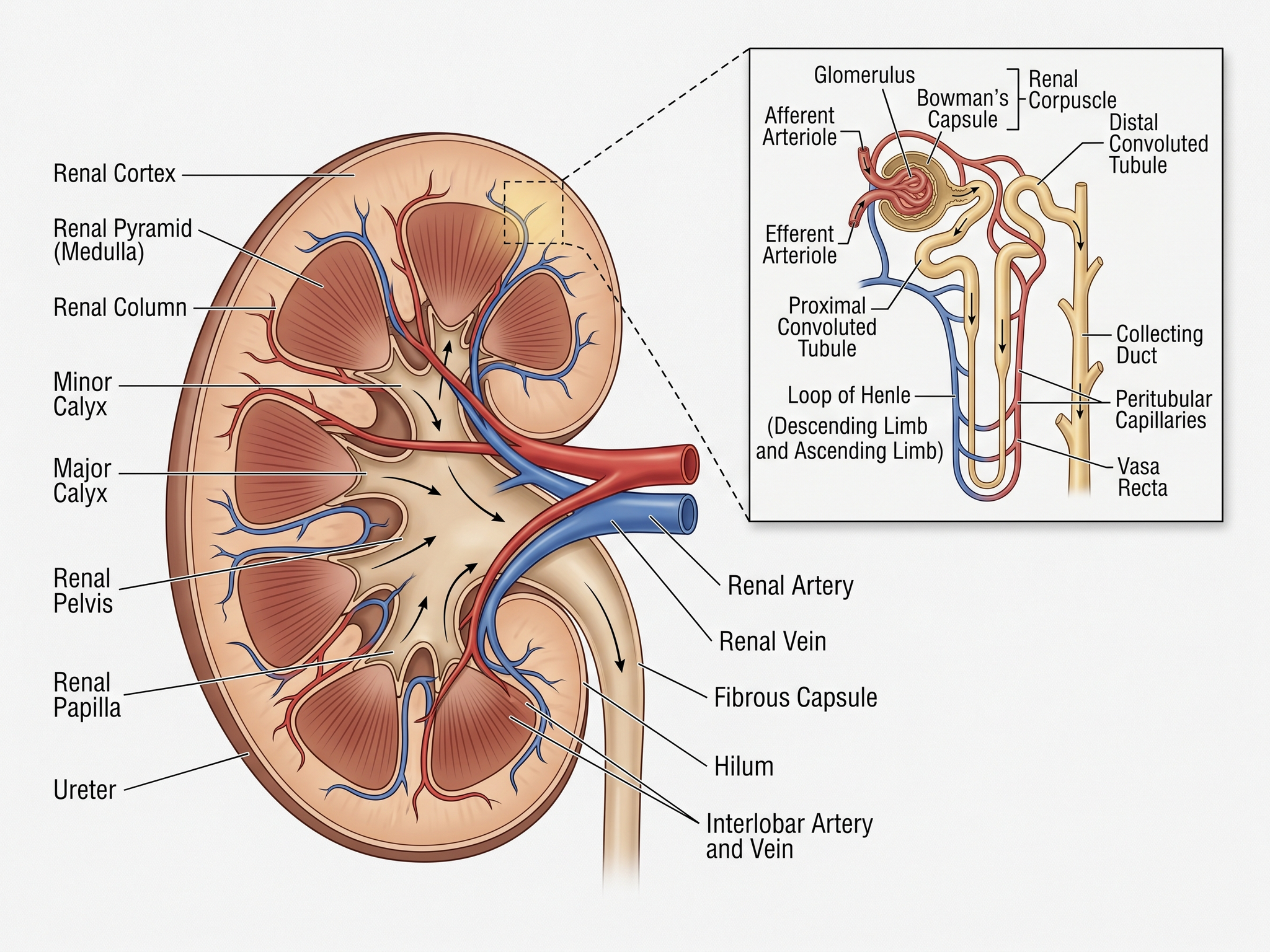
- Cross-sections or cutaways revealing internal anatomy
- Clean leader lines linking labels to each structure
- Color coding for tissues, blood flow, or healthy vs diseased states
- Directional arrows for procedures, pathways, or flow
- Minimal, audience-appropriate text labels
Frequently Asked Questions
What is a medical illustration?
A medical illustration is a visual that explains anatomy, physiology, pathology, procedures, or treatments with accuracy and clarity. It is used in journals, textbooks, posters, patient handouts, and teaching materials to make complex clinical concepts easier to understand.
Can I use this as an AI medical diagram generator?
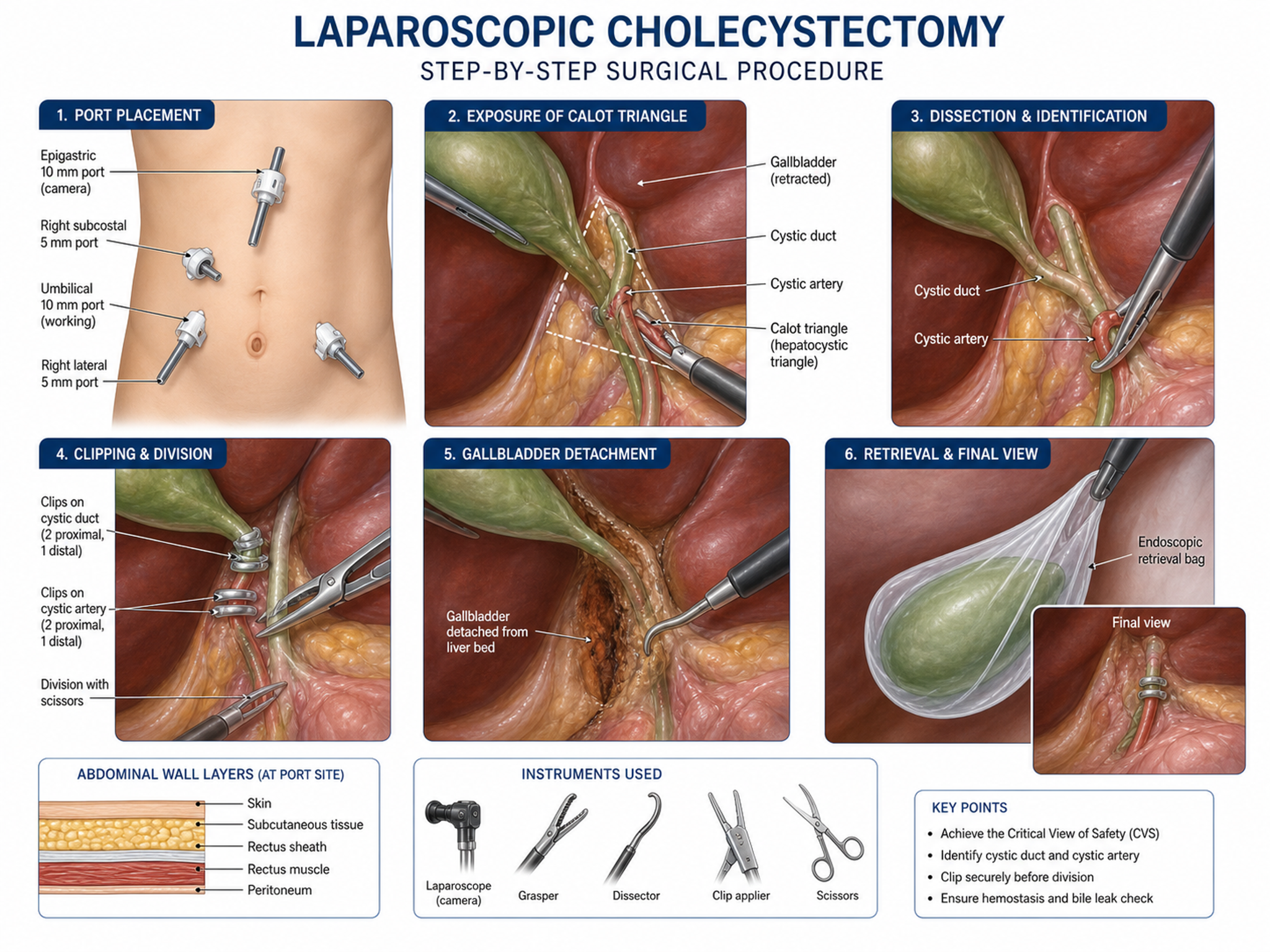
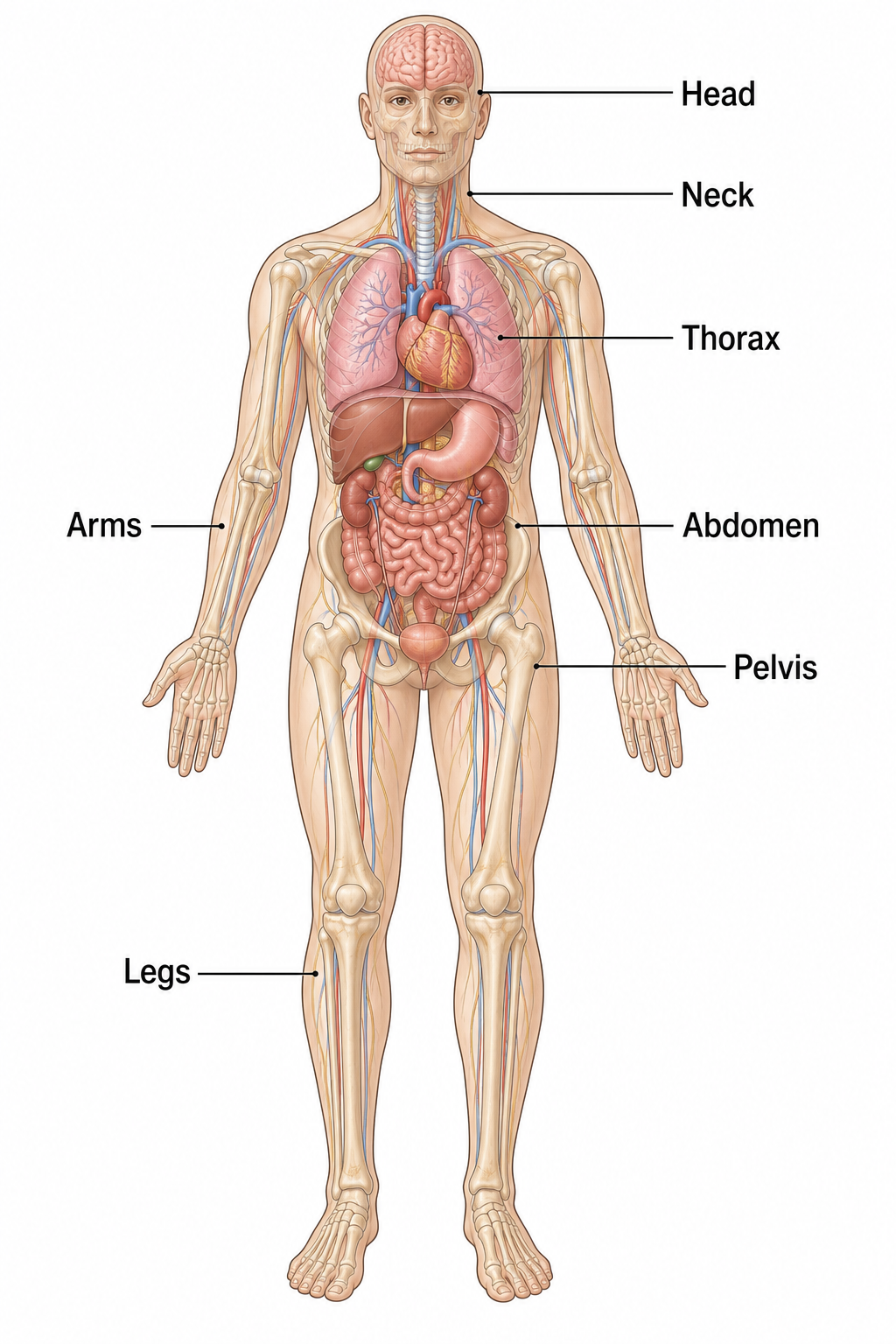
Yes. Use it to create anatomy diagrams, surgical and clinical procedure figures, pathology explainers, body-system overviews, injury illustrations, medical device placement visuals, and other medical figures. Describe the exact view and labels, then have a qualified expert review the result before publication or clinical use.
Do I need design or illustration skills?
No. SciDraw AI generates a complete medical illustration from your text description. You describe the anatomy, view, and structures to label, and the AI handles the composition, leader lines, and clinical iconography. You can regenerate with adjusted prompts to refine the result.
Can SciDraw AI replace a professional medical illustrator?
It can speed up schematic medical illustration drafting for papers, teaching, and patient education. For surgical atlas-grade detail, device claims, or regulated materials, use a professional medical illustrator and clinician review to verify accuracy.
Is this suitable for patient education?
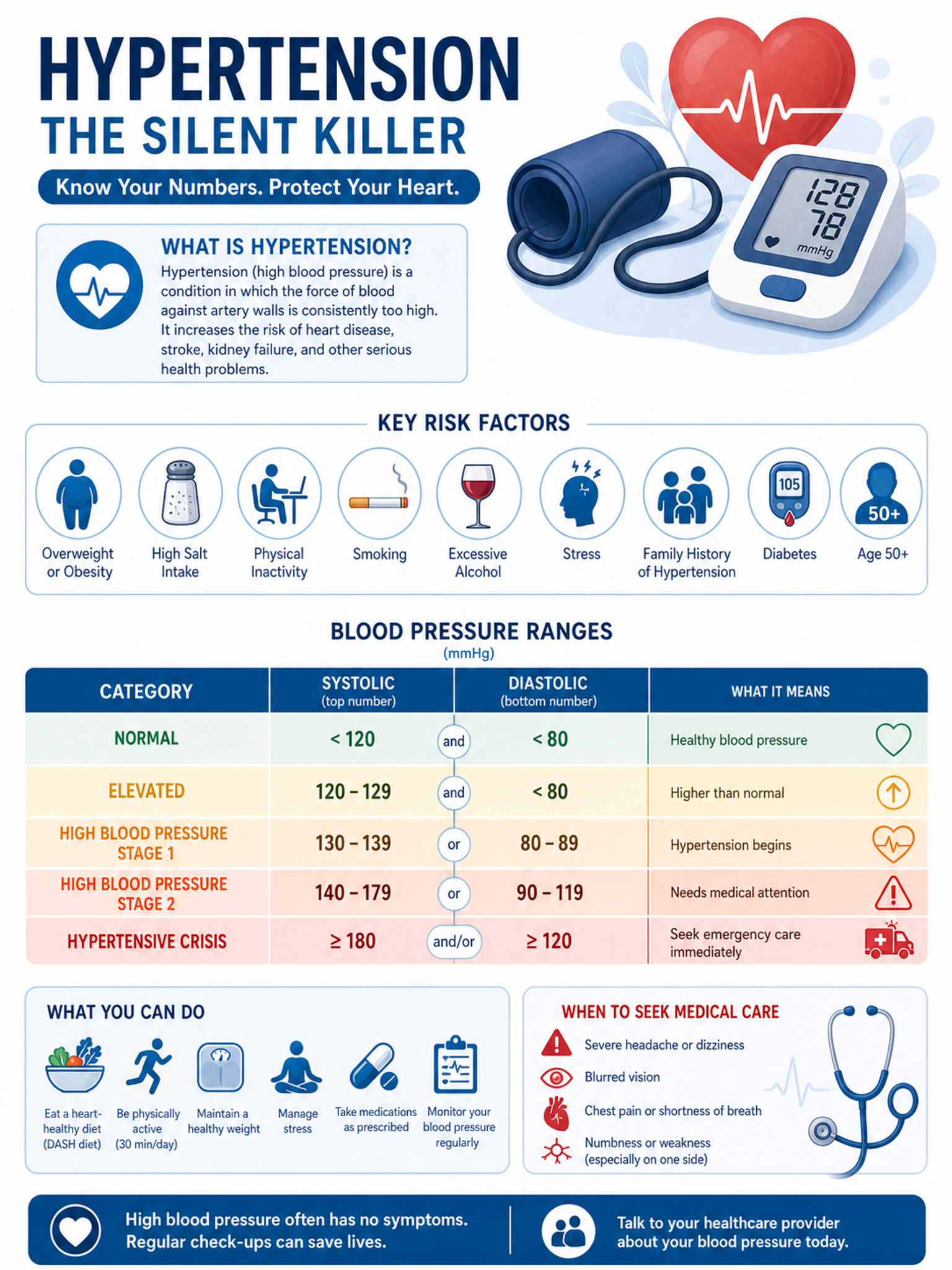
Yes, when reviewed by a qualified professional. You can request simpler language, fewer labels, and patient-friendly layouts for handouts, clinic materials, or online education pages. Always have medical content reviewed before patient use.
Should I include patient data?
No. Do not upload protected health information or identifiable patient data. Use de-identified descriptions, and have all medical content reviewed for accuracy before publication or patient use.
Can I edit the figure or export it as SVG or PowerPoint?
Yes. Download the result as a high-resolution PNG, or click Open in editor to keep refining it. From the editor you can convert it to an SVG vector file (10–15 credits), a PowerPoint PPTX file (10 credits) or a Visio file (20 credits).
Can I use the figure in a journal paper, thesis or poster?
Yes. Every figure you create can carry a Publication License Certificate — a one-page PDF that names you as the licensee and covers journals, theses, presentations and posters. Click License Certificate beside Download; certificates unlock once you have bought any plan or credit pack.
How accurate are the generated figures?
The AI draws and labels what you describe, but it does not check the science for you. Review every label, arrow and value before you use the figure, then fix anything that is off by refining your description and regenerating, or by adjusting it in the editor.
Explore More Tools
Ready to Create Your First Medical Illustration?
Join thousands of clinicians, researchers, and educators who save hours on medical figures.