Free Dichotomous Key Maker
Build a labeled identification key from plain text
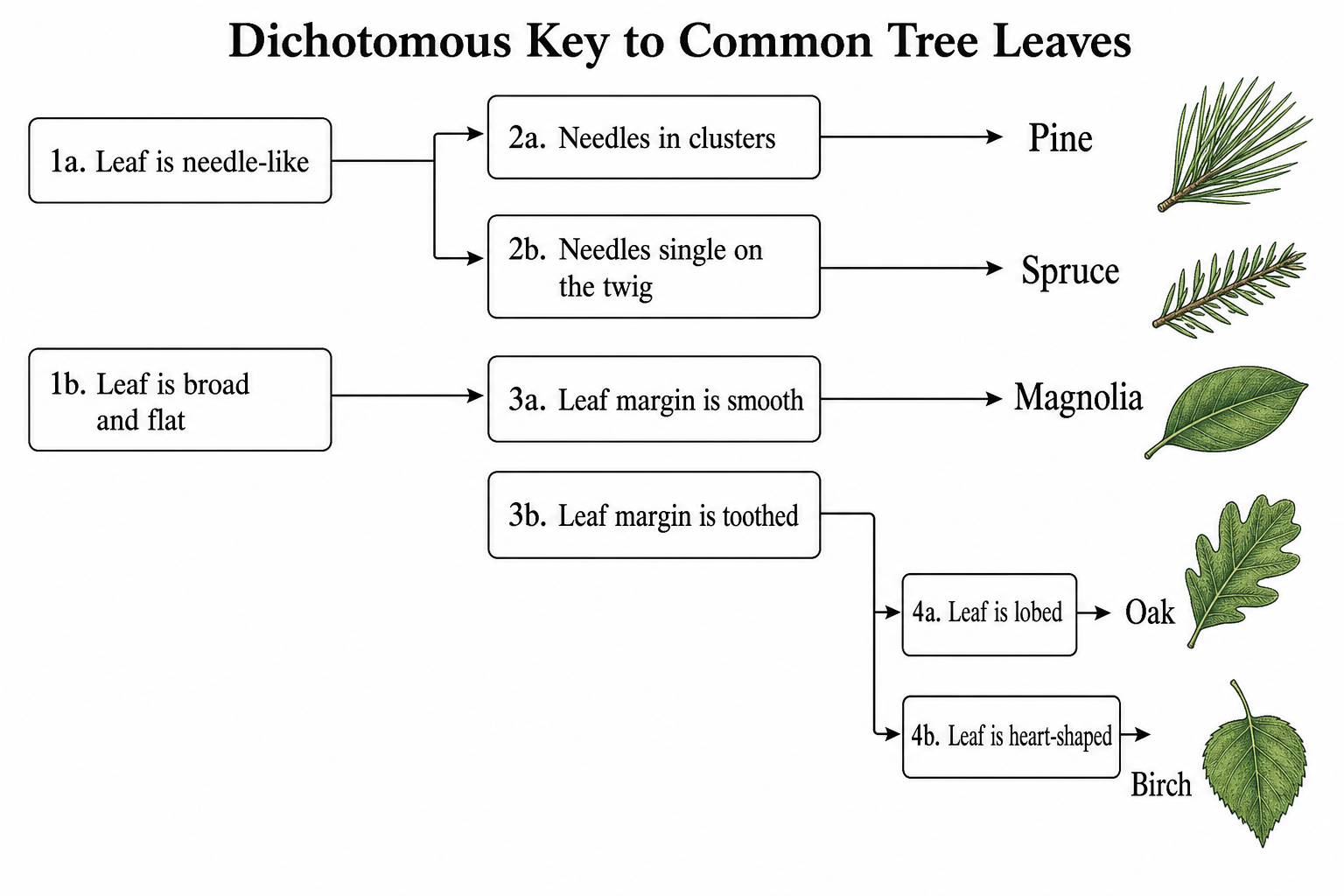
Describe your organisms and the either/or traits that tell them apart, and AI draws a clean dichotomous key with paired choices branching step by step to each species - ready for biology homework, lab worksheets, and field guides.
Dichotomous key examples
Click any example to load its prompt, or use it as a starting point for your own identification key.
What is a dichotomous key?
A dichotomous key is a step-by-step identification tool that names an unknown organism by leading you through a series of paired, either/or choices. Each step - called a couplet - offers two contrasting descriptions of a trait, such as 'leaf margin smooth' versus 'leaf margin toothed.' You pick the statement that fits your specimen, follow it to the next couplet, and repeat until a branch ends at a named species. ('Dichotomous' means splitting into two at every step.) This tool draws and labels a clean dichotomous key from the organisms and contrasting traits you describe - rendering the couplets, branches, and final names so you do not have to align boxes and arrows by hand in drawing software. It produces a tidy key for biology class, lab worksheets, or a simple field guide.
Why use a dichotomous key maker
- Dichotomous keys are a core skill in biology and life-science classes - students build and use them for classification units, labs, and exams.
- Drawing branching couplets and arrows by hand or in generic software is fiddly and slow to revise.
- A clean layout keeps each either/or choice and its branch easy to follow from the first step to the final species.
- Teachers need quick, presentable keys for worksheets, study guides, and field activities.
- Regenerating from text is far faster than re-arranging boxes every time you add an organism or change a trait.
How to make a dichotomous key
List the organisms you want to identify, then for each step pick one trait that splits the group into two and write both contrasting outcomes - for example, 'has wings' versus 'no wings.' Order your couplets from the most general difference to the most specific, so each choice narrows the group until only one organism remains. Describe the steps in plain language, naming where each branch leads ('go to 2' or a final species), and the AI draws and labels the key with paired statements, branching arrows, and the organism names at the tips. Choose a layout - a branching tree, a numbered indented list, or a yes/no flowchart - then refine the wording and regenerate until every path reaches exactly one species. Make sure each couplet uses a single, clearly observable trait so the key has no dead ends.
Parts of a dichotomous key
- Paired statements (couplets) - each step presents two contrasting descriptions to choose between.
- Either/or contrasting traits - opposite character states, such as smooth versus toothed margins.
- Branching arrows - lines that direct you from a chosen statement to the next step.
- Numbered steps - couplet numbers (1a/1b, 2a/2b) that keep the path organized.
- Final organism names - the identified species or groups at the end of each branch.
- Labels - text on each choice and node that describes the trait or destination.
Dichotomous Key Maker FAQ
What is a dichotomous key?
A dichotomous key is a step-by-step identification tool that names an organism through a series of paired, either/or choices. At each couplet you pick the statement that matches your specimen and follow it to the next step, until a branch ends at a single named species.
How do I make a dichotomous key online?
List the organisms you want to identify and, for each step, choose one trait that splits the group into two contrasting options - for example, 'wings present' versus 'wings absent.' Describe the couplets in order from general to specific and name where each branch leads. The AI then draws and labels the key with paired choices branching to each species.
How do I read a dichotomous key?
Start at the first couplet and compare both statements to your specimen. Pick the one that fits, then follow its branch - either to the numbered step it points to or to a final organism name. Repeat at each couplet until a path ends at a single species. Always work through the choices in order rather than skipping ahead.
What kinds of dichotomous keys can it draw?
You can generate a branching tree key, a traditional numbered (indented) couplet key, or a yes/no flowchart-style key. It works for leaves, animals, insects, rocks, and any set of organisms or objects you can separate using contrasting traits.
Is the dichotomous key maker free?
Each generation uses a small number of credits, and new accounts get free credits, so you can build a dichotomous key without any subscription. Paid plans add more credits if you make keys in bulk.
Can I use it for biology class or homework?
Yes. It produces clean, labeled dichotomous keys suitable for biology homework, classification units, lab worksheets, and field guides. Always check that every path leads to exactly one organism and matches your trait list before submitting.
Writing a paper, thesis or grant?
SciDraw AI also makes publication-ready research figures: graphical abstracts, mechanism figures, workflows and conceptual frameworks.
Explore More Tools
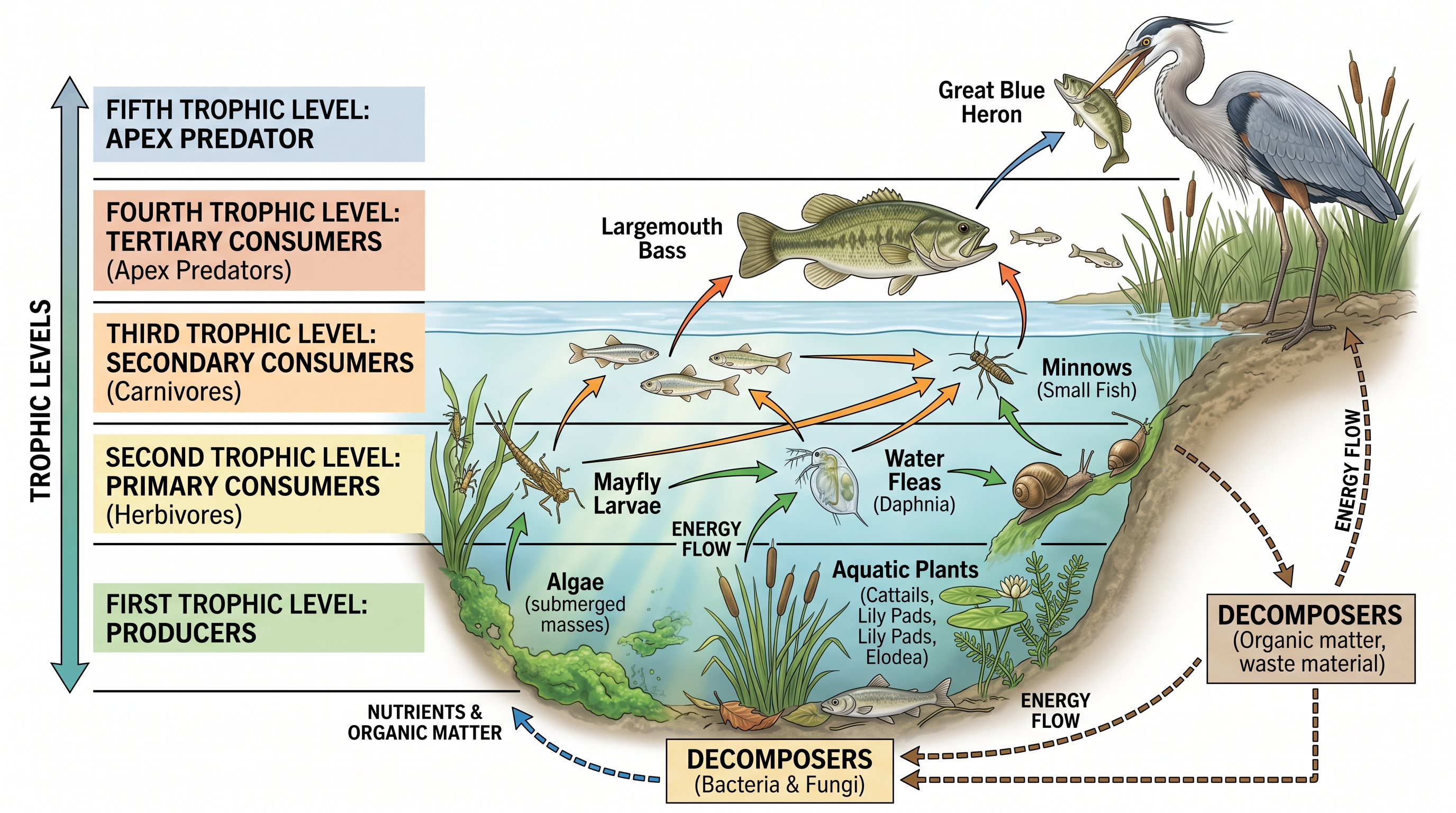
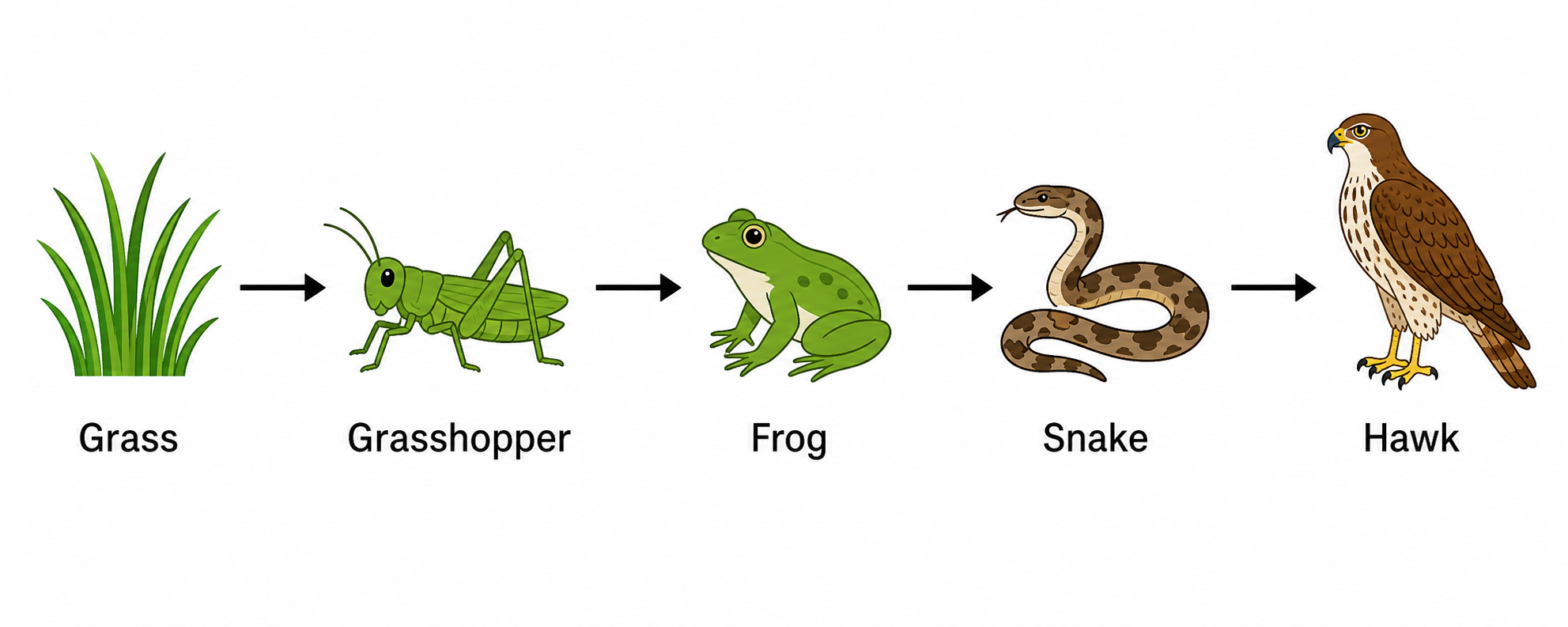
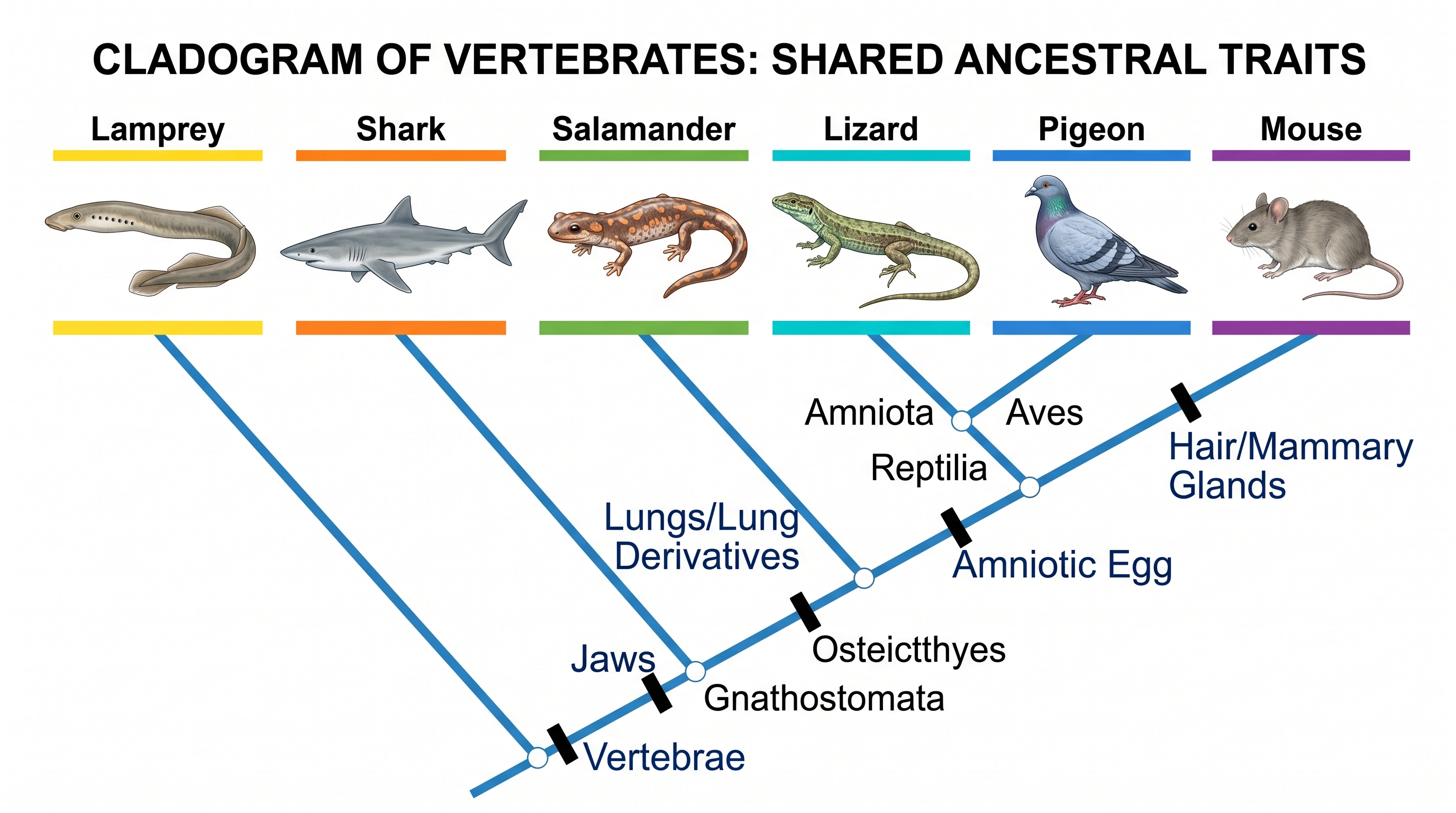
Need other biology diagrams?
Generate labeled cladograms, food webs, cell diagrams, and more with SciDraw AI.