Scientific Schematic and Experimental Setup Generator
From apparatus or device description to a publication-ready schematic
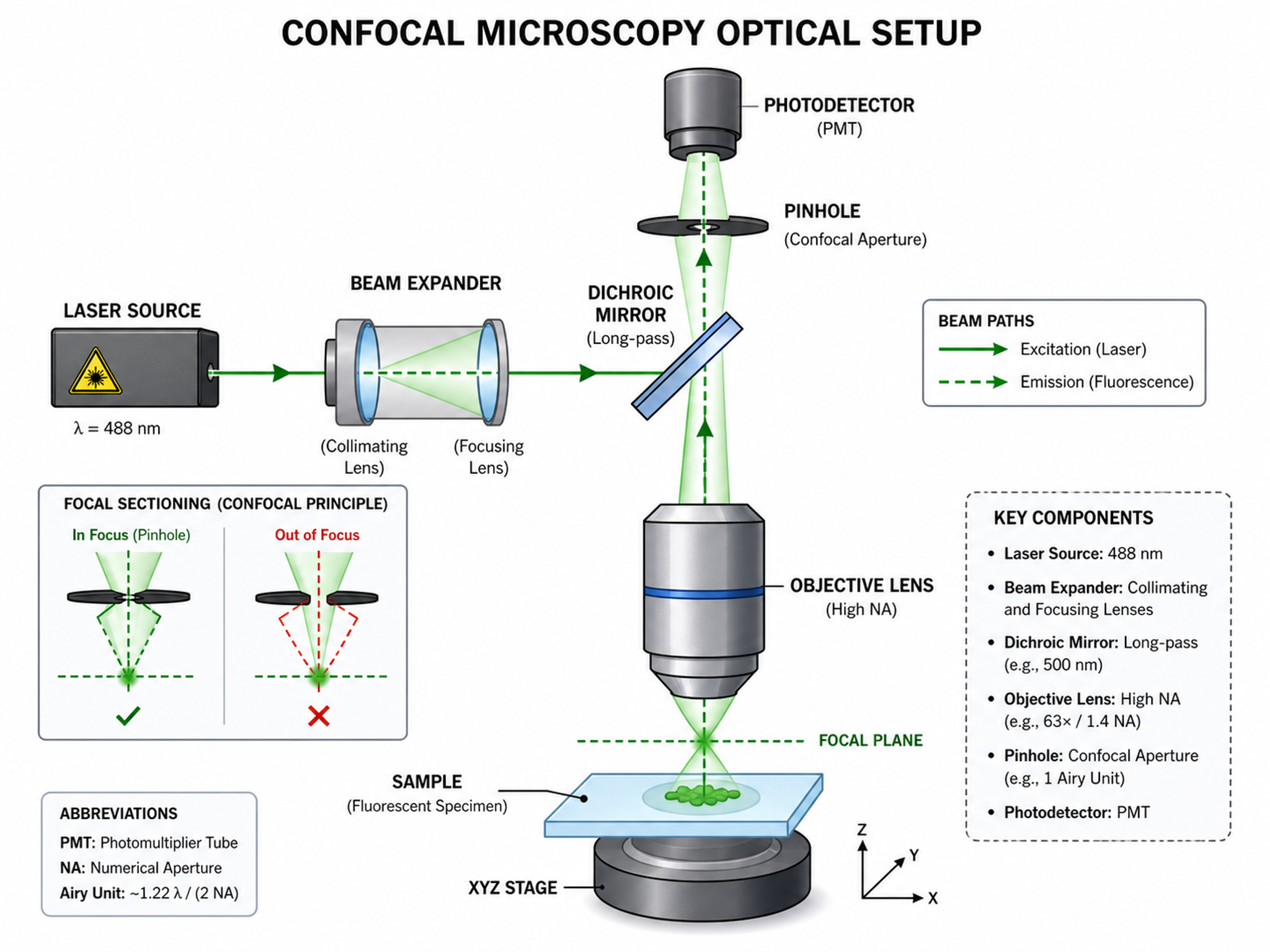
Create experimental setup diagrams, apparatus schematics, device cross-sections, conceptual frameworks, and system overviews for research papers across scientific disciplines.
Schematic Diagram Examples
Browse schematics from different fields and instruments, or generate your own above.
Scientific schematics and experimental setup diagrams
A scientific schematic is a simplified figure that shows how an apparatus, device, or system is organized and connected. Use this generator for experimental setups, optical paths, reactor systems, microfluidic devices, instrument layouts, device cross-sections, and conceptual systems. For electrical-only drawings, use the dedicated Circuit Diagram Maker.
Why scientific schematics matter
- Explain how an experimental apparatus or device is assembled at a glance
- Make material flow, signals, optical paths, fluid paths, and measurement points easy to follow
- Document experimental apparatus and devices so the setup is reproducible
- Replace cluttered photos with a clean, distraction-free view of connections
- Meet class, lab report, and journal figure standards with tidy lines and labels
How to draw an experimental setup or apparatus schematic
List the components, their connections, the direction of flow or signal, and any measurement points. Describe the intended reading direction and specify labels, dimensions, beam paths, fluid paths, or device layers that matter. SciDraw AI arranges the setup into a clean research schematic; review the final connections and technical details before publication.
Common elements of a scientific schematic
- Labeled apparatus, instruments, samples, chambers, or device layers
- Arrows and connecting lines showing material, energy, signal, or process flow
- Inlets, outlets, sources, detectors, sensors, and measurement points
- Spatial relationships, cross-sections, beam paths, fluid paths, or system boundaries
- Dimensions, operating conditions, annotations, and reference labels where needed
- A legend, scale, or panel labels that make the schematic self-contained
Frequently Asked Questions
What is a scientific schematic diagram?
A scientific schematic is a simplified, labeled figure showing how an experimental apparatus, device, or system is organized and connected. It prioritizes components, flow, signals, layers, and measurement points over photorealistic appearance.
How do I make an experimental setup diagram?
Describe the apparatus components, their spatial order, connections, flow direction, measurement points, and required labels. SciDraw AI turns the description into a clean experimental setup diagram that you can refine and export for a paper, thesis, or lab report.
What apparatus and device schematics can it create?
It can draft optical bench layouts, reactor and fluid-flow systems, electrochemical cells, microfluidic devices, instrument chains, sensor setups, device cross-sections, and broader system schematics. Always verify technical connections and dimensions before publication.
Can it draw circuit diagrams too?
For a mixed research setup, you can include electrical components and connections in the schematic. For a dedicated electrical, electronic, or wiring diagram, use SciDraw AI's Circuit Diagram Maker, which is optimized for circuit-specific symbols and terminology.
Is the scientific schematic generator free?
You can start creating scientific schematics and experimental setup diagrams with included free credits, and each generation uses a small number of credits. Paid plans add more monthly credits for heavier use, while high-resolution and scalable SVG exports support reports, slides, and publications.
Can I use it for lab reports, theses, or engineering documentation?
Yes. Use the diagrams in lab reports, theses, research papers, grants, class projects, and engineering documentation. Export at 300+ DPI or as vector SVG to meet figure standards, and verify components, dimensions, flow directions, and technical details against the real apparatus or device.
Explore More Tools

Workflow Diagram Generator
Generate experimental flowcharts and research methodology diagrams
Try it free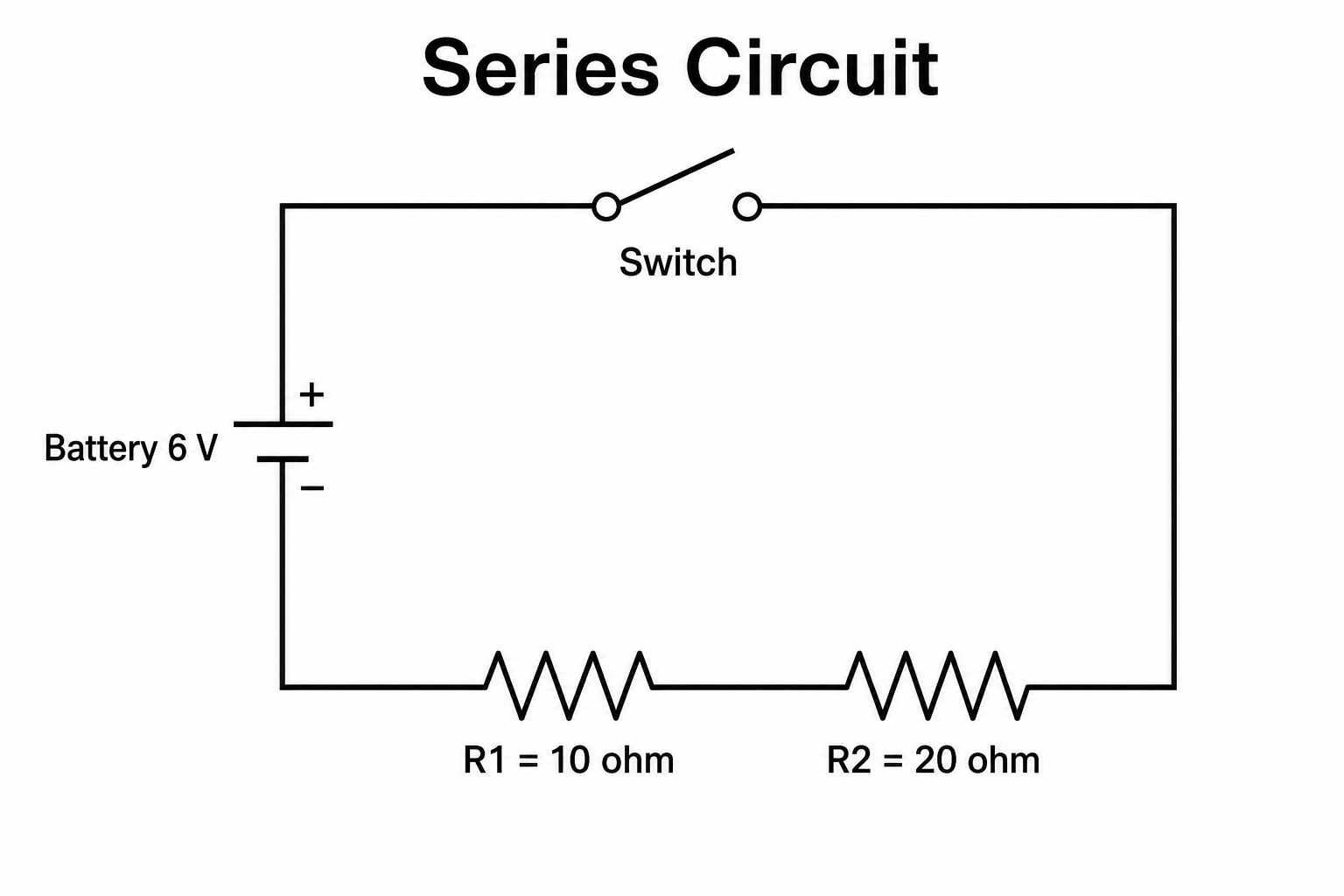
Circuit Diagram Maker
Draw clean electrical circuit schematics with standard symbols from a text prompt.
Try it free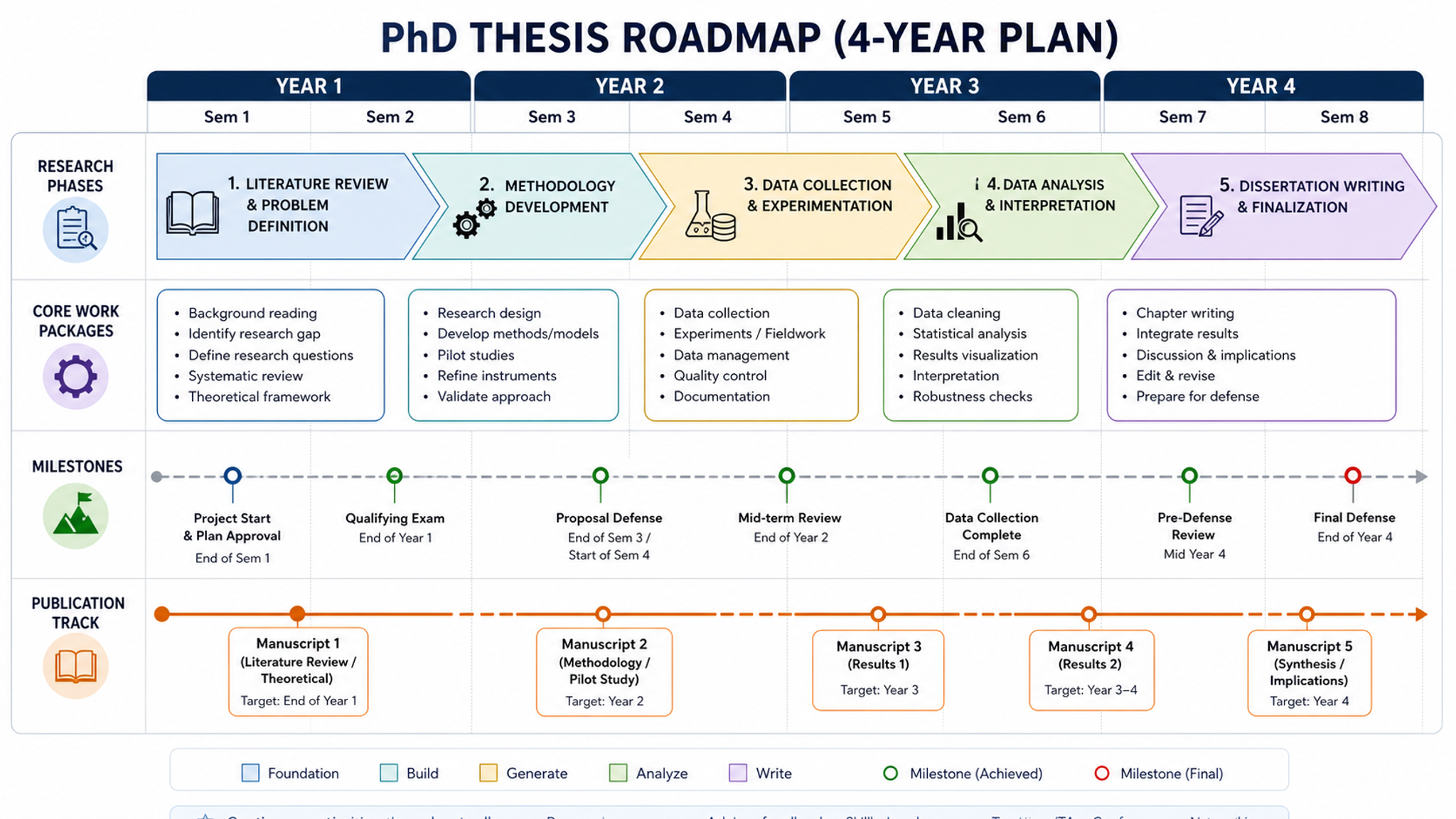
Research Roadmap Maker
Create technical route diagrams for grant proposals
Try it freeCreate your schematic diagram now
Join thousands of researchers who use SciDraw AI to visualize experimental setups, device structures, and conceptual frameworks.