Flowchart Maker
Standard flowcharts from a written list of steps
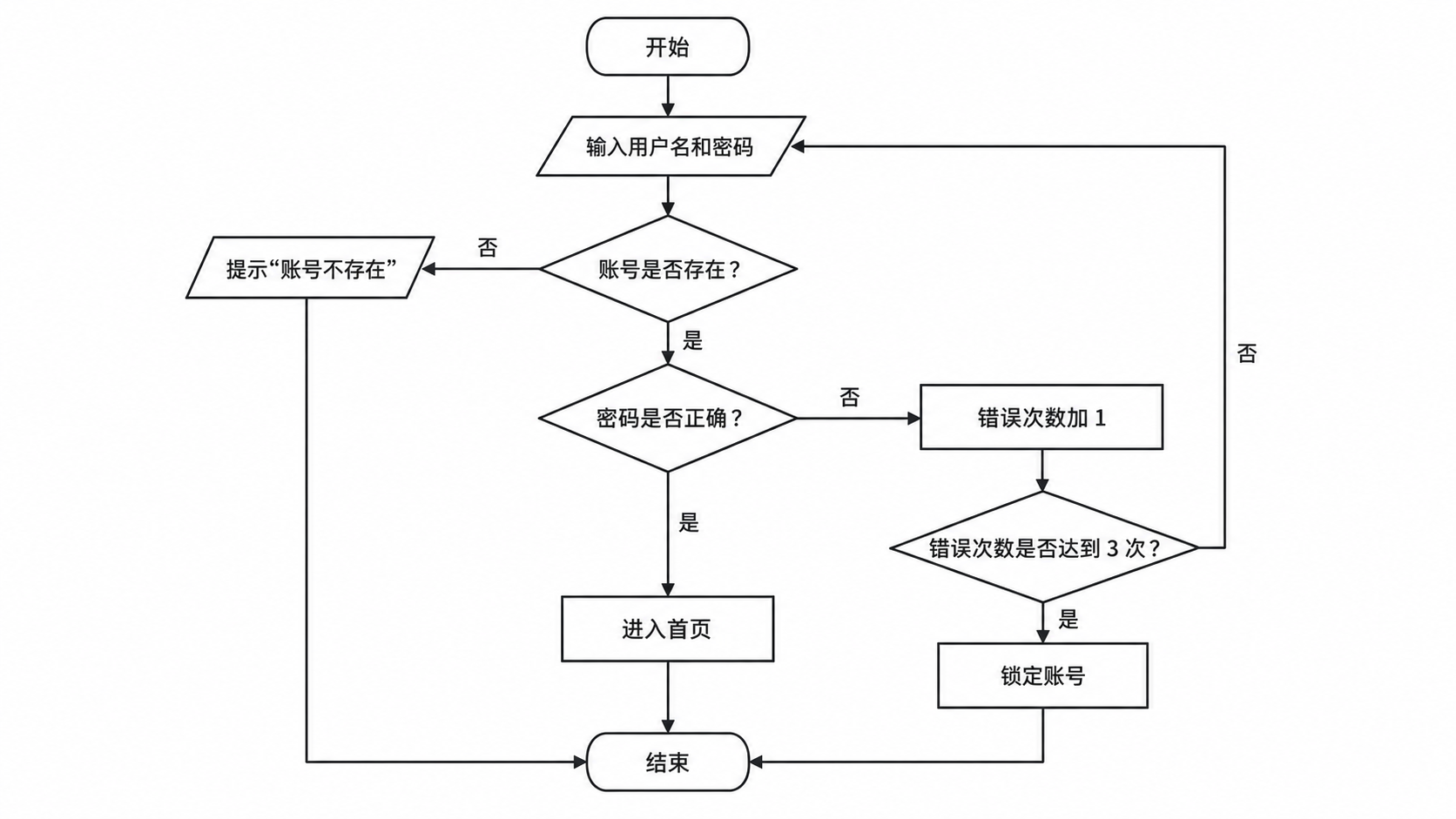
Write the steps in order, such as a login check, a sorting algorithm or a leave approval, and say where each decision leads. SciDraw AI draws the flowchart top to bottom with rounded start and end terminators, process rectangles, decision diamonds with labeled branches and input/output parallelograms. No shapes to drag.
Flowchart Examples
Click an example to load its description.
What does this flowchart maker do?
It draws a standard flowchart from a written description of a procedure. Steps run top to bottom in the order you wrote them. Start and end become rounded terminators, ordinary steps become rectangles, questions become diamonds with each exit labeled with the word you gave, such as Yes or No, and steps you mark as input or output become parallelograms. Use it for program and algorithm flowcharts in coursework and theses, and for business procedures such as approvals, orders and complaint handling.
Why flowcharts help
- They show branches and loops at a glance, which is hard to follow in a paragraph of text or in code.
- Drawing one exposes a decision with a missing branch, a loop that never ends or a step nobody is responsible for.
- Programming assignments, thesis design chapters and operating manuals commonly ask for a flowchart of each key procedure.
How to draw a flowchart
Decide where the procedure starts and where it ends, and give each a rounded terminator. Write the actions in between in order, one rectangle per step, as short verb phrases such as "Verify the password". Wherever the path depends on a condition, use a diamond and phrase it as a question that can be answered Yes or No. Label both exits and say which step each one leads to. Use a parallelogram for data that is entered or shown. A loop needs no special symbol: let the arrow return to an earlier step. Draw the chart top to bottom, keep it to about ten shapes, and split a longer procedure into several sub-flowcharts.
Flowchart symbols
- Terminator: a rounded box that marks Start or End.
- Process: a rectangle for one action or calculation, such as "Set i = 1".
- Decision: a diamond holding a question, with one labeled exit for each answer.
- Input/output: a parallelogram for data that is read in or shown.
- Flow line: an arrow that gives the order of the steps; an arrow going back to an earlier step forms a loop.
Frequently Asked Questions
What should I include in the description?
Every step in order from Start to End, each decision as a question, and where each of its answers leads, for example "Decision 'Payment successful?': No -> Cancel the order -> End". Mark the steps that are input or output; other steps are drawn as process rectangles. The generator draws only what you list.
Can it draw program and algorithm flowcharts with loops?
Yes. Write the loop condition as a decision, such as 'i <= N?', and end the loop body with "return to 'i <= N?'". The arrow goes back to that step. Assignments such as "i = i + 1" are drawn as process rectangles with the text you wrote.
How many steps fit in one flowchart?
A chart with up to about ten shapes, three decisions and one loop comes out most reliably. For a longer procedure, draw the main flow first and give each complicated step its own flowchart.
Is the generated flowchart always correct?
It follows your description closely, but check the branch labels, the arrow directions and where the loop returns before you submit it. If one step is wrong, regenerate or refine it in the editor.
Can I edit the flowchart afterwards?
Yes. Download it as a high-resolution PNG, or open it in the editor to keep refining it. From the editor you can convert it to an SVG vector file (10–15 credits), a PowerPoint PPTX file (10 credits) or a Visio file (20 credits).
How many credits does it cost?
Each diagram uses 5 credits at 2K. A free account gets 10 credits at sign-up and 5 more every day; paid plans and credit packs add more. See the pricing page for current plans.
Draw your flowchart now
Write the steps and decisions in plain language and get a clean standard flowchart.