Immunology Diagram Generator
Turn a sentence into a labeled immunology figure
Describe any immunology concept — an antibody, antigen presentation, T-cell activation, an immune checkpoint, a cytokine cascade, or how a vaccine works — and SciDraw AI draws a clean, labeled, publication-ready diagram you can edit and export.
Immunology diagram examples
Start from a proven prompt, then adapt it to your topic.
What this tool does
The Immunology Diagram Generator turns a plain-language description into a clean, labeled immunology figure. Instead of dragging icons around in design software, you describe the cells, receptors, and molecules you want — antibodies, MHC and TCR, cytokines, checkpoints, immune cells — and SciDraw AI arranges them with consistent activation arrows and inhibition bars. It is built for researchers, students, and educators who need accurate, publication-ready immunology visuals fast.
Why use an AI immunology diagram generator?
- Immunology figures are dense — many cells, receptors, and signals that are tedious to draw by hand.
- Standard tools require manual layout; you start from a finished, labeled draft instead.
- Labels stay crisp and readable, so you avoid the garbled text typical of generic image AI.
- Every diagram is editable and exportable to SVG or PowerPoint for papers, slides, and posters.
- One prompt covers many topics — antibodies, antigen presentation, checkpoints, cytokines, vaccines.
How to make an immunology diagram
1) Describe your concept — name the cells, receptors, and molecules and how they interact. 2) Click Generate to get a labeled draft. 3) Refine by asking to add, remove, recolor, or relabel elements. 4) Export to SVG or PPTX, or download a high-resolution image for your manuscript, lecture, or poster.
What you can illustrate
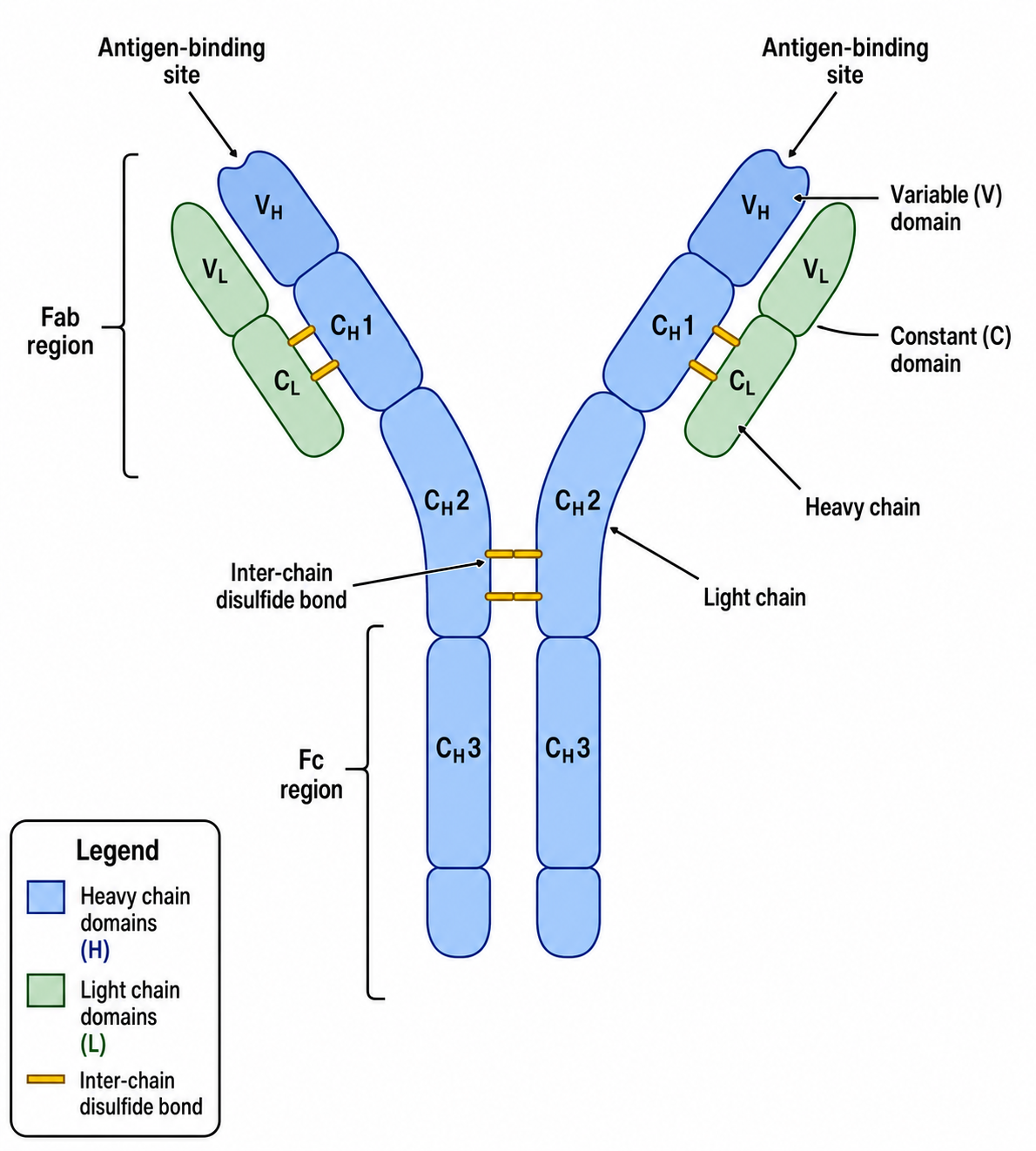
- Antibody structure (IgG): heavy/light chains, Fab/Fc, antigen-binding sites, domains
- Antigen presentation: APC, MHC I/II, peptide, TCR, CD4/CD8 co-receptors
- T-cell activation and the three-signal model, with co-stimulation
- Immune checkpoints such as PD-1/PD-L1 and CTLA-4, plus blocking antibodies
- Cytokine signaling and inflammation (TNF-α, IL-6, IL-1β, interferons)
- Vaccine mechanisms, B-cell antibody production, and immune memory
Immunology Diagram Generator — FAQ
What immunology diagrams can I create?
Antibody structures, antigen presentation, T- and B-cell activation, immune checkpoints (PD-1/PD-L1, CTLA-4), cytokine signaling and inflammation, innate vs adaptive immunity, and vaccine mechanisms — among many others. Just describe what you need.
Are the labels accurate and readable?
Yes. SciDraw AI renders clean, sans-serif labels as crisp text, so receptor names, cell types, and molecules stay legible — unlike generic image generators that often produce garbled text.
Can I edit the diagram after generating it?
Absolutely. You can refine any diagram by asking to add or remove elements, recolor, simplify, or rename labels — without redrawing the whole figure.
Can I export to PowerPoint or SVG?
Yes. Diagrams can be exported to editable SVG or PowerPoint (PPTX), or downloaded as high-resolution images — ready for manuscripts, slides, and posters.
Is it suitable for publication?
It is designed for publication-ready output: clean vector style, consistent activation arrows and inhibition bars, and accurate labeling that fits journal and textbook standards.
Do I need design or drawing skills?
No. If you can describe the immunology concept in a sentence, you can generate a professional figure. The AI handles layout, styling, and labeling for you.
Explore More Tools
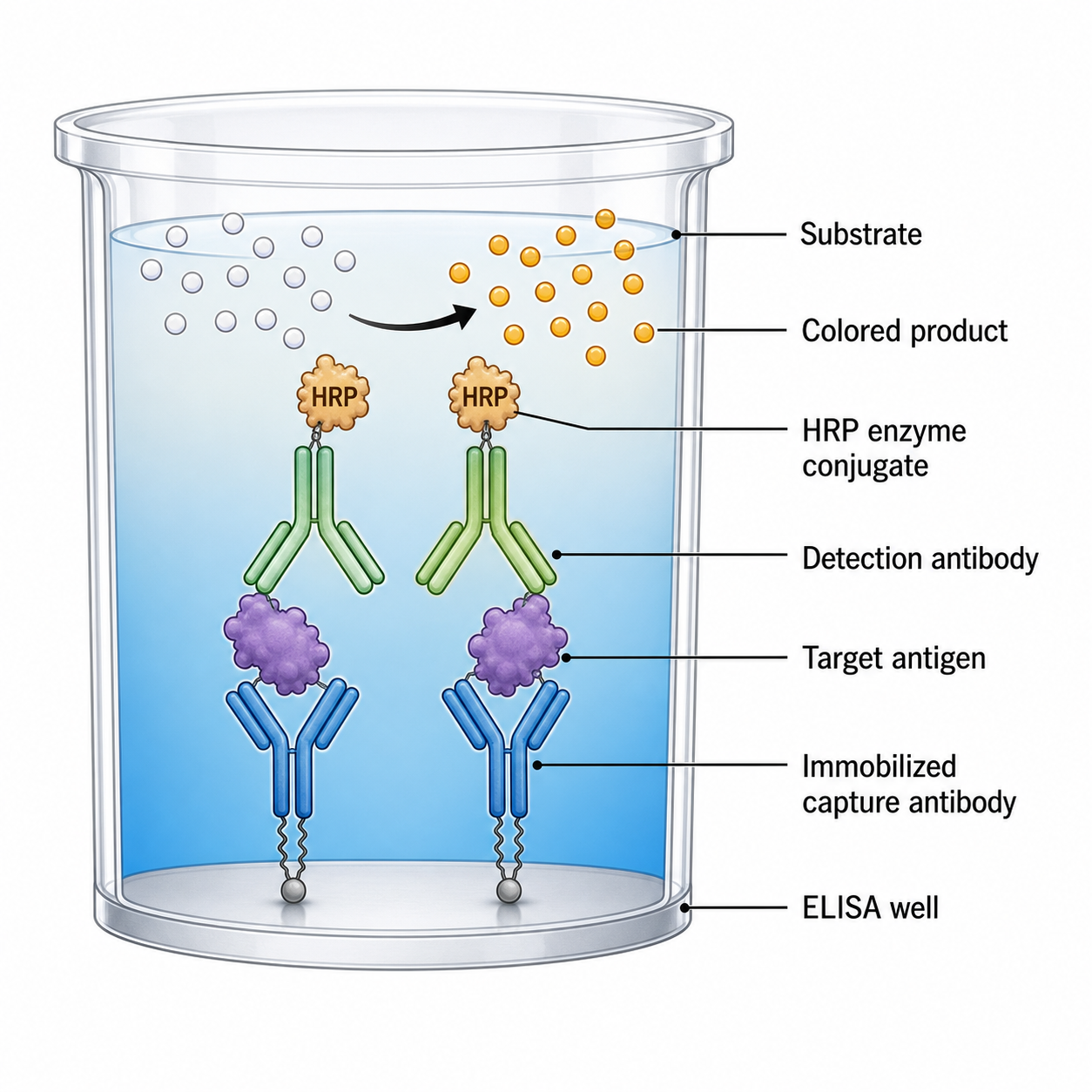
ELISA Diagram Generator
Draw labeled ELISA diagrams — sandwich, indirect and competitive assays, workflow, plate layouts, and standard curves.
Try it free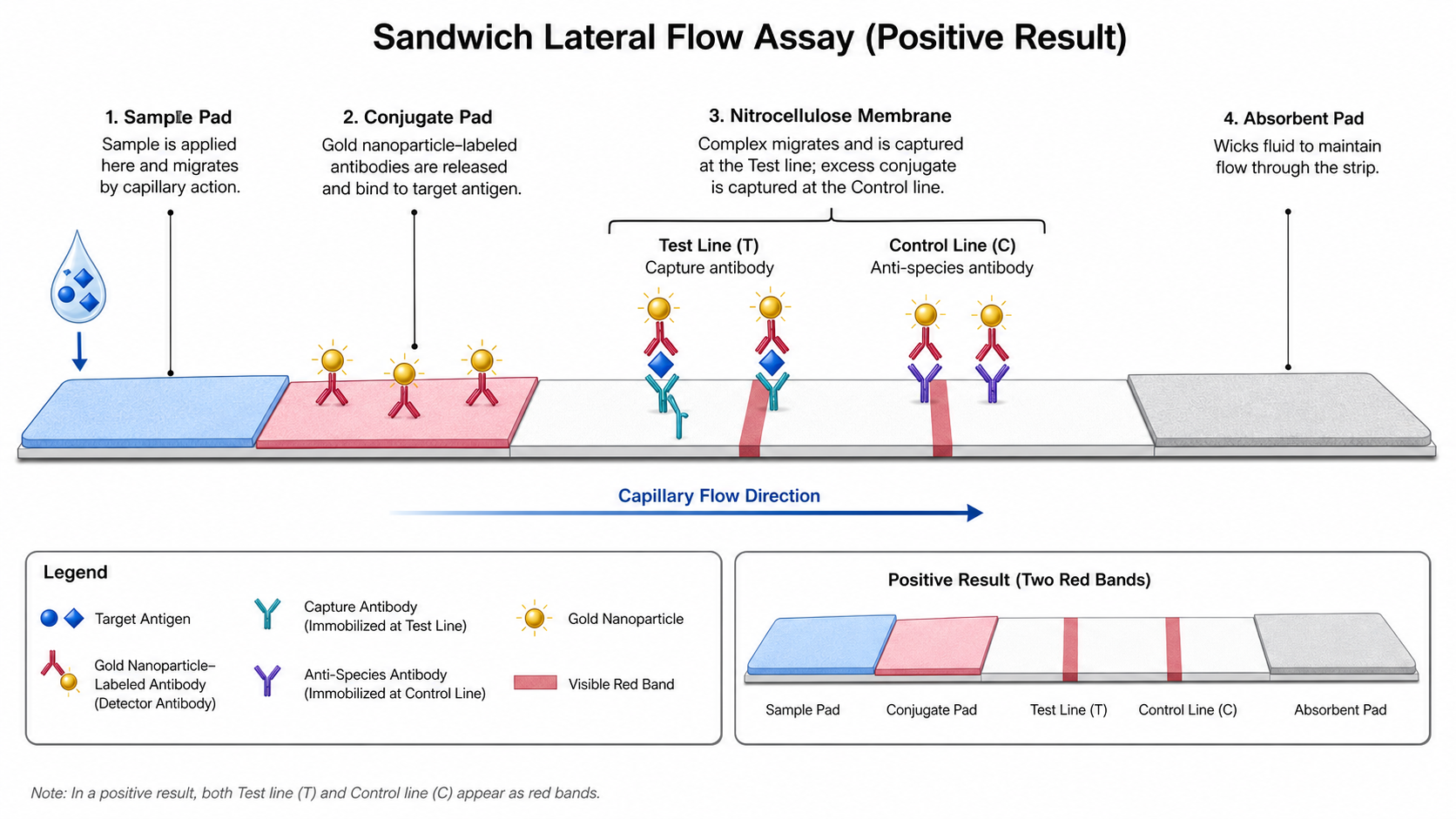
Lateral Flow Assay Diagram Generator
Create lateral flow assay diagram visuals for sample pads, conjugate pads, nitrocellulose membranes, test lines, control lines, and capillary flow.
Try it free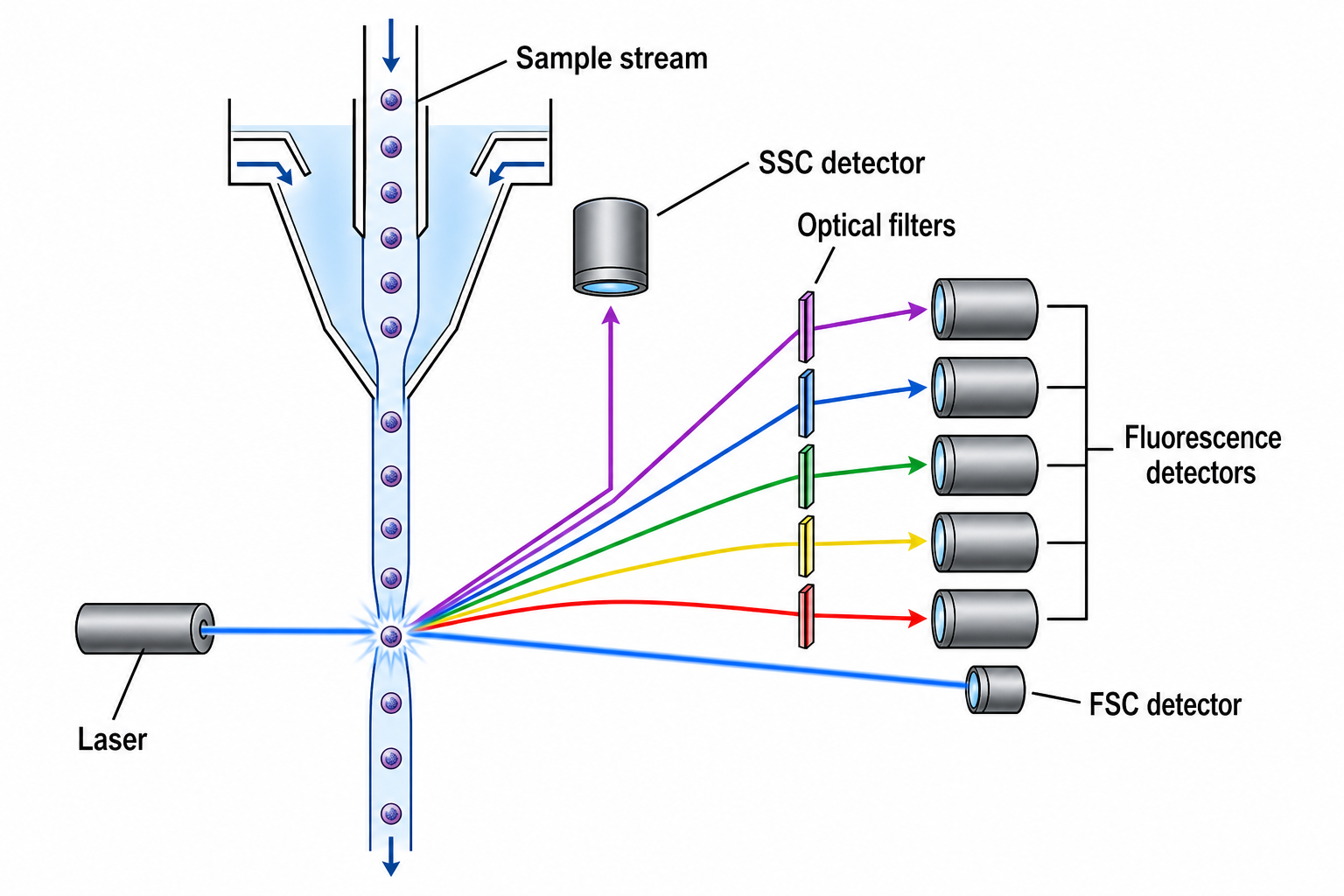
Flow Cytometry Diagram Generator
Draw labeled flow cytometry figures — cytometer schematics, gating strategies, dot plots, immunophenotyping, and FACS sorting.
Try it freeDraw your immunology diagram now
Describe any immune concept and get a clean, labeled, publication-ready figure in minutes.