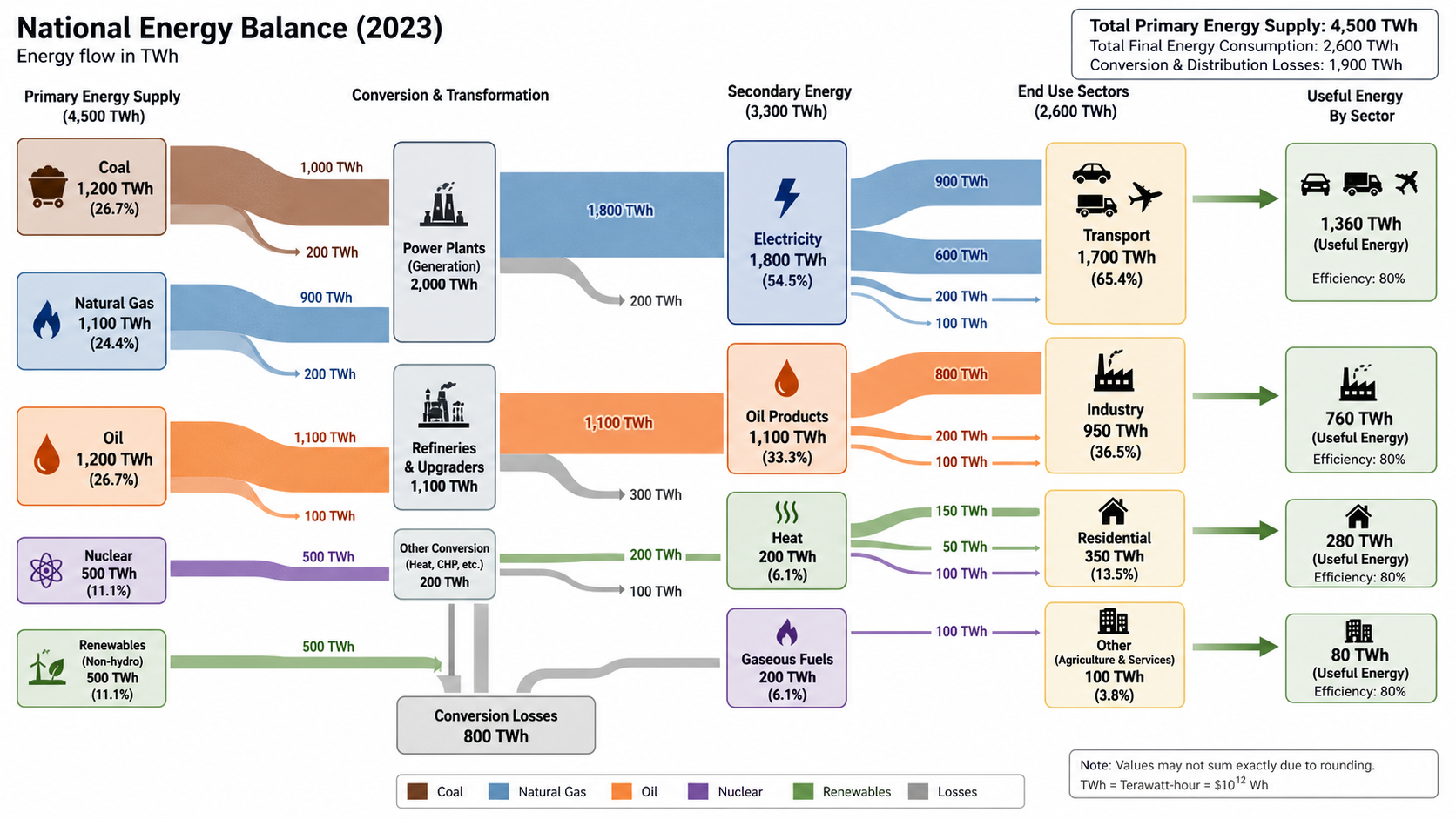
Sankey Diagram Generator
Create Sankey Diagram Generator from experimental or research data
Make Energy Balance from CSV or Excel with Sankey Diagram Generator. Includes Python rendering, SciVis editing, and publication-ready export.
Sankey Diagram Generator examples with downloadable data
Open an example to inspect the chart, download its CSV, or load the same data into the generator above.
What does Sankey Diagram Generator show?
Sankey Diagram Generator turns structured research data into the statistical form this chart is designed to show. Use it for Energy Balance, Research Budget, and related analyses; Python creates the first reproducible chart and SciVis handles visual refinement.
Data requirements for Sankey Diagram Generator
- Representative fields: source, target, value, unit.
- Keep one observation, category, time point, or valid pair per row.
- Store measured values as numbers and put units in the column header.
- Treat blanks as missing values and remove totals or notes before upload.
Research examples for Sankey Diagram Generator
- Energy Balance
- Research Budget
- Carbon Flow
- Water Budget
- Material Flow
- Student Pathways
Why use Sankey Diagram Generator for research data?
- Validate the data mapping with the included Energy Balance example before replacing its values.
- Apply the same visual grammar to Research Budget or a comparable dataset.
- Use Python-backed rendering without having to write or debug plotting code.
- Keep the generated values intact while refining labels, colors, and export in SciVis.
How to use Sankey Diagram Generator
Choose an example or upload one CSV, TSV, TXT, XLSX, or XLS file, check the detected columns, generate the chart, and continue editing it in SciVis. For Excel files, the first worksheet is imported.
What a clear Sankey Diagram Generator should include
- Axes, groups, or nodes mapped consistently from source, target, value, unit.
- A title that states the outcome or comparison shown by the Sankey Diagram Generator.
- Readable labels, units, legends, and reference lines where the method requires them.
- A restrained color system and sufficient resolution for papers, posters, or slides.
Sankey Diagram Generator or Stacked Area Chart Maker?
Choose Sankey Diagram Generator when its statistical structure matches the question and columns in your dataset. Use Stacked Area Chart Maker when that alternative comparison is the main analytical goal; keeping the chart types separate avoids a misleading visual encoding.
Sankey Diagram Generator FAQ
Which columns does Sankey Diagram Generator need?
The included CSV shows the expected structure. Representative fields are source, target, value, unit; equivalent column names are accepted when their values have the same roles.
When should I use Sankey Diagram Generator instead of Stacked Area Chart Maker?
Use Sankey Diagram Generator when you want the relationship it is specifically designed to encode. Choose Stacked Area Chart Maker when its alternative comparison better matches the research question.
Can I edit a figure after creating it with Sankey Diagram Generator?
Yes. Open the figure generated with Sankey Diagram Generator in SciVis to change labels, colors, annotations, layout, and other visual settings.
Can I use figures from Sankey Diagram Generator in a research paper?
Yes. Sankey Diagram Generator is designed to produce clean, publication-ready scientific figures. Always verify values and journal requirements before submission.
Can Sankey Diagram Generator export high-resolution figures?
Yes. After editing a Sankey Diagram Generator figure in SciVis, you can export it in formats suitable for papers, posters, slides, and reports.
Do I need coding experience to use Sankey Diagram Generator?
No. Sankey Diagram Generator creates the first version through a guided upload workflow, while SciVis provides visual controls for refinements.
Learn how to use Sankey Diagram Generator with research data
Review chart selection, required data columns, interpretation, and related scientific visualization workflows before preparing your final figure.
Explore More Tools
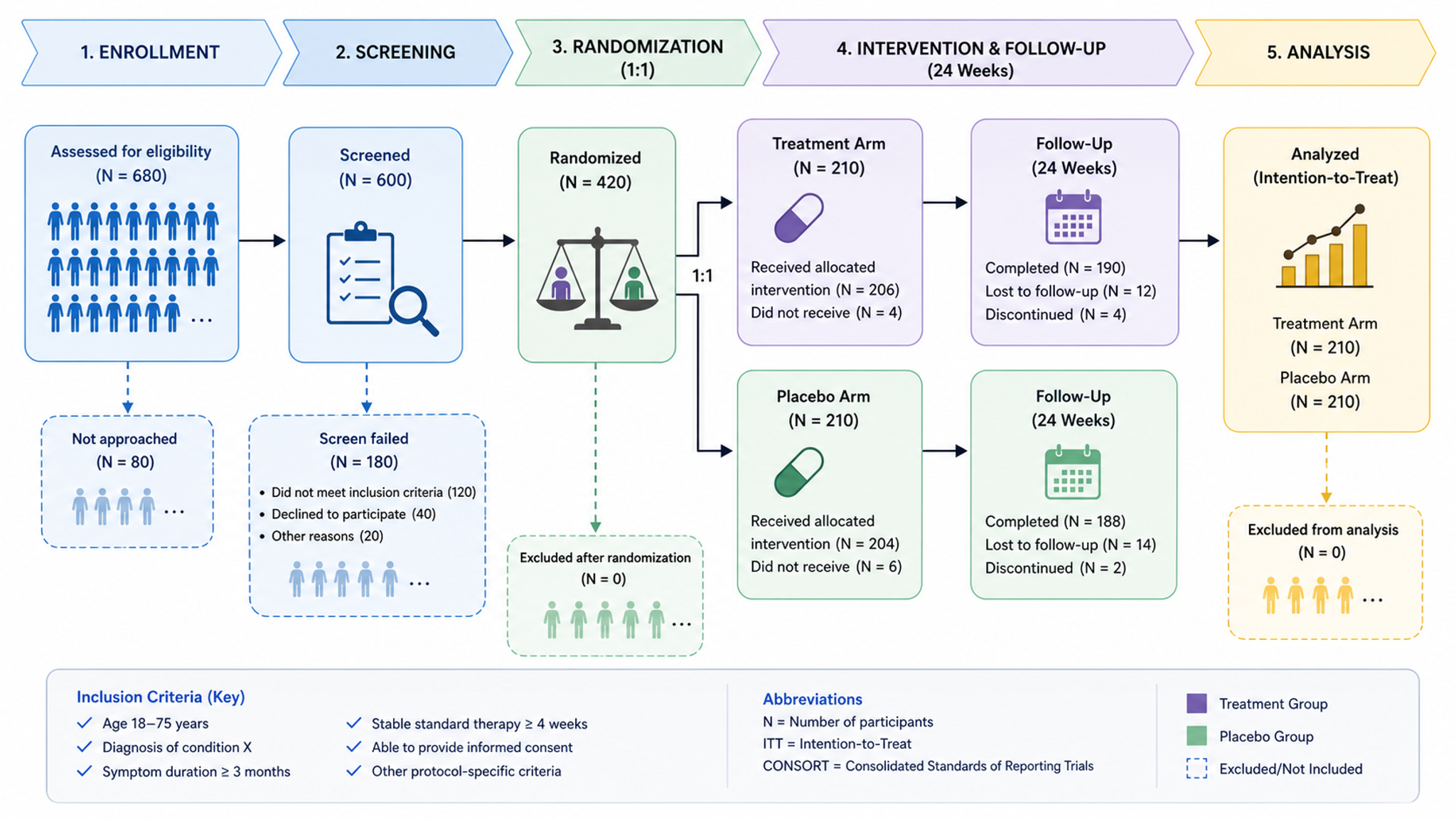
Workflow Diagram Generator
Generate experimental flowcharts and research methodology diagrams
Try it free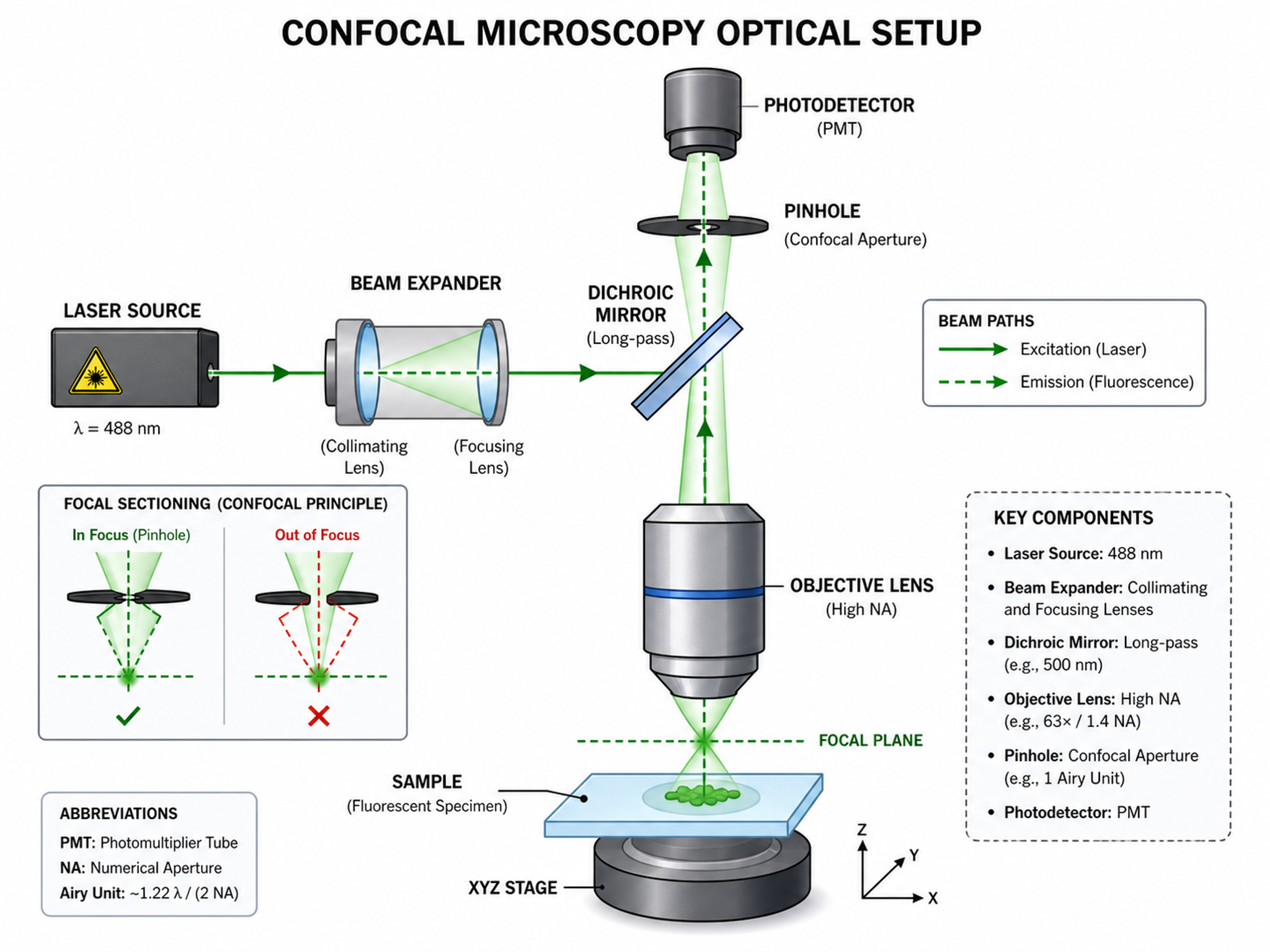
Schematic Diagram Generator
Generate experimental setup and conceptual schematic diagrams
Try it free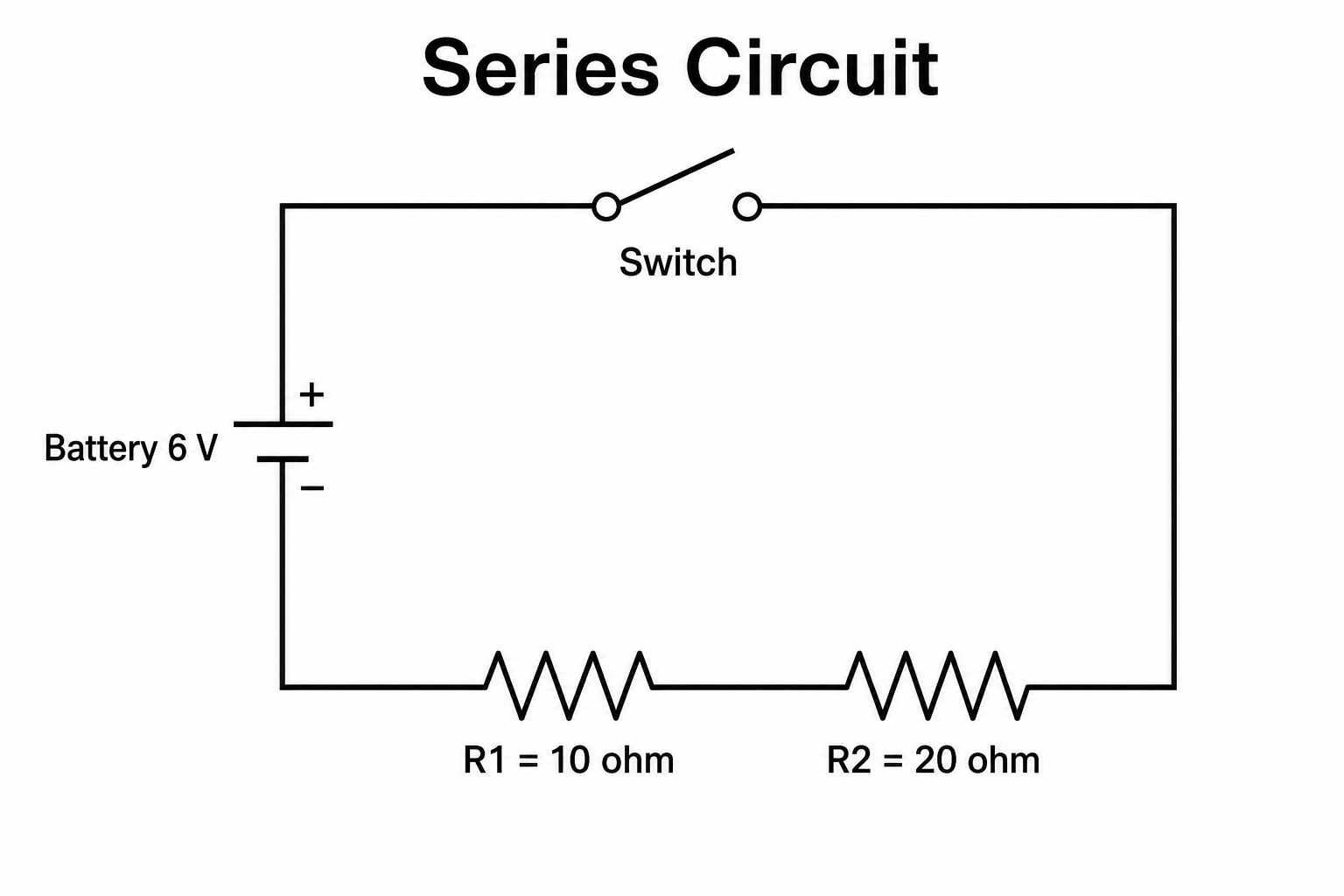
Circuit Diagram Maker
Draw clean electrical circuit schematics with standard symbols from a text prompt.
Try it freeCreate a figure with Sankey Diagram Generator
Start with sample data or upload one supported data file, then finish the figure in SciVis.