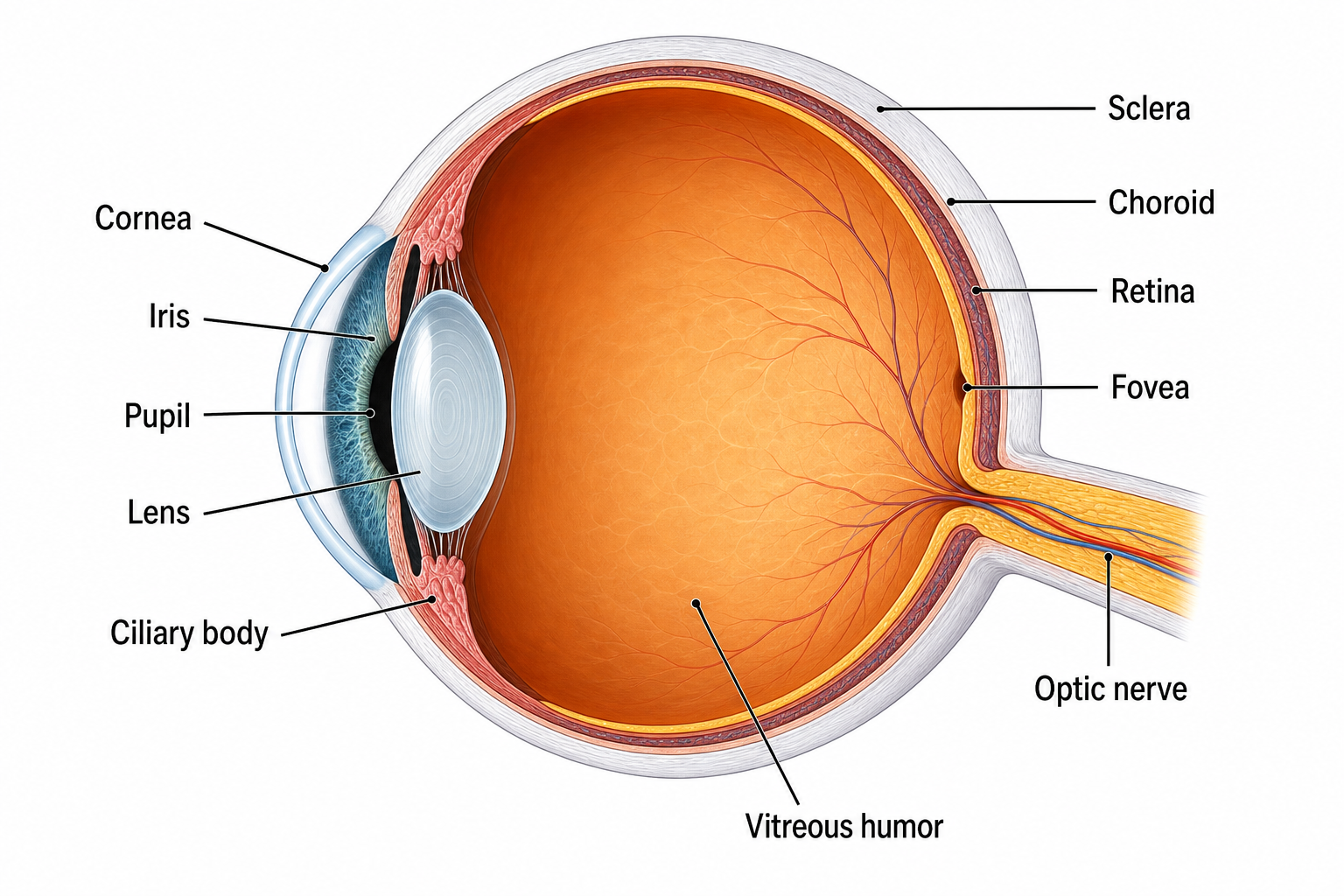
Схема глаза: анатомия глаза с подписями и без подписей
Срезы глаза, детали сетчатки, рабочие листы и ключи к заданиям
Создайте поперечный разрез человеческого глаза или детализированную диаграмму сетчатки с четкими выносками. Начните с готовых подписей, пустых шаблонов или примеров с ответами для изучения анатомии.
Примеры схем глаза с подписями и пустых
Начните с готового примера или опишите свой — от полностью подписанного разреза до пустого рабочего листа, который ученики заполняют сами.
Что такое схема анатомии глаза?
Схема анатомии глаза — это подписанная иллюстрация глаза человека, которая показывает его структуры и то, как они соединяются. Обычно она представляет разрез глазного яблока, чтобы можно было увидеть внешние части, такие как роговица и радужка, наряду с внутренними частями, такими как хрусталик, сетчатка и зрительный нерв. Такие схемы превращают сложный трёхмерный орган в понятное, читаемое изображение, поэтому они являются основой изучения биологии, оптометрии, офтальмологии и сестринского дела. SciDraw AI создаёт эти схемы по краткому описанию, рисуя аккуратные выносные подписи, соединённые линиями-указателями, чтобы каждую часть было легко определить. Результат анатомически обоснован и чётко подписан, готов для презентаций, рабочих листов и конспектов. Из того же описания получается и вариант для урока: попросите неподписанный глаз с пустыми выносными линиями — и у вас готовый к печати лист, который ученики подписывают сами; затем отдельно создайте подписанный вариант, и это будут ответы.
Зачем нужен генератор схем анатомии глаза?
- Экономьте часы на рисовании, создавая подписанную схему за секунды вместо ручного наброска.
- Получайте чёткие, единообразные подписи, чтобы студенты быстро изучали части глаза без беспорядка.
- Создавайте нужные виды по запросу, будь то разрез, крупный план сетчатки или мышцы глаза.
- Создавайте изображения высокого разрешения, которые остаются чёткими на лекционных слайдах, печатных раздаточных материалах и экзаменационных материалах.
- Адаптируйте схемы под свой уровень, от простого подписанного обзора до более детального разбора структуры.
Как создать подписанную схему глаза
Начните с краткого описания нужной схемы, например подписанный разрез глаза человека или крупный план сетчатки. Назовите конкретные структуры для подписи, такие как роговица, радужка, хрусталик, сетчатка, центральная ямка и зрительный нерв, и укажите предпочтительный вид, например разрез или вид спереди. Выберите соотношение сторон 4:3 для сбалансированной компоновки на уроке и разрешение 2K для чёткого результата. Нажмите «Создать схему глаза», затем просмотрите подписанное изображение. Если хотите изменить уровень детализации или добавить либо убрать структуры, уточните запрос и сгенерируйте снова. Прежде чем использовать схему для преподавания или оценивания, сверьте её с авторитетным анатомическим справочником, чтобы убедиться в правильности каждой подписи. Укажите, нужно ли подписывать все структуры или нужен неподписанный вариант с пустыми выносными линиями для учеников, и добавьте «белый фон, для печати», если схема пойдёт в рабочий лист.
Части глаза
- Роговица: прозрачный передний слой, который защищает глаз и преломляет входящий свет, начиная фокусировку.
- Радужка и зрачок: цветное кольцо, регулирующее количество поступающего света, и центральное отверстие, которое оно изменяет.
- Хрусталик: гибкая структура за зрачком, которая тонко настраивает фокус за счёт аккомодации.
- Сетчатка: светочувствительный внутренний слой, включая жёлтое пятно и центральную ямку, который захватывает изображение.
- Зрительный нерв: пучок волокон, передающий зрительные сигналы от сетчатки к мозгу.
- Склера, сосудистая оболочка и стекловидное тело: защитная белая стенка, питающий средний слой и гель, заполняющий глазное яблоко.
Часто задаваемые вопросы
Из каких частей состоит глаз?
Основные части глаза включают роговицу, радужку, зрачок и хрусталик спереди, склеру и сосудистую оболочку, образующие стенку, а также сетчатку, жёлтое пятно, центральную ямку и зрительный нерв сзади. Глазное яблоко заполнено стекловидным телом, а водянистая внутриглазная жидкость находится в передних камерах. SciDraw AI может подписать все эти структуры на одной схеме, чтобы каждую часть было легко найти.
Как создать подписанную схему глаза онлайн?
Опишите нужную схему в генераторе, назвав вид и структуры для подписи, такие как роговица, радужка, хрусталик, сетчатка и зрительный нерв. Выберите соотношение сторон и разрешение, затем нажмите «Создать схему глаза». SciDraw AI нарисует чёткую схему с аккуратными выносными подписями за секунды, и вы можете уточнить запрос, чтобы добавить детали или изменить вид.
Какие типы схем глаза можно создать?
Вы можете создать полностью подписанный разрез, разрез глазного яблока с внутренними камерами, крупный план сетчатки с жёлтым пятном и центральной ямкой, схему шести наружных мышц глаза, сравнение аккомодации хрусталика и вид спереди внешнего глаза. Просто опишите нужный вид и структуры для подписи.
Точны и чётко ли подписаны схемы?
SciDraw AI рисует анатомически обоснованные, чётко подписанные схемы, где каждая структура соединена с аккуратной выносной подписью, что делает их подходящими для учёбы и презентаций. Поскольку изображения, созданные ИИ, иногда могут разместить или подписать структуру неточно, всегда сверяйте схему с авторитетным учебником или атласом анатомии перед использованием для преподавания или оценивания.
Бесплатно ли пользоваться генератором схем анатомии глаза?
Вы можете начать создавать схемы анатомии глаза с SciDraw AI бесплатно, а бесплатные кредиты регулярно обновляются, чтобы вы могли продолжать творить. Если вам нужен больший объём схем или более частая генерация, платные тарифы добавляют больше ежемесячных кредитов. Каждая схема использует небольшое количество кредитов на изображение.
Можно ли использовать эти схемы на уроке биологии или анатомии?
Да. Схемы предназначены для обучения биологии, оптометрии, офтальмологии и сестринскому делу и хорошо подходят для лекционных слайдов, лабораторных раздаточных материалов, учебных пособий и рабочих листов. Для использования на уроке и экзамене сверяйте каждую подпись с надёжным источником, чтобы студенты усваивали правильную терминологию.
Можно ли создать неподписанную или пустую схему глаза?
Да. Опишите структуры, которые нужно показать, и попросите не добавлять подписи или использовать пронумерованные выносные линии, ведущие к пустым полям. Вы получите тот же анатомически точный разрез глаза, но без единой надписи — готовый лист, который ученики подписывают сами.
Можно ли использовать схему глаза как рабочий лист и как лист с ответами?
Да. Сначала создайте пустой разрез с пронумерованными незаполненными выносными линиями и распечатайте его как лист для подписывания, затем отдельным запросом создайте полностью подписанную схему глаза — это и будут ответы. Укажите в обоих запросах один и тот же вид и одну и ту же нумерацию, чтобы листы совпали.
Пишете статью, диплом или заявку на грант?
SciDraw AI также делает научные иллюстрации для публикаций: графические аннотации, схемы механизмов, рабочие процессы и концептуальные модели.
Другие инструменты
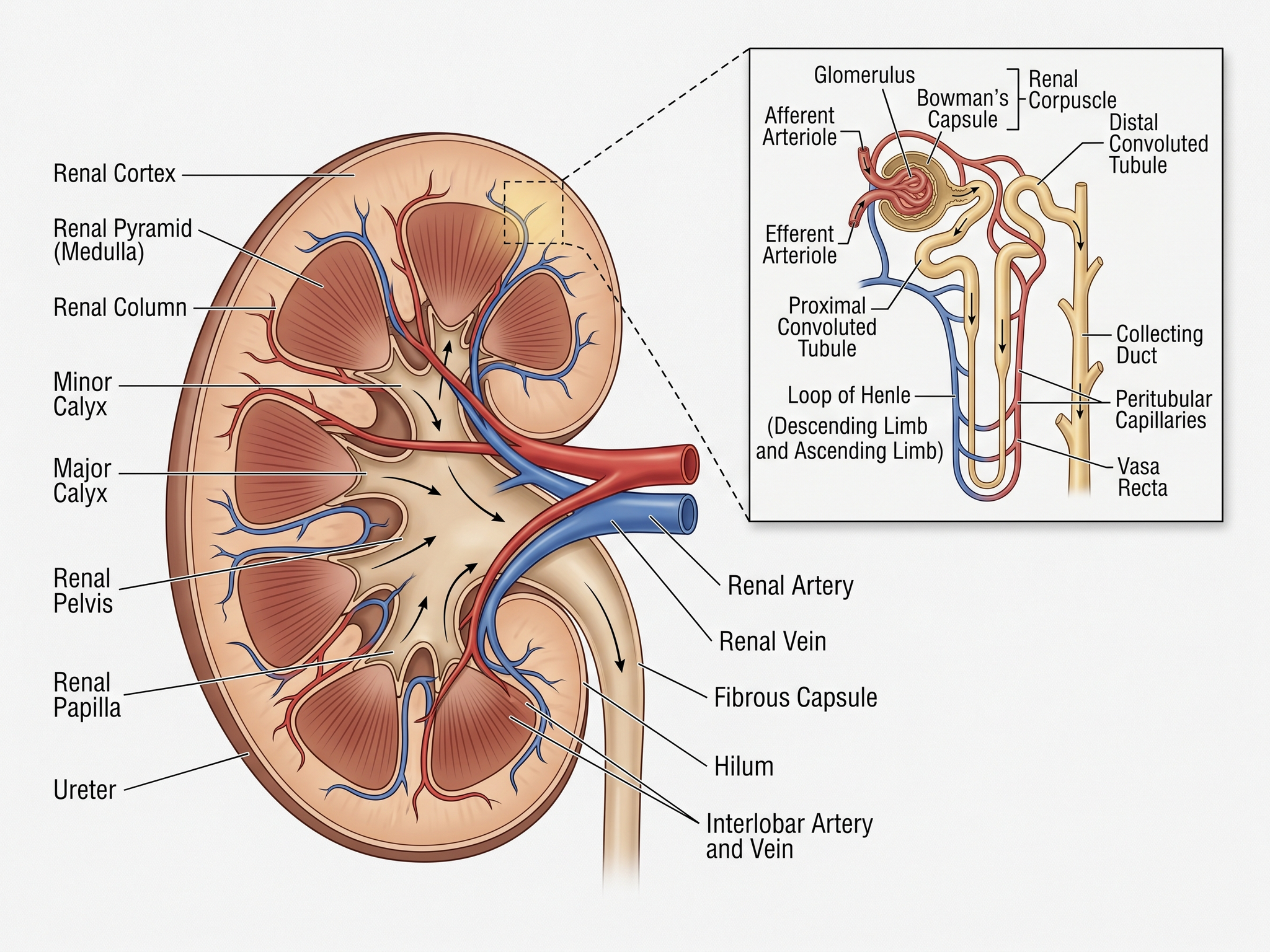
Генератор медицинских иллюстраций
Создавайте анатомические схемы, клинические визуалы и учебные иллюстрации
Попробовать бесплатно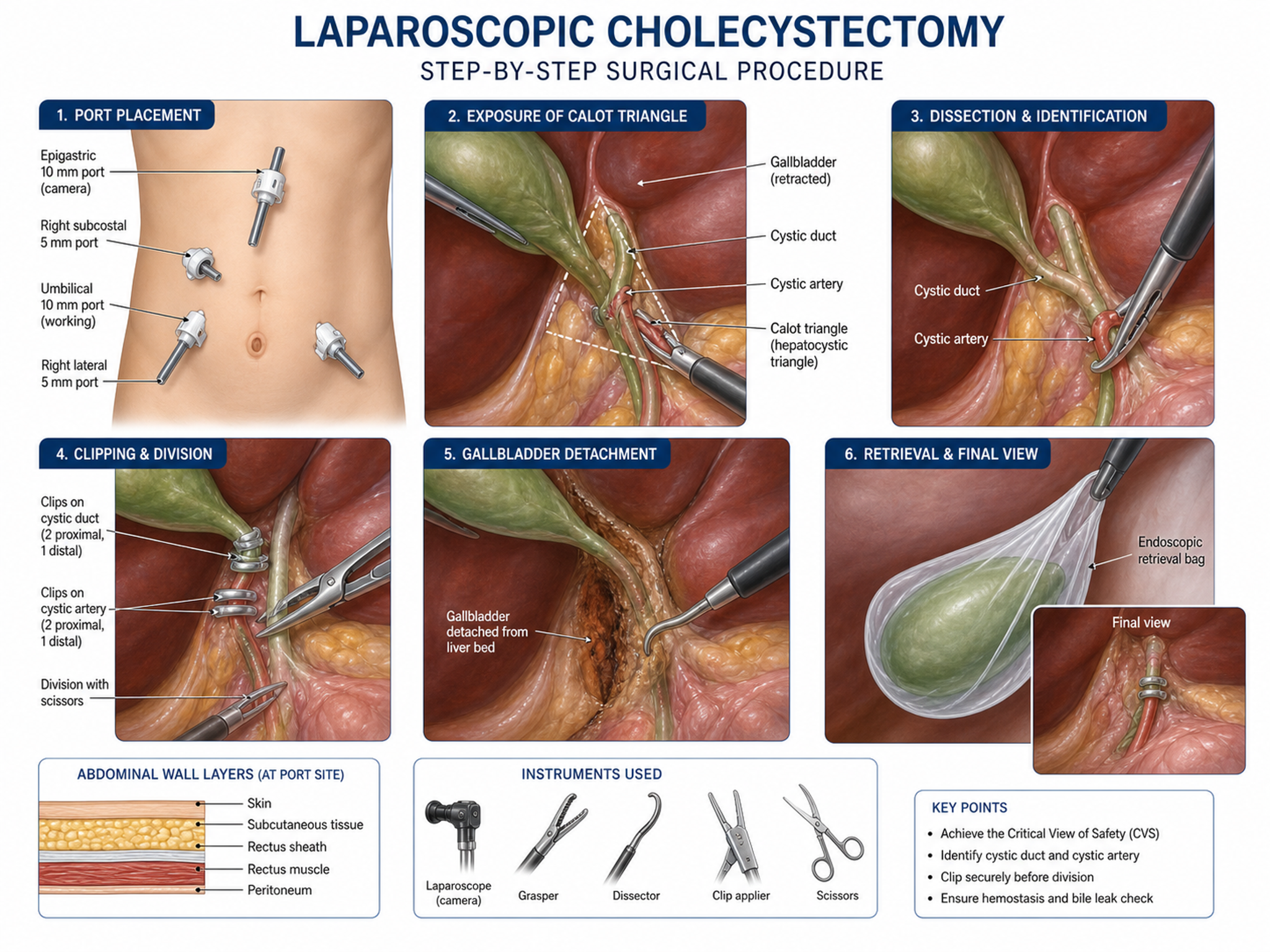
Генератор клинических иллюстраций
Создавайте анатомические схемы и иллюстрации хирургических процедур
Попробовать бесплатно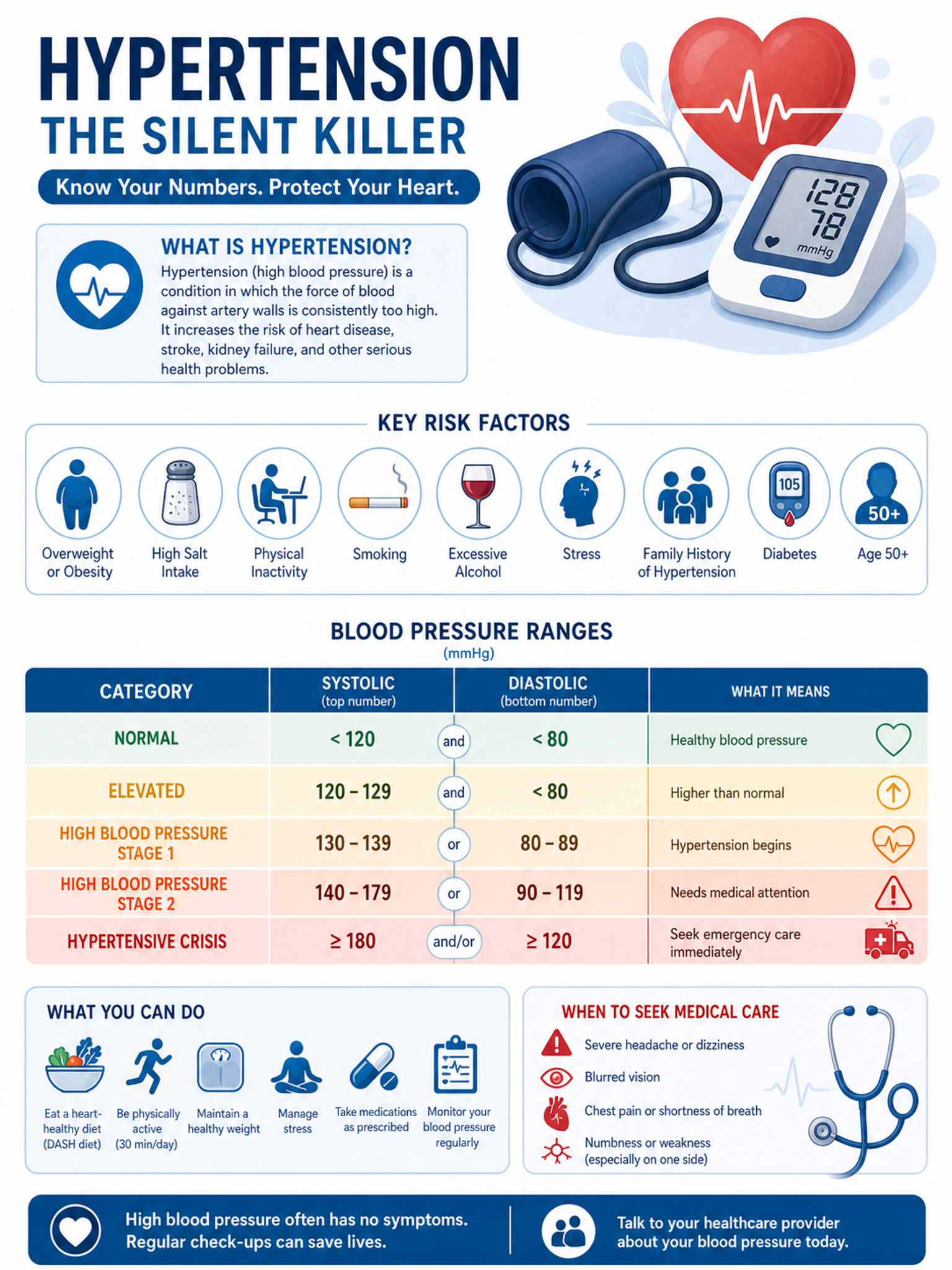
Медицинская инфографика
Создавайте медицинскую инфографику и визуалы для пациентов
Попробовать бесплатноГотовы нарисовать глаз человека?
Создайте за секунды подписанную схему глаза, неподписанный вариант для заполнения или пустой рабочий лист. Идеально для уроков биологии, оптометрии и анатомии.