Free AI Cell Illustration Generator
From cellular structures to publication-ready diagrams
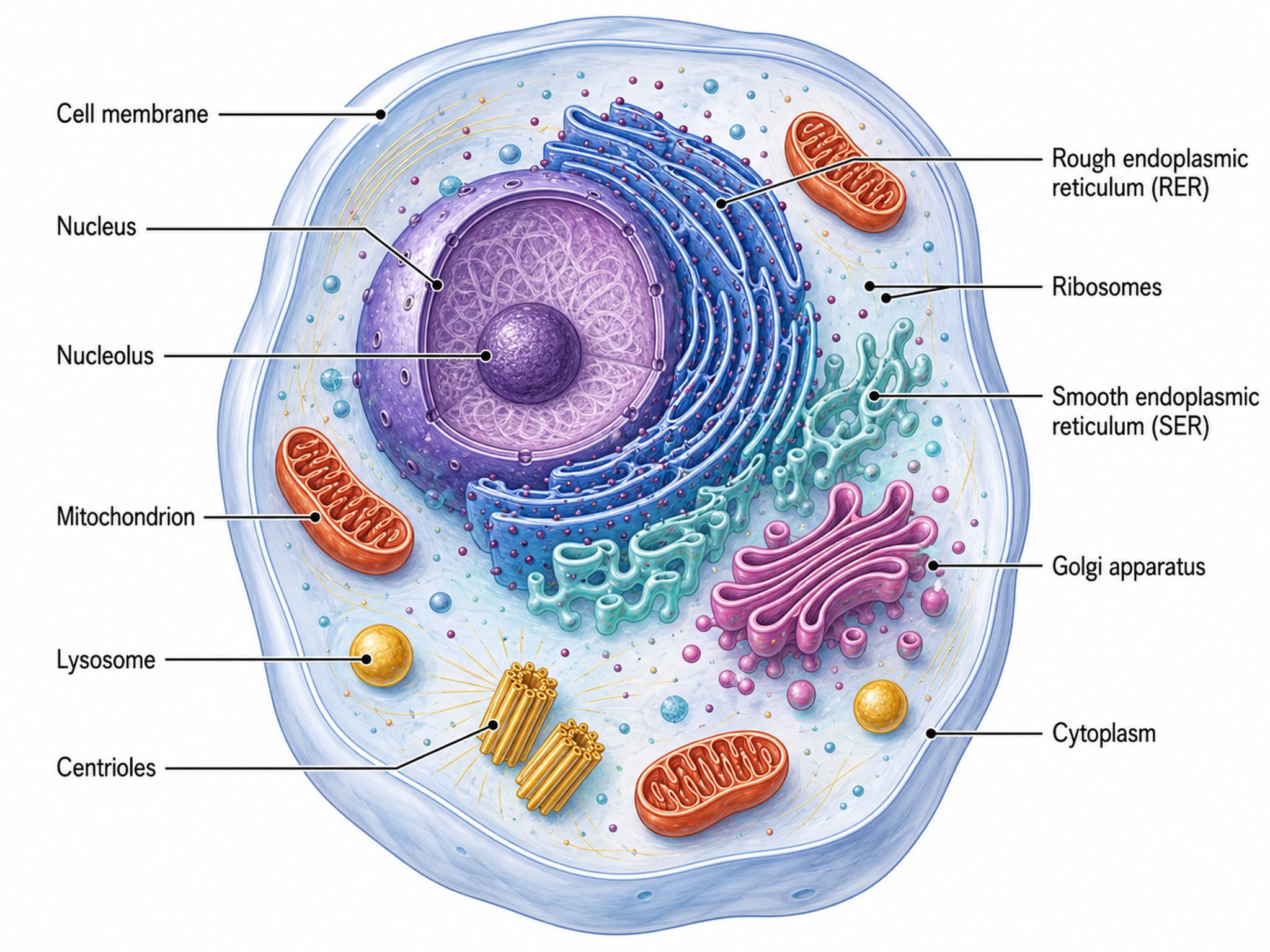
SciDraw AI creates detailed, accurate cell biology illustrations — organelle diagrams, cell anatomy cross-sections, membrane transport figures, and cellular process visualizations — designed for journals, textbooks, and classroom materials.
Cell Illustration Examples
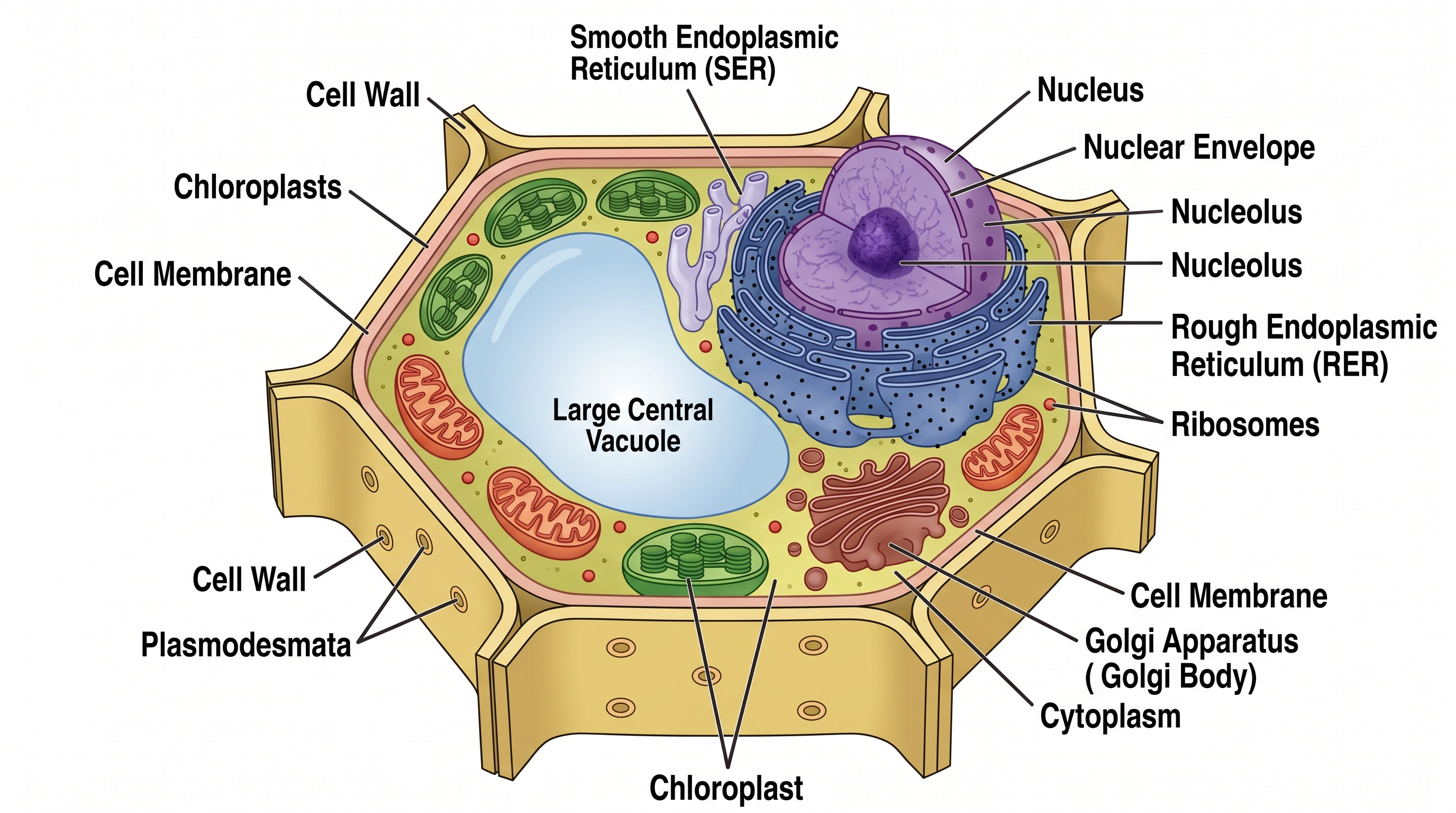
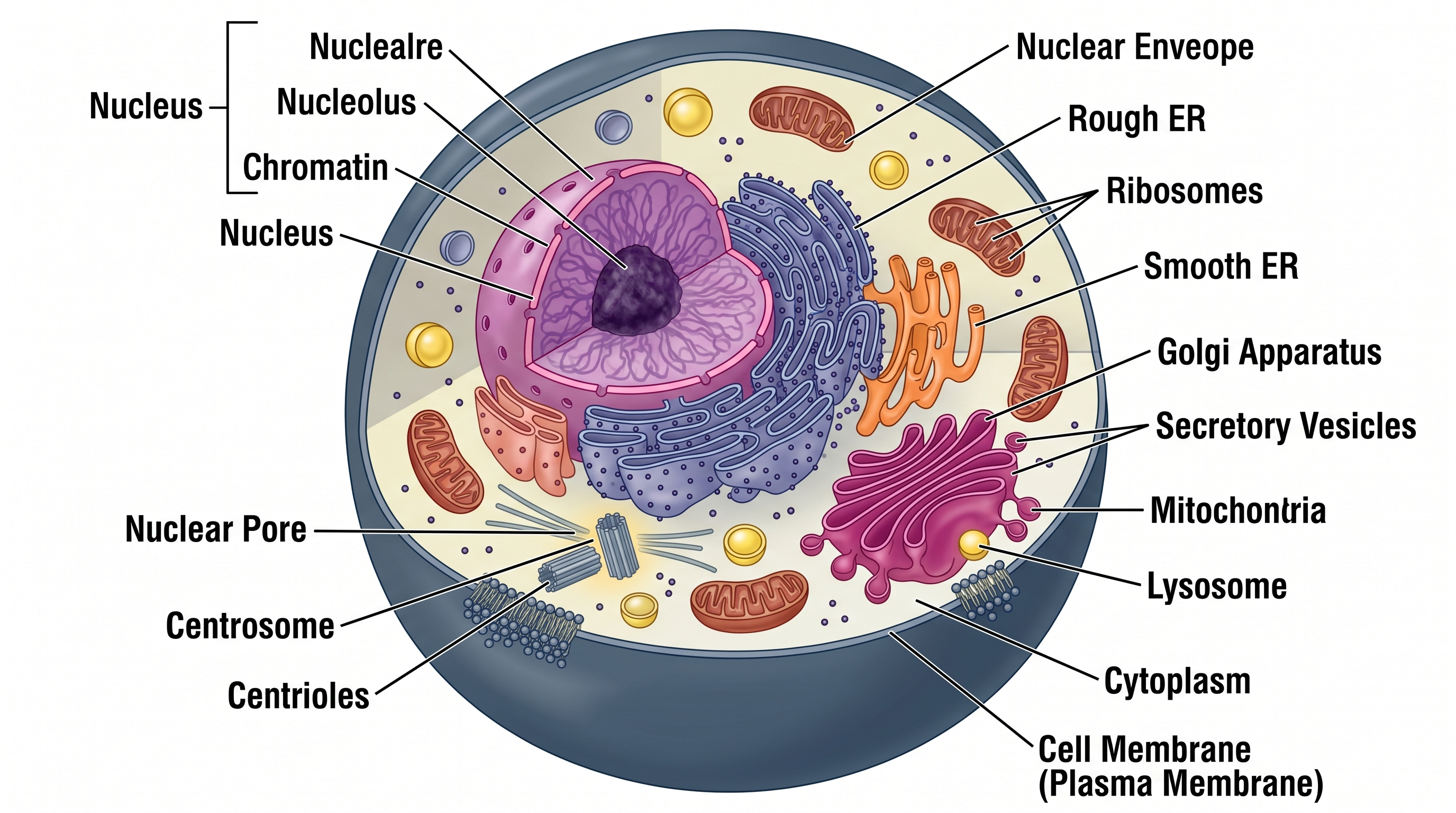
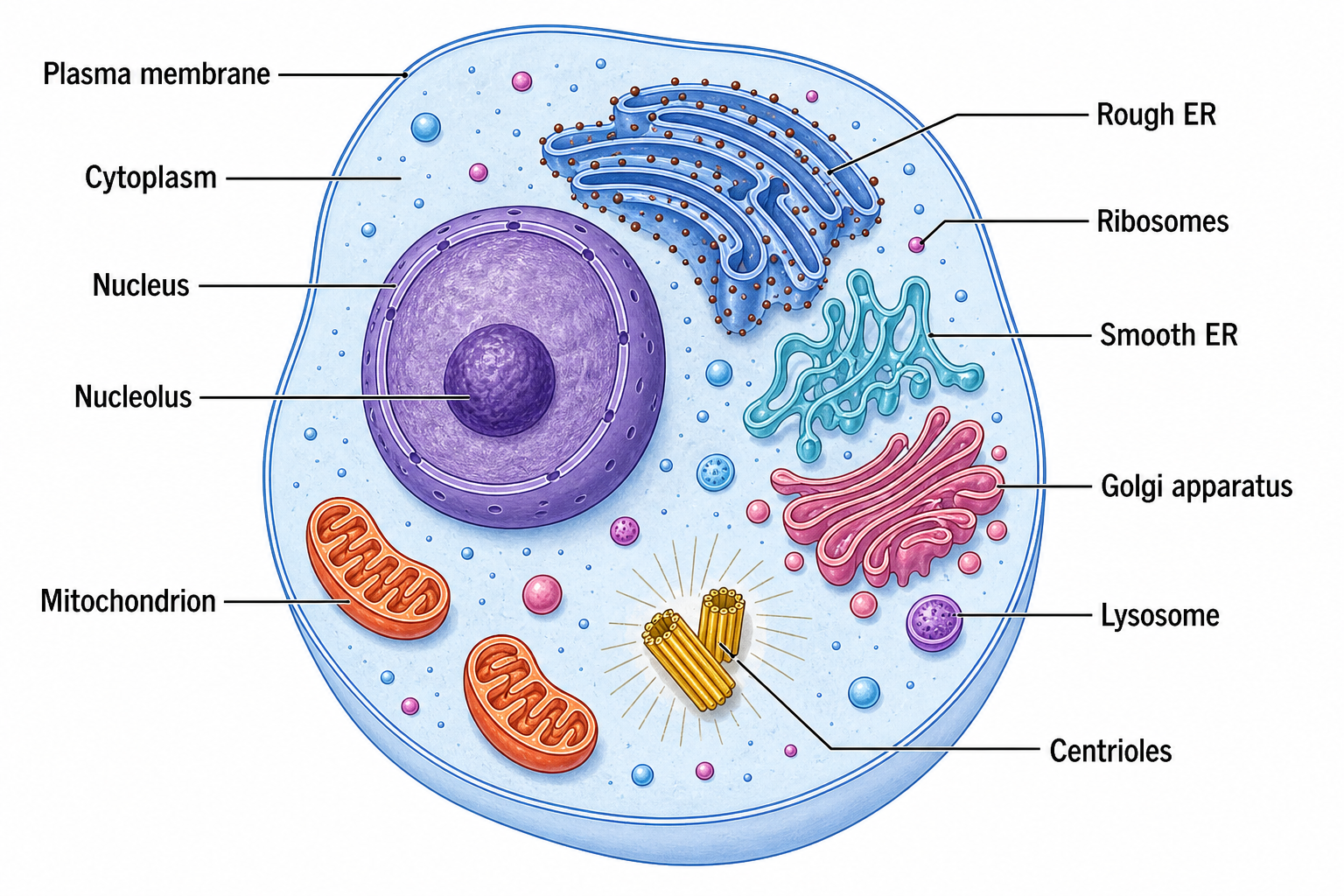
Browse labeled cell illustrations across biology topics, or generate your own above.
What can this AI cell illustration generator do?
This free AI cell illustration generator turns a plain-text description into a clean, labeled cell biology figure. It can render animal and plant cells, prokaryotic cells, neurons, membrane structures, and cellular processes such as mitosis, with accurate organelles and leader lines ready for research papers, textbooks, and presentations. You can ask for a fully labeled cell illustration for study, or an unlabeled (blank) version for teaching and worksheets where students fill in the parts of the cell.
Why researchers and educators need cell illustrations
- Show cellular structures and organelles clearly in papers and figures
- Explain complex processes like signaling, transport, and division
- Create consistent, labeled visuals for textbooks and lecture slides
- Illustrate novel cell types or conditions not covered by icon libraries
- Meet publication-quality figure standards for journal submission
How to create a clear cell illustration
Start by naming the cell type, then list the organelles and structures you want labeled and the view you need — a full cell, a magnified organelle, a membrane cross-section, or a process sequence. Keep labels concise and request leader lines for clarity, or ask for an unlabeled (blank) version when you want a teaching figure or a worksheet to fill in. SciDraw AI turns this description into an accurate, publication-ready cell illustration automatically.
Common elements in cell illustrations
- Cell membrane and, for plant cells, the cell wall
- Nucleus with nucleolus and genetic material
- Organelles such as mitochondria, ER, Golgi, and lysosomes
- Cytoplasm and cytoskeletal structures
- Leader lines with concise labels for each structure
- Directional arrows for transport or process stages
Frequently Asked Questions
What types of cell illustrations can I create?
You can create animal cell diagrams, plant cell diagrams, prokaryotic cell illustrations, neuron structures, muscle cell cross-sections, epithelial cell layers, and specialized cells like red blood cells or immune cells. Both detailed anatomical views and simplified schematic representations are supported.
Can I show specific organelles in detail?
Yes. Request magnified callout views of specific organelles — mitochondria with cristae detail, rough ER with ribosomes, Golgi cisternae with vesicle budding, nuclear pore complexes, or chloroplast thylakoid stacks. SciDraw AI renders accurate ultrastructural detail.
Does SciDraw AI handle cell process animations-style figures?
SciDraw AI generates multi-panel sequential figures showing process stages — mitosis phases (prophase through cytokinesis), endocytosis steps, or apoptotic cascade stages — similar to what you would see in a Cell or Nature Reviews publication.
Can I create comparative cell diagrams?
Absolutely. Generate side-by-side comparisons: plant vs. animal cell, normal vs. diseased cell, wild-type vs. mutant phenotype. The tool maintains consistent scale and labeling across panels for clear scientific comparison.
Are cell illustrations suitable for journal submission?
Yes. All exports are 300+ DPI with scalable vector options (SVG, PDF). The output meets figure requirements of Cell, Nature, Science, and specialty journals like Journal of Cell Biology and Molecular Biology of the Cell.
How is this different from BioRender?
SciDraw AI uses AI to generate cell illustrations from natural language descriptions, creating custom visuals from scratch rather than assembling pre-made icons. This means you can illustrate novel cell types, unique experimental conditions, and non-standard cellular structures that template libraries do not cover.
Can I create a labeled or an unlabeled cell illustration?
Both. Ask for a labeled cell illustration and the generator adds leader lines naming every organelle, ideal for reference and study. Ask for an unlabeled (blank) cell illustration and it draws the same clear organelle outlines with no text — useful for teaching, where you annotate it live, or as a fill-in-the-blank handout. You can switch between the two anytime.
Can I make a cell diagram worksheet showing the parts of the cell?
Yes. Generate an unlabeled cell diagram with clean organelle outlines and no text, then print it as a parts-of-the-cell worksheet or quiz for students to label. You can also generate a matching labeled version as an answer key, so learners can self-check which structure is the nucleus, mitochondria, ER, Golgi, and so on.
Writing a paper, thesis or grant?
SciDraw AI also makes publication-ready research figures: graphical abstracts, mechanism figures, workflows and conceptual frameworks.
Explore More Tools
Create your cell illustration now
Join thousands of cell biologists who use SciDraw AI to visualize cellular structures, organelles, and biological processes.