A graphical abstract is the first visual impression a reader has of your research. In a journal listing with dozens of articles, the graphical abstract determines whether someone clicks through to your paper or scrolls past it. Yet many researchers struggle with creating effective graphical abstracts because the design conventions vary significantly across research fields.
What works for a chemistry paper -- reaction arrows, molecular structures, catalytic cycles -- looks completely foreign in a clinical medicine context. An engineering systems diagram follows different visual logic than a biology signaling pathway. Understanding these field-specific conventions is essential for creating graphical abstracts that your target audience immediately recognizes and understands.
This guide provides concrete examples and design breakdowns across six major research fields. For each field, we analyze what makes effective graphical abstracts work and identify patterns you can apply to your own research. If you need the technical specifications for specific journals, see our graphical abstract requirements guide.
What Makes a Great Graphical Abstract
Before examining field-specific examples, there are universal principles that apply regardless of discipline. Every effective graphical abstract shares these characteristics.
Single Core Message
A graphical abstract should communicate one idea. Not three findings, not an entire methodology pipeline, and not every result from your paper. Identify the single most important takeaway and design the entire graphic around it. If a reader spends three seconds looking at your abstract, they should walk away understanding that one thing.
Visual Hierarchy
The most important element should be the largest and most prominent. Supporting elements should be smaller and positioned to guide the eye toward the main message. Visual hierarchy is created through size, color saturation, position (center vs. periphery), and contrast.
Minimal Text
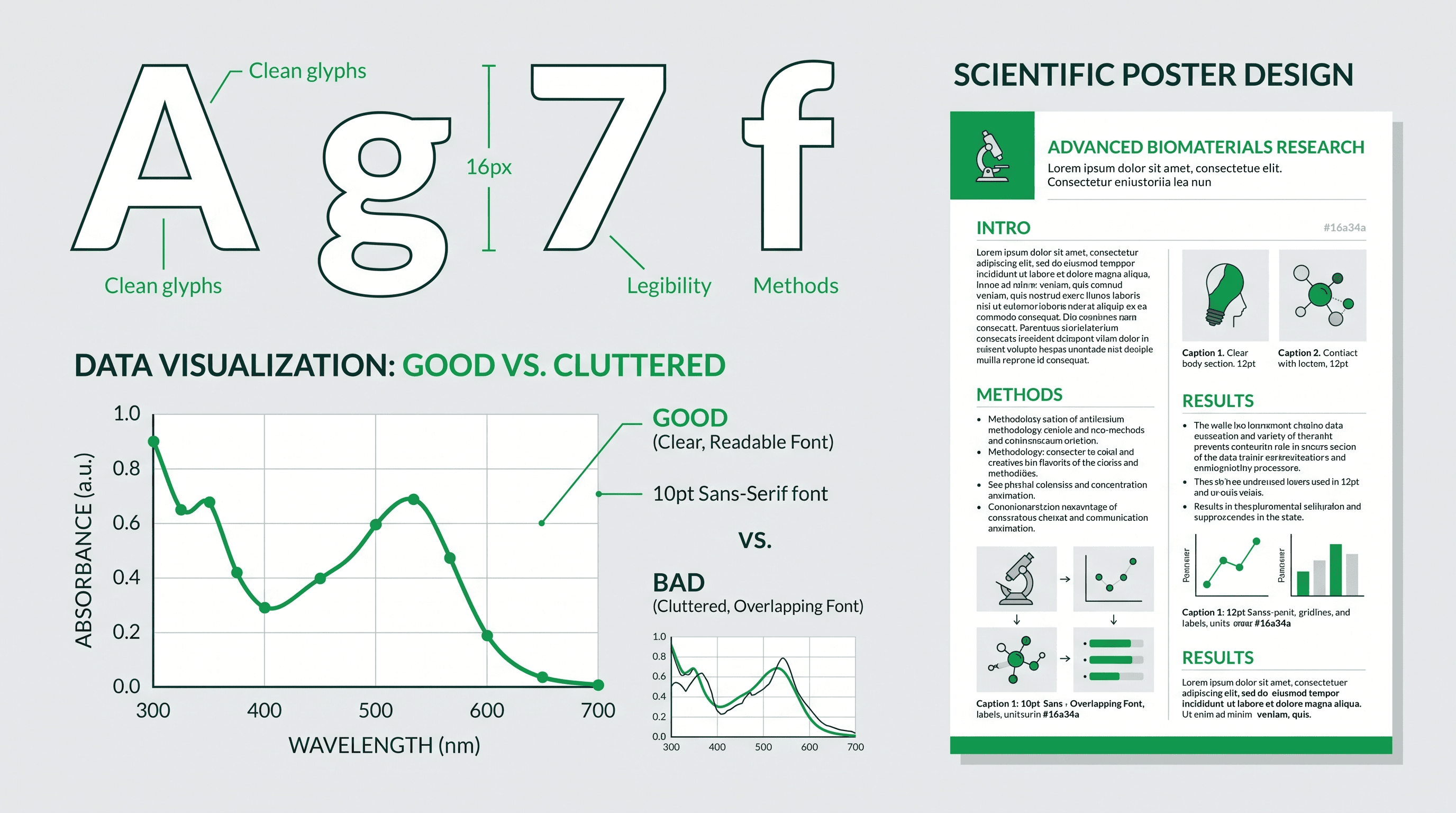
Text in a graphical abstract is a design failure -- or at minimum, a necessary compromise. The ideal graphical abstract communicates entirely through visual elements. When text is unavoidable (chemical names, measurement units, brief labels), keep it under 20 words total and use a clean sans-serif font at 8 pt minimum.
Familiar Visual Language
Use the visual conventions your field already recognizes. Biologists expect certain cell representations. Chemists expect standard bond notation. Engineers expect block diagrams and flow arrows. Departing from these conventions for aesthetic reasons creates confusion, not impact.
Readable at Small Size
Your graphical abstract will be rendered at approximately 200-400 pixels wide in most journal listings and search results. Design at full size but test at thumbnail scale. If any critical element becomes unreadable at 200 px wide, simplify or enlarge it.
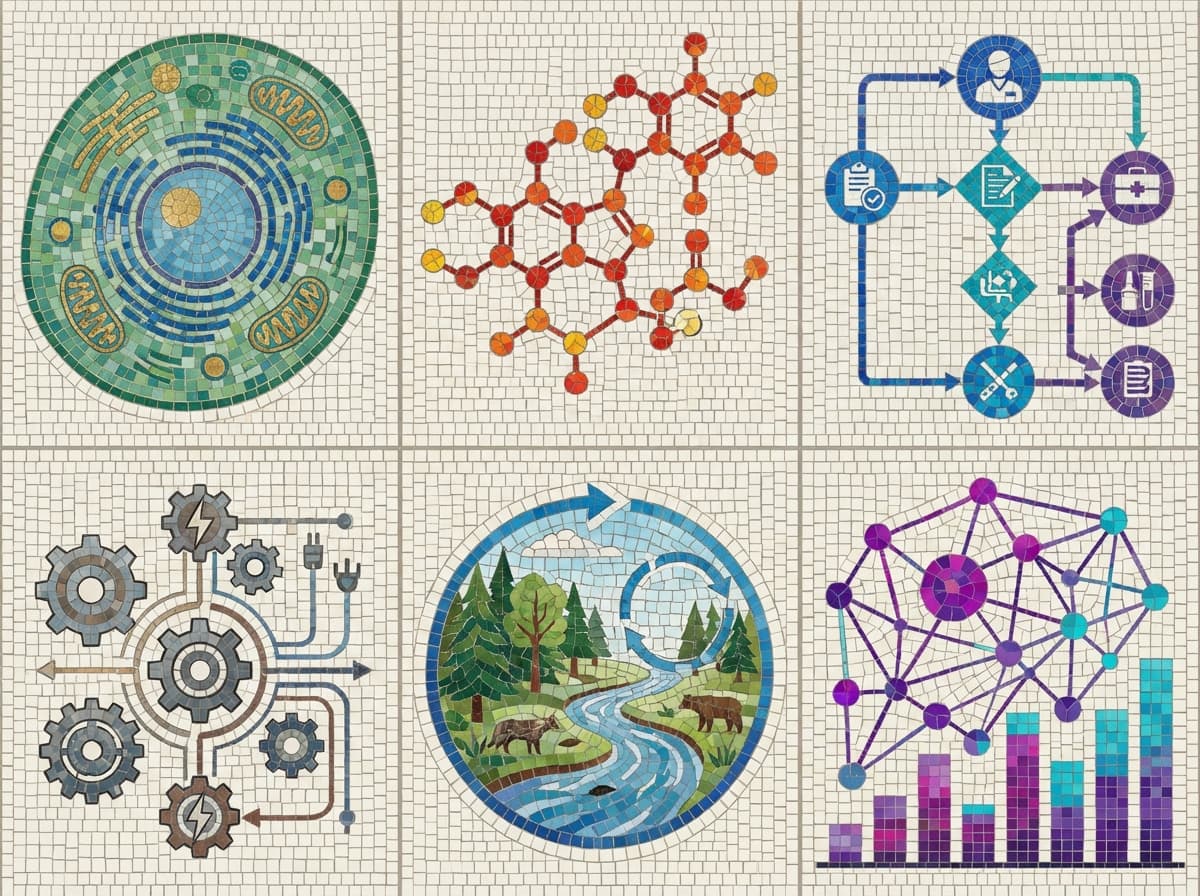
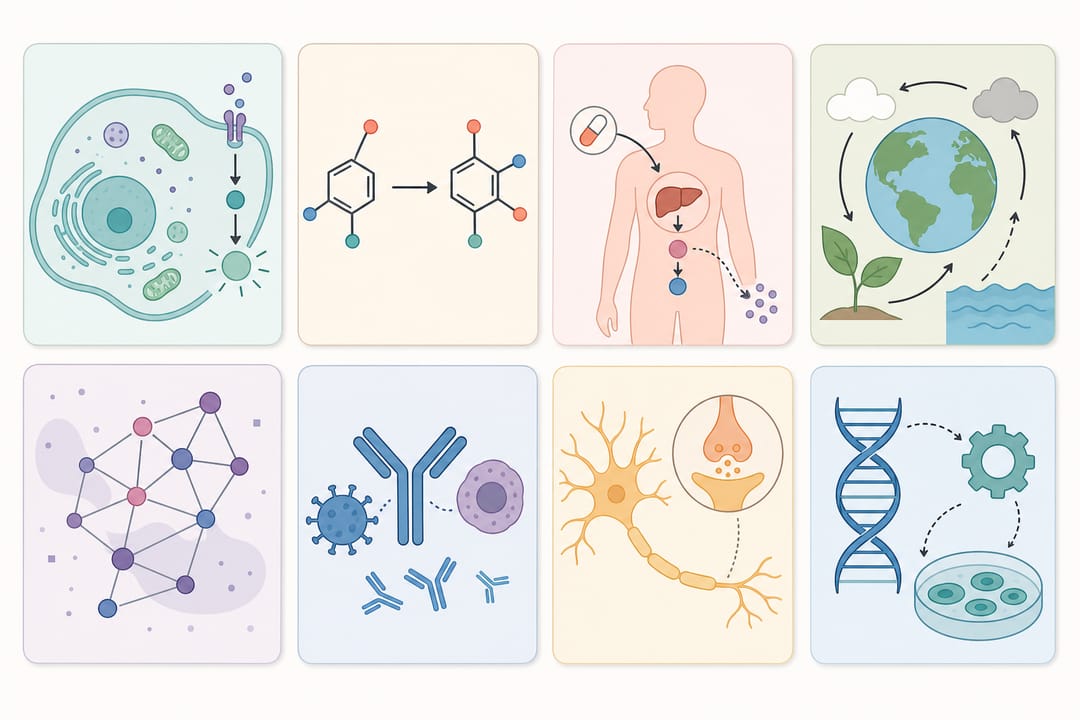 Effective graphical abstracts share universal principles but adapt their visual language to each research field.
Biology Graphical Abstract Examples
Biology graphical abstracts typically depict cellular processes, molecular interactions, organism-level effects, or experimental workflows involving living systems. The visual vocabulary includes cell diagrams, protein structures, signaling pathways, and organism illustrations.
Cell Signaling Pathway Example
A typical cell biology graphical abstract shows a signaling cascade from an extracellular stimulus to an intracellular response. The most effective versions use a simple left-to-right or top-to-bottom flow with no more than 4-5 steps.
What works well:
- A stylized cell membrane at the top with a receptor binding a ligand
- Two to three intermediate signaling molecules shown as simple shapes with arrows connecting them
- A clear endpoint showing the biological outcome (gene expression change, cell division, apoptosis)
- Color coding to distinguish the novel finding from established pathway steps (e.g., new discovery in red, known steps in gray)
Common mistakes:
- Including every intermediate in a 12-step signaling cascade, making the graphic unreadable
- Using realistic 3D protein structures that become indistinguishable blobs at small size
- Omitting arrows, leaving the reader to guess the order of events
For detailed tutorials on biology-specific illustrations, see our cell biology illustration guide.
Gene Expression and Genomics Example
Genomics graphical abstracts often need to communicate a workflow (sample collection, sequencing, analysis) and a key finding (differentially expressed genes, pathway enrichment, novel variants).
What works well:
- A three-panel horizontal layout: Input (samples/tissues), Process (sequencing/analysis icon), Output (key result visualization)
- Simplified heatmap or volcano plot as the result panel, showing only the pattern without axis labels
- DNA double helix or chromosome icons as immediately recognizable field markers
- Before/after comparison showing a control vs. experimental condition
Common mistakes:
- Reproducing a full bioinformatics pipeline with 8+ software tool logos
- Including actual data plots that require axis labels to interpret
- Using generic clip art that does not connect to the specific biological system studied
Protein Interaction Example
Protein-protein interaction studies benefit from graphical abstracts that show spatial relationships between molecular partners.
What works well:
- Two simplified protein shapes (surface representations, not full atomic detail) shown in proximity
- An arrow or highlight indicating the interaction interface
- A functional consequence shown as the outcome (complex formation leading to downstream effect)
- Consistent color per protein maintained throughout the graphic
Common mistakes:
- Using crystallographic ribbon diagrams that are too detailed for the format
- Showing structures without context for why the interaction matters
Chemistry Graphical Abstract Examples
Chemistry graphical abstracts have the most established visual conventions of any field. Chemical structures, reaction arrows, and mechanistic notation are a universal language among chemists. See our chemistry TOC graphics examples for additional focused examples.
Reaction Mechanism and Synthesis Example
Synthesis and methodology papers typically show a transformation: starting material on the left, conditions above the arrow, product on the right.
What works well:
- A single reaction arrow (not a multi-step scheme) showing the most impressive transformation
- The novel catalyst, reagent, or condition highlighted in a distinct color above the arrow
- Yield percentage displayed prominently near the product
- Substrate scope indicated subtly (e.g., "28 examples, up to 99% ee" below the scheme)
Common mistakes:
- Reproducing an entire synthetic route with 6+ steps
- Including standard reagents and solvents that are not the novel contribution
- Using structures so complex that bonds merge at small sizes
Catalysis Example
Catalysis graphical abstracts often use a circular catalytic cycle motif that is immediately recognizable to the audience.
What works well:
- A circular arrow scheme showing the catalytic cycle with 3-4 key intermediates
- The catalyst shown prominently at the center or entry point of the cycle
- Substrate entering from the left, product exiting to the right
- Turnover number or selectivity data as a minimal text annotation
Common mistakes:
- Showing every intermediate and transition state in a 10-step computational mechanism
- Using a linear layout for what is fundamentally a cyclic process
- Omitting the catalyst structure, which is the key contribution
Materials Science Example
Materials chemistry graphical abstracts bridge the gap between molecular-level and macroscopic properties.
What works well:
- A multi-scale visualization: molecular structure on the left, material morphology in the center, application/property on the right
- SEM or TEM micrograph thumbnail showing the material texture (even schematically)
- A property chart or performance indicator as the endpoint (battery capacity, conductivity, etc.)
- Clear visual connection between structure and property
Common mistakes:
- Showing only the molecular structure without indicating why the material matters
- Including too many characterization results instead of focusing on the key performance metric
Medical and Clinical Graphical Abstract Examples
Medical graphical abstracts serve a different audience than bench science. Clinicians, patients, and policymakers may view these graphics. Clarity and accessibility are paramount.
Clinical Trial Example
Clinical trial graphical abstracts need to communicate study design, population, intervention, and outcome in a single image.
What works well:
- A patient flow diagram: enrollment on the left, randomization in the center (branching into treatment vs. control), outcomes on the right
- Simple human silhouette icons to represent patient groups
- The primary endpoint shown as a bar chart or risk reduction percentage
- Treatment and control groups distinguished by color (e.g., blue vs. gray)
Common mistakes:
- Including CONSORT diagram complexity in a graphical abstract format
- Using medical jargon in text labels that non-specialist readers cannot parse
- Showing secondary endpoints alongside the primary, diluting the message
Drug Mechanism Example
Pharmacology and drug mechanism graphical abstracts show how a therapeutic agent works at the molecular or cellular level.
What works well:
- A simplified cell or organ cross-section showing the drug target location
- The drug molecule shown interacting with its target (receptor, enzyme, ion channel)
- A downstream effect chain: drug binds target, signaling changes, clinical outcome improves
- Before (disease state) and after (treated state) comparison
Common mistakes:
- Using chemical structures that clinician audiences cannot interpret
- Showing mechanism without connecting to clinical relevance
- Including pharmacokinetic data that requires specialized knowledge to interpret
Patient Pathway and Health Systems Example
Health services research and epidemiological studies benefit from process-flow graphical abstracts.
What works well:
- Timeline-based layout showing patient journey from diagnosis through treatment to outcome
- Icons representing healthcare settings (hospital, clinic, home)
- Key statistics shown at decision points along the pathway
- Clear visual distinction between standard care and the intervention being studied
Engineering Graphical Abstract Examples
Engineering graphical abstracts often depict systems, processes, or device architectures. The visual language includes block diagrams, flow charts, cross-sections, and performance curves.
System Architecture Example
Systems engineering and computer science papers frequently use block diagram graphical abstracts.
What works well:
- A clean block diagram with 4-6 major components connected by data/signal flow arrows
- Input on the left, processing in the center, output on the right
- The novel component highlighted in a distinct color while standard components are neutral
- A performance metric (latency, accuracy, throughput) annotated near the output
Common mistakes:
- Reproducing a full system diagram with 20+ components and crossing connections
- Using software-specific UML or architecture notation that not all readers know
- Including code snippets that are unreadable at graphical abstract scale
Energy and Sustainability Example
Energy research graphical abstracts frequently show device structures, energy conversion processes, or lifecycle analyses.
What works well:
- A device cross-section (solar cell layers, battery electrode structure, fuel cell membrane) with labeled layers
- Energy flow shown with arrows indicating conversion: sunlight to electricity, chemical to mechanical, etc.
- A key performance figure (efficiency percentage, capacity, cycle life) displayed prominently
- Environmental context (CO2 reduction, renewable energy fraction) as a visual endpoint
Manufacturing and Process Engineering Example
Process engineering graphical abstracts show input-process-output transformations at industrial scale.
What works well:
- A simplified process flow diagram with 3-5 unit operations
- Raw material input on the left, product output on the right
- Key process parameters (temperature, pressure, flow rate) annotated at critical steps
- A comparison callout showing improvement over existing processes (faster, cheaper, cleaner)
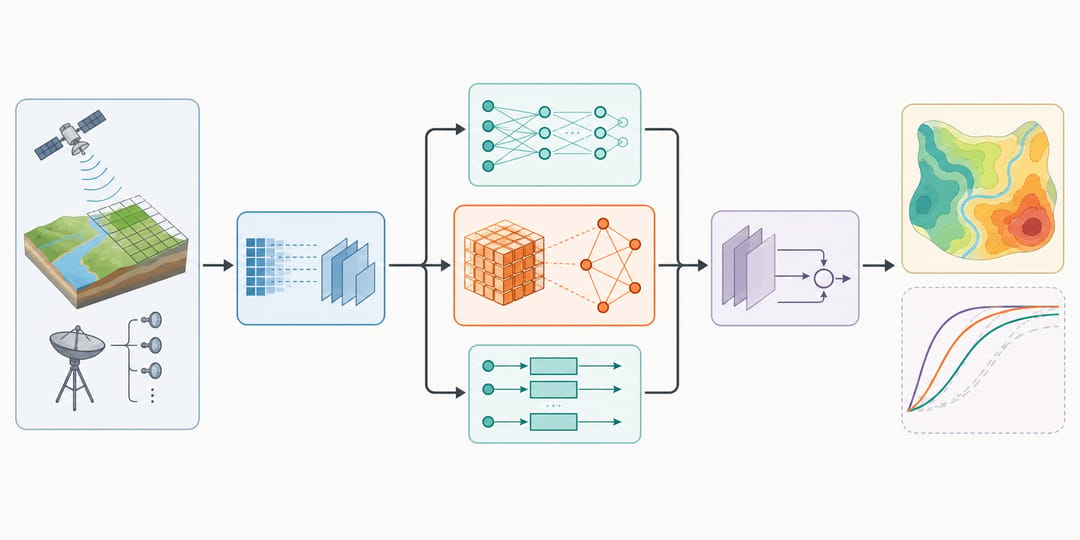 Engineering graphical abstracts rely on block diagrams and flow arrows, with the novel component highlighted in a distinct color.
Environmental Science Graphical Abstract Examples
Environmental science graphical abstracts often span multiple scales, from molecular contaminants to ecosystem-level effects, and frequently need to communicate urgency alongside scientific rigor.
Carbon Cycle and Climate Example
What works well:
- A simplified Earth system diagram showing carbon reservoirs (atmosphere, ocean, land, fossil) as labeled boxes with flux arrows between them
- The studied flux or perturbation highlighted in a distinct color or thicker arrow
- A temporal element showing change over time (before/after, trend arrow, timeline)
- Scale indicators connecting global processes to the specific measurements in the study
Ecosystem and Biodiversity Example
What works well:
- A stylized habitat cross-section (soil layers, water column, forest canopy) with organisms at appropriate positions
- The studied interaction (predator-prey, symbiosis, nutrient cycling) shown with connecting arrows
- Seasonal or spatial variation indicated through side-by-side panels
- A clear visual link between the ecological process and the conservation or management implication
Pollution and Remediation Example
What works well:
- A source-pathway-receptor model: contaminant source on the left, transport pathway in the center, affected receptor on the right
- The studied remediation technique shown as an intervention point along the pathway
- Before/after remediation comparison using the same visual layout
- Concentration data or removal efficiency as a minimal text annotation
Social Science and Interdisciplinary Examples
An increasing number of social science and interdisciplinary journals now require graphical abstracts. The conventions here are less established, which is both a challenge and an opportunity.
Survey and Behavioral Research Example
What works well:
- A simple framework diagram with 3-4 key variables connected by arrows showing hypothesized relationships
- Human figure icons or demographic symbols representing the study population
- A central finding highlighted with a bold arrow or color change
- Effect size or key statistic shown near the critical relationship
Conceptual Framework Example
What works well:
- A Venn diagram, matrix, or nested hierarchy showing the relationships between concepts
- Color coding to distinguish theoretical contributions from empirical findings
- Minimal text using the paper's key terms
- A clear visual metaphor that captures the paper's central argument
Common Design Patterns Across Fields
Despite the diversity of fields, several design patterns appear consistently in effective graphical abstracts.
Left-to-Right Flow
The most common layout across all fields. Input, process, and output arranged horizontally. This mirrors natural reading direction and works well for process-oriented research (synthesis, clinical trials, manufacturing, data analysis pipelines).
Before/After Comparison
Effective for any study that shows a change, improvement, or intervention effect. Place the initial state on the left and the final state on the right, with the intervention or mechanism shown between them.
Central Hub with Radial Elements
Used when a single concept (a catalyst, a drug, a platform, a framework) connects to multiple applications, properties, or outcomes. The central element occupies the middle of the graphic with radiating connections to surrounding elements.
Panel Layout
A 2x2 or 1x3 grid of distinct panels, each showing a different aspect of the research. Works well for multi-method studies or papers with distinct but related findings. Requires careful sizing to ensure each panel is readable at thumbnail scale.
Color Coding Strategy
| Color Role | Recommendation |
|---|---|
| Novel contribution | Saturated primary color (red, blue) |
| Known/background elements | Gray or desaturated colors |
| Positive outcome | Green or blue |
| Negative outcome / problem | Red or orange |
| Different experimental groups | Distinct hues from a colorblind-safe palette |
Using a colorblind-safe palette (avoiding red-green combinations) is increasingly expected by journals and ensures accessibility. Tools like ColorBrewer provide research-appropriate palettes.
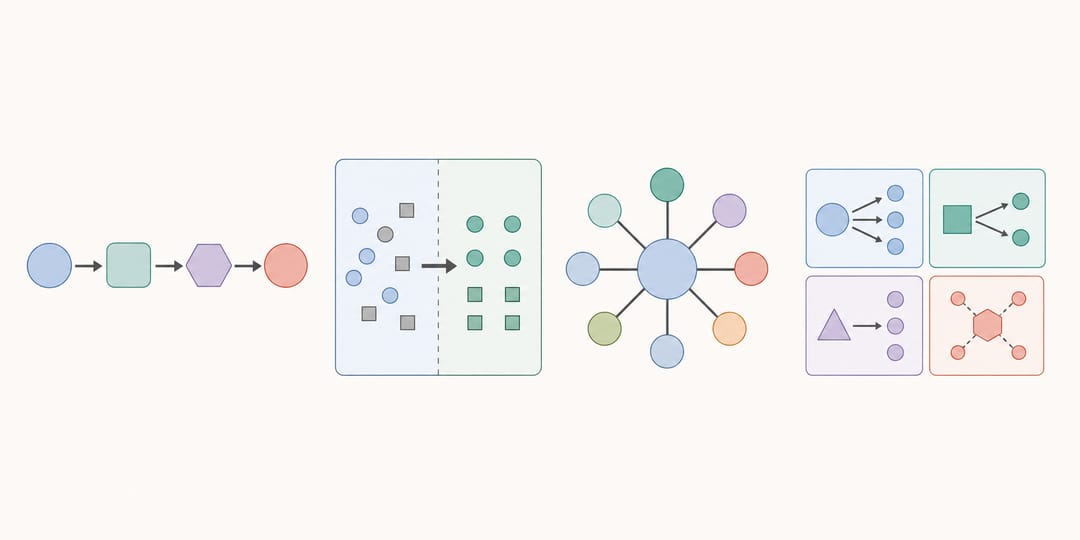 A handful of recurring layout patterns cover most graphical abstracts across every research field.
How to Choose the Right Pattern for Your Paper
Selecting a design pattern depends on the type of research contribution.
| Research Type | Recommended Pattern |
|---|---|
| New method or synthesis | Left-to-right flow (input to output) |
| Intervention study | Before/after comparison |
| Platform or tool paper | Central hub with applications |
| Multi-method study | Panel layout |
| Mechanistic study | Circular cycle or linear cascade |
| Comparison study | Side-by-side with shared scale |
For a comprehensive walkthrough of the graphical abstract creation process, from concept to final file, see our how to create a graphical abstract guide.
Create Your Graphical Abstract with AI
Designing a graphical abstract from scratch requires balancing scientific accuracy, visual appeal, and journal-specific requirements. SciDraw AI's AI drawing tool generates field-appropriate graphical abstracts from text descriptions of your research. Describe your key finding, select your research field and target journal format, and receive a professional-quality graphic ready for submission.
The tool understands field-specific conventions -- chemical structures for chemistry, cell diagrams for biology, block diagrams for engineering -- so your graphical abstract speaks the visual language your reviewers and readers expect.
Create Your Graphical Abstract Now
You can also explore our dedicated graphical abstract maker page for templates organized by field and journal.