Remove Text from Image AI for Scientific Figures
Clean unwanted text clutter from research visuals.
Upload a figure you have rights to edit and ask SciDraw AI to remove draft labels, pasted captions, or text clutter while preserving the scientific content.
Best for
Draft cleanup and figure reuse
Input
Owned image plus cleanup prompt
Mode
SciDraw AI replicate
Goal
Remove text clutter safely
Designed for upload-first scientific figure workflows
Use this cleanup workflow for your own drafts, exported slides, and figures you are allowed to edit. Keep the scientific content intact while removing text clutter.
Upload the image you can edit
Use your own draft figure, slide export, microscopy panel, or generated visual that contains unwanted text clutter.
Describe the text to remove
Tell SciDraw AI which labels, pasted captions, draft marks, or placeholder text should be removed or softened.
Generate the cleaned version
Review the output to confirm the scientific content, arrows, panels, and visual meaning remain intact.
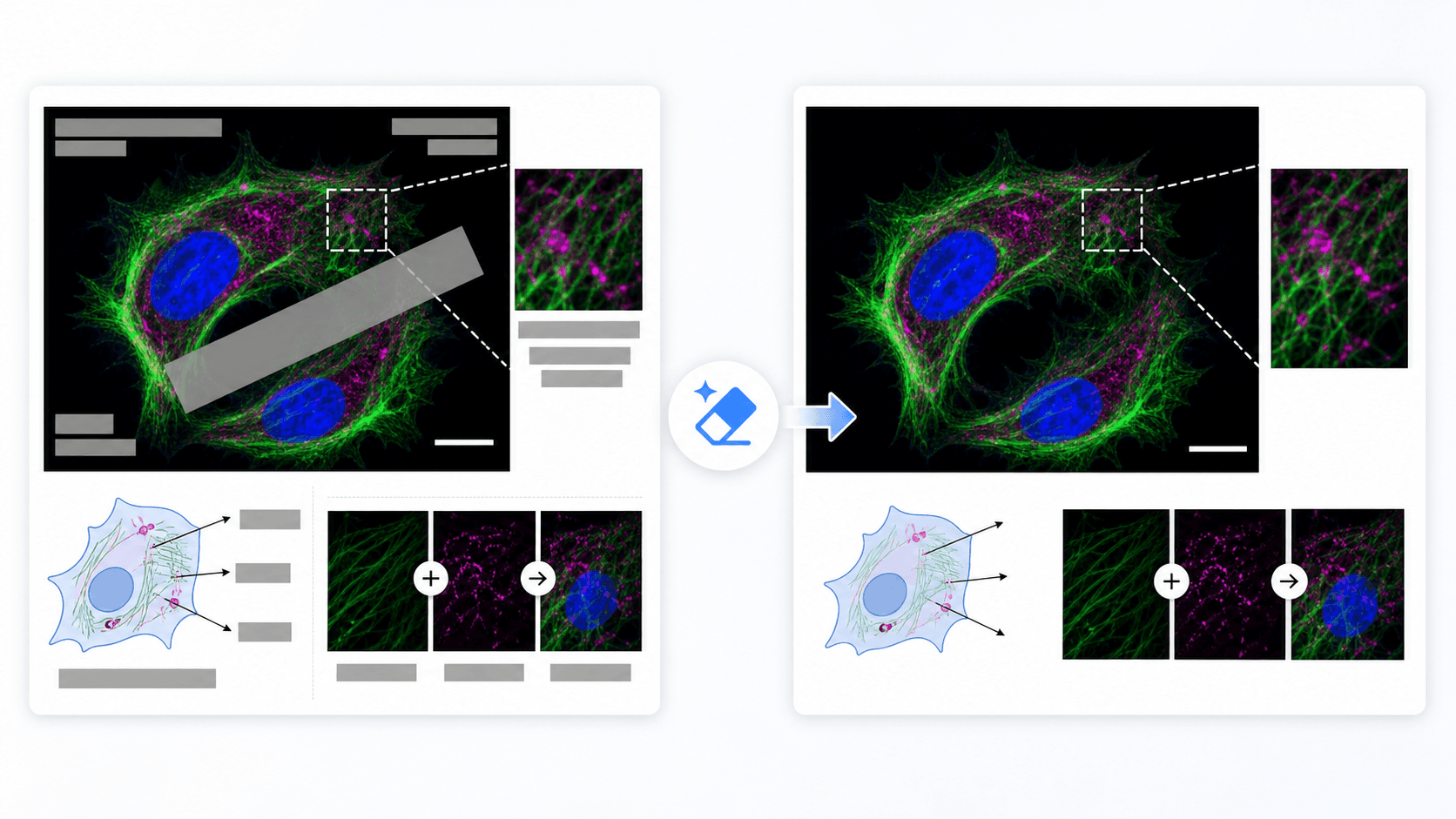
Preview the expected before-and-after result
Each workflow starts with your source image and a precise instruction, then produces a revised figure draft you can continue refining in SciDraw AI.
Cleans draft artifacts
Remove placeholder text blocks, copied captions, or temporary annotations from in-progress visuals.
Preserves the figure content
The goal is to keep cells, arrows, channels, panels, and image regions while removing text clutter.
Fits scientific workflows
Useful when adapting a draft figure for a new slide, grant, graphical abstract, or manuscript revision.
Scientific workflows this supports
Clean exported slides
Remove pasted title or caption clutter before rebuilding a figure for another format.
Prepare image panels
Clean non-final labels from microscopy, assay, or schematic panels you own.
Simplify a draft figure
Remove extra text areas so the core visual structure is easier to restyle or annotate again.
Questions researchers ask before trying it
Can SciDraw AI remove text from an image?
Yes. Use replicate mode, upload the image, and describe the text areas you want removed or cleaned.
Can I remove copyright notices or third-party watermarks?
No. Only use this workflow on images you own or have explicit rights to edit. Do not remove ownership marks from third-party images.
Will the cleaned image be publication-ready?
Treat the result as an edited draft and review scientific accuracy, labels, and image integrity before publication.
What should I include in the prompt?
Identify the text region and state what must remain unchanged, such as cell structures, arrows, panel boundaries, or color channels.
Related SciDraw AI workflows
Start from this workflow, then continue inside the editor
Open AI Drawing with the right mode preselected, then upload your image and continue refining the result in the editor.