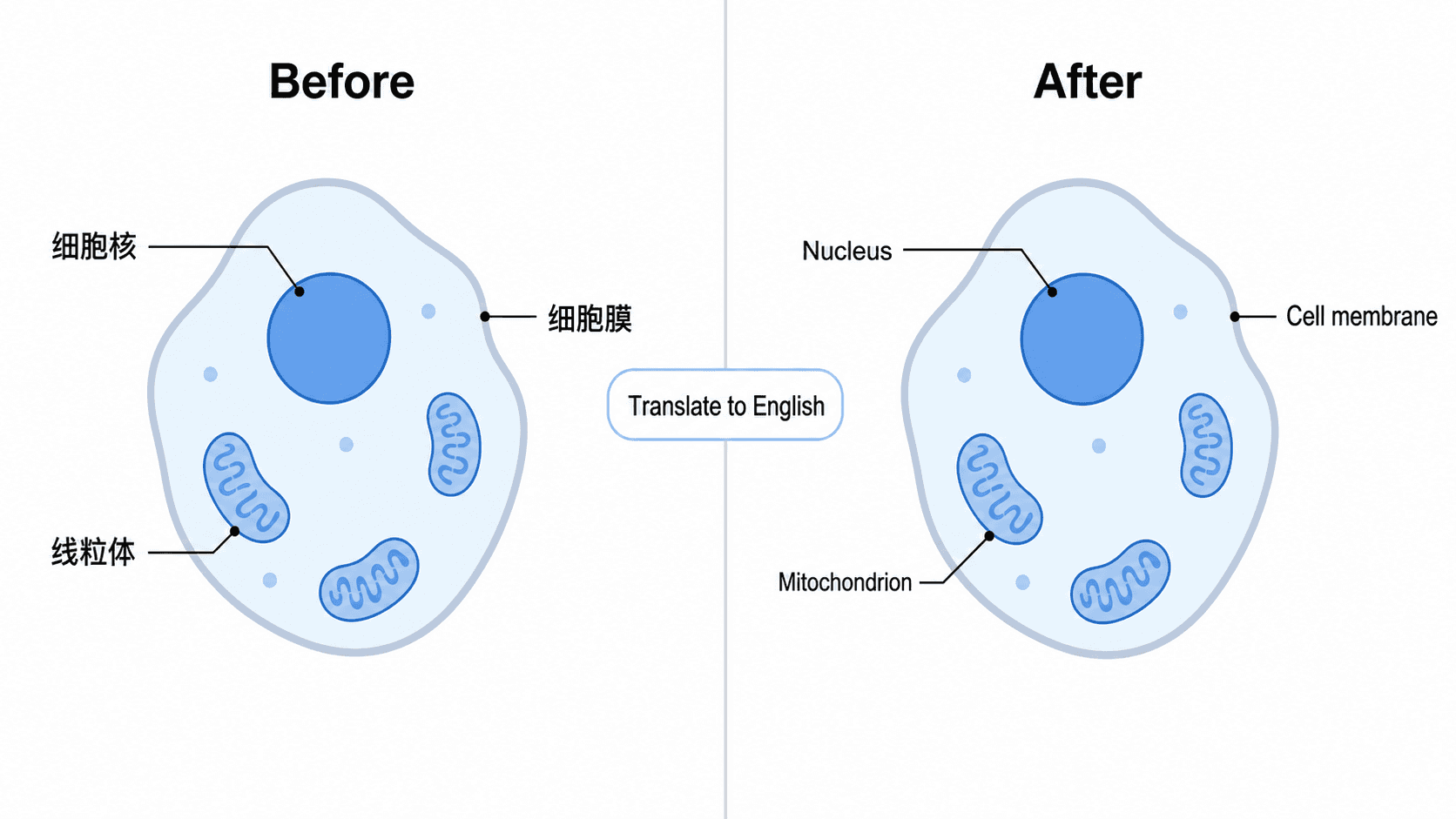
You drew a figure with Chinese labels for your thesis, and now the journal wants it in English. Or you teach the same material in two languages and need a bilingual version for your slides. Re-typing every label by hand is slow, and one typo in an unfamiliar script can change the meaning of a panel. With an AI-native editor you don't retype anything — you tell the AI to translate the labels, and it rewrites them in the target language while keeping the diagram, layout, arrows, and colors exactly the same.
This guide shows how to translate figure labels and make a multilingual figure with AI. Every change is a single short instruction typed into the SciDraw AI editor — no design software, no redrawing, no manual relabeling.
By the end of this guide you'll be able to:
- Translate diagram labels and the caption of any figure into English, Chinese, Japanese, Spanish, French, or German with one sentence.
- Build a bilingual figure that shows each label in two languages at once.
- Translate only part of a figure (just the axis labels, just the legend, just the caption).
- Keep gene names, protein symbols, and acronyms in their standard form while everything else gets localized.
Why multilingual figures matter
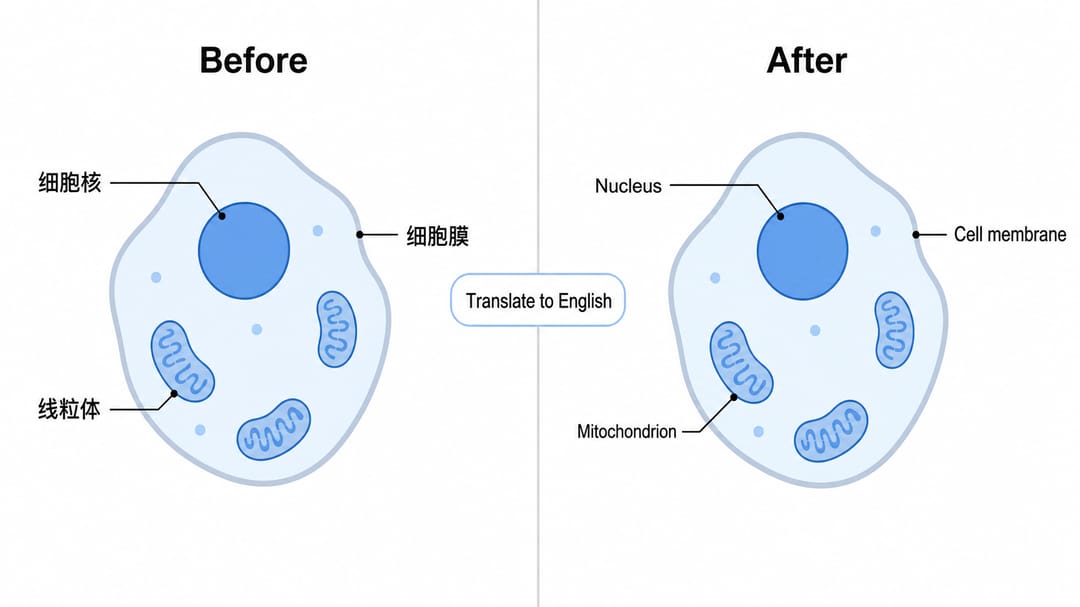
Research is global. The same figure may need to appear in an English journal, a Chinese thesis, a talk in Japanese, and a lecture in Spanish. Manually relabeling for each language is slow and risks errors in technical terms — exactly where a mistake is hardest to catch. When you need to translate a scientific figure to English for submission, or localize a figure for a regional audience, an AI-native tool translates the labels in place: it preserves the science and changes only the words. You keep one source figure and spin off as many language versions as you need.
The core technique: state the language and what to keep
Almost every weak translation comes from a vague prompt. The fix is to be explicit about two things: the exact target language and the fact that the layout must stay fixed.
- ❌ Vague: "translate this"
- ✅ Targeted: "Translate all labels and the caption to English, keeping the diagram, layout, arrows, and colors exactly the same."
Open your figure in the editor and type the instruction. The AI swaps the text in each label box and leaves every shape, arrow, and color untouched.
Common translation edits — copy these prompts
These are copy-paste prompts you can drop straight into the editor. Swap in your own target language as needed.
Translate all labels to another language
- "Translate all labels in this figure to English; keep the layout exactly the same."
- "把图中所有标注和图注翻译成中文,布局保持不变。"
- "Translate every label and the figure caption to Japanese, keeping all arrows and colors as they are."
- "Translate all text in this diagram to Spanish without moving any element."
Translate the caption
- "Translate just the figure caption to English; leave the in-figure labels unchanged."
- "Rewrite the caption in German and keep the panel letters (A, B, C) as they are."
Make a bilingual figure
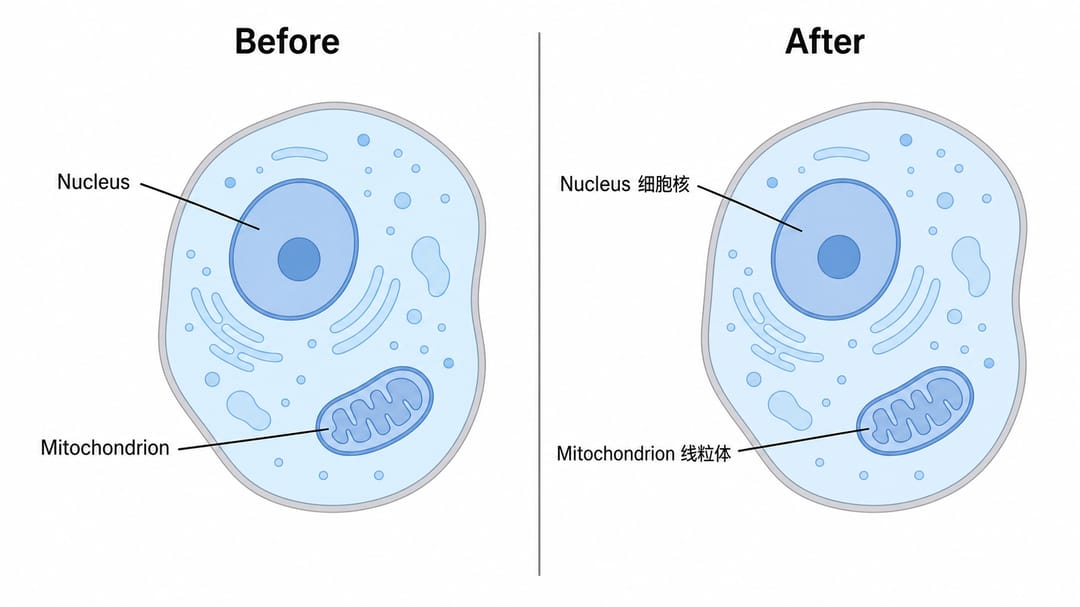
- "Add the English translation under each Chinese label to make it bilingual."
- "Show each label in both English and Japanese, English on top."
- "Make a bilingual figure: keep the original French labels and add the English equivalent in parentheses."
Translate only part of the figure
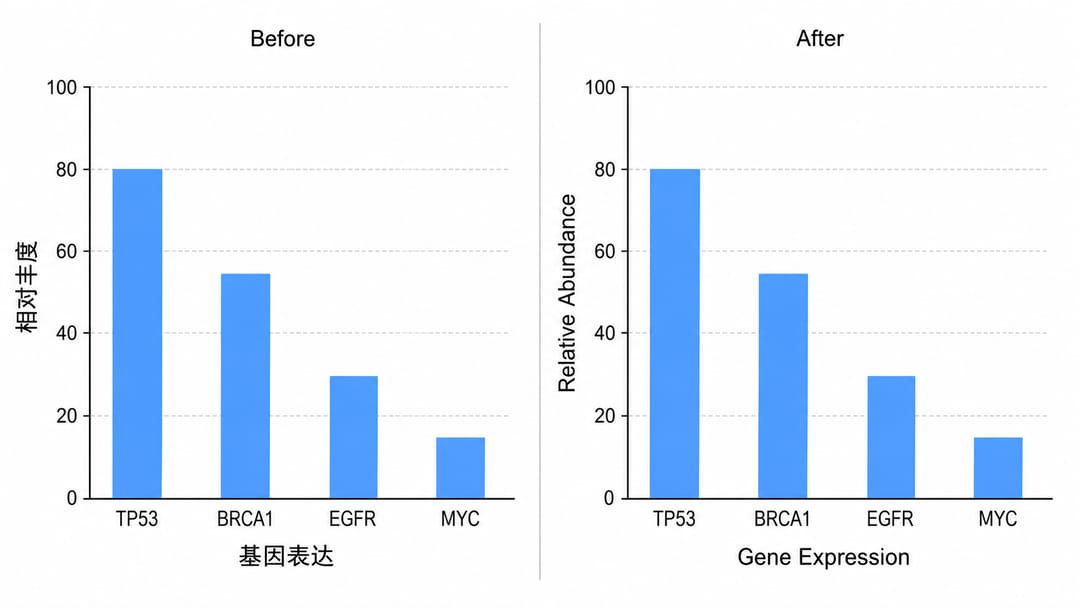
- "Translate just the axis labels to English; leave the legend as is."
- "Translate the caption but keep the gene names in their standard form."
- "Translate only the title and section headers to English; keep the data labels in Chinese."
Keep technical terms standard
- "Translate the labels to Spanish but keep gene and protein symbols (TP53, AKT, EGFR) unchanged."
- "Translate to French using standard scientific terminology; keep acronyms like PCR, MAPK, and IgG as they are."
- "Translate the pathway labels to Chinese but leave the kinase names in English."
Localize numbers and units
- "Translate to English and use a period as the decimal separator."
- "Translate to German and use a comma as the decimal separator and a thin space as the thousands separator."
- "Translate to English and convert any units written in Chinese to their standard SI abbreviations (mL, µg, °C)."
Tips for clean results
- Name the exact target language and variant. "English" is fine, but if the variant matters say so: Traditional vs Simplified Chinese, Brazilian vs European Portuguese, Latin American vs European Spanish. The AI follows whatever you name.
- Protect symbols. Tell the AI to keep gene names, protein symbols, and acronyms (PCR, MAPK, IgG, TP53) unchanged. These should never be translated, and naming them explicitly prevents the model from "helpfully" converting them.
- Keep the layout fixed. Add "do not move or restyle anything, only change the text." This is the single most useful clause — it stops the AI from re-flowing your panels while it swaps languages.
- Make versions, not replacements. Generate an English copy while keeping the original Chinese figure. Ask "create a new version in English and keep this one." Now you have both source and translation.
- Iterate on terminology. If a word reads oddly, name the term you want: "use 'apoptosis' rather than a literal translation for 凋亡." Translating, editing, and recoloring are all the same one-sentence motion in the editor.
Common mistakes (and how to fix them)
The most common translation problem is literal translation instead of accepted terminology. A general translator might render a term word-for-word, but scientific fields have standard names that readers expect.
- Literal vs standard terminology. A literal translation of a domain term can be technically correct but unfamiliar to readers in the field. Fix: specify the accepted term in your prompt — "use the standard term 'Western blot', not a literal translation" or "translate 'signaling pathway' as the conventional field term."
- Translated gene or protein names. Symbols like TP53 or BRCA1 should stay identical in every language. Fix: list them and add "keep these unchanged."
- Re-flowed layout. If labels shift after translation because the new text is longer, re-prompt with "keep the original positions; shrink the font slightly if a label no longer fits."
- Mixed languages by accident. If a few labels stay in the source language, name them: "you missed the legend and the y-axis title — translate those to English too."
Export and use
Once the translated or bilingual figure looks right, export it to editable SVG or PowerPoint (PPTX), or download a high-resolution image for your manuscript, slides, or poster. Because each language version is its own export, you can submit the English figure to the journal and keep the bilingual one for teaching.
Translation is really just another kind of text edit — if you also need to fix a typo, change wording, or relabel an element, see how to edit text and labels in an AI figure. The same one-sentence workflow handles both.
Frequently asked questions
How do I translate figure labels to English with AI? Open the figure in the SciDraw AI editor and type "Translate all labels and the caption to English, keeping the layout exactly the same." The AI rewrites each label in English and leaves the diagram, arrows, and colors untouched — no manual relabeling.
Can I make a bilingual figure? Yes. Ask the AI to "add the English translation under each Chinese label to make it bilingual," or show each label in two languages side by side. A multilingual scientific figure is one instruction away, and you can choose which language goes first.
How do I keep gene names when translating? Name the symbols you want protected and add "keep these unchanged" — for example "translate to Spanish but keep gene and protein symbols (TP53, AKT) and acronyms (PCR, IgG) as they are." The AI translates everything except the terms you list.
Can I translate only part of a figure? Yes. Tell the AI exactly what to translate and what to leave: "translate just the axis labels to English; leave the legend as is," or "translate the caption only." This is the fastest way to localize a figure without touching the rest.
Which languages can I translate scientific figures into? Any major language — English, Chinese (Traditional or Simplified), Japanese, Spanish, French, German, Portuguese, and more. Name the exact target language and variant in your prompt, and the AI localizes the labels in place.
Start creating
Open your figure in the SciDraw AI editor and ask for the labels in another language — or a bilingual version. Whether you need to translate a scientific figure to English for submission or localize a diagram for a lecture, the AI translates the labels in place, in one sentence.