分子結構可視化對於傳達化學、生物化學和結構生物學的研究至關重要。無論您是展示藥物結合位點、蛋白質複合物還是新型化合物,有效的分子圖形都可以改變您論文的影響力。
本指南涵蓋了從基本概念到高級技術的所有內容,用於建立出版品質的分子可視化。
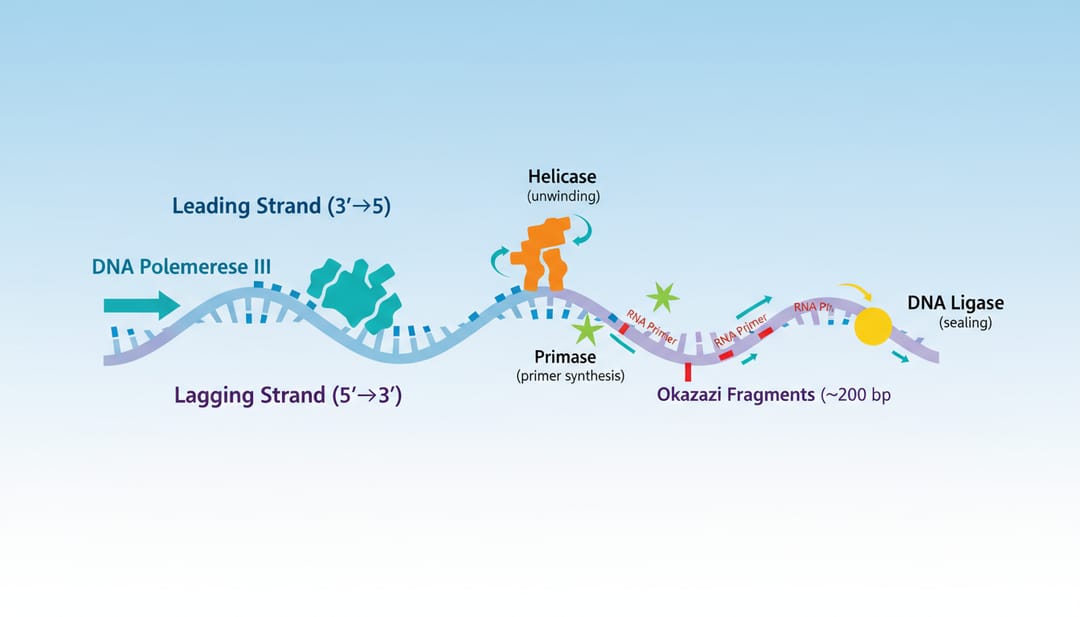 有效的分子可視化使結構栩栩如生
為什麼分子可視化很重要
清晰的分子可視化有助於:
- 解釋機制:展示分子如何相互作用
- 呈現結構:清晰地顯示 3D 排列
- 支持假設:提供視覺證據
- 吸引讀者:使複雜的數據易於理解
分子可視化的類型
1. 小分子表示
2D 結構式
- 骨架(線鍵)結構
- 楔形虛線立體化學
- 突出顯示的官能基
3D 分子模型
- 球棍模型
- 空間填充 (CPK) 模型
- 線框表示
2. 大分子結構
蛋白質可視化
- 緞帶/卡通表示
- 表面表示
- 域突出顯示
- 活性位點焦點
核酸可視化
- 雙螺旋表示
- 鹼基對細節
- 蛋白質-DNA 複合物
3. 複雜組裝
多組分系統
- 蛋白質複合物
- 病毒結構
- 膜嵌入蛋白
- 超分子組裝
表示樣式
卡通/緞帶表示
最適合顯示蛋白質二級結構:
- Alpha 螺旋作為線圈/緞帶
- Beta 折疊作為箭頭
- 環作為管
AI prompt:
Protein ribbon diagram showing [protein name],
alpha helices in red, beta sheets in blue,
loop regions in gray,
N-terminus and C-terminus labeled,
key domains highlighted,
publication-quality structural biology style
表面表示
最適合顯示:
- 結合口袋
- 靜電勢
- 疏水性模式
- 分子形狀
AI prompt:
Protein surface representation,
electrostatic potential coloring (red negative, blue positive),
ligand binding pocket clearly visible,
bound small molecule in stick representation,
structural biology journal style
球棍模型
最適合顯示:
- 原子排列
- 鍵幾何形狀
- 配位環境
- 活性位點細節
AI prompt:
Ball-and-stick model of [molecule/active site],
atoms colored by element (C gray, O red, N blue, S yellow),
bonds as cylindrical sticks,
hydrogen bonds shown as dashed lines,
key interactions labeled
空間填充 (CPK)
最適合顯示:
- 分子形狀
- 表面互補性
- 空間位阻
- 尺寸比較
AI prompt:
Space-filling model of [molecule],
van der Waals radii representation,
standard CPK coloring,
showing molecular surface and shape,
chemistry publication style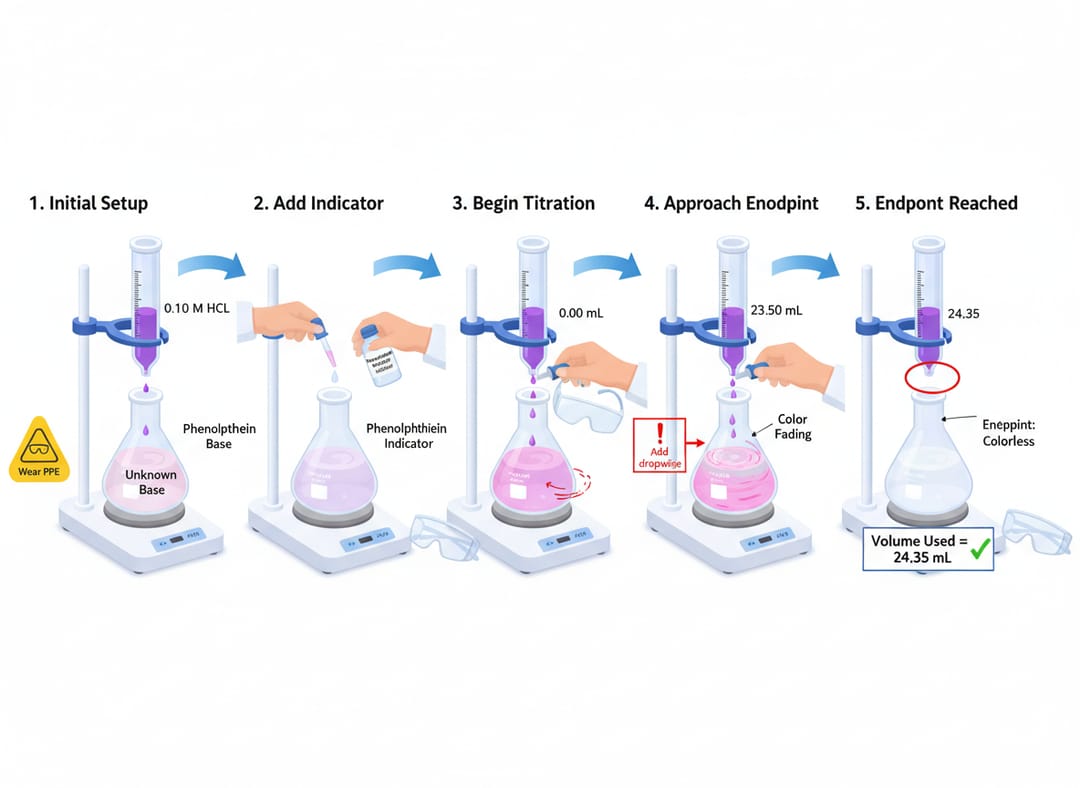 不同的可視化樣式服務於不同的目的
建立分子可視化
對於小分子
具有上下文的化學結構:
Small molecule drug structure visualization,
2D structure with stereochemistry clearly shown,
key pharmacophore features highlighted,
3D conformer alongside,
binding mode indicated if relevant,
medicinal chemistry publication style
反應機制可視化:
Organic reaction mechanism illustration,
starting material → transition state → product,
electron flow arrows,
orbital interactions shown for key steps,
energy diagram alongside,
organic chemistry education style
對於蛋白質和大分子
單個蛋白質結構:
Protein structure illustration for journal,
[protein name/PDB ID] ribbon representation,
catalytic residues highlighted in stick form,
substrate/ligand in binding pocket,
key structural features labeled,
Nature/Science publication style
蛋白質-蛋白質相互作用:
Protein complex visualization,
two interacting proteins in different colors,
interface residues highlighted,
key contacts shown as dashed lines,
rotation showing binding interface,
structural biology journal style
酶機制:
Enzyme active site visualization,
catalytic residues in stick representation,
substrate positioned in active site,
proposed mechanism with arrows,
stabilizing interactions shown,
biochemistry journal publication style
對於核酸
DNA 結構:
DNA double helix visualization,
B-form DNA structure,
base pairs visible in center,
major and minor grooves labeled,
sugar-phosphate backbone highlighted,
molecular biology textbook style
DNA-蛋白質複合物:
Transcription factor bound to DNA,
protein in cartoon/surface hybrid,
DNA in stick/cartoon hybrid,
specific base contacts highlighted,
recognition sequence labeled,
structural biology publication style
分子可視化的軟體工具
專用分子圖形
| 軟體 | 最適合 | 費用 |
|---|---|---|
| PyMOL | 出版圖 | 免費/$) |
| ChimeraX | 複雜組裝 | 免費 |
| VMD | MD 模擬 | 免費 |
| Maestro | 藥物設計 | 商業 |
用於 2D 化學結構
| 軟體 | 最適合 | 費用 |
|---|---|---|
| ChemDraw | 出版品質 | 商業 |
| MarvinSketch | 免費替代方案 | 免費 |
| RDKit | 程序化 | 免費 |
AI 輔助工具
SciDraw AI 用於:
- 概念分子插圖
- 機制圖
- 帶分子的 TOC 圖形
- 教育可視化
顏色方案和慣例
標準元素顏色 (CPK)
| 元素 | 顏色 |
|---|---|
| 碳 | 灰色/黑色 |
| 氧 | 紅色 |
| 氮 | 藍色 |
| 硫 | 黃色 |
| 磷 | 橙色 |
| 氫 | 白色 |
二級結構顏色
慣例 1(常見):
- 螺旋:紅色/粉紅色
- 折疊:黃色/藍色
- 環:綠色/灰色
慣例 2(按序列彩虹色):
- N-末端:藍色
- C-末端:紅色
- 序列中的漸變
功能著色
- 靜電:紅色(負)→ 白色(中性)→ 藍色(正)
- 疏水性:綠色(疏水)→ 白色 → 紫色(親水)
- B 因子:藍色(低)→ 紅色(高)
出版要求
解析度和格式
對於期刊:
- 最小 300 DPI
- 首選 TIFF 或 EPS
- 盡可能使用向量
- CMYK 用於印刷
對於演示文稿:
- 150 DPI 足夠
- 帶透明度的 PNG 有用
- RGB 顏色模式
圖形組成
- 為您的訊息選擇適當的表示
- 在整篇論文中使用一致的著色
- 在相關時包含比例資訊
- 清楚地標記關鍵特徵
- 如有必要,提供多個視圖
立體圖像
一些期刊接受立體圖像對:
- 鬥雞眼或對眼觀看
- 包括觀看說明
- 確保適當的分離
高級技術
突出顯示感興趣的區域
Protein structure with highlighted binding site,
overall structure in transparent surface,
binding site residues in solid surface,
bound ligand in stick representation,
key interactions labeled,
publication-ready molecular graphics
顯示運動和動力學
Protein conformational change visualization,
two states superimposed,
mobile regions highlighted,
arrows indicating direction of movement,
RMSD values noted,
structural biology dynamics figure
切割視圖
Protein channel cut-away visualization,
surface representation cut to show interior,
channel lining residues visible,
ion/substrate path indicated,
selectivity filter highlighted,
membrane protein visualization style
要避免的常見錯誤
1. 錯誤的表示選擇
問題:在鍵重要時使用表面 解決方案:將表示與訊息匹配
2. 雜亂的視圖
問題:太多細節掩蓋了關鍵特徵 解決方案:簡化;使用透明度;專注於重要元素
3. 糟糕的顏色選擇
問題:衝突或缺乏對比度的顏色 解決方案:使用已建立的慣例;在不同的顯示器上測試
4. 缺少上下文
問題:沒有生物學上下文的結構 解決方案:包括標籤、註釋和解釋性元素
5. 低解析度
問題:出版物中的像素化圖像 解決方案:以高解析度渲染;使用光線追蹤
使用 AI 建立分子圖形
何時使用 AI
像 SciDraw AI 這樣的 AI 工具擅長:
- 概念分子插圖
- 機制圖
- 教育可視化
- 將分子與其他元素結合的 TOC 圖形
AI 提示範例
藥物發現概念:
Drug discovery process illustration,
target protein structure (stylized),
small molecule library screening concept,
lead compound binding visualization,
optimization cycle depicted,
pharmaceutical research style
生化途徑:
Metabolic pathway with molecular detail,
key enzymes as simplified structures,
substrate/product transformations,
cofactors indicated,
energy/electron flow shown,
biochemistry textbook illustration
結構生物學研究:
Cryo-EM structure determination illustration,
sample preparation → grid → microscope → data,
2D class averages → 3D reconstruction,
final atomic model,
structural biology methods figure
出版圖形的工作流程
步驟 1:獲取/生成結構
- 從 PDB 下載(蛋白質)
- 使用 ChemDraw 生成(小分子)
- 使用建模軟體建立(假設)
步驟 2:選擇可視化軟體
- PyMOL/ChimeraX 用於大分子
- ChemDraw 用於 2D 結構
- SciDraw AI 用於概念插圖
步驟 3:選擇表示
- 將表示與訊息匹配
- 考慮受眾專業知識水平
- 考慮最終圖形大小
步驟 4:應用樣式
- 顏色方案
- 照明和背景
- 標籤和註釋
步驟 5:渲染和匯出
- 高解析度 (300+ DPI)
- 適當的格式
- 如果需要,多個版本
開始建立分子可視化
將您的分子結構轉化為引人注目的圖形:
- 使用 SciDraw AI 進行概念分子插圖
- 結合專用結構軟體以獲得精確模型
- 遵循期刊特定要求
- 建立一致的、可供出版的圖形
您的結構數據值得以清晰地傳達其重要性的可視化呈現。
相關文章:
- Chemistry TOC Graphics Examples (化學 TOC 圖形範例)
- Cell Biology Illustration Tutorial (細胞生物學插圖教程)
- Scientific Figure Generator for Research Papers (研究論文的科學圖形產生器)