Generador de modelos lógicos con IA
Convierte la descripción de un programa en un modelo lógico claro
Describe en texto corriente los insumos, las actividades, los productos y los resultados a corto y largo plazo de tu programa, y SciDraw AI dibujará un modelo lógico de izquierda a derecha. Úsalo en informes de evaluación de programas, capítulos de tesis y en el modelo lógico que exige una propuesta de financiamiento.
Ejemplos de modelos lógicos
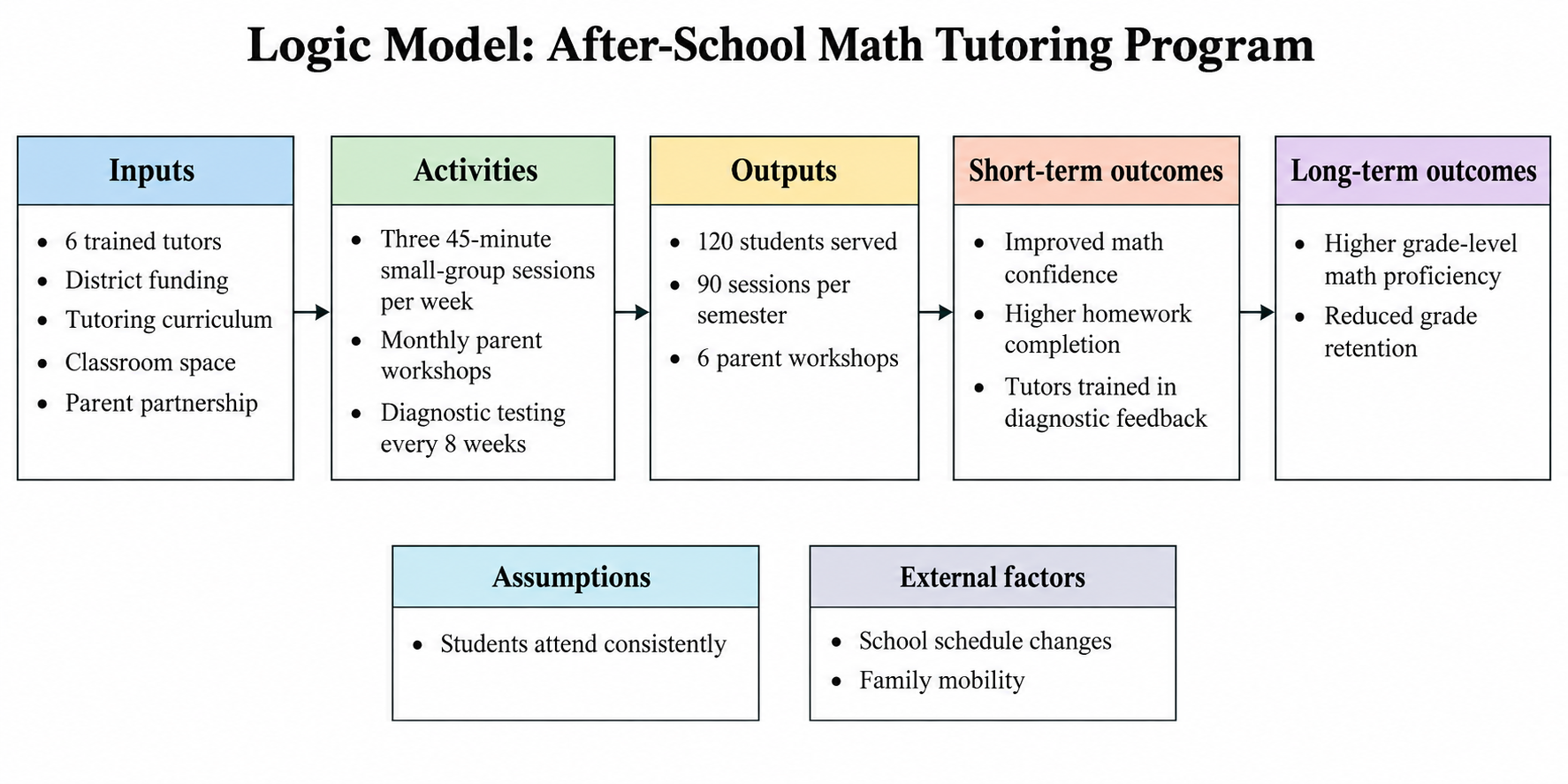
Seis modelos lógicos de programas de educación, salud pública, cooperación internacional y tercer sector. Usa cualquiera de ellos como plantilla de modelo lógico para tu propio programa.
¿Qué hace este generador de modelos lógicos con IA?
Este generador de modelos lógicos con IA convierte la descripción de un programa escrita en texto corriente en un diagrama de modelo lógico claro. Tú enumeras los insumos, las actividades, los productos, los resultados a corto plazo y los resultados a largo plazo, junto con los supuestos y los factores externos, y SciDraw AI los organiza en columnas etiquetadas que se leen de izquierda a derecha, con flechas entre cada etapa. El resultado es una figura del modelo lógico del programa lista para insertarse en un plan de evaluación, en el capítulo de metodología de una tesis o en el apartado de modelo lógico de una propuesta de financiamiento. La herramienta dibuja únicamente lo que describes: no rellena columnas vacías, no añade cifras objetivo ni reescribe tus resultados, y nunca mezcla productos con resultados. No es un motor de evaluación de programas, sino una herramienta de diagramación que te evita volver a dibujar cajas y flechas en PowerPoint cada vez que un revisor pide un cambio. Los modos para programas educativos, de salud pública y del tercer sector ajustan las etiquetas de las columnas a lo que cada campo espera.
Por qué quienes evalúan programas y redactan propuestas necesitan un modelo lógico
- La mayoría de los financiadores, desde organismos públicos hasta fundaciones privadas, piden un modelo lógico en la memoria de la propuesta
- Los tribunales de tesis en educación, salud pública y trabajo social esperan un modelo lógico del programa en el capítulo de metodología
- Un modelo lógico hace visible la diferencia entre productos y resultados, que es donde falla la mayoría de los planes de evaluación
- Quienes evalúan lo usan para decidir qué indicadores medir en cada etapa antes de empezar a recoger datos
- Un único diagrama compartido mantiene alineados al equipo del programa, a las entidades aliadas y a los financiadores sobre qué se pretende cambiar
Cómo redactar la descripción de un programa que genere un modelo lógico claro
Empieza por los insumos: el personal, el financiamiento, los materiales, las entidades aliadas y las instalaciones con los que realmente cuenta el programa. Enumera después las actividades, es decir, lo que el programa hace con esos insumos, como sesiones, formaciones o cribados. Los productos son los resultados directos y contables de las actividades: personas atendidas, sesiones realizadas, materiales elaborados. Mantén los productos separados de los resultados. Los resultados a corto plazo son cambios en los conocimientos, las destrezas, las actitudes o la conducta de los participantes; los resultados a largo plazo son los cambios duraderos en las condiciones o en los sistemas que el programa pretende producir. Añade en una línea aparte los supuestos (lo que debe cumplirse para que la lógica funcione) y los factores externos (las condiciones que escapan a tu control). Escribe cada elemento como una frase breve, mantén el orden de izquierda a derecha e incluye cifras solo donde realmente las tengas. Pega la descripción en el generador, elige un modo y ajusta el diagrama en el editor si hace falta.
Elementos habituales de un modelo lógico de programa
- Insumos o recursos: personal, financiamiento, currículo, equipamiento, entidades aliadas
- Actividades: lo que el programa entrega, como sesiones, formaciones o cribados
- Productos: resultados contables de las actividades, como participantes atendidos o sesiones realizadas
- Resultados a corto plazo: cambios en conocimientos, destrezas, actitudes o conducta
- Resultados a largo plazo o impacto: cambios duraderos en las condiciones, el rendimiento o los sistemas
- Supuestos y factores externos: aquello de lo que depende la lógica y lo que queda fuera del control del programa
Preguntas frecuentes
¿Qué es un modelo lógico y en qué se diferencia de una teoría del cambio?
Un modelo lógico es un diagrama de una página que alinea en columnas, de izquierda a derecha, los insumos, las actividades, los productos y los resultados de un programa, mostrando qué hace el programa y qué espera cambiar. Una teoría del cambio va más allá y explica por qué cada paso debería conducir al siguiente, a menudo con evidencia y precondiciones. SciDraw AI dibuja el modelo lógico; no construye por ti la explicación causal.
¿Puedo usar el diagrama en una tesis o en una propuesta de financiamiento?
Sí. El modelo lógico generado es un diagrama limpio y etiquetado, pensado para planes de evaluación, capítulos de metodología y el apartado de modelo lógico de una propuesta de financiamiento. Contrasta el contenido con la plantilla del financiador o con las expectativas de tu tribunal, ya que los nombres de las columnas y el número de niveles de resultados varían entre instituciones. El modo de tercer sector usa las etiquetas de columna que esperan la mayoría de las plantillas de fundaciones.
¿Qué debo preparar antes de generar?
Escribe una lista breve para cada columna: insumos, actividades, productos, resultados a corto plazo y resultados a largo plazo, además de los supuestos y factores externos si tu plantilla los pide. Usa frases cortas, un elemento por línea, e incluye cifras solo donde tengas datos reales. Una descripción de unos cientos de palabras suele bastar; el generador admite hasta 5.000 caracteres.
¿Qué no hace el generador de modelos lógicos?
No evalúa tu programa, no lo puntúa ni juzga si la lógica es sólida. No inventa cifras, indicadores, entidades aliadas ni resultados que no hayas escrito, y deja una columna vacía antes que rellenarla. No analiza datos ni se conecta a ninguna base de datos. Dibuja el diagrama que describes; el contenido y el razonamiento siguen siendo tuyos.
¿Cómo modifico el diagrama una vez generado?
Edita el texto y vuelve a generar: añade un producto que falte, divide un resultado a largo plazo en dos o elimina una columna que no necesites, y genera de nuevo. Si la disposición requiere ajustes, abre el resultado en el editor para mover las cajas y corregir las etiquetas. Los cambios pequeños y concretos en el texto dan resultados más previsibles que reescribir toda la descripción de una vez.
¿Cómo exporto el modelo lógico y en qué formato?
Descarga el modelo lógico terminado como imagen PNG, lista para insertarla en un documento de Word, una presentación o una propuesta en PDF. También puedes abrir el diagrama en el editor para afinar cajas, flechas y etiquetas antes de descargarlo. Genera en formato 16:9 para diapositivas e informes, o elige otra relación de aspecto si tu plantilla necesita otra forma.
Explorar más herramientas
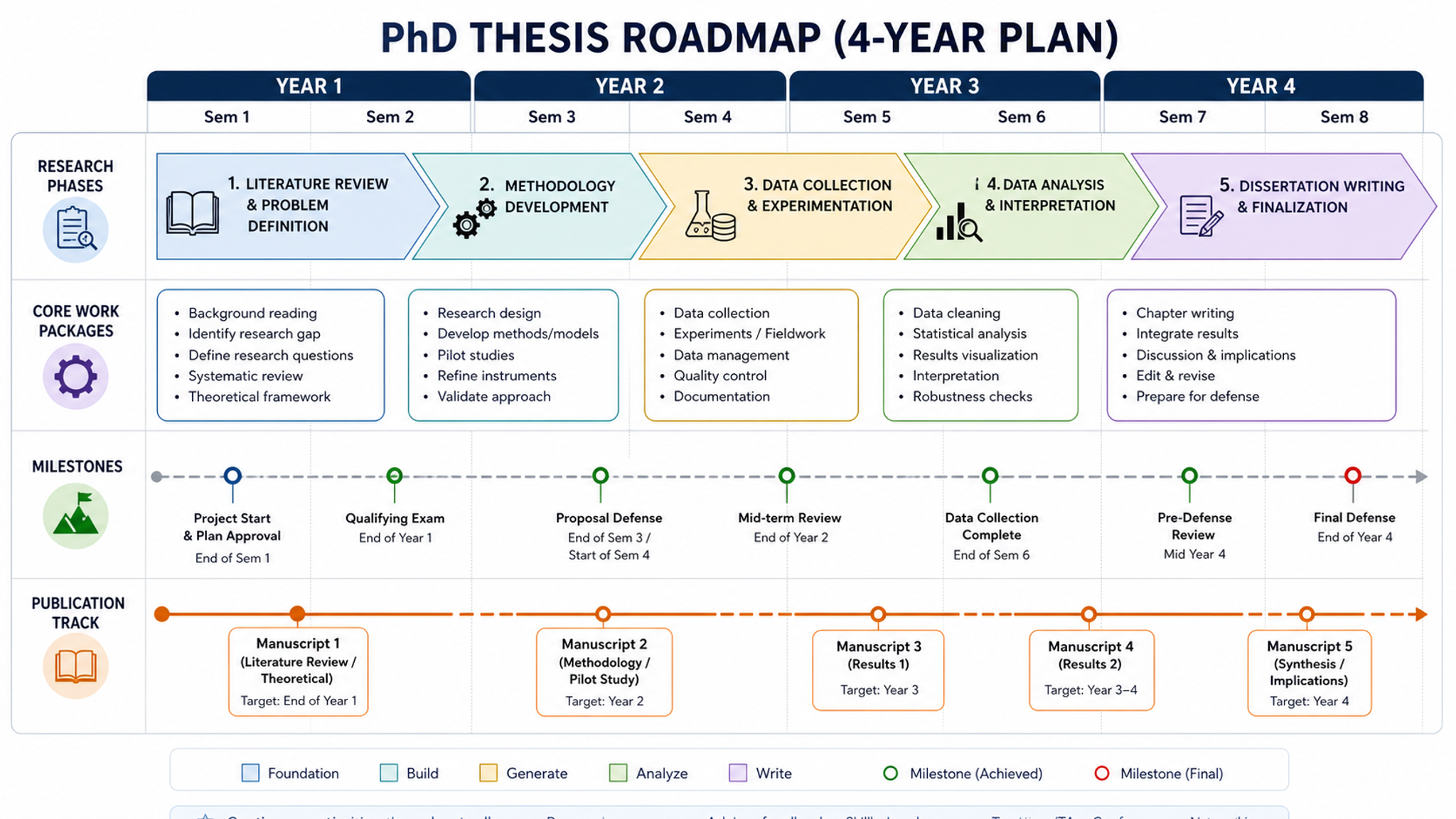
Creador de hojas de ruta
Crea diagramas de ruta técnica para solicitudes de financiación
Pruébalo gratis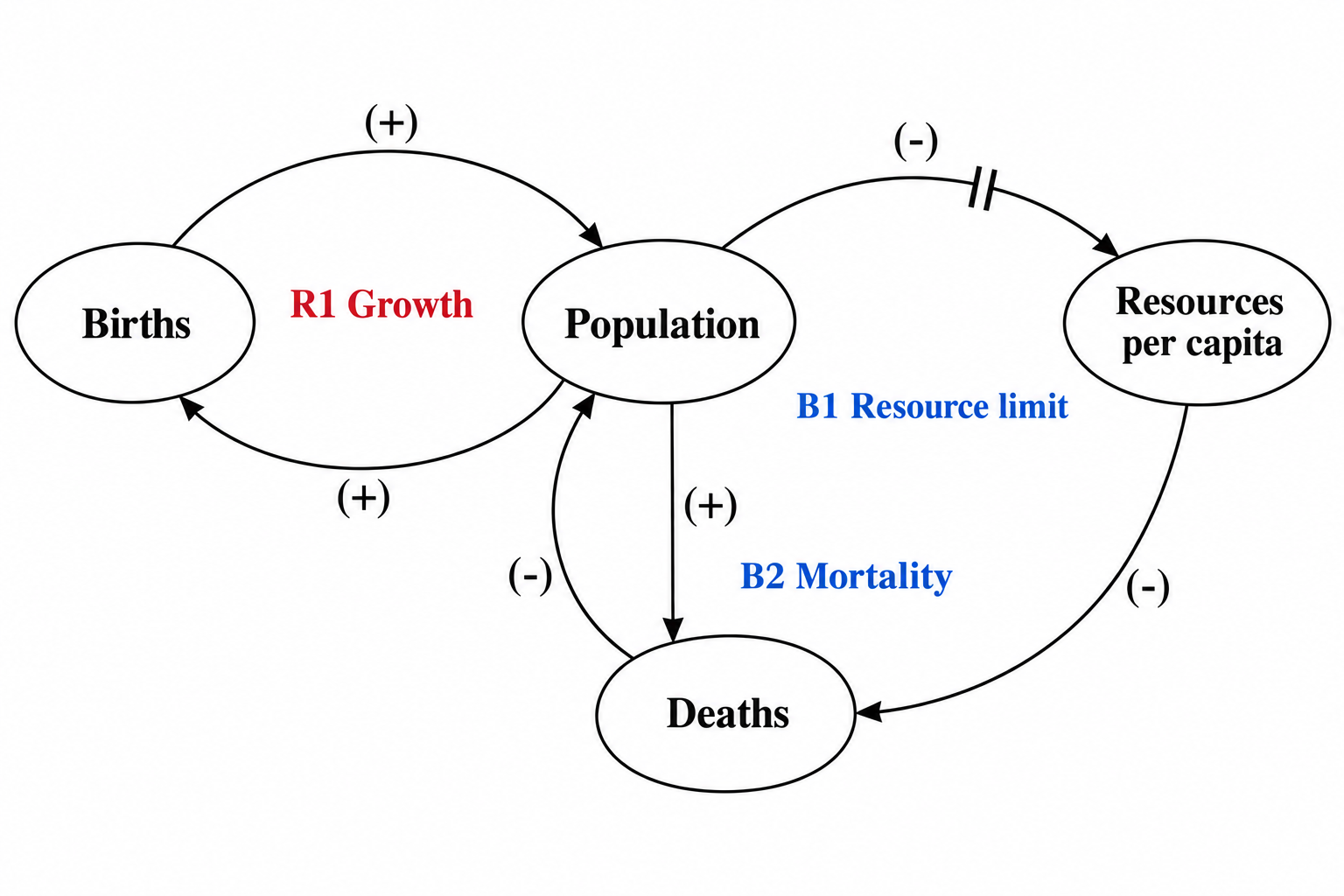
Generador de diagramas de bucles causales
Convierte variables y vínculos causales con signo en un diagrama de bucles causales con bucles R/B y marcas de retardo.
Pruébalo gratis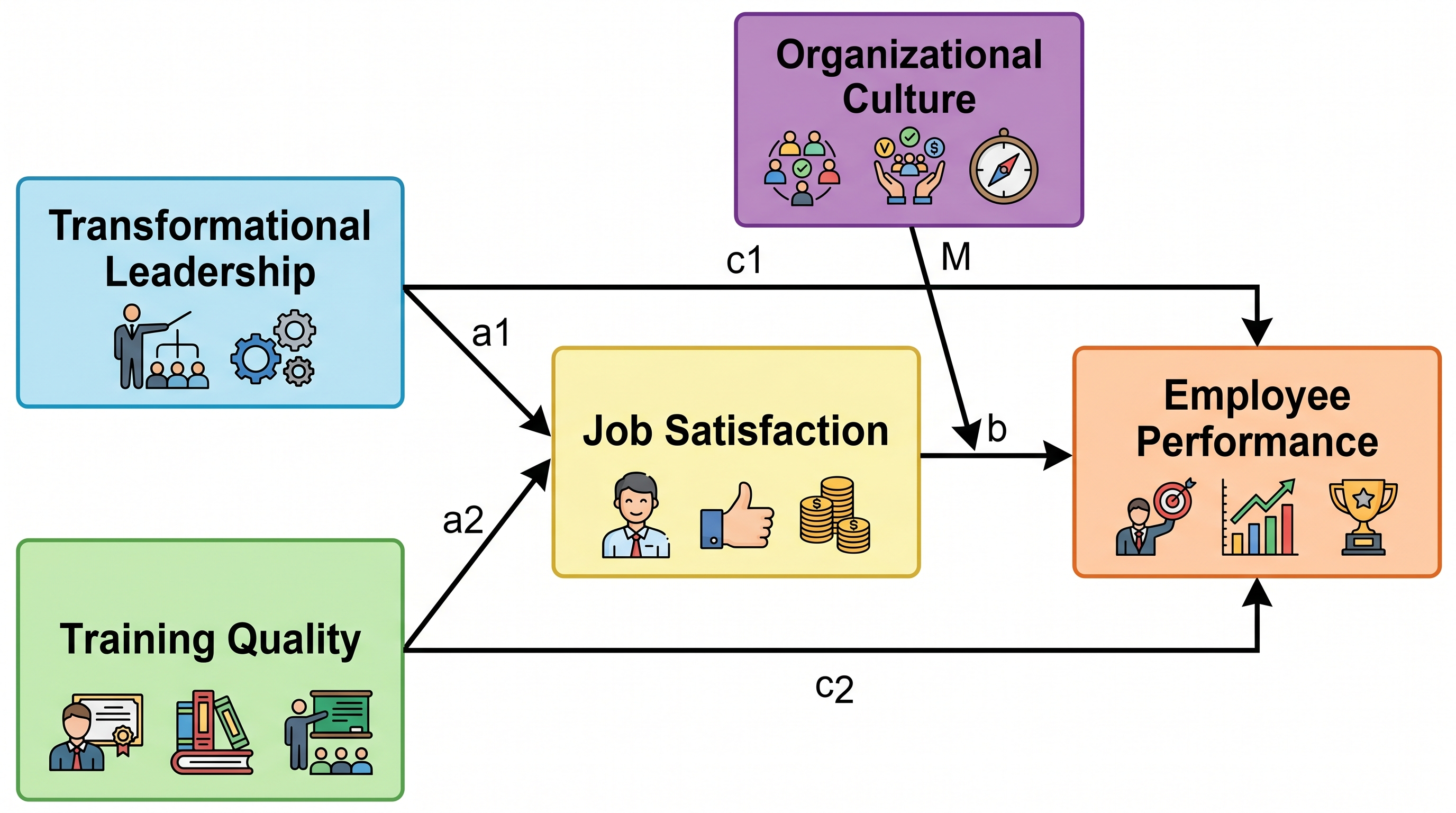
Creador de Marco Conceptual
Genera diagramas de marco de investigación etiquetados con variables y relaciones.
Pruébalo gratisDibuja ahora el modelo lógico de tu programa
Describe tus insumos, actividades, productos y resultados, y deja que SciDraw AI los convierta en un modelo lógico claro para tu evaluación, tu tesis o tu propuesta de financiamiento.