许多团队在工作中使用了错误的图表类型。结果往往是一样的:一张视觉上“好看”的图片,却无法传达关键信息。
本指南将帮助你为科学传播选择正确的图表格式。对于每种类型,你将了解到:
- 何时使用
- 应该包含哪些内容
- 一个即插即用的提示词
- 一个生成的示例
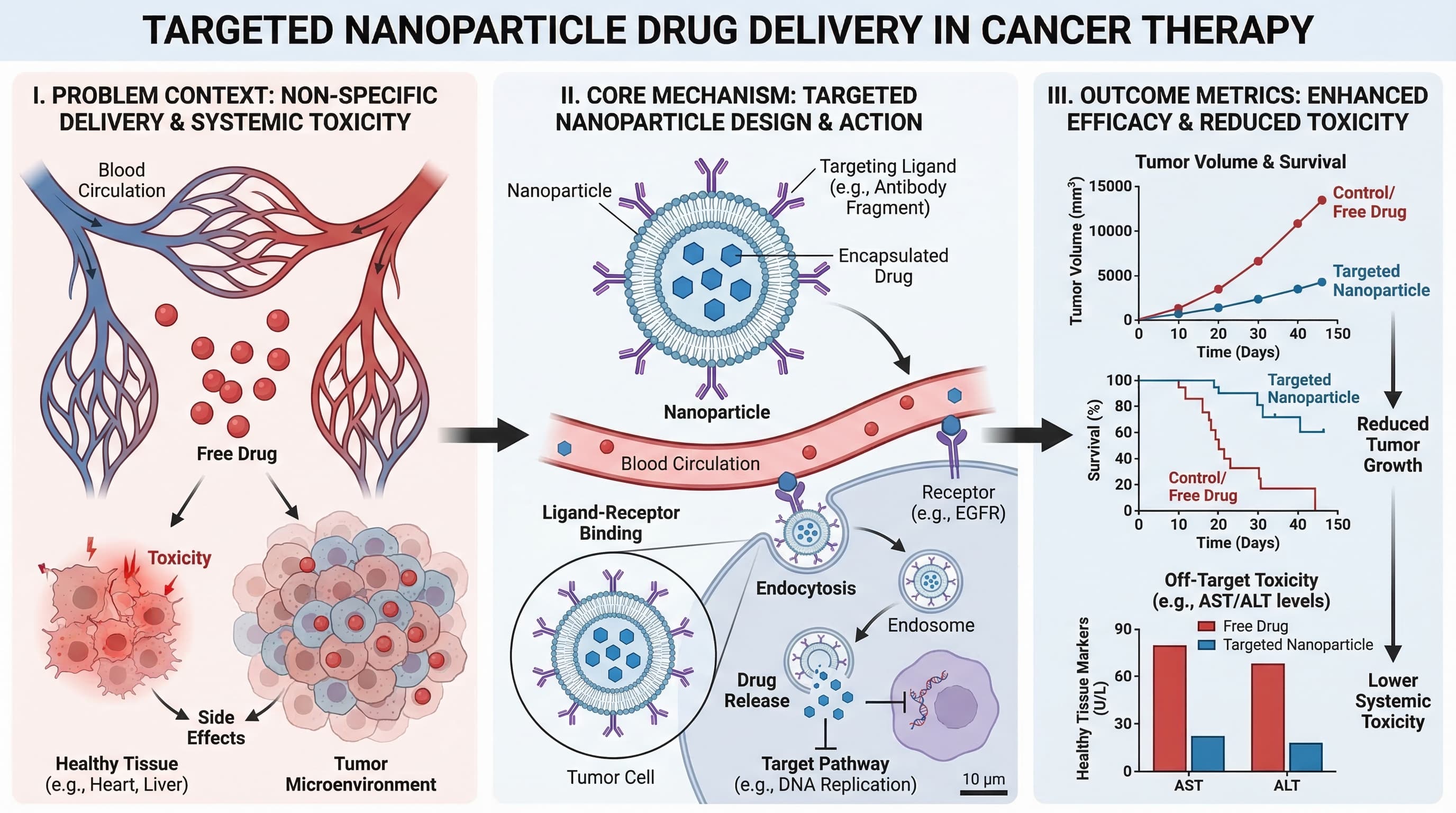
1) 图解摘要 (Graphical Abstract)
当你需要用一个屏幕的篇幅总结整个研究故事(包括问题、方法和结果)时,请使用此类型。
最适用于:
- 期刊投稿
- 论文落地页
- 研究亮点的社交媒体分享
提示词模板
Create a graphical abstract for [study topic].
Three connected panels: problem context, core method, key outcome.
Use concise English labels, directional arrows, and high information density.
Clean white background, publication-ready scientific style.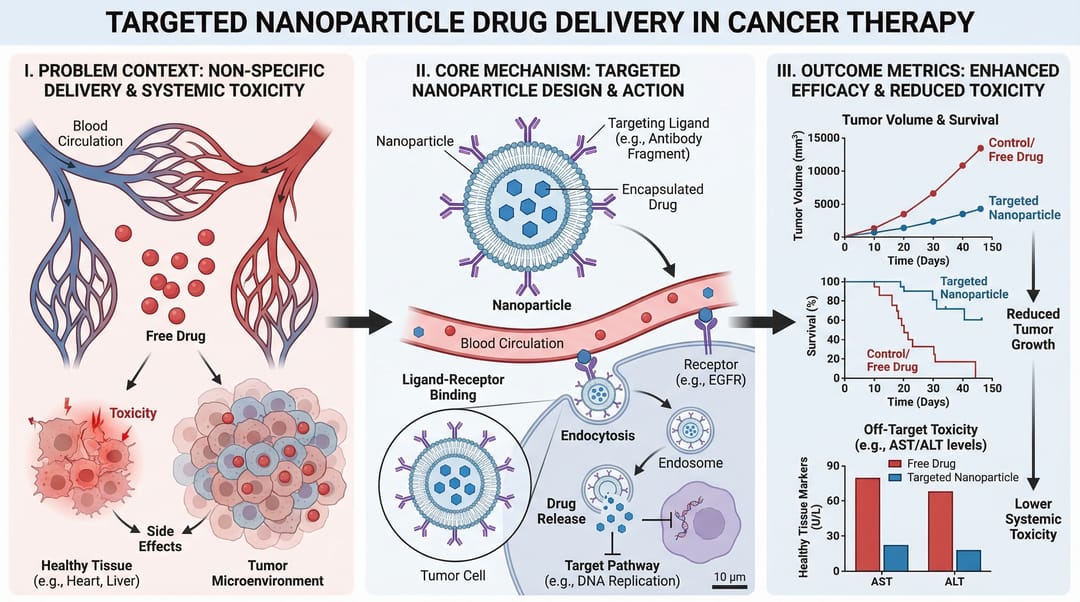
2) 机制图 (Mechanism Diagram)
当你需要逐步解释分子、细胞或系统层面的“如何”运作时,请使用此类型。
最适用于:
- 论文中的机制部分
- 基金申请的立项依据图
- 药物作用解释
提示词模板
Create a mechanism diagram for [process].
Show numbered causal steps from trigger to downstream effect.
Include key actors, arrows, inhibition/activation markers, and concise labels.
White background, textbook-level scientific clarity.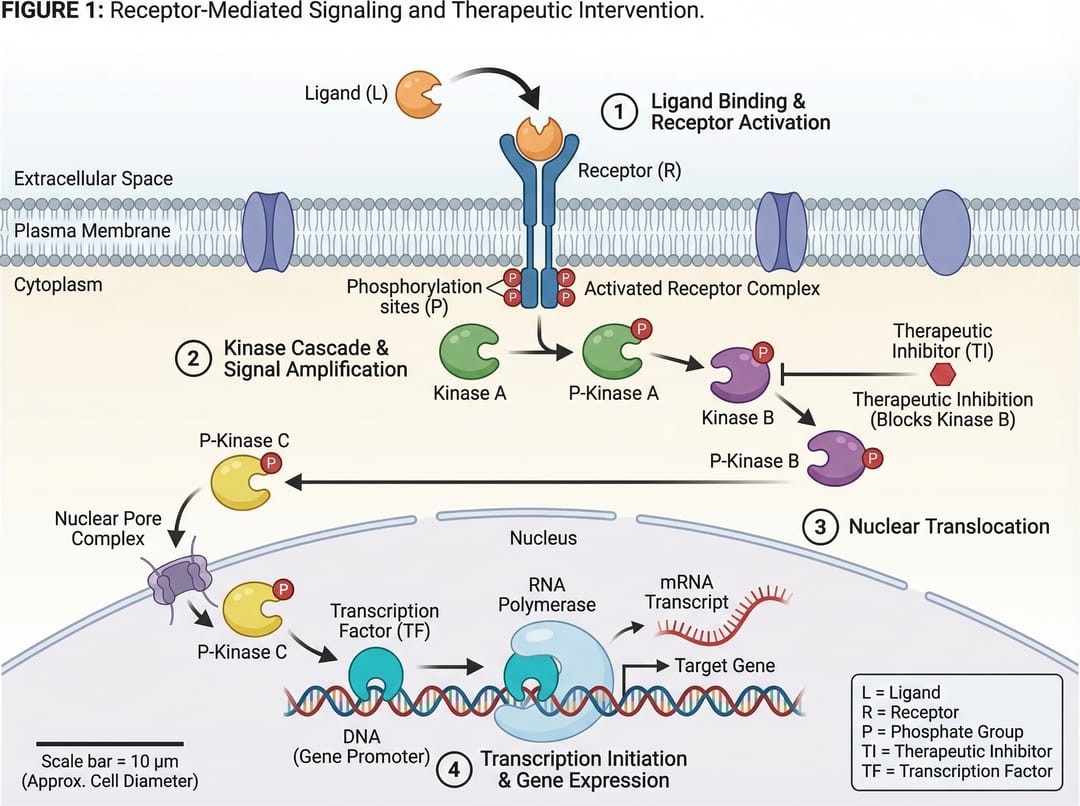
3) 通路图 (Pathway Diagram)
当你需要展示跨多个生物或技术通路的各种分支关系和串扰(crosstalk)时,请使用此类型。
最适用于:
- 信号通路总结
- 系统生物学解释
- 多因素因果模型
提示词模板
Create a pathway diagram for [topic].
Map upstream inputs, branch nodes, cross-talk links, and final outputs.
Use color-coded branches, legend, and concise English labels.
High readability, publication-ready style.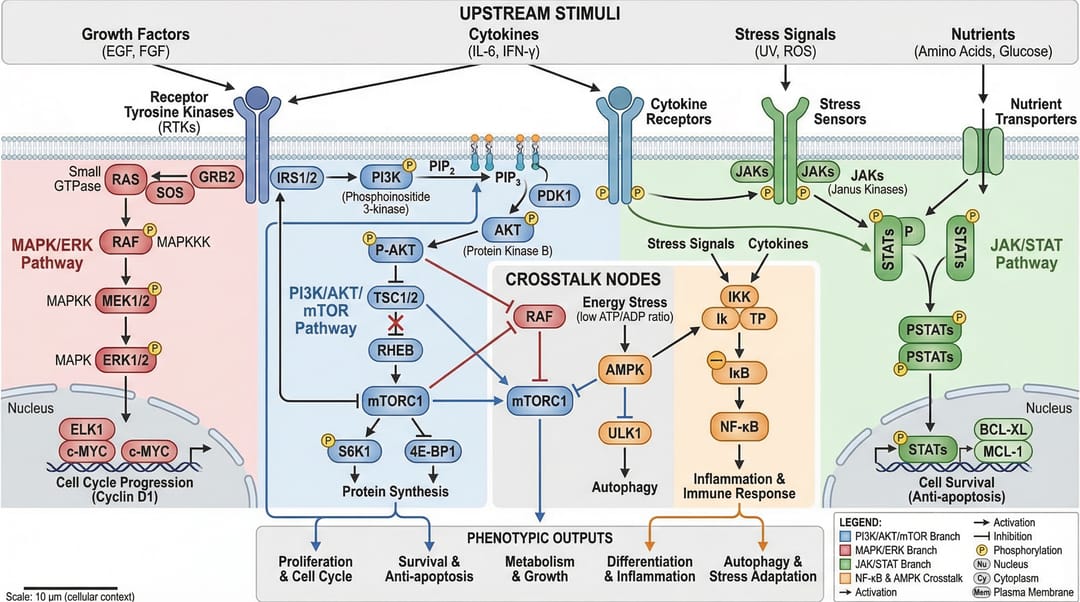
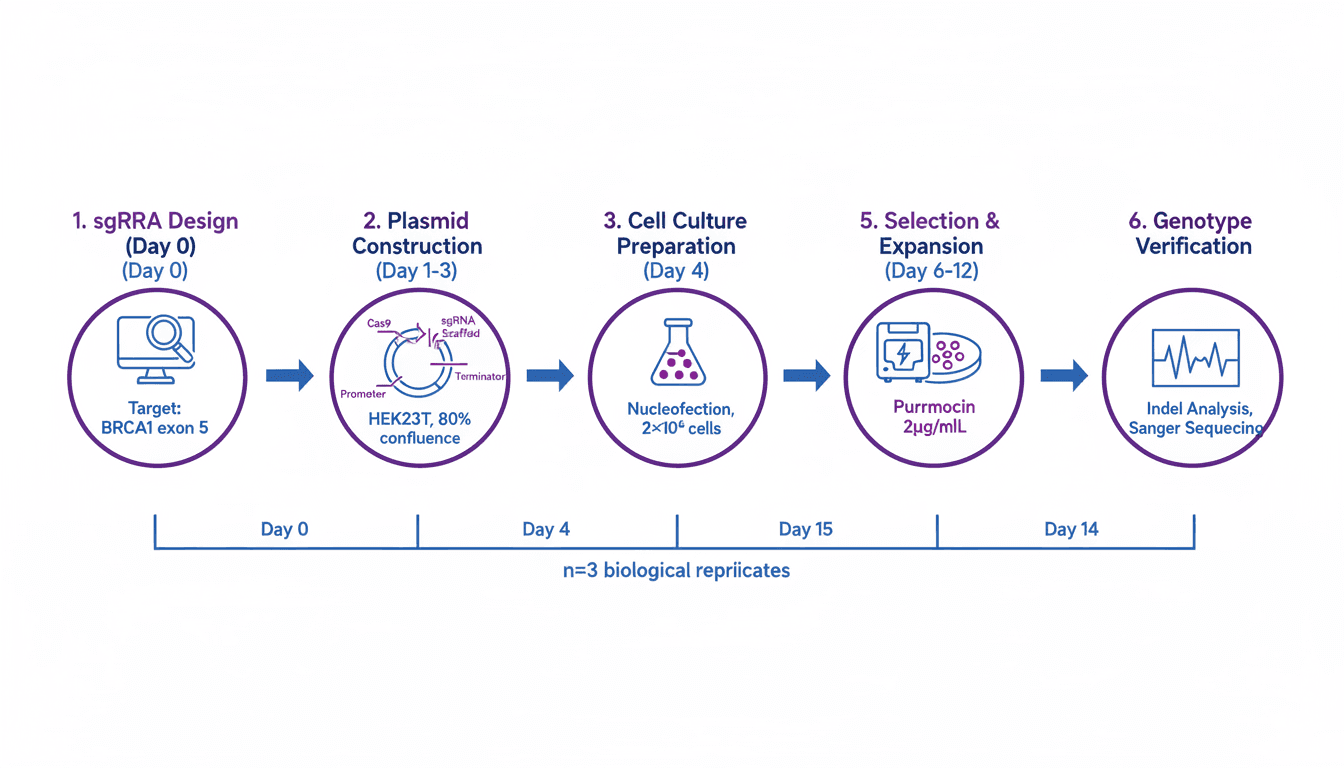
4) 工作流图 (Workflow Diagram)
当你需要展示操作顺序:先发生什么,后发生什么,以及在什么条件下发生时,请使用此类型。
最适用于:
- 方法论部分
- 标准操作程序 (SOP) 文档
- 可重复性说明和培训
提示词模板
Create a workflow diagram for [process].
Show end-to-end steps from input to output, with decision nodes and checkpoints.
Include artifacts produced at each stage and concise labels.
Clean white background, process-centric layout.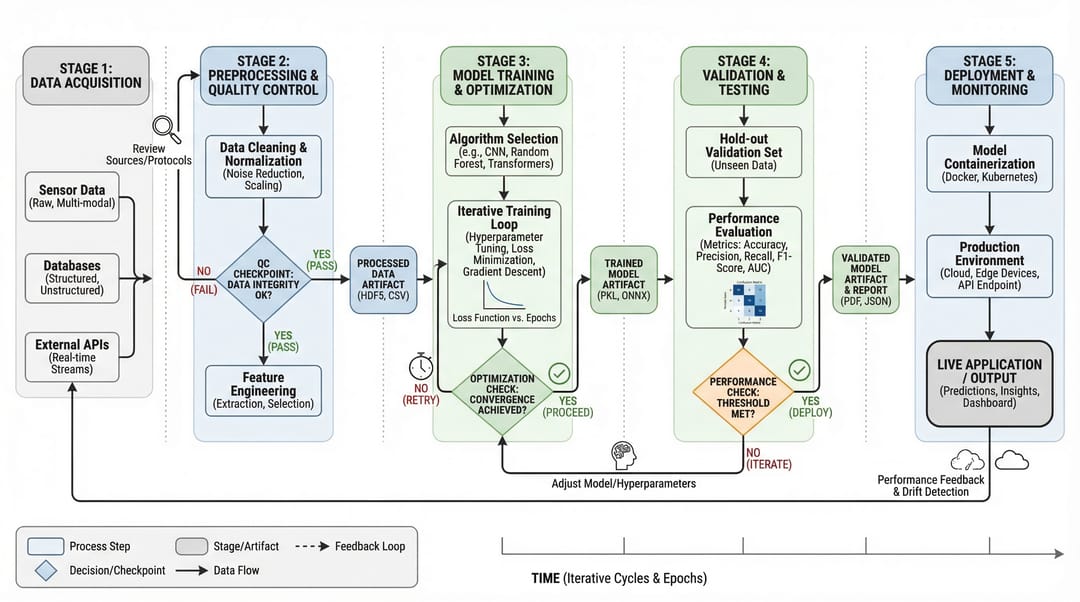
5) 架构图 (Architecture Diagram)
当你需要展示系统结构和组件交互,而不是按时间顺序的步骤时,请使用此类型。
最适用于:
- 平台文档
- AI/ML 系统交流
- 提案和技术设计评审
提示词模板
Create a system architecture diagram for [platform].
Use layered structure (data, service, model, application).
Show key modules, interfaces, and data/control flows.
Concise labels, modern technical style, white background.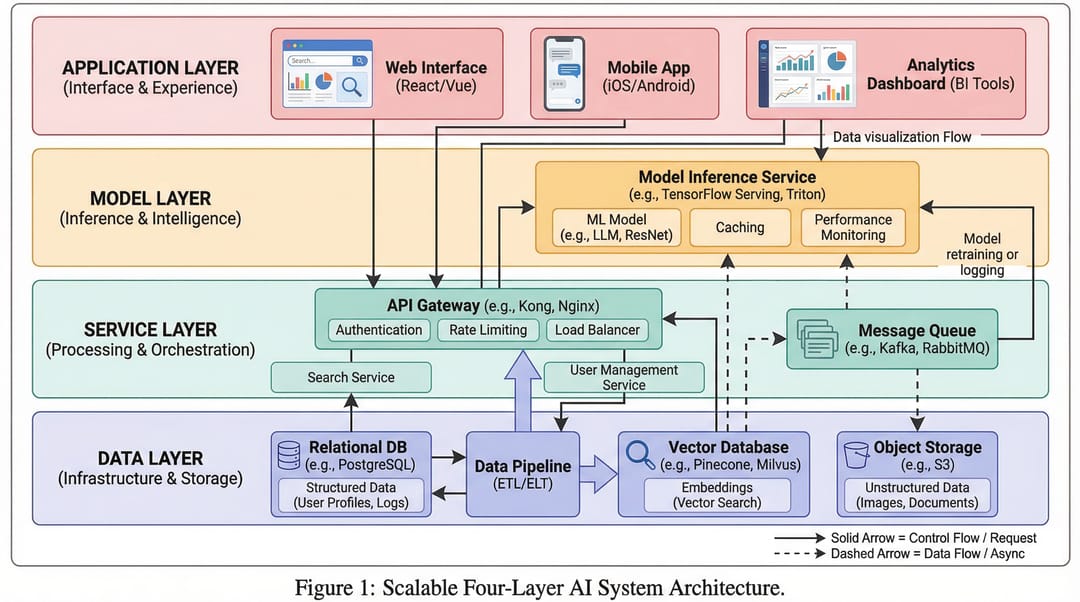
6) 对比图 (Comparison Figure)
当你的核心信息是差异时(如旧与新、基准与改进、方法 A 与方法 B),请使用此类型。
最适用于:
- 消融实验/结果解释
- 面向审稿人的清晰说明
- 决策支持幻灯片
提示词模板
Create a comparison figure for [A] vs [B].
Two-column aligned layout with matched dimensions.
Include key metrics, strengths/limitations, and callout arrows.
Clean white background, objective scientific presentation style.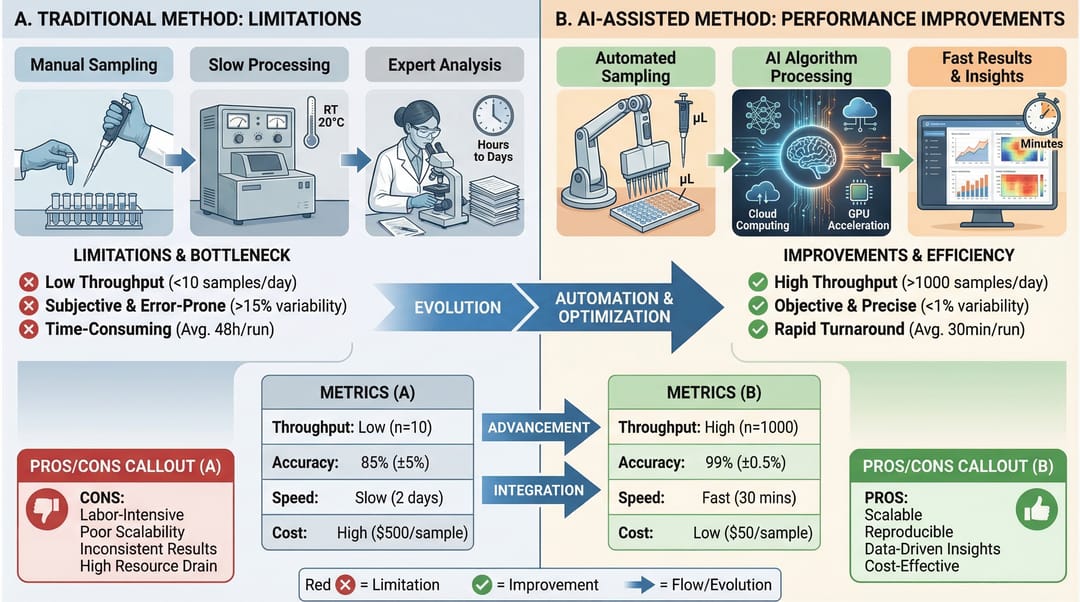
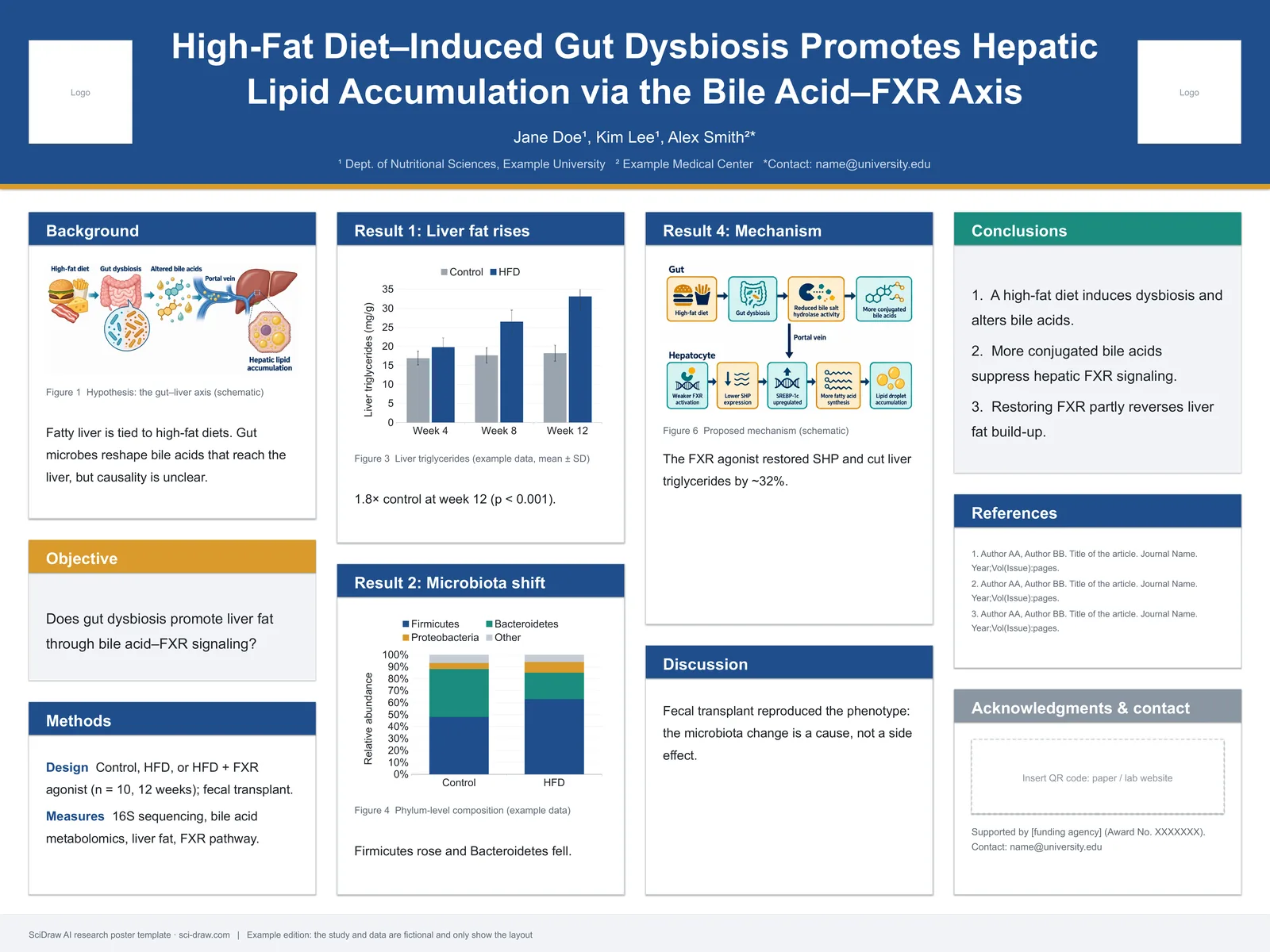
7) 信息图 (Infographic)
当你需要为非专业读者进行高层级综合,或进行快速决策沟通时,请使用此类型。
最适用于:
- 执行摘要
- 会议海报片段
- 跨职能团队更新
提示词模板
Create a scientific infographic for [topic].
Include key metric cards, trend summary, category breakdown, and takeaways.
Use icon-supported sections, concise English labels, and strong visual hierarchy.
Readable at presentation distance, white background.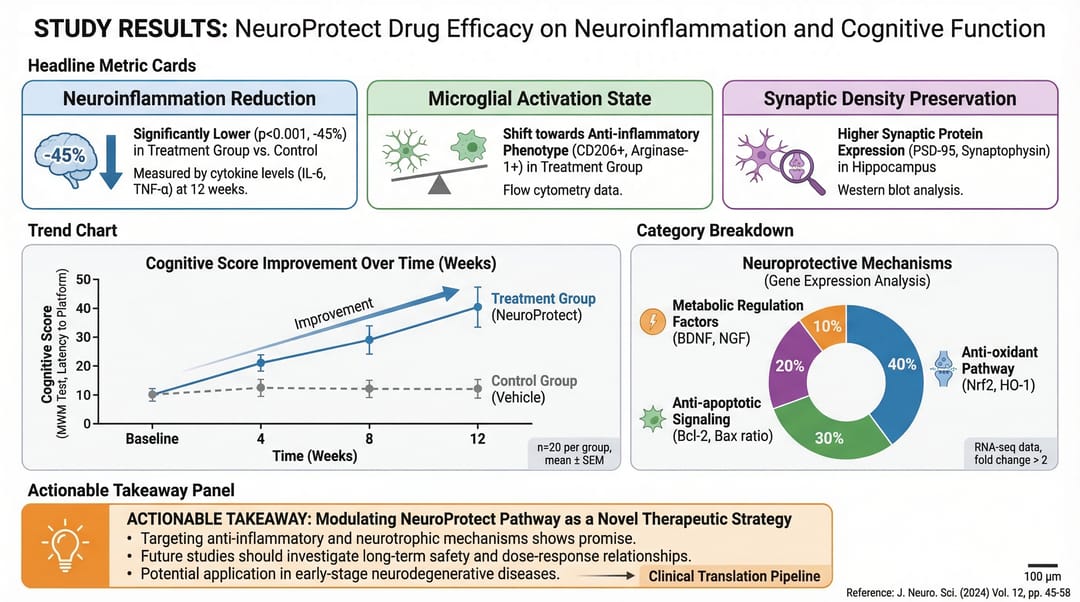
相关工具
- 工作流程图生成器 — AI 创建工作流程图
- 机制图生成器 — AI 创建机制与通路图
- 示意图生成器 — AI 创建实验示意图
- AI 架构图生成器 — AI 创建系统架构图
- 细胞插图生成器 — AI 创建细胞生物学插图
- 材料科学图生成器 — AI 创建材料科学图
- 临床插图生成器 — AI 创建医学与临床插图
- 图形摘要制作工具 — AI 创建视觉摘要
快速选择规则
如果你的主要问题是:
- “整个故事是什么?” → 图解摘要 (Graphical Abstract)
- “它是如何运作的?” → 机制图 (Mechanism)
- “各分支如何交互?” → 通路图 (Pathway)
- “流程顺序是什么?” → 工作流图 (Workflow)
- “系统是如何构建的?” → 架构图 (Architecture)
- “什么是更好/不同的?” → 对比图 (Comparison)
- “人们应该快速记住什么?” → 信息图 (Infographic)
先选对类型,再优化风格。仅此一点对图表清晰度的提升,就超过了任何颜色上的微调。