Free Sentence Diagram Generator
Turn any sentence into a clear Reed-Kellogg grammar diagram
Paste or type a sentence, and AI draws a clean, labeled Reed-Kellogg diagram breaking it into subject, predicate, objects, complements, and all modifiers — perfect for English class, grammar study, and language teaching.
Sentence diagram examples
Click any example to load its prompt, or use it as a starting point for your own grammar diagram.
What is a sentence diagram?
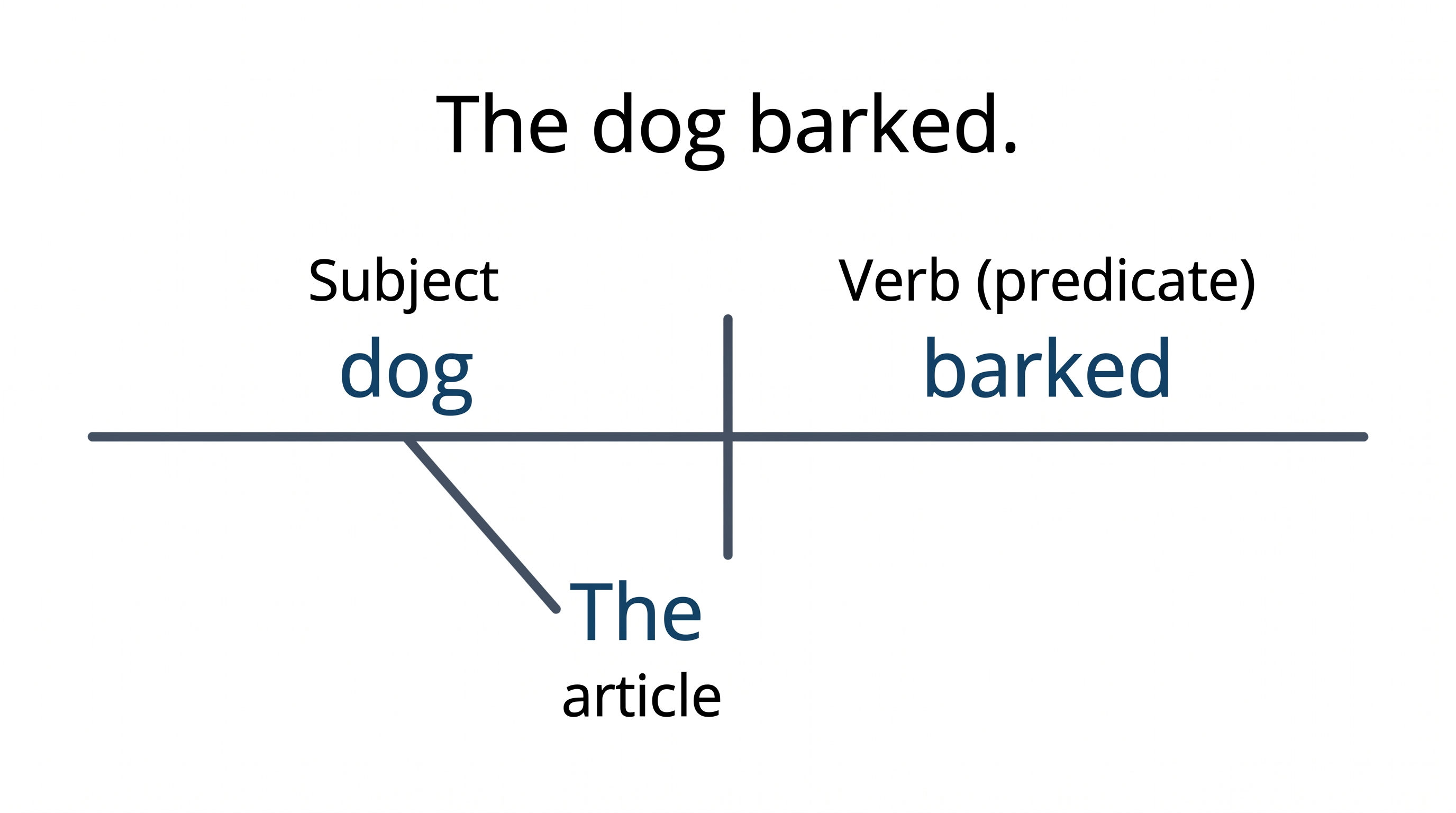
A sentence diagram is a visual map of how the words in a sentence fit together grammatically, and sentence diagramming is the practice of drawing one. The most common style is the Reed-Kellogg diagram, which places the subject and predicate on a horizontal baseline split by a vertical line, then hangs modifiers like adjectives, adverbs, and articles on slanted lines below the words they describe. This sentence diagramming tool draws and labels that structure for you: describe or paste a sentence and the AI lays out a clean subject-predicate diagram with objects, modifiers, and prepositional phrases in the correct positions. The result is a properly formatted Reed-Kellogg diagram you can use for homework, teaching, or grammar study without hand-drawing a single line.
Why use a sentence diagram generator
- Diagramming sentences is a core grammar skill taught from elementary school through high school English and college linguistics courses.
- Drawing a sentence diagram by hand is slow and error-prone, especially for long sentences with multiple clauses and modifiers.
- A clear parts-of-speech diagram shows grammatical relationships far more intuitively than written parsing or a list of rules.
- Teachers and tutors need quick, tidy sentence structure diagrams to illustrate grammar on slides, worksheets, and handouts.
- Redrawing from text is much faster than re-inking lines every time you revise the example sentence or swap in a new one.
How to diagram a sentence
Type or paste the sentence you want to diagram into the box, including its full punctuation. If you want to highlight a specific feature — an indirect object, a participial phrase, or a compound predicate — mention it in your description so the diagram emphasizes it. Generate the diagram, then check that the main subject and verb sit on the primary horizontal baseline divided by a vertical line, with modifiers on slanted lines beneath the words they modify. Refine your wording and regenerate until every word lands in the right place. Because the tool draws and labels the diagram from your input rather than guaranteeing a perfect parse, review the layout against your own grammar before you rely on it.
Parts of a sentence diagram
- Baseline (subject | verb) — the main horizontal line holding the subject and verb, split by a vertical line that separates the complete subject from the complete predicate.
- Direct object — placed on the baseline after the verb, set off by a short vertical line that stops at the baseline.
- Modifiers — adjectives, adverbs, and articles ride on slanted lines drawn down from the word they modify.
- Prepositional phrases — the preposition sits on a diagonal line with its object on a horizontal line below, attached to the word the phrase modifies.
- Conjunctions — coordinating conjunctions sit on dotted lines linking the two parts they join, such as compound subjects, verbs, or whole clauses.
- Complements — subject and object complements follow the verb on the baseline, separated by a line that slants back toward the word they describe.
Sentence Diagram Generator FAQ
What is sentence diagramming?
Sentence diagramming is the practice of drawing a sentence's grammatical structure as a visual diagram instead of describing it in words. The most common method is the Reed-Kellogg diagram, which puts the subject and predicate on a horizontal baseline and hangs modifiers on slanted lines below the words they modify, so the relationship between every part of speech is visible at a glance.
How do I diagram a sentence online?
Paste or describe your sentence in the box and generate. The AI draws and labels a Reed-Kellogg diagram — placing the subject, verb, and objects on the baseline and the modifiers on slanted lines — so you get a clean sentence diagram without drawing it by hand. Review the layout against your own grammar, then download or refine and regenerate.
What is a Reed-Kellogg diagram?
The Reed-Kellogg diagram, created in the 1870s by Alonzo Reed and Brainerd Kellogg, is the standard sentence-diagramming system taught in most English grammar classes. It uses a horizontal baseline for the core subject, verb, and objects and slanted lines for modifiers, making it the most recognizable style of grammar diagram.
Can it diagram complex and compound sentences?
Yes. Compound sentences are drawn as two baselines joined by a dotted line carrying the conjunction, and complex sentences attach a subordinate clause to the main clause with a dashed line labeled with the subordinating conjunction. Paste the full sentence and the tool lays out each clause; for tricky structures, double-check the result against your own analysis.
Is it free to use?
Each diagram uses a small number of credits, and new accounts get free credits at sign-up, so you can diagram several sentences without a subscription. Paid plans simply add more credits when you need to generate diagrams in bulk.
Can I use it for English class or grammar homework?
Absolutely. The tool produces clean, labeled subject-predicate diagrams suited to grammar homework, language-arts assignments, tutoring, and teaching slides. Since it draws the diagram from your sentence rather than guaranteeing a flawless parse, always review the generated diagram against your own grammatical analysis before submitting it.
Explore More Tools

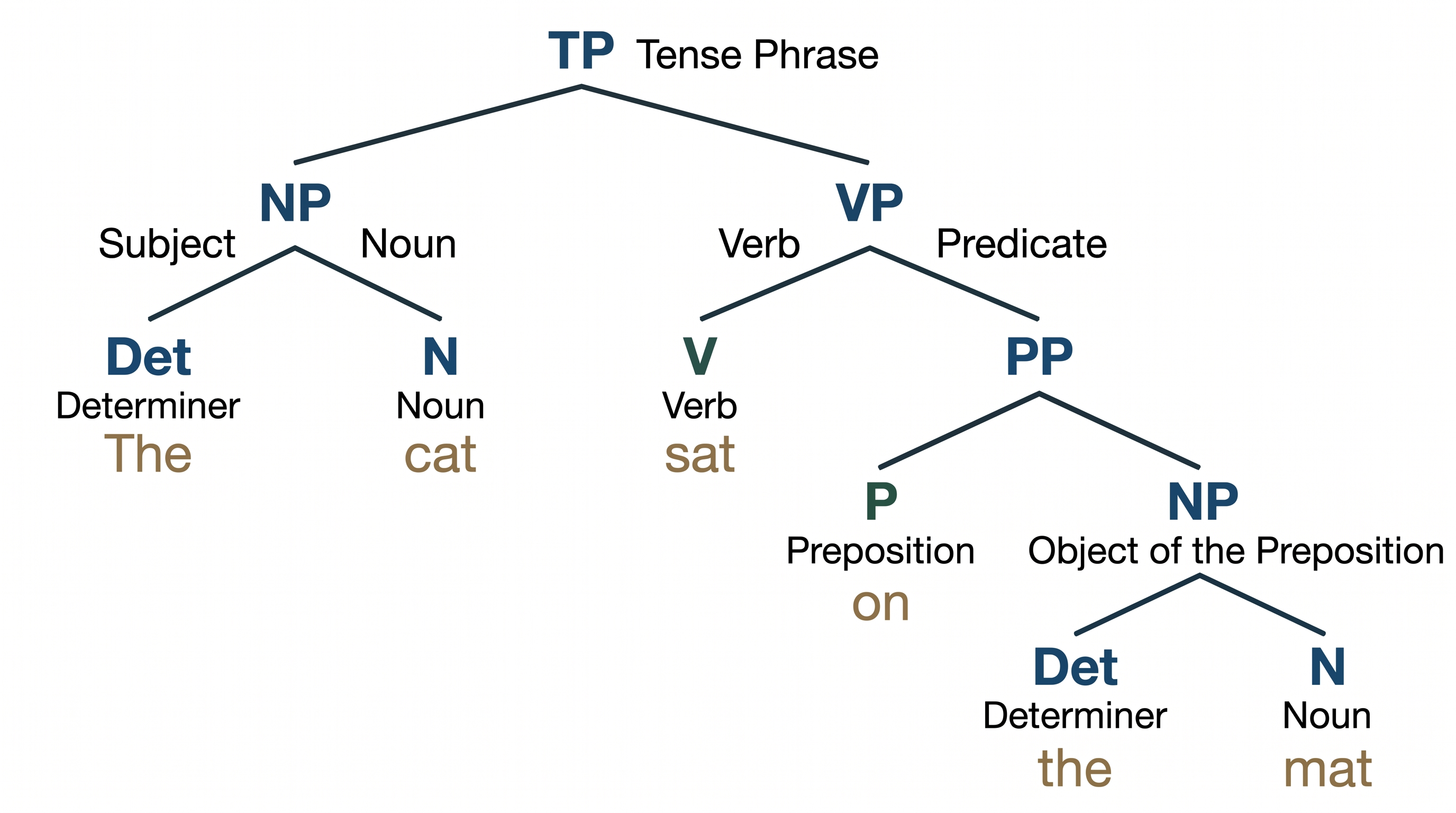
Syntax Tree Generator
Turn any sentence into a labeled phrase-structure tree instantly.
Try it free
Graphical Abstract Maker
Create stunning graphical abstracts for journal submissions
Try it free
Manuscript to Figure Generator
Create manuscript to figure visuals for abstracts, methods, results, study workflows, graphical abstracts, and multi-panel paper figures.
Try it freeNeed other language and grammar figures?
Generate syntax trees, concept maps, timelines, and more with SciDraw AI.