과학적 인포그래픽은 학문적 영역을 넘어 연구를 전달하는 데 필수적인 요소가 되었습니다. 잘 디자인된 인포그래픽은 소셜 미디어, 보도 자료 또는 일반 대중을 위해 논문을 요약하여 연구의 도달 범위를 획기적으로 확장할 수 있습니다.
이 가이드는 복잡한 연구를 다양한 청중에게 효과적으로 전달하는 전문적인 과학적 인포그래픽을 만드는 방법을 알려줍니다.
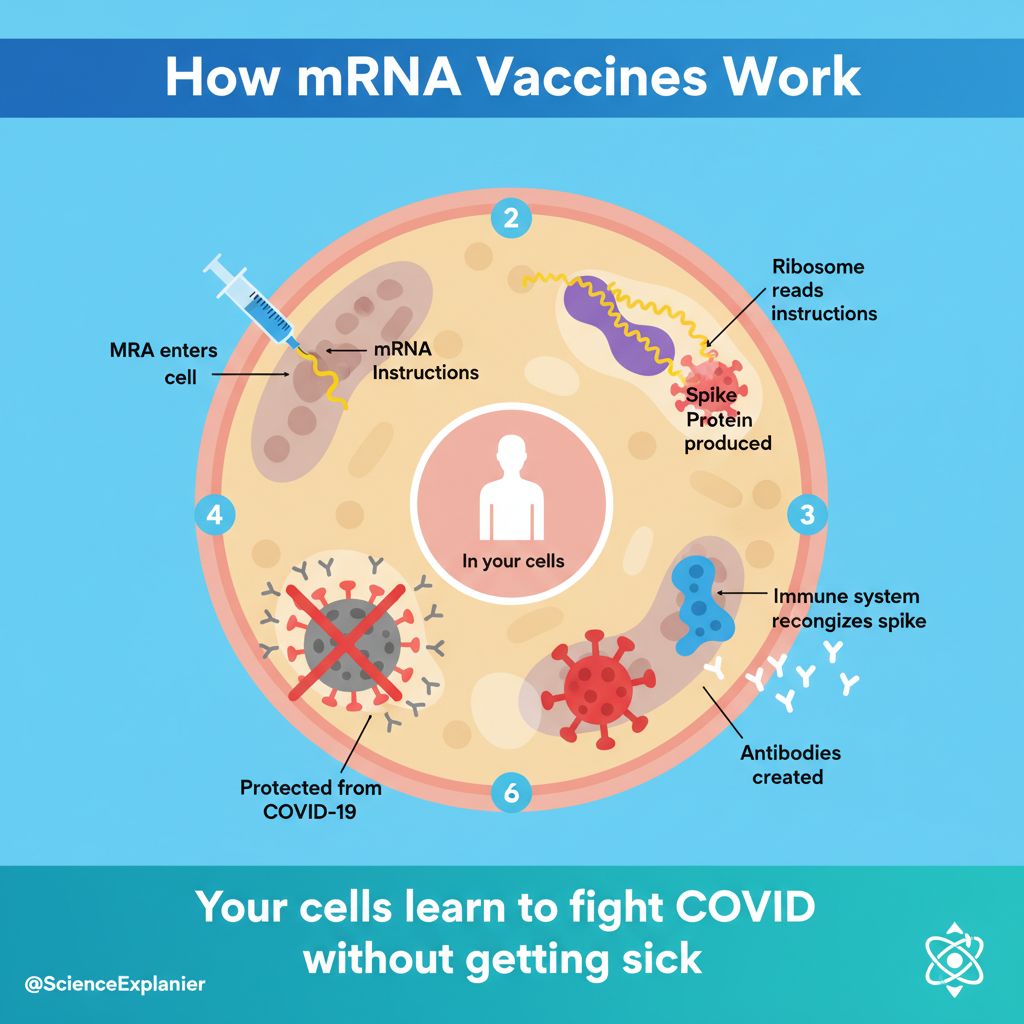 효과적인 인포그래픽은 더 넓은 청중이 연구에 접근할 수 있도록 합니다.
과학적 인포그래픽이 중요한 이유
인포그래픽은 다음을 통해 연구 영향력을 확장합니다.
- 소셜 미디어 참여도 증가: 시각적 콘텐츠는 공유 횟수가 3배 더 많습니다.
- 언론 보도 지원: 언론인은 접근 가능한 시각 자료가 필요합니다.
- 일반 대중에게 도달: 비전문가도 연구를 이해할 수 있습니다.
- 인용 가능성 향상: 가시성이 높을수록 인용 횟수가 늘어납니다.
- 프로필 구축: 기억에 남는 시각 자료는 전문성을 확립합니다.
과학적 인포그래픽의 유형
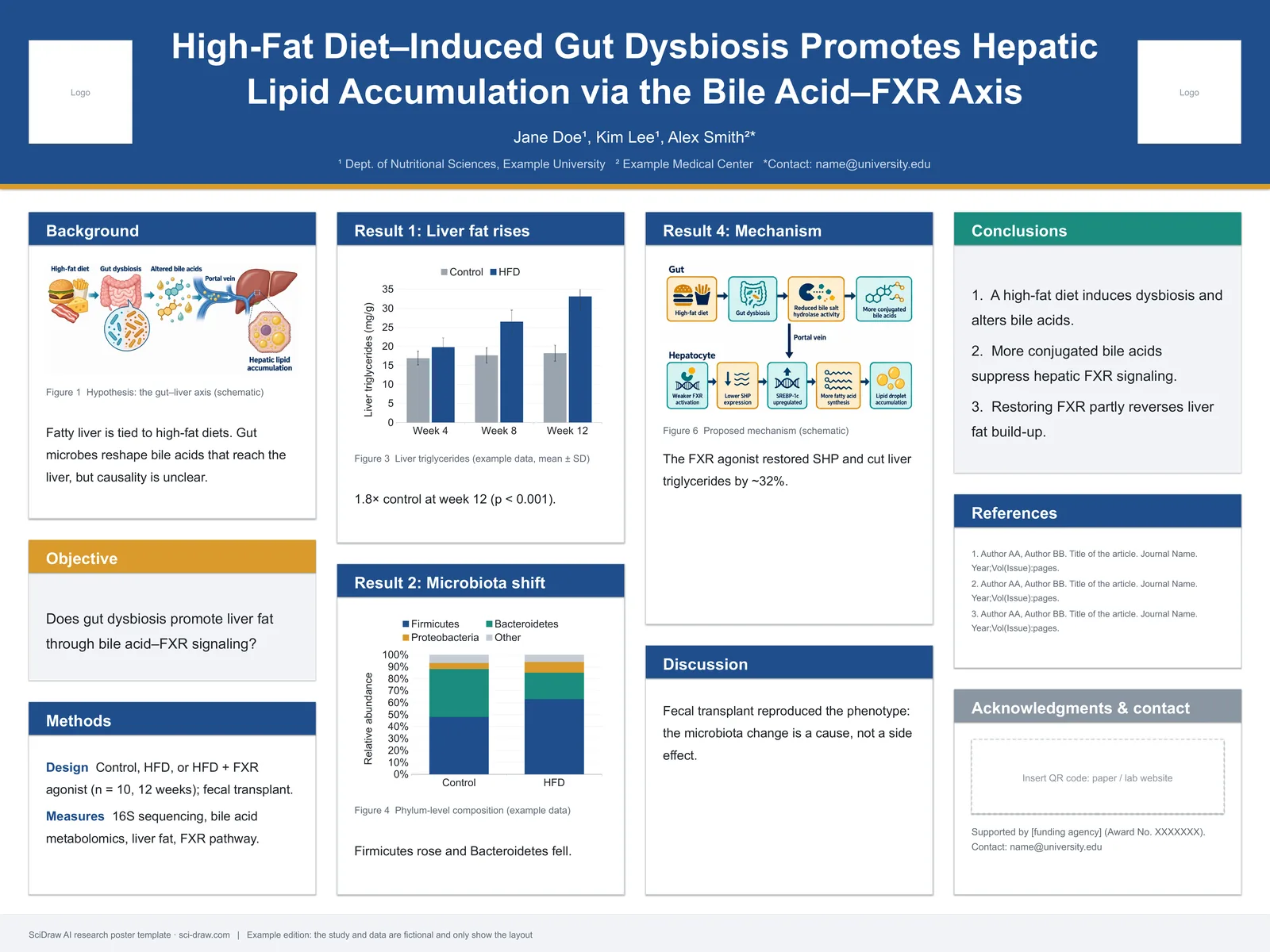
1. 연구 요약 인포그래픽
논문의 완전한 시각적 초록:
- 문제/질문
- 방법
- 주요 결과
- 의미
2. 데이터 시각화 인포그래픽
데이터를 접근하기 쉽게 제시하는 데 중점:
- 통계를 시각 자료로 변환
- 명확하게 비교
- 추세 강조
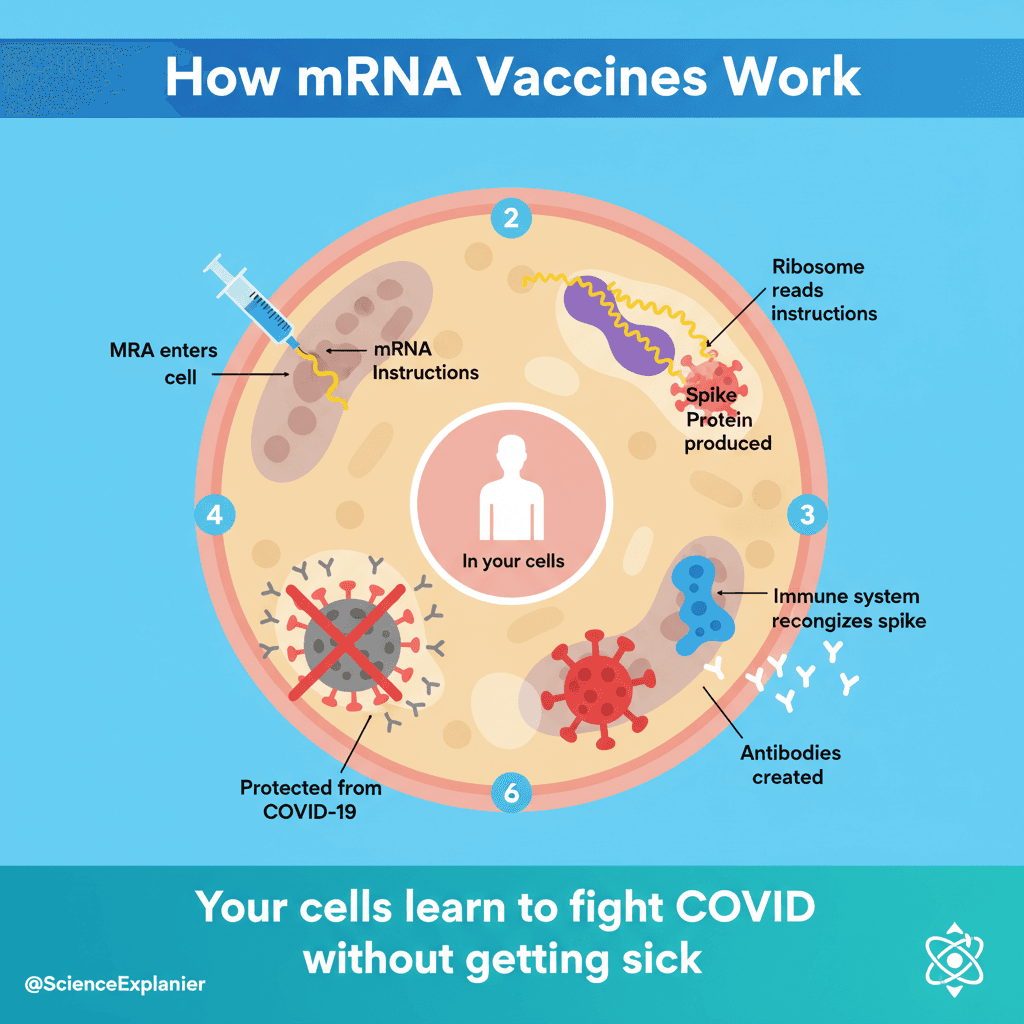
3. 프로세스/메커니즘 인포그래픽
작동 방식을 설명:
- 단계별 분석
- 단순화된 메커니즘
- 인과 관계
4. 비교 인포그래픽
차이점/유사점 표시:
- 전/후
- 대조군 vs 치료군
- 기존 방식 vs 새로운 방식
과학적 인포그래픽을 위한 디자인 원칙
1. 시각적 계층 구조
정보 계층화:
- 제목: 주요 결과 (가장 큰 텍스트)
- 주요 시각 자료: 시선을 사로잡는 중심 요소
- 뒷받침 데이터: 통계 및 증거
- 세부 정보: 방법, 출처, 출처
2. 지나친 단순화 없이 단순화
단순화해야 할 사항:
- 복잡한 전문 용어 → 쉬운 언어
- 조밀한 데이터 → 주요 내용
- 기술적 방법 → 일반적인 접근 방식
지나치게 단순화하지 말아야 할 사항:
- 불확실성 제거
- 결론 과장
- 제한 사항 무시
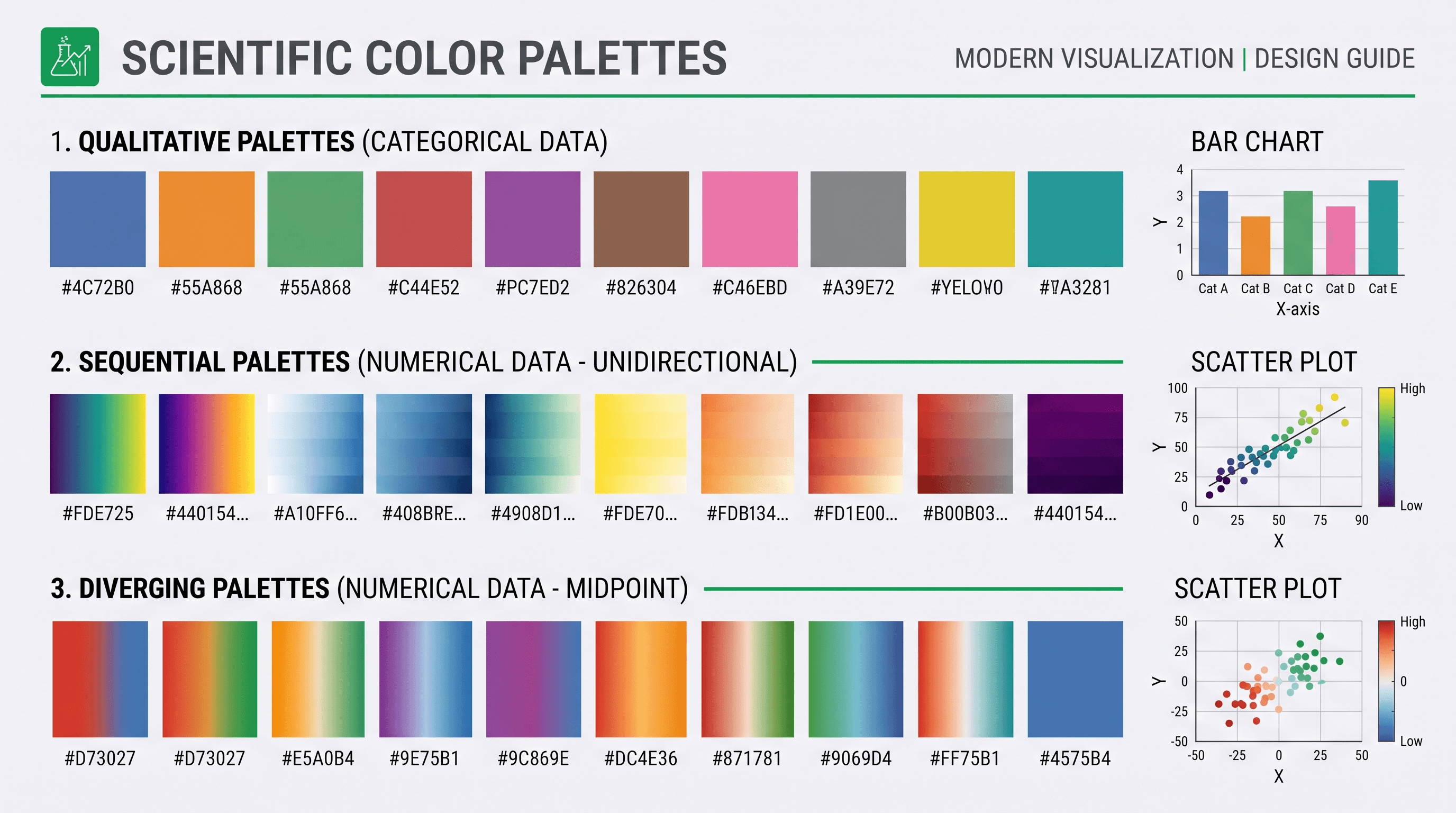
3. 색상 심리학
| 색상 | 연관성 | 사용 용도 |
|---|---|---|
| 파란색 | 신뢰, 과학 | 데이터, 사실 |
| 녹색 | 성장, 건강 | 생물학, 환경 |
| 빨간색 | 긴급, 경고 | 경고, 주요 사항 |
| 주황색 | 에너지, 관심 | 행동 촉구 |
| 보라색 | 혁신 | 새로운 발견 |
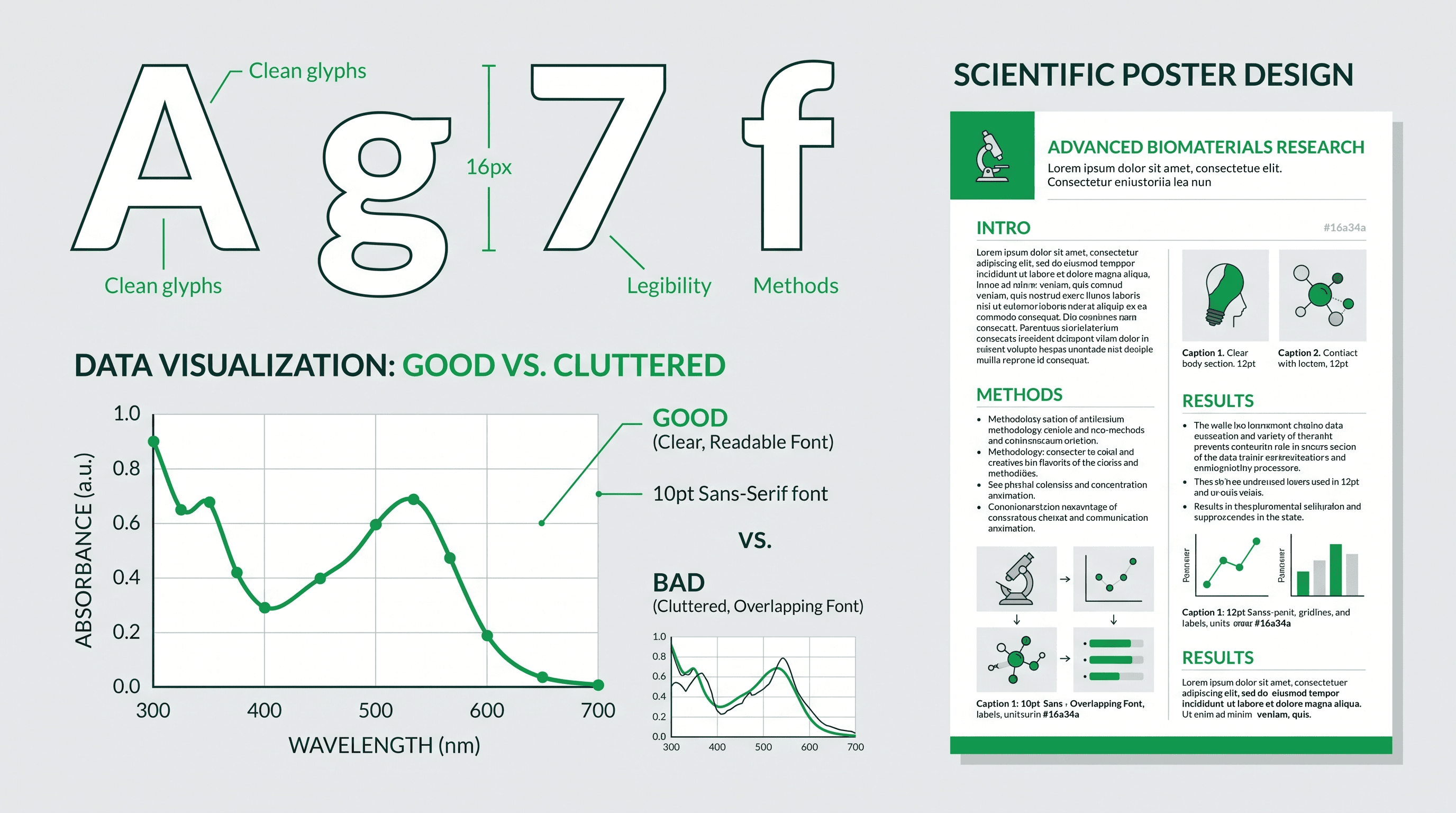
4. 타이포그래피
제목: 굵게, 산세리프, 본문 크기의 2-3배 본문 텍스트: 깔끔하고 읽기 쉬움, 인쇄 시 최소 14pt 데이터 레이블: 일관성, 정렬, 명확
목적에 따른 인포그래픽 제작
소셜 미디어용
Twitter/X 형식:
Research infographic for Twitter,
single key finding as headline,
one striking visual/icon,
3 supporting data points,
clear institutional branding,
1200×675 pixels (16:9),
high contrast for mobile viewing
Instagram 형식:
Research infographic for Instagram,
square format 1080×1080,
bold visual in center,
key finding as overlay text,
swipeable series potential,
brand colors and logo,
engaging, accessible design
LinkedIn 형식:
Professional research infographic,
full study summary,
4-6 key points with icons,
data visualization section,
implications for industry,
1200×627 pixels,
business-professional aesthetic
보도 자료용
Press release infographic,
attention-grabbing headline,
"NEW STUDY FINDS..." format,
key statistic prominently displayed,
simple mechanism illustration,
researcher quote highlighted,
institutional logo and contact,
print-ready 300 DPI
연구비 신청용
Research summary infographic for grant,
problem statement visual,
proposed approach diagram,
expected outcomes illustrated,
team expertise shown,
timeline visualization,
professional academic style
대중 홍보용
Public science infographic,
"What we discovered" headline,
everyday analogies used,
relatable visual metaphors,
"Why it matters" section,
action items for public,
accessible language throughout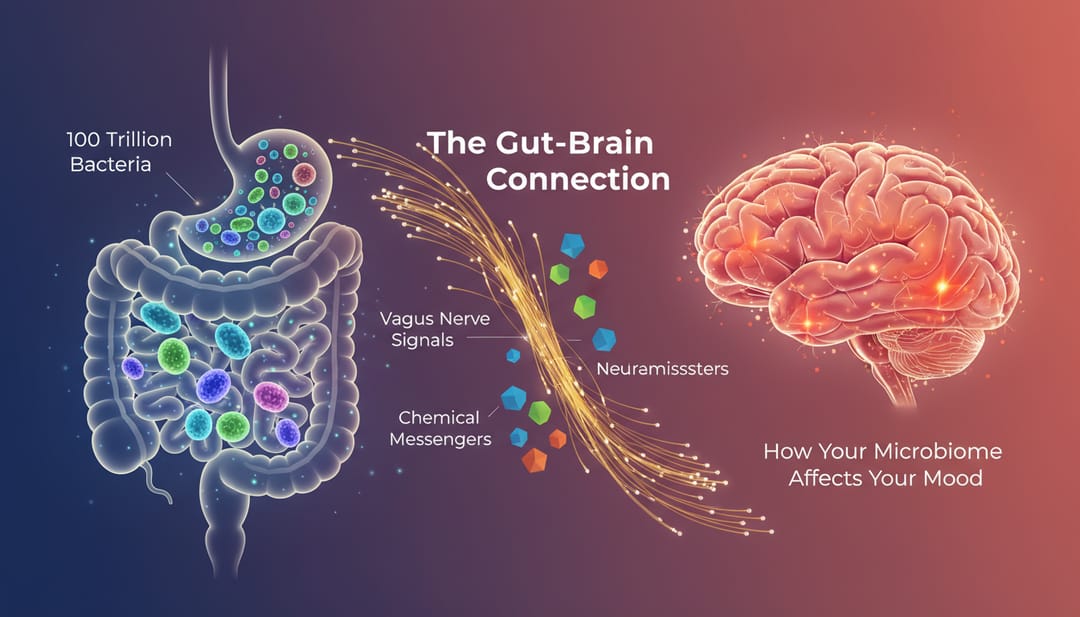 대중 홍보 인포그래픽은 공감할 수 있는 이미지와 쉬운 언어를 사용합니다.
단계별 제작 과정
1단계: 핵심 메시지 식별
스스로에게 질문하십시오.
- 시청자가 기억해야 할 단 한 가지는 무엇입니까?
- 비전문가가 관심을 가져야 하는 이유는 무엇입니까?
- 가장 놀라운 발견은 무엇입니까?
2단계: 형식 선택
목적 및 플랫폼 기반:
| 플랫폼 | 크기 | 콘텐츠 |
|---|---|---|
| 1200×675 | 1-3개의 주요 사항 | |
| 1080×1080 | 시각 자료 중심 | |
| 1200×627 | 전문적인 세부 사항 | |
| 언론 | 8.5×11 in | 포괄적 |
| 포스터 | A0/36×48 | 최대 세부 사항 |
3단계: 콘텐츠 구성
표준 구조:
- 흥미 유발 (시선을 사로잡는 제목)
- 맥락 (이것이 중요한 이유)
- 방법 (이것을 발견한 방법)
- 발견 (발견한 내용)
- 영향 (이것이 의미하는 바)
4단계: AI 지원으로 제작
프롬프트 템플릿:
Scientific infographic about [topic],
main finding: [key result],
target audience: [specify],
format: [dimensions],
include: headline, [number] key points,
data visualization of [data type],
icons for [concepts],
color scheme: [colors],
style: [modern/academic/playful]
5단계: 개선 및 다듬기
- 모든 데이터 정확성 확인
- 단순화된 진술이 여전히 사실인지 확인
- 비전문가로부터 피드백 받기
- 브랜딩 요소 추가
- 올바른 해상도로 내보내기
과학적 인포그래픽을 위한 AI 프롬프트
연구 요약 인포그래픽
Research paper infographic summarizing study,
headline: "Study reveals [main finding]",
3-panel layout: Problem → Method → Result,
key statistic "X% improvement" highlighted,
simple icons for complex concepts,
citations indicated,
professional academic style,
4:3 landscape format
데이터 중심 인포그래픽
Data visualization infographic,
main chart/graph as centerpiece,
supporting statistics around edges,
comparison clearly shown,
scale and context provided,
source data credited,
accessible to general audience,
clean modern design
프로세스 설명 인포그래픽
Mechanism explanation infographic,
[process name] explained simply,
5 numbered steps with icons,
arrows showing flow/direction,
analogies to everyday concepts,
"What this means for you" section,
public science communication style
전/후 인포그래픽
Comparison infographic showing improvement,
"Before" state on left (problem),
"After" state on right (solution),
key metrics compared,
visual transformation illustrated,
timeline/process in middle,
impact statement at bottom
분야별 예시
의학 연구
Medical research infographic,
patient-friendly language,
anatomical illustration (simplified),
treatment outcomes visualized,
"1 in X people affected" statistics,
hope/progress messaging,
healthcare color palette (blue/green),
accessible health communication style
환경 과학
Environmental research infographic,
climate/ecology visual elements,
before/after environmental images,
impact statistics prominently displayed,
actionable "what you can do" section,
earth tones color palette,
public awareness campaign style
기술 연구
Technology innovation infographic,
futuristic but accessible design,
technical concept simplified,
real-world applications shown,
performance improvements quantified,
comparison to current technology,
tech-forward modern aesthetic
배포 전략
소셜 미디어 모범 사례
Twitter/X:
- 흥미로운 질문과 함께 게시
- 관련 계정 태그
- 3-5개의 해시태그 사용
- 프로필에 고정
Instagram:
- 여러 패널에 캐러셀 사용
- 자세한 캡션 작성
- 비하인드 스토리에 스토리 사용
- 댓글 참여
LinkedIn:
- 전문적인 요약 작성
- 공동 작업자 태그
- 업무 시간 동안 게시
- 댓글 참여
보도 자료 통합
- 보도 자료와 함께 인포그래픽 제작
- 고해상도 다운로드 링크 제공
- 여러 형식 제공
- 사용 권한 포함
웹사이트/블로그 사용
- 연구 요약 게시물에 삽입
- 전용 랜딩 페이지 만들기
- 소셜 공유 버튼 포함
- 참여 지표 추적
과학적 인포그래픽을 위한 도구
AI 기반
- SciDraw AI: 과학 관련 특정 생성
- 기술적 정확성에 가장 적합
디자인 플랫폼
- Canva: 쉬운 템플릿
- Piktochart: 인포그래픽 중심
- Venngage: 데이터 시각화
전문 소프트웨어
- Illustrator: 완전한 제어
- Affinity Designer: 일회성 구매
- Figma: 협업 디자인
흔한 실수
1. 너무 많은 정보
문제: 모든 것을 쑤셔 넣음 해결책: 최대 3-5개의 주요 사항에 집중
2. 전문 용어 과부하
문제: 설명 없는 기술 용어 해결책: 쉬운 언어 사용; 필요한 용어 정의
3. 오해의 소지가 있는 시각화
문제: 왜곡된 그래프 또는 선별된 데이터 해결책: 정확한 표현; 맥락 표시
4. 열악한 접근성
문제: 낮은 대비, 작은 텍스트 해결책: 가독성 테스트; 접근 가능한 색상 사용
5. 명확한 핵심 내용 없음
문제: 시청자가 주요 요점을 모름 해결책: 결론을 나타내는 굵은 제목
과학적 인포그래픽 제작 시작
시각적 커뮤니케이션으로 연구 영향력을 확대할 준비가 되셨습니까?
- SciDraw AI Drawing 방문
- 대상 플랫폼 선택
- 이 가이드의 프롬프트 사용
- 인포그래픽 제작 및 공유
모든 사람이 연구에 접근할 수 있도록 하십시오.
관련 기사: