ER Diagram Generator
Entity-relationship diagrams from a plain description
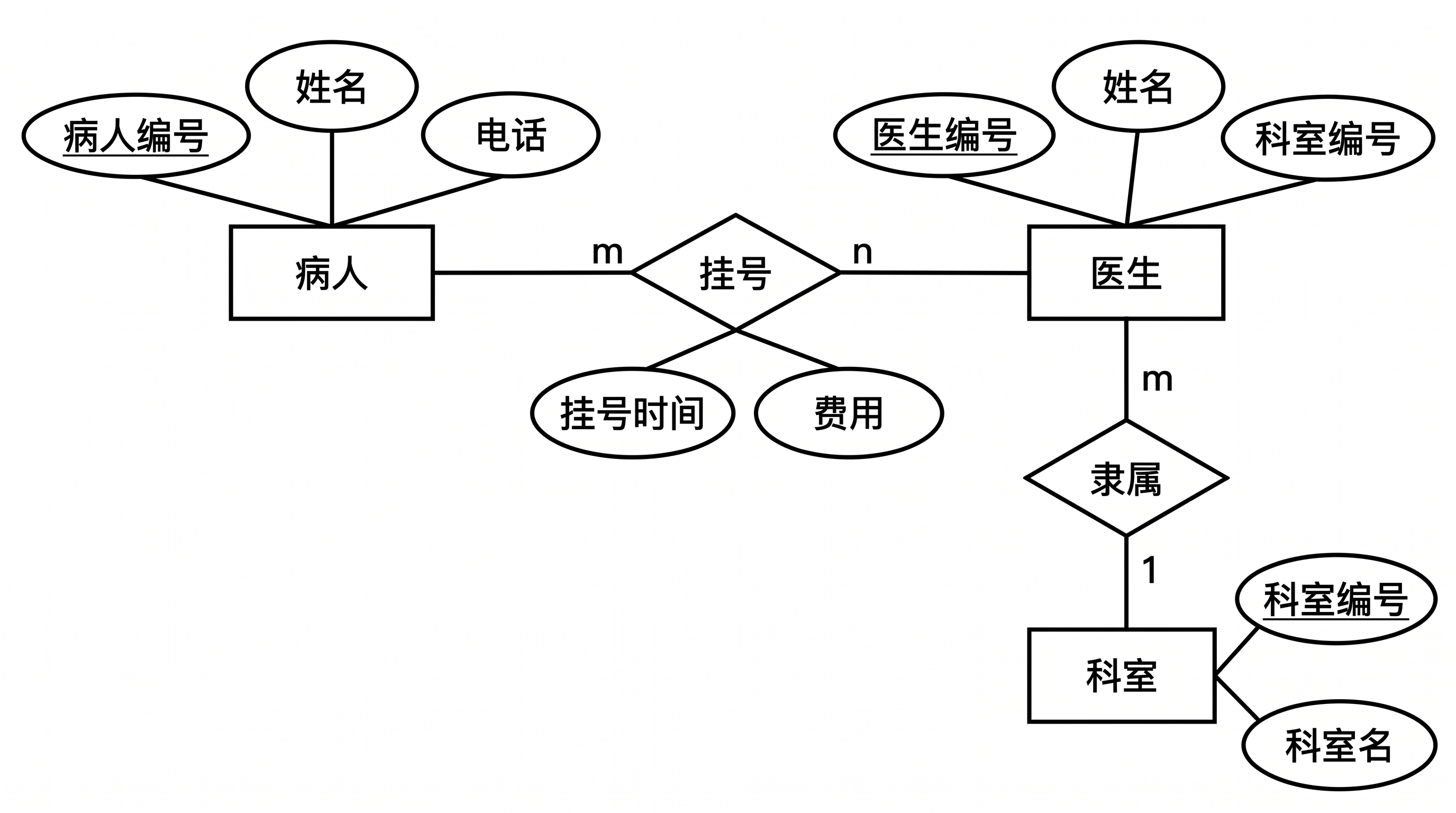
List your entities, attributes and relationships the way you would explain them to a classmate. SciDraw AI draws the ER diagram in Chen notation (rectangles, ovals and diamonds) or crow's foot notation, with keys underlined and cardinality on every line.
ER Diagram Examples
Click an example to load its description into the generator.
What does this ER diagram generator do?
It turns a written data model into an entity-relationship diagram. You list the entities, their attributes and how they relate; the generator chooses a clean layout, draws each entity once, underlines primary keys, and writes the cardinality (1, m, n or crow's foot symbols) at both ends of every relationship. It is meant for database course projects, graduation theses, system design documents and slides, where you need a readable figure rather than a live database schema.
Why an ER diagram is worth drawing
- It shows the whole data model on one page, so missing entities and wrong keys are easy to spot before you write any SQL.
- Teachers, reviewers and teammates read a diagram faster than a list of CREATE TABLE statements.
- Database coursework, software design documents and many theses expect a conceptual ER diagram in the design chapter.
How to draw an ER diagram
Start from the nouns in your requirements: each one that you need to store becomes an entity. Give every entity a primary key and the attributes you really need. Then go through each pair of entities and decide the relationship and its cardinality: one-to-one, one-to-many or many-to-many. A many-to-many relationship that has its own data (a grade, a booking time) gets that data as relationship attributes in Chen notation, or becomes its own table in crow's foot notation. Write all of this down in plain sentences, generate, and check every cardinality against your sentences. For schemas with more than six or seven entities, draw several diagrams, one per subject area.
Elements of an ER diagram
- Entity: a rectangle for each thing you store, such as Student, Course or Order.
- Attribute: an oval connected to its entity (Chen) or a row inside the table box (crow's foot).
- Primary key: underlined in Chen notation, marked PK in crow's foot; foreign keys are marked FK.
- Relationship: a diamond between two entities (Chen) or a labeled line (crow's foot).
- Cardinality: 1, m and n at the line ends (Chen) or bars, circles and crow's feet (crow's foot).
Frequently Asked Questions
Which notation should I choose, Chen or crow's foot?
Most database textbooks and Chinese university courses use Chen notation for the conceptual model: entities as rectangles, attributes as ovals and relationships as diamonds. Crow's foot notation is common in industry and for logical models, where each entity is a table with its columns. If your course or template uses one, choose that one; otherwise Chen is the safer choice for coursework.
How should I write the description?
Name each entity with its attributes in brackets, mark the primary key, and then write one sentence per relationship, such as "one department has many doctors". Say which notation you want if you have switched modes. The more explicit the cardinality in your sentences, the more reliable the diagram.
Is the generated diagram always correct?
No. The generator follows your description closely, but it can still reverse a cardinality or add a line, especially in large schemas. Check each relationship against your description before you hand it in, and regenerate or split the diagram if something is off. Smaller diagrams with five or fewer entities come out most reliably.
Can I edit the diagram afterwards?
Yes. Download it as a high-resolution PNG, or open it in the editor to keep refining it with a short instruction. From the editor you can convert it to an SVG vector file (10–15 credits), a PowerPoint PPTX file (10 credits) or a Visio file (20 credits).
Can the labels be in Chinese?
Yes. Labels follow the language of your description, so a description in Chinese gives a diagram with Chinese entity and attribute names, and an English description gives English labels.
How many credits does it cost?
Each diagram uses 5 credits at 2K, the same as other images on SciDraw AI. A free account gets 10 credits at sign-up and 5 more every day; paid plans and credit packs add more. See the pricing page for current plans.
Draw your ER diagram now
Paste your entities and relationships and get a clean diagram for your report, thesis or design document.