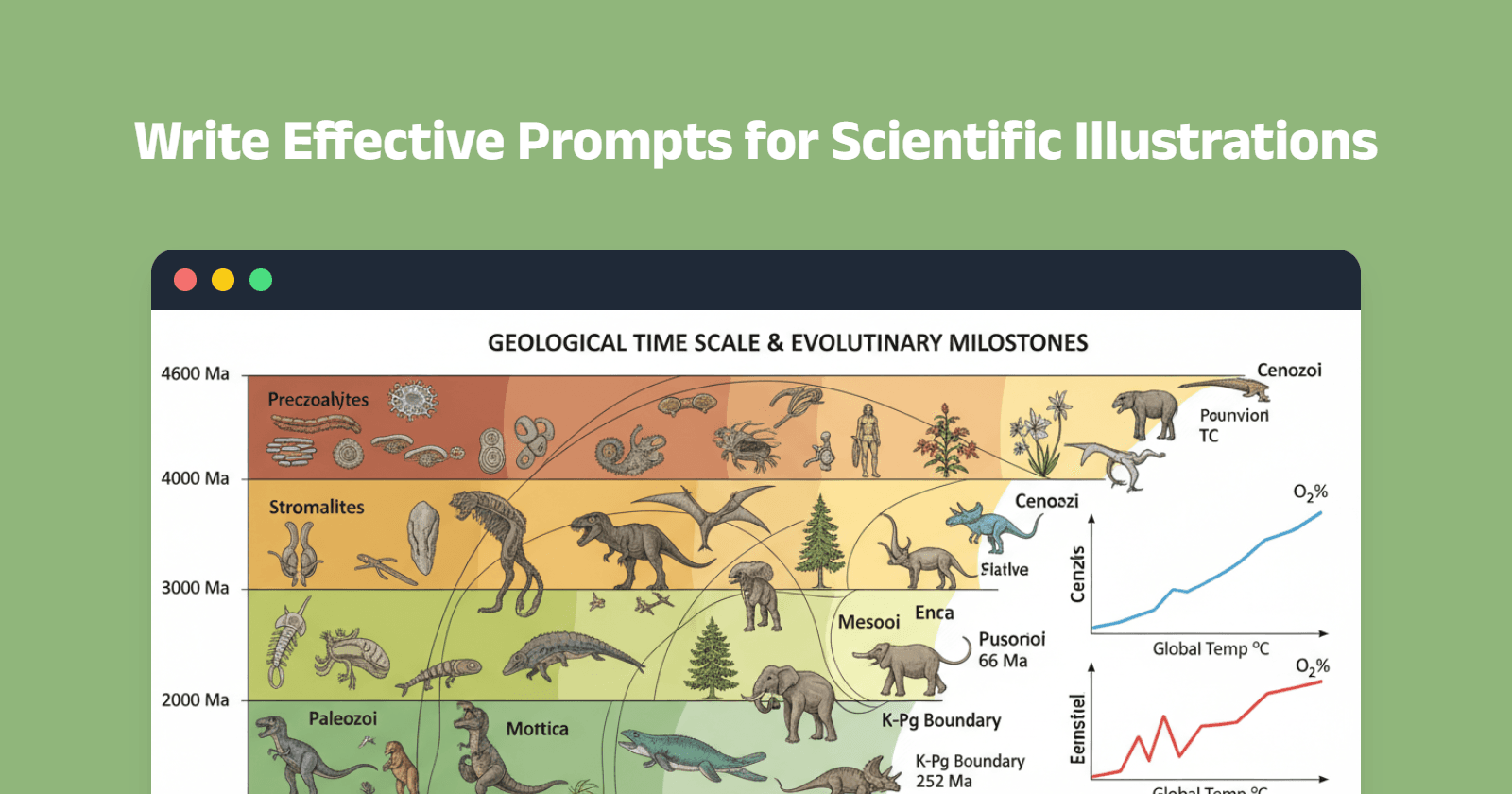
在 AI 驱动的科学插图时代,输出质量完全取决于输入质量。一条精心设计的提示词,可能决定你得到的是一张可直接发表的图,还是一张平庸、无法使用的图片。
经过大量测试与优化,我们总结出 8 条核心原则,可持续产出符合 Nature、Science、Cell 等期刊要求的高质量科学插图。本指南将手把手教你如何撰写能生成专业学术图形的提示词。
为什么好提示词至关重要
平庸与卓越的科学插图之间,差距往往在于提示词的细节程度。诸如“create a cell diagram”这类泛泛而谈的提示,只能得到千篇一律的结果;而包含明确参数、标签与语境的具体提示,才能生成可发表的出版级图形。
你将学到:
- 8 条经过验证的高效 AI 提示写作原则
- 完整提示模板与真实案例
- 常见错误与避坑指南
- 提示质量速查表
让我们直入主题,掌握这 8 条原则,彻底革新你的 AI 科学插图。
原则 1:指定精确画幅比例
为什么重要: 不同出版载体对图片尺寸要求各异。期刊封面需竖版(3:4),目录图(TOC)适合横版(4:3),而图组面板常用 16:9。
如何操作: 在提示词中始终使用 aspect-[宽/高] 或具体尺寸格式。
示例提示:
Multi-panel statistical analysis figure for clinical trial, 4:3 landscape format,
2×2 grid layout showing "A. Kaplan-Meier Survival Curve", "B. Forest Plot Meta-Analysis",
"C. Violin Plot Biomarkers", "D. ROC Curve AUC=0.89", sample size "n=324" labeled,
confidence intervals "95% CI" visible, p-values "*p<0.05, **p<0.01, ***p<0.001" annotated,
color-coded groups "Treatment vs Control", professional medical journal figure style,
clean white background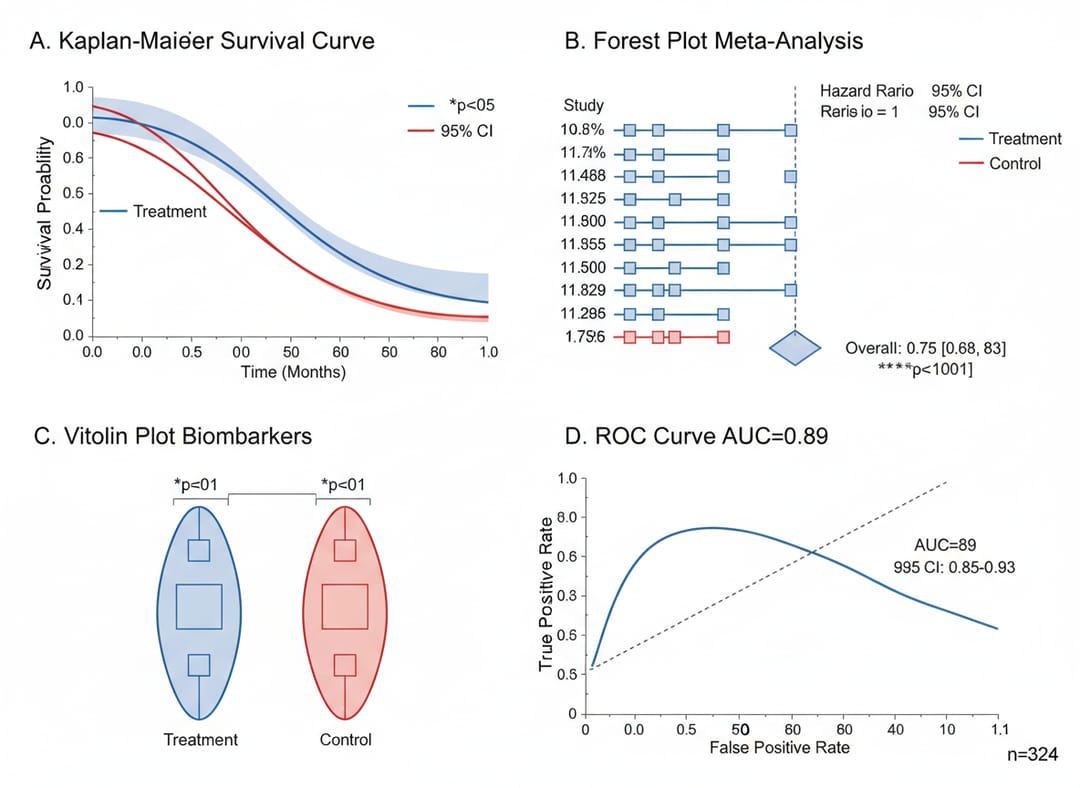
关键要点: 横版图用 4:3,封面或竖版图用 3:4 或 9:16,宽屏演示用 16:9。
原则 2:让内容填满画面
为什么重要: 空白区域会浪费宝贵的版面空间。期刊偏爱信息密度高、内容饱满且清晰的图形。
如何操作: 在提示词中加入“filling entire frame”、“no empty space”、“edge-to-edge”、“dense layout”、“comprehensive”等关键词。
示例提示:
Comprehensive metabolic pathway network diagram, 4:3 landscape, dense interconnected
pathways filling entire frame, glycolysis pathway left side labeled "Glucose→Pyruvate,
ATP+2, NADH+2", TCA cycle center with "Citric Acid Cycle, 8 steps", electron transport
chain right showing "Complex I-IV, ATP Synthase", amino acid metabolism branches,
lipid pathways connected, enzyme names labeled "Hexokinase, Phosphofructokinase,
Citrate Synthase", metabolite structures shown, energy values "ΔG°" marked, color-coded
pathways (blue=carbohydrate, red=lipid, green=protein), no empty space, biochemistry
textbook style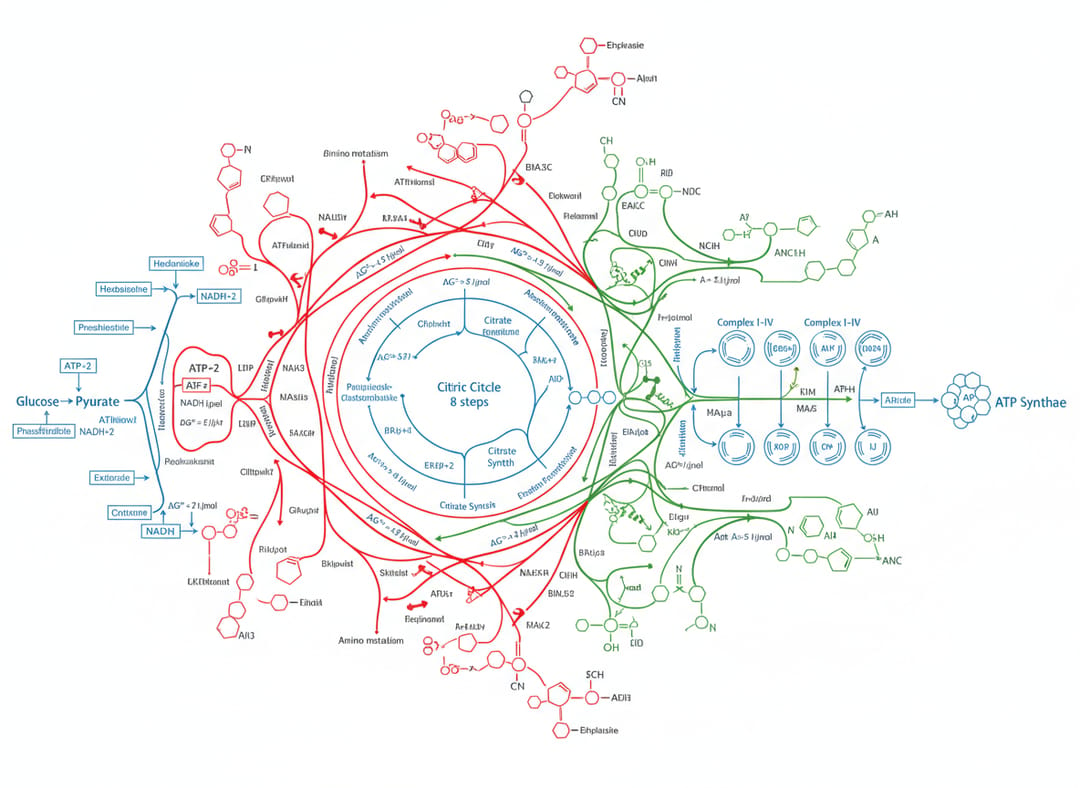
关键要点: 通过描述图像各区域的内容,避免出现大片空白背景。
原则 3:使用具体英文学术标签
为什么重要: “protein A”或“molecule”这类模糊标签会降低可信度。采用真实科技术语并附带单位,才能直接用于发表。
如何操作: 用英文给出具体名称、测量值、单位及统计符号,使用标准缩写(μm、kDa、mM、°C 等)。
示例提示:
Plant cell cross-section illustration, 4:3 horizontal composition, detailed organelles
with English labels "Chloroplast", "Mitochondria", "Cell Wall", "Nucleus", "Vacuole",
"Endoplasmic Reticulum", "Golgi Apparatus", cutaway view showing internal structures,
magnification "×15,000" noted, scale bar "5 μm", biology textbook style with clear
colors (green chloroplasts, purple nucleus), educational scientific illustration,
high detail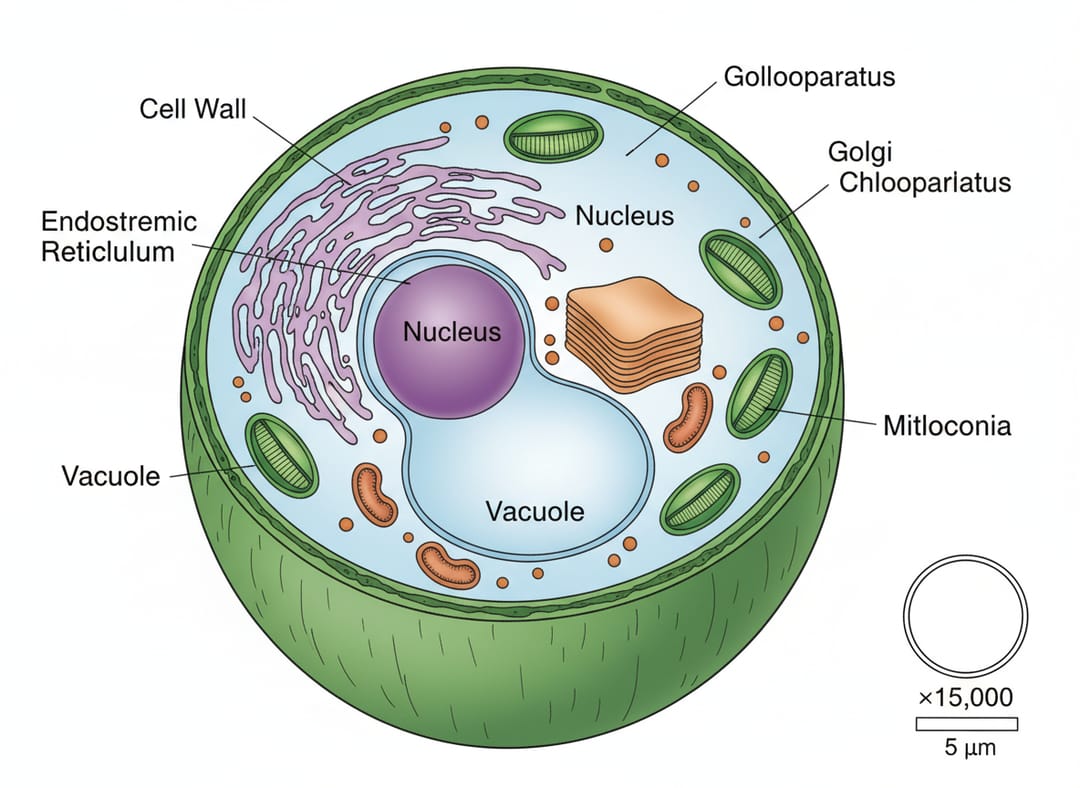
关键要点: 测量值要精确(写“50 μm”而非“small”),统计值要具体(写 p<0.001 而非“significant”),并使用正规科学命名。
原则 4:明确应用场景
为什么重要: 不同出版情境需要不同视觉风格。Nature 封面需要艺术感,方法图需要技术清晰度。
如何操作: 在提示词中直接声明用途:“Nature journal cover”、“TOC graphical abstract”、“experimental workflow diagram”、“supplementary figure”等。
示例提示:
Nature journal cover design showing cancer immunotherapy mechanism, T-cell attacking
tumor cell in center, glowing CAR-T receptor labeled "CAR-T Cell", tumor antigens
marked "CD19", cytokines arrows labeled "IL-2, IFN-γ", deep blue medical background,
professional scientific illustration, labels in white sans-serif font,
"Volume 625 | Issue 7993" text, ultra-detailed, Nature magazine style, 3:4 portrait format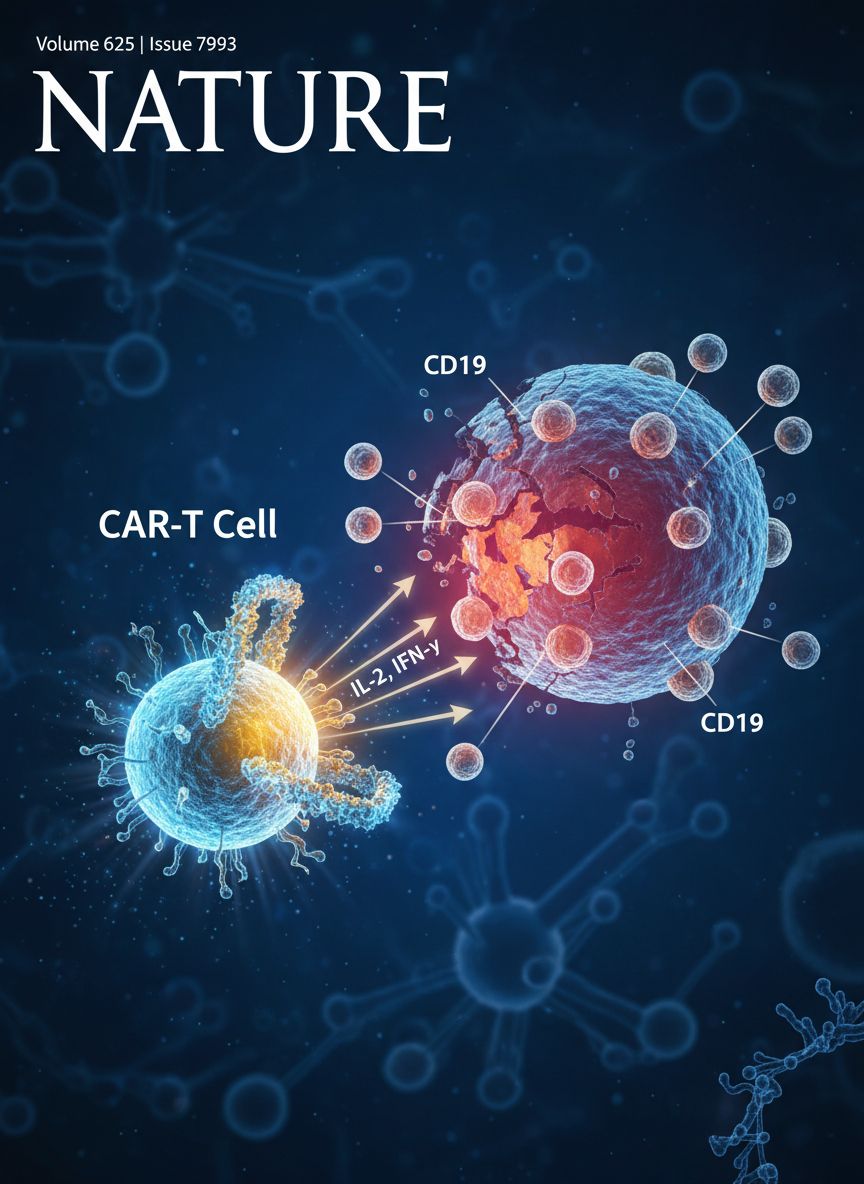
关键要点: 根据目标载体调整视觉风格——封面重艺术,方法重技术,TOC 重概念。
原则 5:遵循学术命名规范
为什么重要: 准确的科学术语体现严谨性,让同行评审和读者一目了然。
如何操作: 使用正确基因命名(斜体如 TP53)、蛋白命名(CD8+、HSP70)、化学式(H₂O、CO₂)及标准缩写。
示例提示:
CRISPR-Cas9 workflow diagram with 4 sequential steps connected by arrows, labeled
"1. sgRNA Design", "2. Plasmid Construction", "3. Cell Transfection", "4. Genotype
Verification", each step shows detailed illustration, gene names "TP53, BRCA1, KRAS"
visible, timeline "Day 0, 7, 14, 21" marked, icons for lab equipment, modern flat
design with blue-purple gradient, annotations in Arial font, 4:3 landscape format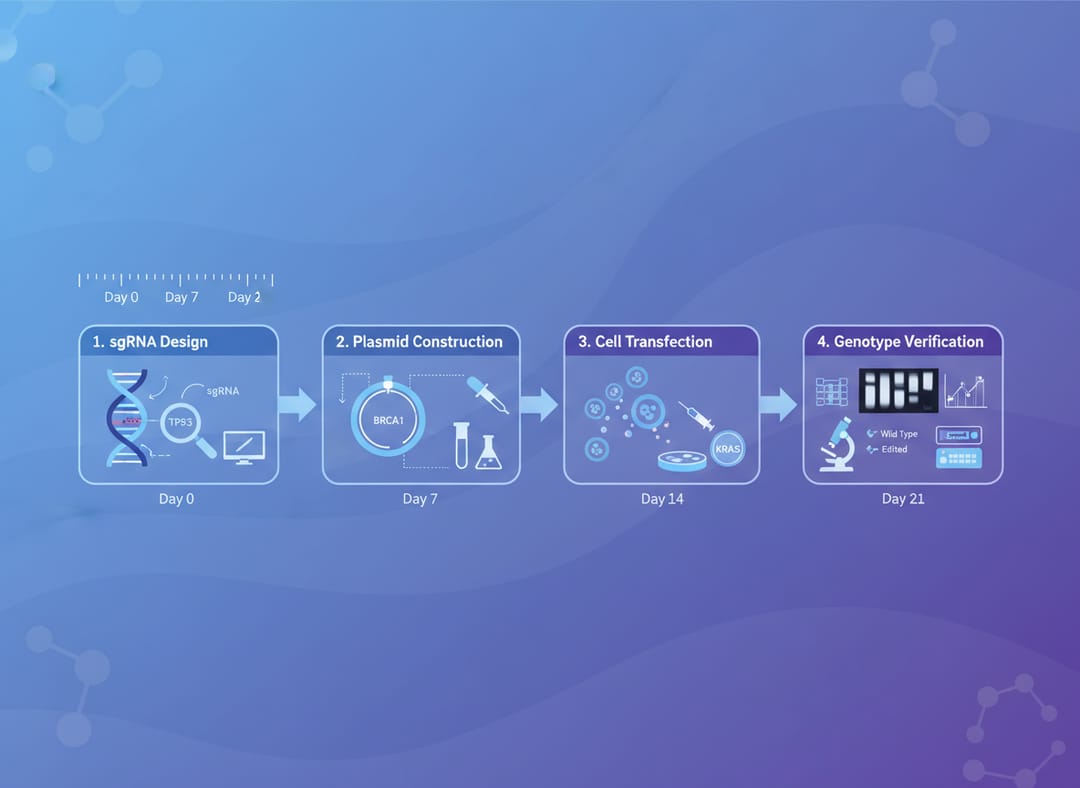
关键要点: 事先查阅本领域正规术语,并在提示词中保持一致。
原则 6:设计多层信息
为什么重要: 顶级科学图往往将结构示意图、定量数据、注释与视觉强调等多层信息融为一张整体图。
如何操作: 分层描述:主图 + 数据曲线 + 标签 + 图例 + 小图。逐层明确写出。
示例提示:
Cardiac electrophysiology and ECG correlation, 4:3 horizontal layout, left side detailed
heart anatomy with conduction system labeled "SA Node, AV Node, Bundle of His, Purkinje
Fibers", action potential phases shown "Phase 0-4, Na+/K+/Ca2+ channels", center ECG
trace with labeled waves "P wave (atrial depolarization), QRS complex (ventricular
depolarization), T wave (repolarization)", timing intervals "PR 120-200ms, QT 350-440ms",
right side pathological ECGs "Atrial Fibrillation, Ventricular Tachycardia, STEMI",
ion concentrations noted, complete cardiology reference diagram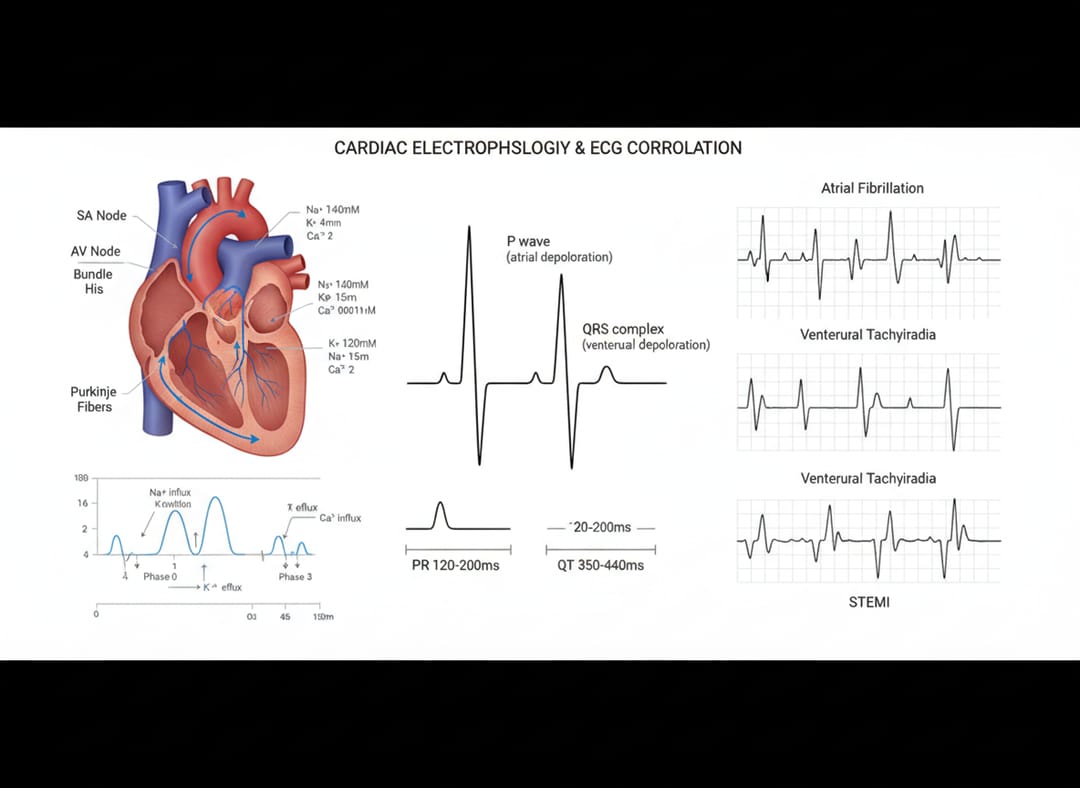
关键要点: 在一张综合图里同时呈现结构信息、定量数据、标签与视觉引导。
原则 7:策略性配色
为什么重要: 色彩是科学图的重要视觉组织工具。策略性配色能帮助读者迅速理解关系与分类。
如何操作: 在提示词中明确定义各元素的颜色分配:通路、分组、条件或数据类型。
示例提示:
RNA splicing mechanism and spliceosome assembly, 4:3 horizontal format, pre-mRNA
structure top with exons/introns labeled "Exon 1-2-3, Intron 1-2", splice sites
marked "5' Splice Site GU, 3' Splice Site AG, Branch Point A", spliceosome components
U1/U2/U4/U5/U6 snRNPs color-coded (U1=red, U2=blue, U4/U6=green, U5=yellow) and
positioned, stepwise assembly stages E→A→B→C complexes shown, lariat intermediate
structure illustrated, catalytic reactions "Transesterification Step 1 & 2", mature
mRNA product bottom, alternative splicing variants displayed, regulatory proteins
SR/hnRNP marked, comprehensive molecular biology diagram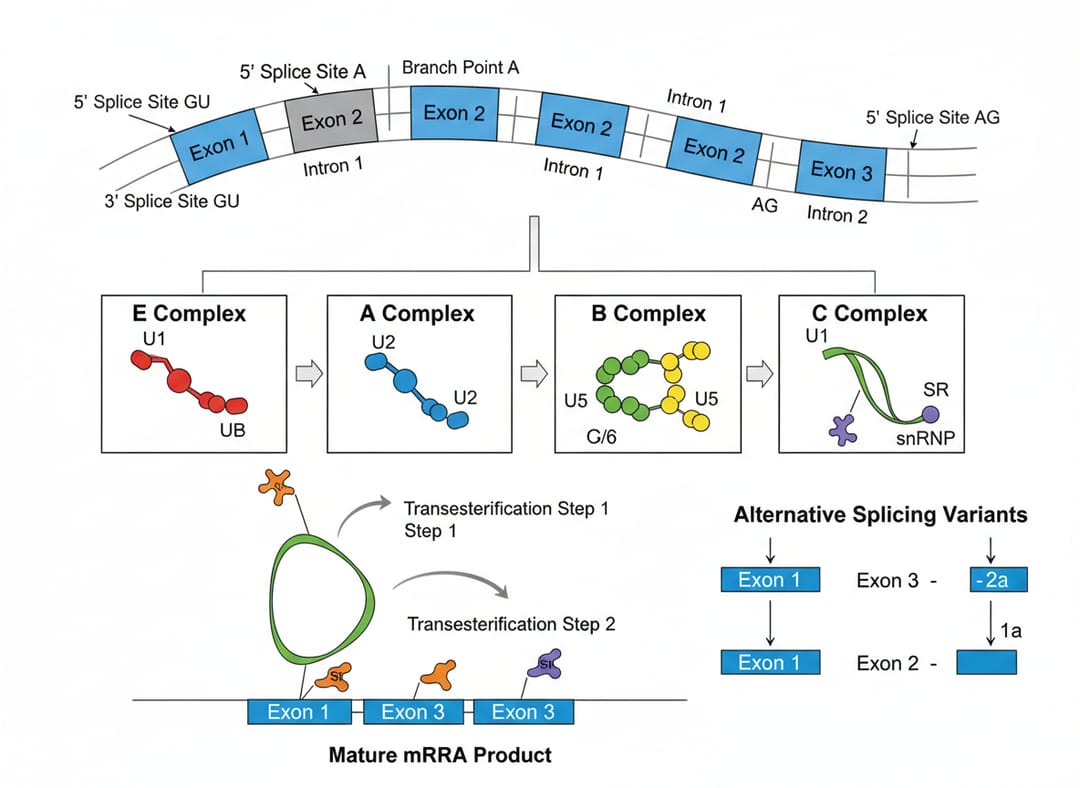
关键要点: 先定义配色方案并一以贯之(例如“blue=glycolysis, red=lipid metabolism, green=protein synthesis”)。
原则 8:避免模糊泛化描述
为什么重要: “scientific diagram”或“molecular structure”过于宽泛。AI 需要具体细节才能生成准确、可发表的图像。
如何操作: 用精确描述替换泛化词汇。不说“protein”,而写“spike protein trimer with RBD domain”;不说“process”,而逐步描述。
反面示例: “Create a scientific figure about immune response”
正面示例:
Bacterial infection and immune response panorama, 4:3 aspect ratio, complete scene
from left to right: pathogen entry through epithelium labeled "Bacterial Invasion,
Streptococcus", innate immunity activation showing "Macrophages, Neutrophils, NK cells",
cytokine storm with molecules "IL-1β, IL-6, TNF-α, IFN-γ", adaptive immunity right
side "B-cells producing IgG/IgM, T-cells CD4+/CD8+", antibody-antigen binding
illustrated, complement cascade "C3a, C5a", memory cell formation labeled, timeline
"0h→24h→72h→7days", every inch filled with cellular and molecular details, immunology
journal quality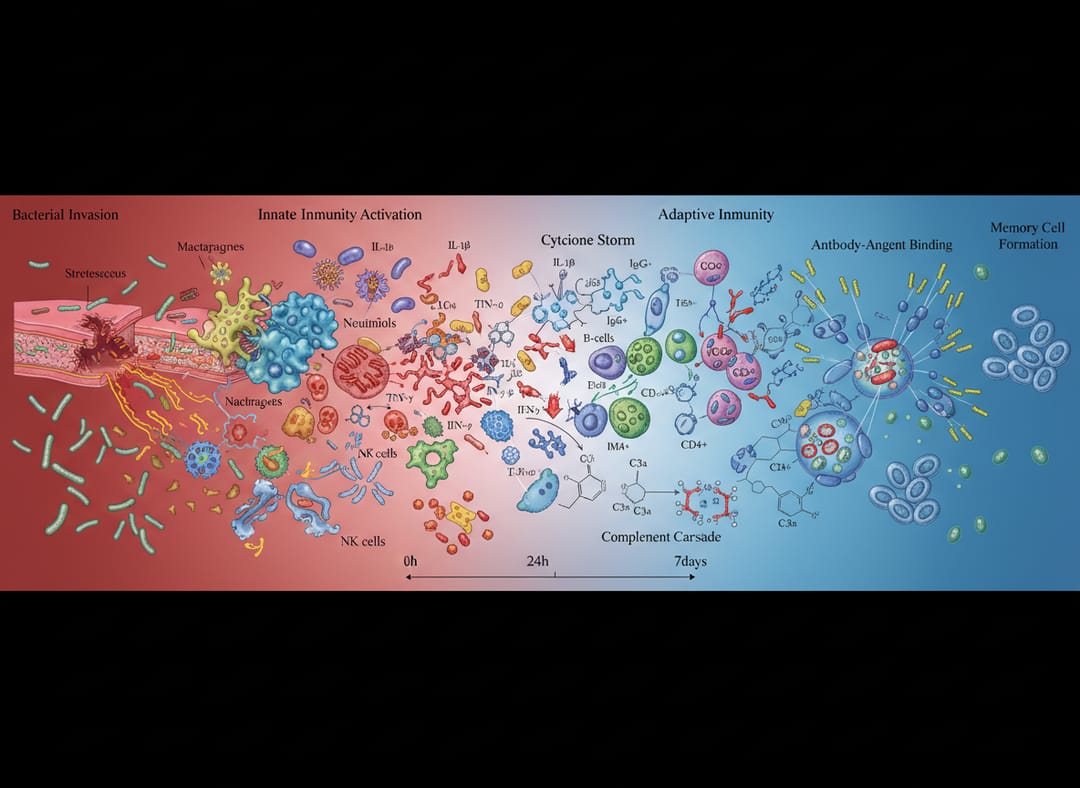
关键要点: 极尽具体。命名每个元素、定义每个关系、指定每个参数。
快速质量检查清单
提交提示前,请核对:
- 已指定画幅比例(4:3、3:4、16:9 等)
- 内容填满画面(无大面积空白)
- 含英文标签 并带单位
- 声明应用场景(封面、TOC、图面板等)
- 术语准确(基因、蛋白、化学品命名)
- 多层信息(结构 + 数据 + 标签)
- 已定义配色(若使用颜色)
- 细节具体(无“molecule A”或“generic structure”)
- 含质量关键词(professional, high-detail, publication-ready)
- 目标分辨率(4K、8K、ultra-detailed 等)
立即开始创作你的科学插图
使用 SciDraw AI 应用以上原则: