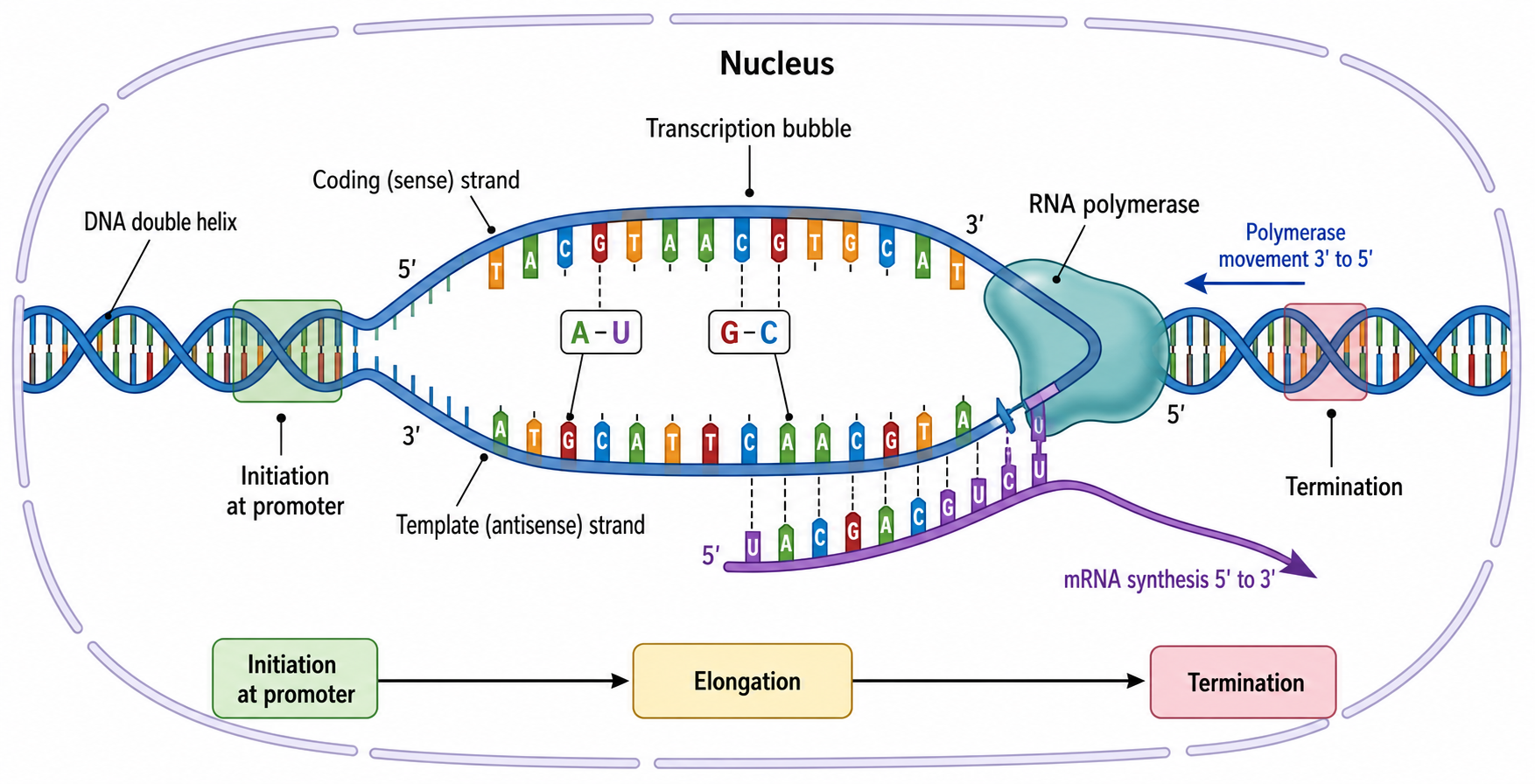
Transcription & Translation Diagram Generator
Turn descriptions into clear, labeled molecular biology diagrams
SciDraw AI draws accurate transcription and translation diagrams from a simple text description. Describe the process, the steps, and the labels you need, and get a clean central dogma, protein synthesis, mRNA, or codon diagram ready for study or teaching.
Diagram examples
Start from a ready-made prompt and adjust the steps and labels to fit your lesson
What this tool does
SciDraw AI is a drawing and labeling tool for molecular biology. You describe the process you want to show, such as transcription, translation, or the full central dogma, and the AI lays out the molecules, steps, arrows, and labels into a clean diagram. It draws and labels what you describe, so you stay in control of the biology. It is not a sequence analyzer or bioinformatics engine, so it will not compute real genetic sequences or translate raw DNA strings for you; instead it produces the clear, presentation-ready figure you ask for.
Why students and teachers use it
- Understand transcription vs translation by seeing both processes drawn side by side with matching labels.
- Skip the slow manual work in drawing apps and get a tidy diagram in seconds.
- Create consistent, exam-ready figures for worksheets, slides, and revision notes.
- Customize every label, from RNA polymerase to anticodons, to match your textbook or syllabus.
- Produce clear visuals that make the central dogma and protein synthesis easier to memorize.
How to make a diagram
Pick a process and describe it in plain language. Name the molecules you want shown, the steps to include, and the labels you need, for example 'show the ribosome A, P, and E sites' or 'mark the start codon AUG'. Choose an aspect ratio that fits your slide or worksheet, then generate. Review the diagram, refine your description to adjust steps or labels, and regenerate until the figure matches the biology you are teaching or studying.
Parts you can include
- DNA template strand
- RNA polymerase
- mRNA
- Ribosome
- tRNA with codons and anticodons
- Growing polypeptide chain
Frequently asked questions
What is the difference between transcription and translation?
Transcription is the first step, where the DNA sequence of a gene is copied into messenger RNA (mRNA) by RNA polymerase inside the nucleus. Translation is the second step, where a ribosome reads the mRNA codons in the cytoplasm and assembles the matching amino acids into a protein. In short, transcription makes RNA from DNA, while translation makes protein from RNA. SciDraw AI can draw each process separately or combine them into one labeled overview so the contrast is easy to see.
How do I draw a protein synthesis diagram online?
Open the generator above, then describe the diagram you want. For example, ask for DNA being transcribed into mRNA in the nucleus, the mRNA moving into the cytoplasm, and a ribosome translating it into a polypeptide. List the labels you need, such as RNA polymerase, ribosome, tRNA, codon, and anticodon. Click Generate Diagram, review the result, and refine your description until the steps and labels are exactly right.
Can it create a central dogma diagram?
Yes. Describe the central dogma flow of DNA to RNA to protein, and SciDraw AI will draw labeled boxes connected by transcription and translation arrows, with a replication arrow on DNA. You can specify a horizontal or vertical layout and note that transcription happens in the nucleus while translation happens in the cytoplasm for eukaryotic cells.
Does it generate an accurate codon chart from a real sequence?
SciDraw AI draws and labels diagrams from your description, so it produces a clean, readable codon chart or codon wheel that maps codons to amino acids and highlights start and stop codons. It is a drawing tool, not a bioinformatics engine, so it does not analyze a raw DNA or RNA sequence you paste in or compute a custom translation. For teaching figures and reference charts, describe what you want shown and the tool will lay it out clearly.
Is the diagram generator free to use?
You can start creating diagrams with free credits: 10 on signup and 5 more each day, with a standard 2K diagram costing 5 credits. Upgrade to a paid plan for a monthly credit allowance when you need to generate and refine many versions.
Can I use these diagrams in class or in a paper?
Yes. The diagrams are generated for you to use in lecture slides, worksheets, study guides, posters, and reports. You describe the content and labels, so you can tailor each figure to your textbook, exam board, or publication style. We recommend reviewing every diagram for scientific accuracy before sharing or publishing it.
Writing a paper, thesis or grant?
SciDraw AI also makes publication-ready research figures: graphical abstracts, mechanism figures, workflows and conceptual frameworks.
Explore More Tools
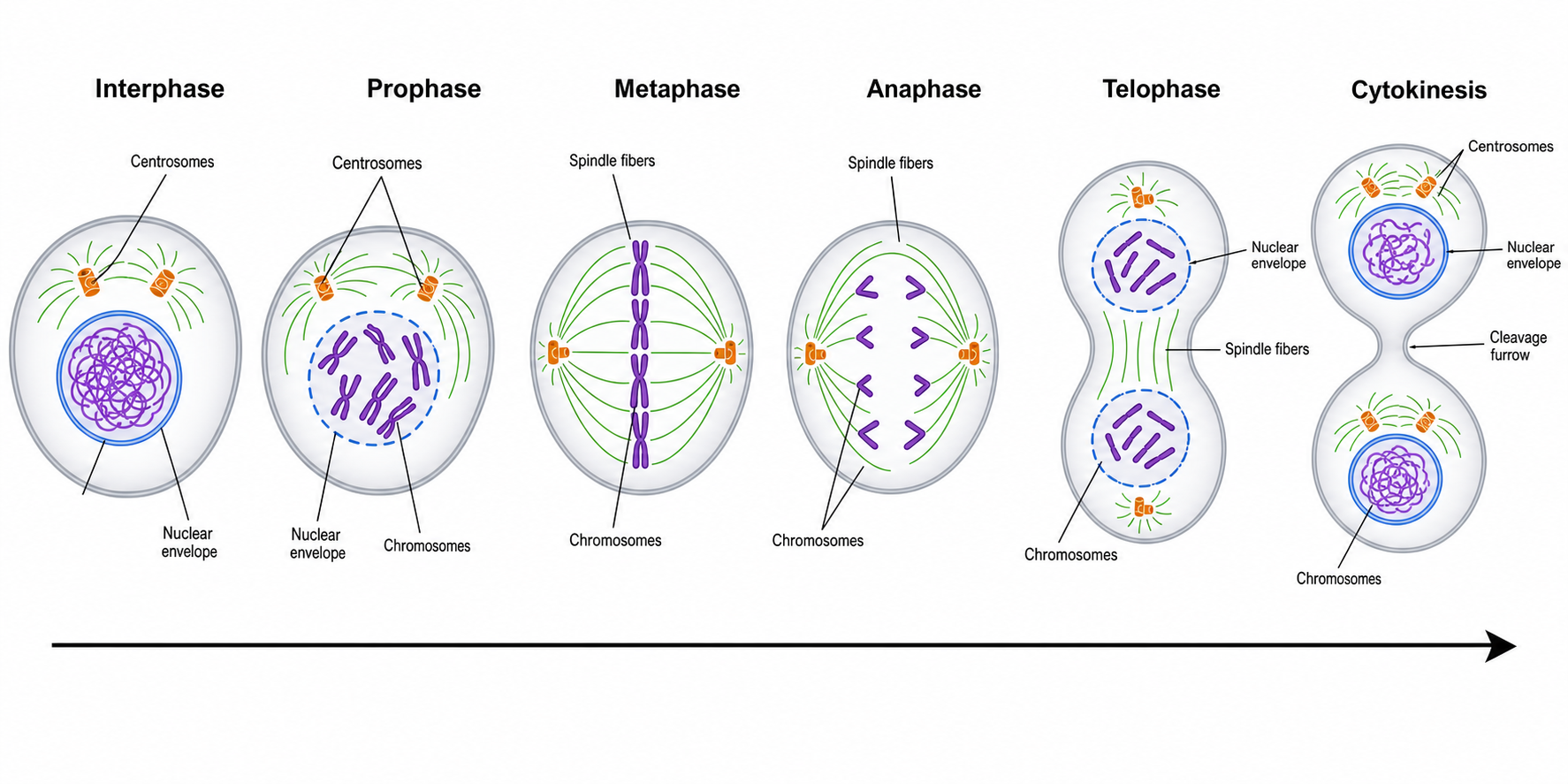
Mitosis Diagram Generator
Draw labeled phases of mitosis — prophase, metaphase, anaphase, telophase — in order.
Try it free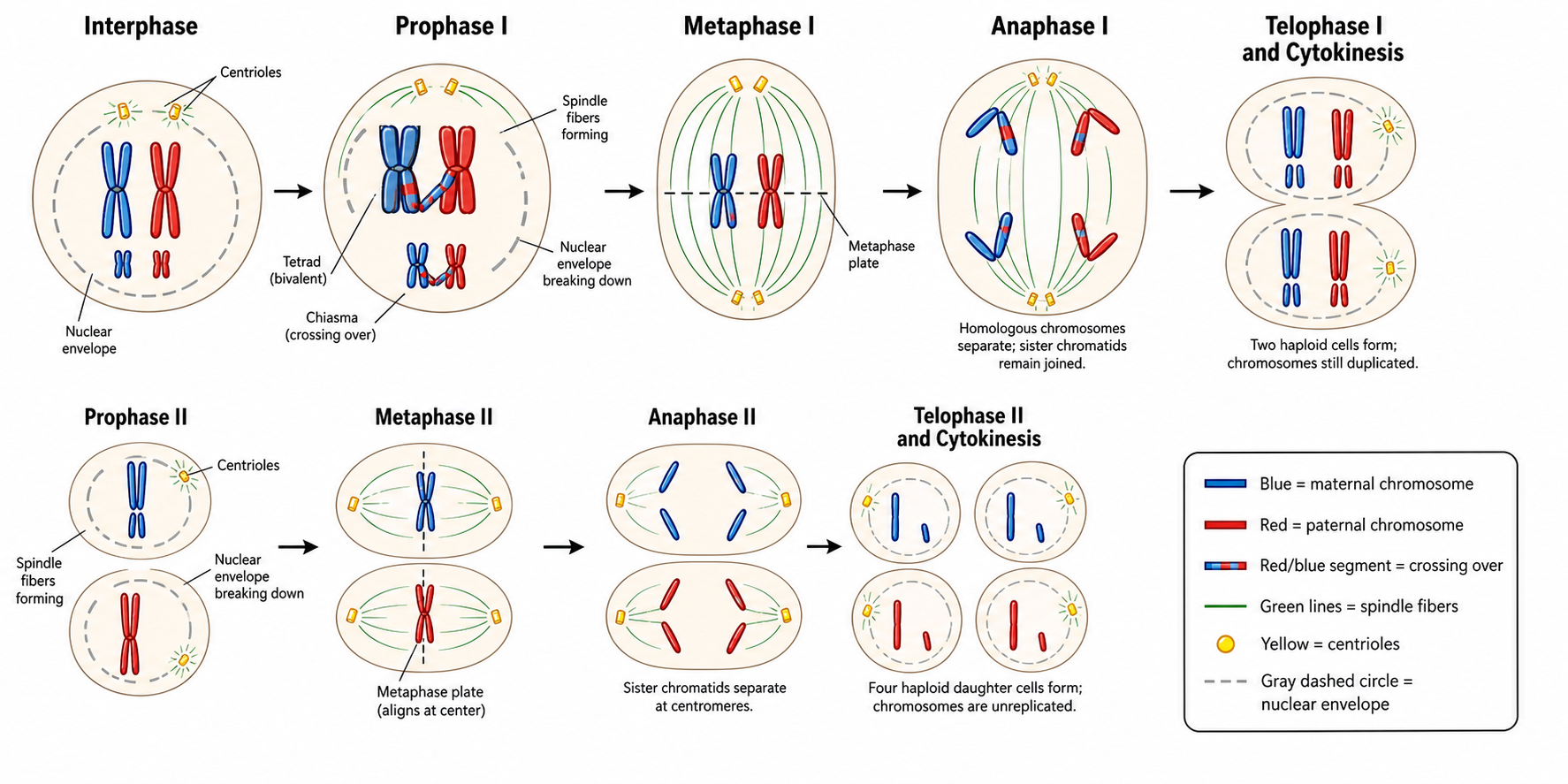
Meiosis Diagram Generator
Create labeled meiosis diagrams, the phases of meiosis I and II, and crossing over.
Try it free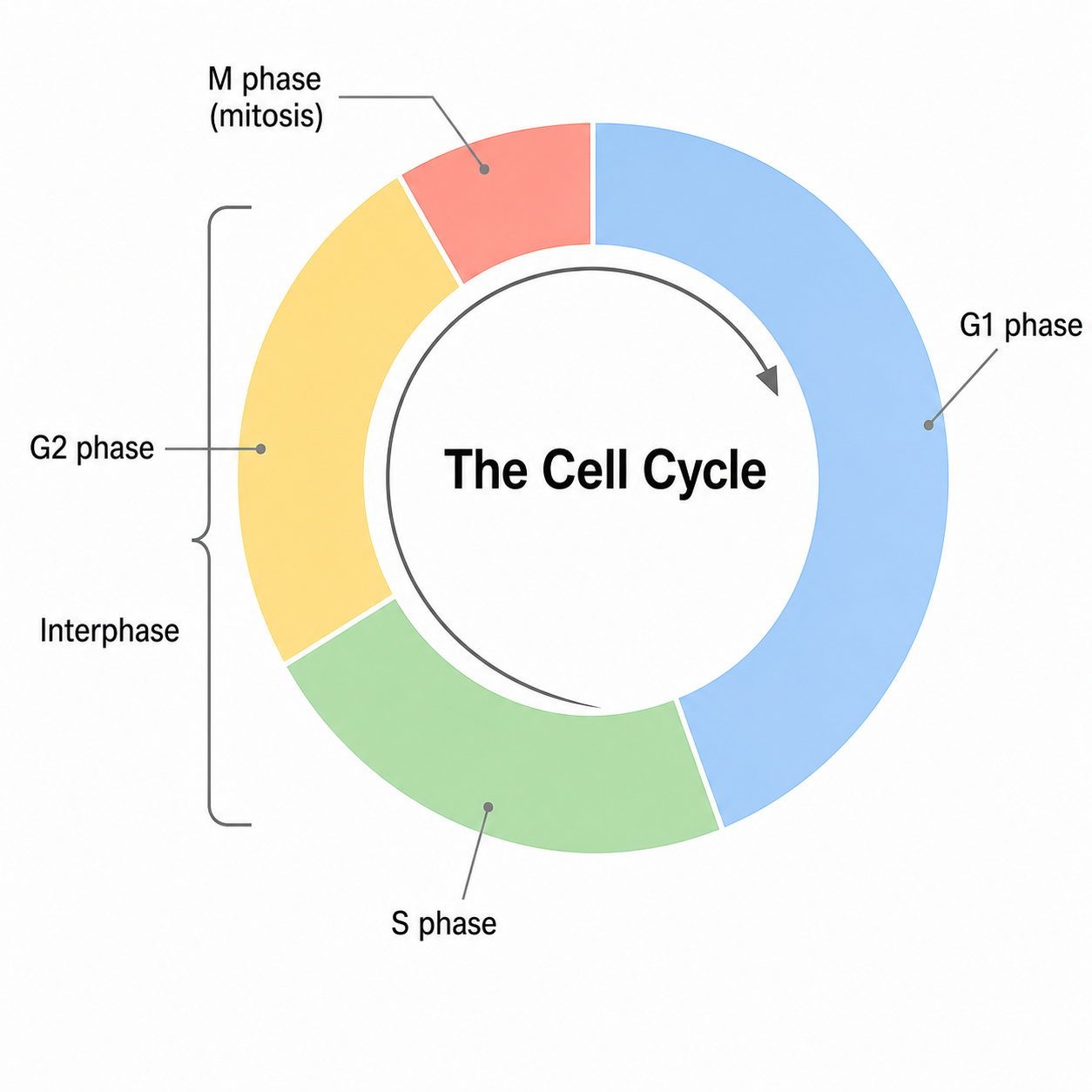
Cell Cycle Diagram Generator
Make labeled cell cycle diagrams with interphase, G1, S, G2, the M phase and checkpoints.
Try it freeReady to draw your transcription and translation diagram?
Describe the process and labels you need, and let SciDraw AI turn it into a clean, exam-ready molecular biology figure in seconds.