Sketch to Image AI for Scientific Figures
Turn rough lab sketches into clean research visuals.
Upload a pathway sketch, apparatus draft, or whiteboard figure and use SciDraw AI sketch mode to rebuild it as a polished scientific diagram.
Best for
Pathways, apparatus, whiteboard drafts
Input
JPG, PNG, or WebP sketch
Mode
SciDraw AI sketch-to-image
Goal
Sketch to clean scientific image
Designed for upload-first scientific figure workflows
Start from the visual structure you already drew. The sketch provides layout, while the prompt supplies scientific context, labels, and style.
Upload the rough sketch
Start with a hand-drawn pathway, lab apparatus, mechanism draft, or a screenshot from a meeting whiteboard.
Describe the scientific intent
Add the field, process, labels, visual style, and any constraints needed for the final figure.
Generate a clean diagram
SciDraw AI interprets the layout and redraws it as a cleaner, presentation-ready scientific illustration.
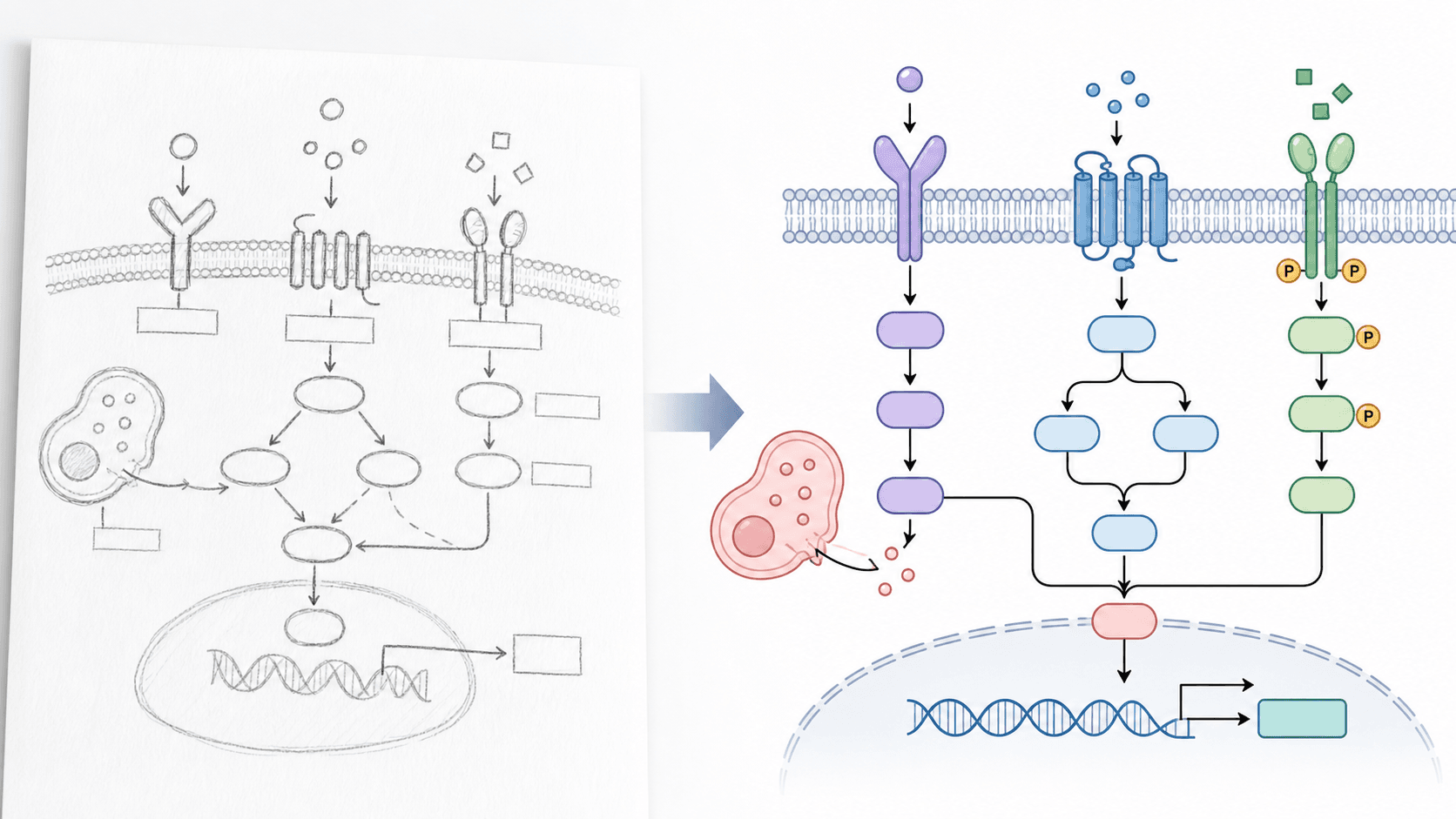
Preview the expected before-and-after result
Each workflow starts with your source image and a precise instruction, then produces a revised figure draft you can continue refining in SciDraw AI.
Preserves your layout
The sketch acts as structure, so the output follows the figure logic instead of starting from a blank prompt.
Useful before final design
Move from a research idea or PI feedback sketch to a polished draft without rebuilding every element manually.
Built for scientific diagrams
Works best for schematic biology, chemistry, medical, materials, and engineering figures where structure matters.
Scientific workflows this supports
Signaling pathway sketches
Convert receptor, cascade, and gene regulation drafts into clean pathway diagrams.
Experimental workflows
Turn process sketches into aligned multi-step research workflows for talks and proposals.
Instrument or setup drafts
Rebuild rough apparatus sketches as cleaner visual explanations for methods sections.
Questions researchers ask before trying it
Is this page for sketch to image or text to image?
This workflow is for sketch-to-image. The sketch supplies the layout, and the prompt supplies scientific context and style.
Can SciDraw AI turn a whiteboard sketch into a figure?
Yes. Upload a clear photo or screenshot of the sketch, then explain the scientific process and desired output style.
Does the output need manual cleanup?
Most outputs should be treated as strong first drafts. You can continue refining the result inside the AI drawing workflow.
What sketches work best?
Use sketches with clear component positions, arrows, and major visual relationships. Avoid tiny handwritten text.
Related SciDraw AI workflows
Scientific Drawing AI
Create research diagrams from prompts when you do not have a sketch yet.
Open pageGraphical Abstract Maker
Turn research mechanisms into graphical abstracts for papers and grants.
Open pageScientific Diagram Maker
Generate schematic diagrams for biology, chemistry, medicine, and engineering.
Open pageStart from this workflow, then continue inside the editor
Open AI Drawing with the right mode preselected, then upload your image and continue refining the result in the editor.