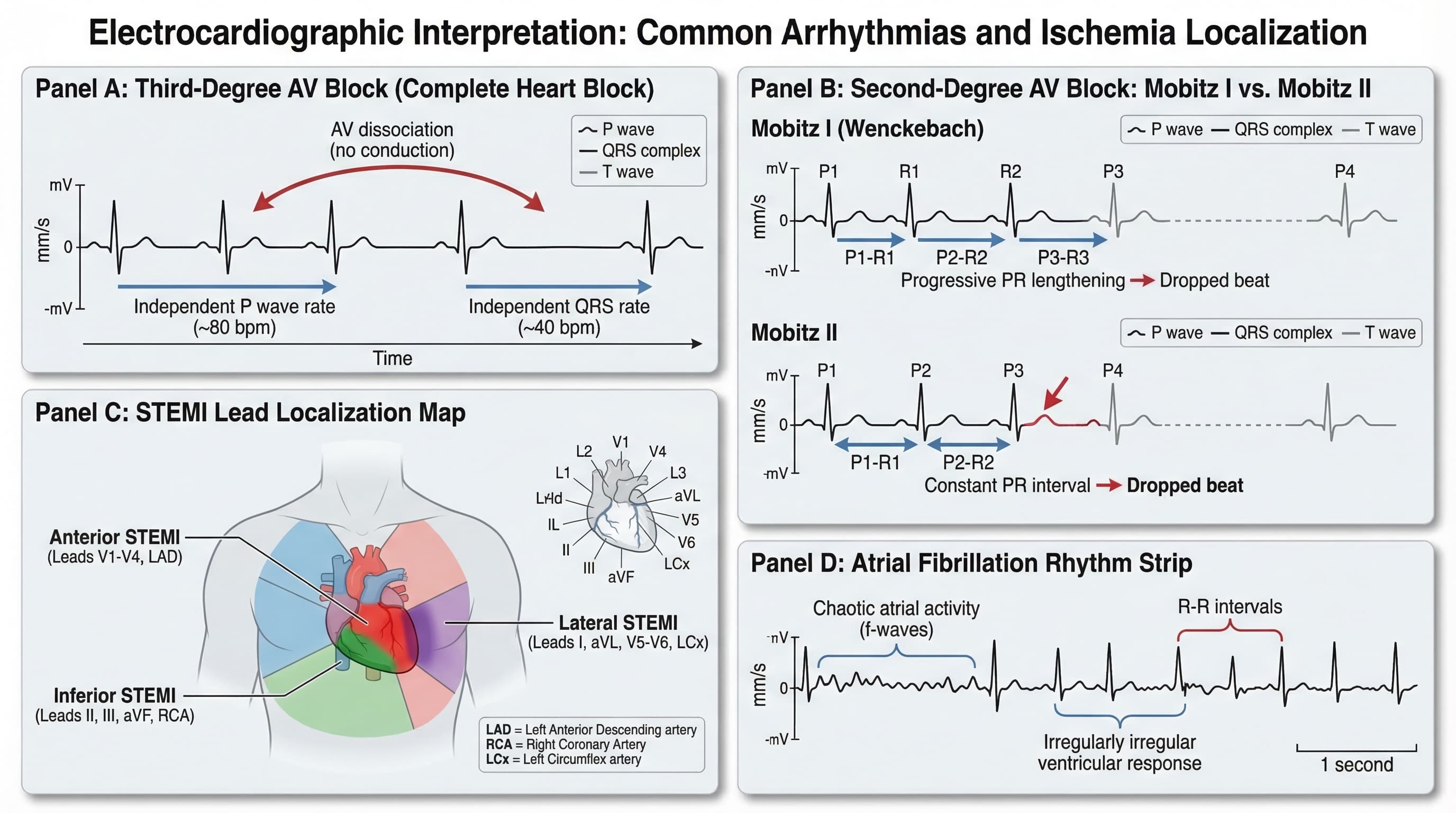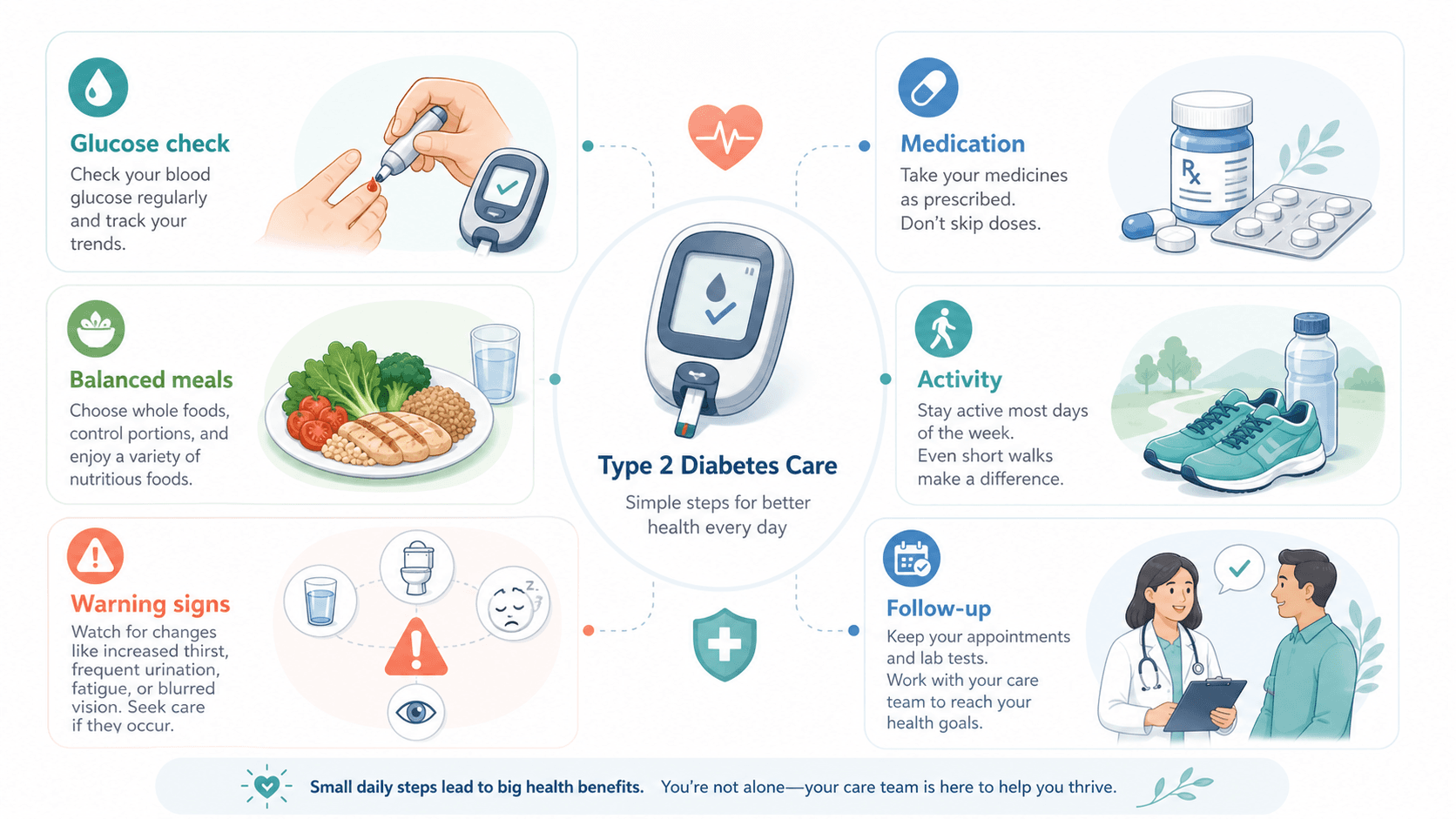
社区诊所的一位糖尿病教育护士,反复接到同一类下班后电话:「我血糖高,怎么办?」出院前的小册子分三栏文字讲了 12 件事——胰岛素调量、足部护理、饮食、运动、生病期处理、警示症状。患者看到第七格就放弃了。她把视觉重做成「一格一动作、一共六格」,三个月内下班后电话量减半。
这就是医学信息图的核心问题。它不是论文图——没人会研究它。它是决策辅助。它要么在厨房桌前赢得 30 秒阅读,要么被折起来塞进抽屉。这篇文章讲的是如何用 AI 做出会被读的那种。
让医学信息图失败的常见错误
- 把信息图当教科书章节做——密集、全面、每条安全提醒都写上。患者直接跳过。
- 借用论文图的语言——拉丁标签、机制箭头、风险比。在非临床受众眼里像是「专业门槛」。
- 把日常、警示、紧急混在同一视觉层——读者分不清这条症状是「躺一会儿」、「打电话给诊所」还是「去急诊」。
- 用惊吓性画面催紧迫感——红脸、惊叹号、出血。患者要么忽略,要么吓到不行动。
- 一张图给所有人看——给刚确诊 2 型糖尿病的小册子和给打了 10 年胰岛素的复习材料不是一个东西。一张图针对一种场景。
烂提示词 vs 改写后的提示词
以一份 2 型糖尿病自我管理小册子为例:
太短,得到一张全面但「跟着做」不下去的图标墙:
帮我做一张 2 型糖尿病管理的患者信息图。改写后,得到一张六格决策辅助图:
Create a medical infographic for newly-diagnosed type 2 diabetes patients to take home after their first appointment.
Layout: six tiles of equal size, arranged 3x2.
Each tile shows one action with one icon and a one-line label (max 7 words).
Tiles in order: (1) check blood sugar morning and night, (2) take medication with breakfast, (3) walk 20 minutes after lunch, (4) eat protein at every meal, (5) call clinic if sugar above [X] twice, (6) ER if confused or vomiting.
Use calm clinical palette (muted teal and warm gray). Plain-language labels, no Latin, no abbreviations.
Routine actions (tiles 1–4) use the teal accent; warning (tile 5) uses warm gray with a dashed border; emergency (tile 6) uses a distinct outlined frame — color-blind safe, no red/green coding.
Output as layered SVG so labels can be translated for our Spanish and Mandarin patient population.
注意第二版做了第一版做不到的几件事:限制条目数、限制每条字数、把日常 / 警示 / 紧急在视觉上分开、内置翻译就绪。
写在前面:示例提示词保留英文。当前主流模型对英文 token 还原最稳定,中文写脚本、英文写提示词是科研社区通行做法。
能换来 30 秒阅读的决策层级
患者会真用的图都有清晰的三类层级。在每个 prompt 里都强制写上:
| 类别 | 回答什么问题 | 视觉处理 |
|---|---|---|
| 日常 | 这周我要做什么? | 主色调、常规边框、各格权重一致。 |
| 警示 | 什么情况打电话给诊所? | 独特强调色(不用红)、虚线边框、与日常稍分离。 |
| 紧急 | 什么情况去急诊? | 描边框架、独立面板、最大字号的单条指令。 |
把这三类做成同样的视觉权重,是医学信息图无法驱动行动最常见的原因。
示例图
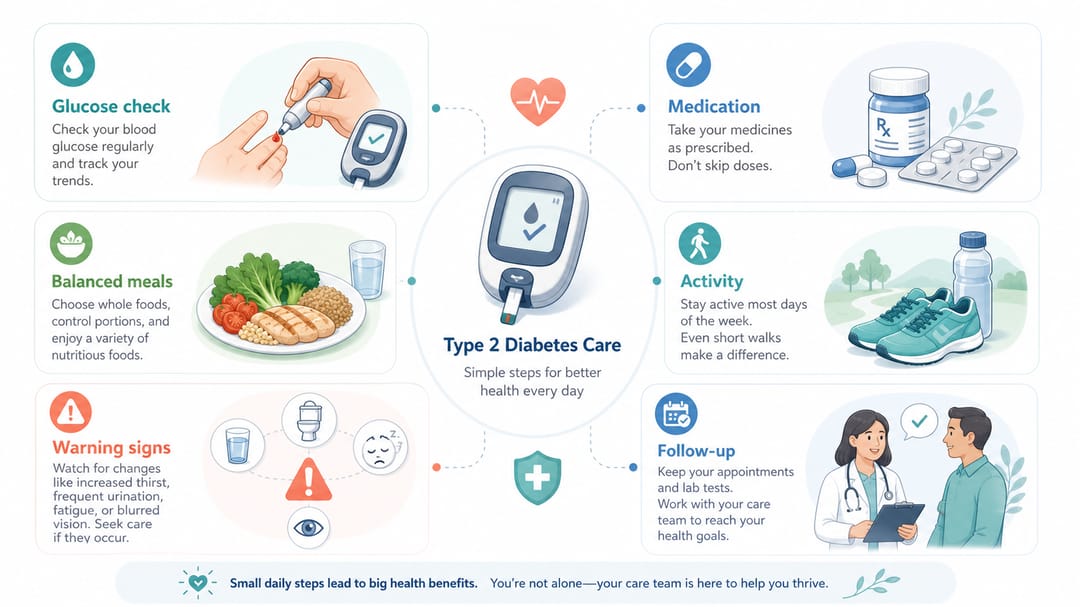
要看的细节:日常格、警示格、紧急格在视觉上明显不同;标签全是口语化、没有术语;语气临床但不吓人;结构本身就是信息——读完三行就知道这一周怎么过。
按用途分的可复用模板
把方括号里的内容换成你的病例。每个 prompt 都明确受众和三类层级。
1. 患者自我管理单(单一疾病)
Create a patient self-management infographic for [condition] for [audience, e.g., newly-diagnosed adults / post-discharge].
Layout: six tiles in a 3x2 grid.
Routine tiles (4): one action each, one icon, one-line label of [max 7 words].
Warning tile (1): when to call the clinic, distinct accent, dashed border.
Emergency tile (1): when to go to the ER, outlined frame, largest text.
Plain-language labels, no Latin, no abbreviations.
Calm clinical palette, color-blind safe (no red/green only encoding).
Output as layered SVG for translation.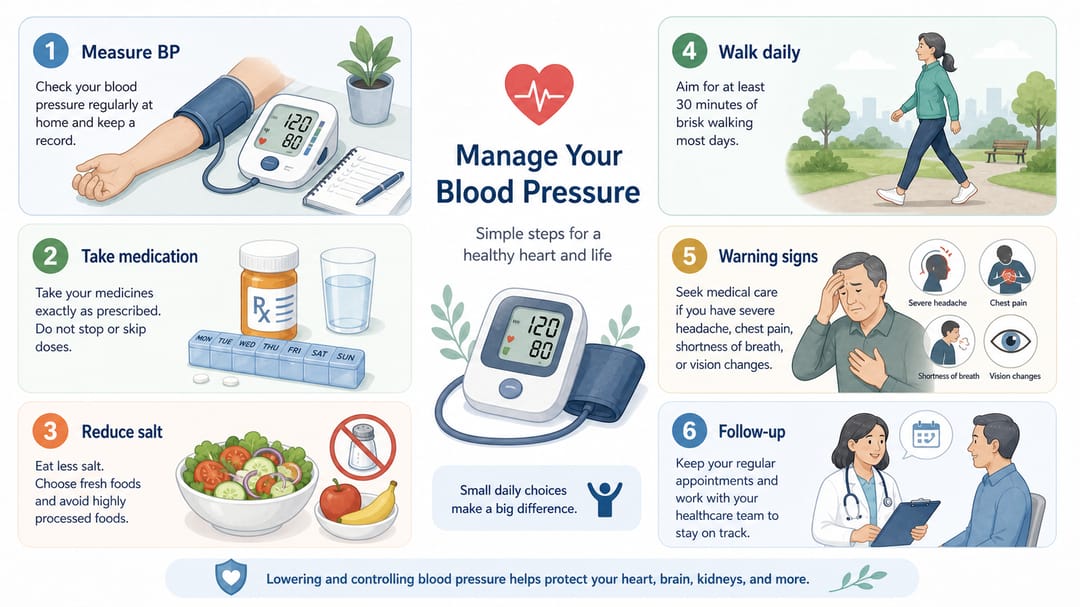
2. 给医护团队的临床路径图
Design a clinical pathway infographic for [care pathway] for [clinical audience, e.g., nursing team / urgent care intake].
Structure: horizontal flow with these decision points: [triage], [diagnosis], [treatment decision], [follow-up], [referral criteria].
Each decision point is a labeled node; each arrow is one decision.
Use professional hospital training style, clear yes/no decision diamonds where the path branches.
Labels match our internal terminology exactly. Do not invent thresholds or criteria not in our source document.
Layered SVG, version date in footer.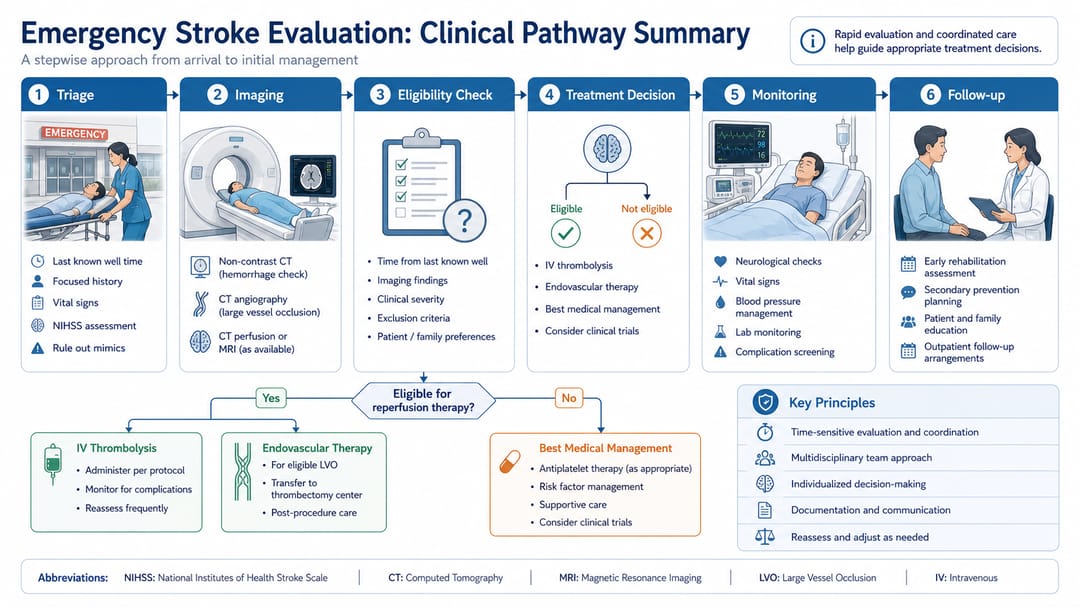
3. 疾病机制解释图(临床 + 受过教育的非专业读者混合)
Create a medical education infographic explaining the mechanism of [disease] for [audience].
Show four labeled blocks: (1) anatomical site, (2) pathological process, (3) downstream symptoms or biomarkers, (4) treatment target.
Schematic medical illustration style, not photorealistic.
For the layperson audience: include a one-sentence plain-language summary under each block, in italic.
For the clinician audience: include the technical term in parentheses next to each block label.
Make no claim about prognosis, treatment efficacy, or recovery timeline.
Layered SVG.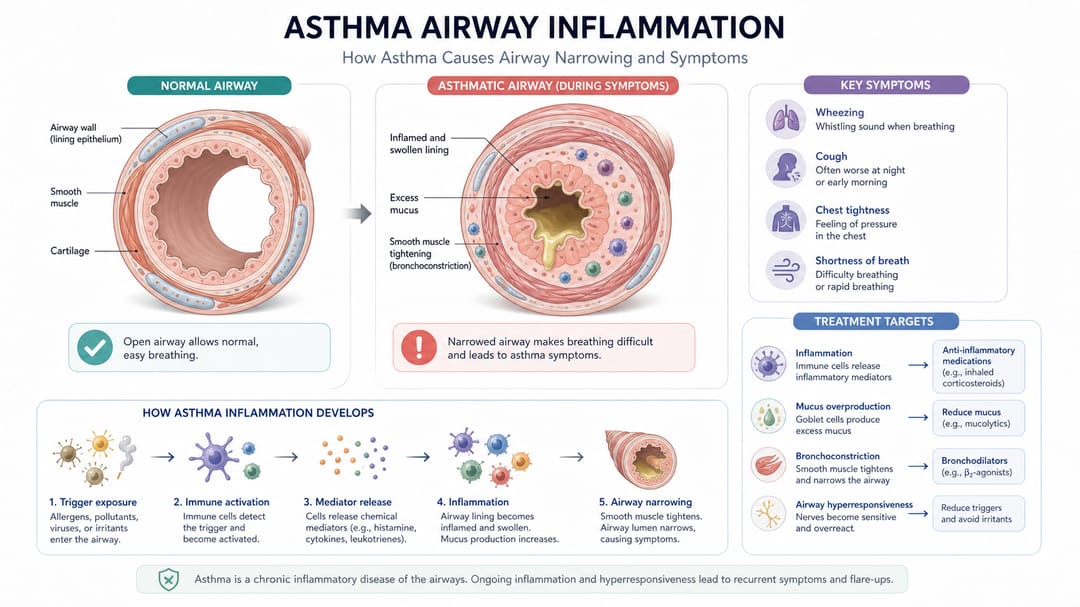
4. 用药 / 接种时间表
Create a medication/vaccination schedule infographic for [patient population].
Visualize the timeline horizontally with month or week markers.
Mark each dose or visit as a labeled circle on the timeline, including the medication name and the action.
Use a single color for routine doses; a distinct accent for booster or catch-up doses; a clear outlined frame for "missed dose, contact clinic" guidance.
Below the timeline, three plain-language tiles: (1) what to expect, (2) common side effects (no severity language), (3) when to call.
Layered SVG, version date in footer.
不同角色的使用建议
- 教育护士 / 患者教师:先用模板 1。强制自己「一格一动作、最多六格」。会被使用的小册子都是短的。
- 临床运营 / 质量改进:模板 2。源文件先批准、再做图,不是反过来。源文件改一次,footer 的版本日期就更一次。
- 医学传播 / 疾病科普:模板 3。临床版和通俗版要成套——内容一样、密度不同。
- 药房 / 疫苗接种团队:模板 4。一定要含「漏服 / 漏种」路径,这是患者最常问、标准表里最常被漏掉的部分。
- 医院市场 / 社区健康:按受众挑模板、不要用戏剧化画面。患者信任的是「像诊所」的视觉,不是「像电视广告」的视觉。
在 SciDraw AI 里真正可执行的工作流
- 先写一句话「这张图要支持的单一决策」——例如「新确诊 2 型糖尿病患者知道这周怎么做 + 什么时候打给我们」。写不出来,信息图还没准备好。
- 按决策选模板:自我管理、路径、机制、时间表。
- 在 prompt 里强制三类层级——日常、警示、紧急必须视觉分明。
- 生成一个变体,临床医生 + 患者(或患者代表)双审。患者发现哪里看不懂、医生发现哪里不安全,两条都重要。
- 导出分层 SVG,翻译只换文字层。患者群是多语言的,从第一版就考虑。
- 加版本日期——患者材料会过期。footer 写「v1.2 — 2026 年 3 月」,前台才能把旧版收掉。
- 追踪哪个版本真的降低了来电、提高了依从性——这是真正的评价,不是审美判断。
发放前 checklist
- 一张图支持一个决策、一格一个动作。
- 日常 / 警示 / 紧急视觉上分明(不能只靠红/绿编码)。
- 通俗语言、无拉丁文、无受众不懂的缩写。
- 没有惊吓画面、没有夸大效果、没有无来源的统计。
- 临床医生已批准。
- 患者或患者代表读过,能复述出决策。
- 分层 SVG 导出,翻译就绪。
- footer 有版本日期。
相关 SciDraw AI 工作流
医学信息图生成器 · 医学插图生成器 · 临床插图生成器 · 书籍插图生成器
常见问题
能直接给患者用吗?
把 AI 输出当草稿。患者材料必须经临床医生审核,最好再请患者代表或健康素养专家过一遍。AI 没法判断措辞是否契合你社区的健康素养水平。
要不要把所有警示症状都放进去?
不要。只放会改变患者行动的警示——做什么、打给谁、去哪里。详细安全说明放在正文或视频里。一张图列 12 条警示,效果和不写一样。
临床风险怎么表达?
用层级,不用警报。把日常、警示、紧急分开,靠边框、独立框、紧急条加粗等视觉手段——不是红脸或惊叹号。焦虑会降低决策质量。
健康素养水平怎么把控?
在 prompt 里明确写目标阅读水平——例如「6 年级阅读水平、通俗中文」。然后印刷前请目标社区的患者或患者代表读一遍。AI 没法自己评估素养。
这些信息图能用多久?
什么都加日期。诊疗路径会改、药量会改、电话会改。把季度复审做进工作流,footer 写版本日期,旧版可以收掉。
能不能放疗效统计?
只有当数据来自可引用的真实来源、并附置信区间或上下文时才能放。AI 凭空生成的百分比放进患者材料,既是法务风险也是临床风险。
患者群是多语言怎么办?
一律导出分层 SVG,每种语言只换文字层。不要每种语言重新生成——图标、颜色、层级必须完全一致,视觉信任才能跨社区维持。