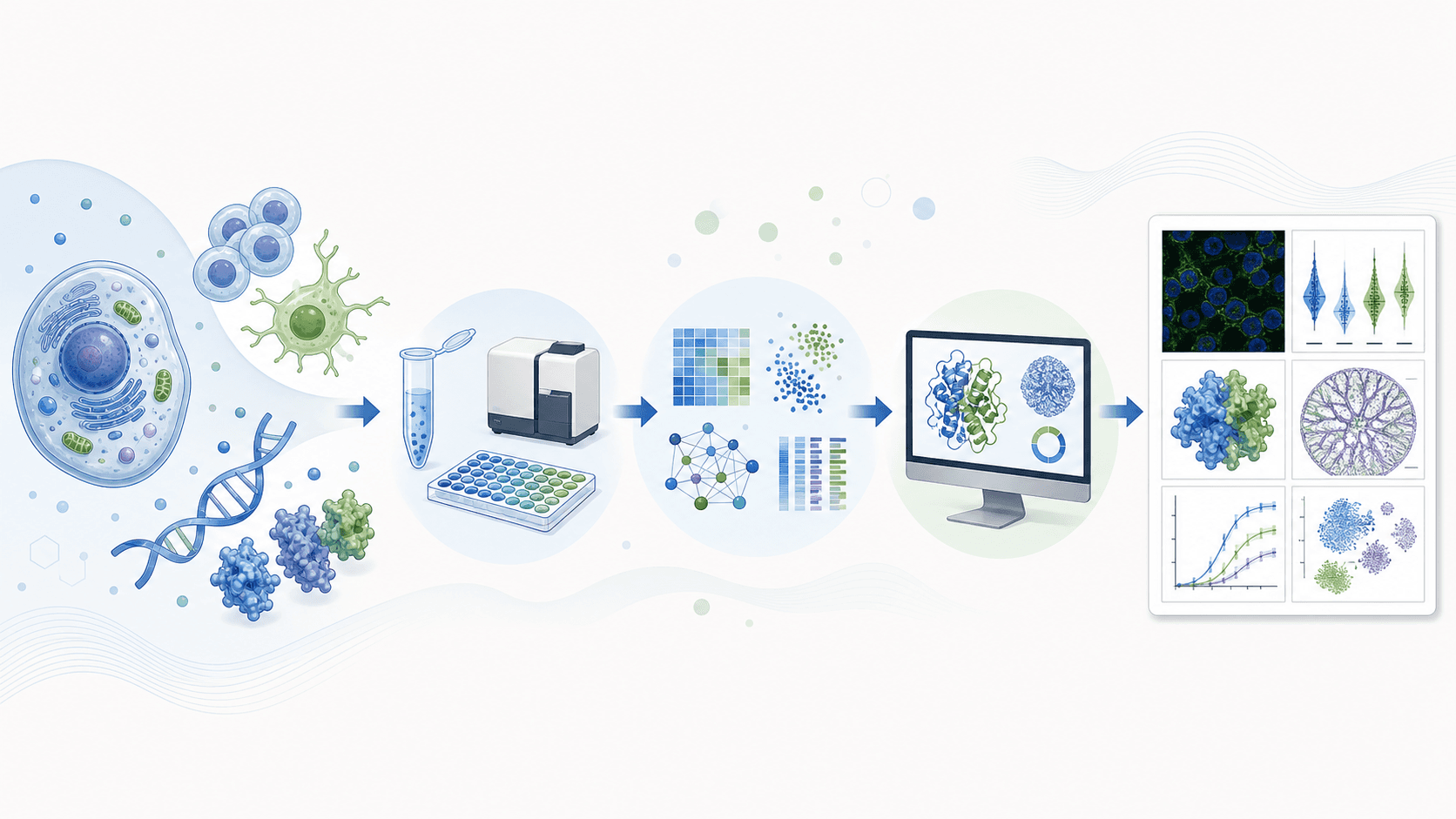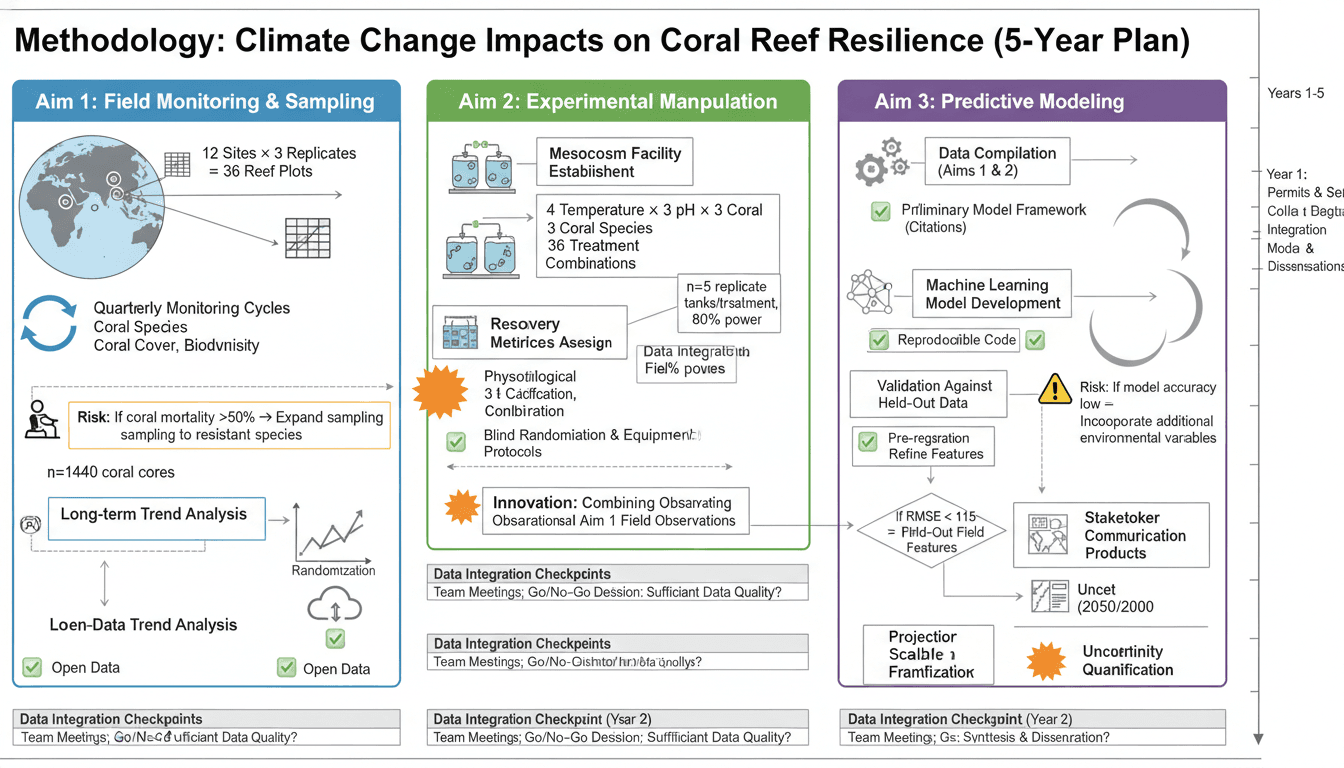
実験ワークフロー図は、研究方法を明確に伝えるために不可欠です。適切に設計されたワークフロー図は、長文のテキストに代わることができ、読者が実験アプローチを迅速に理解するのに役立ちます。
このガイドでは、メソッドセクションを強化し、論文の読みやすさを向上させるプロフェッショナルなワークフロー図を作成する方法を説明します。
明確なワークフロー図は、メソッドをすぐに理解できるようにします
ワークフロー図が重要な理由
効果的なワークフロー図:
- 複雑なメソッドを簡素化する: 視覚的な表現は長文のテキストに勝る
- 再現性を向上させる: 明確なステップは、他の人があなたの研究を再現するのに役立ちます
- 査読者の理解を助ける: より速い理解 = よりスムーズな査読
- 引用を増やす: 明確なメソッドを持つ論文はより頻繁に引用される
実験ワークフロー図の種類
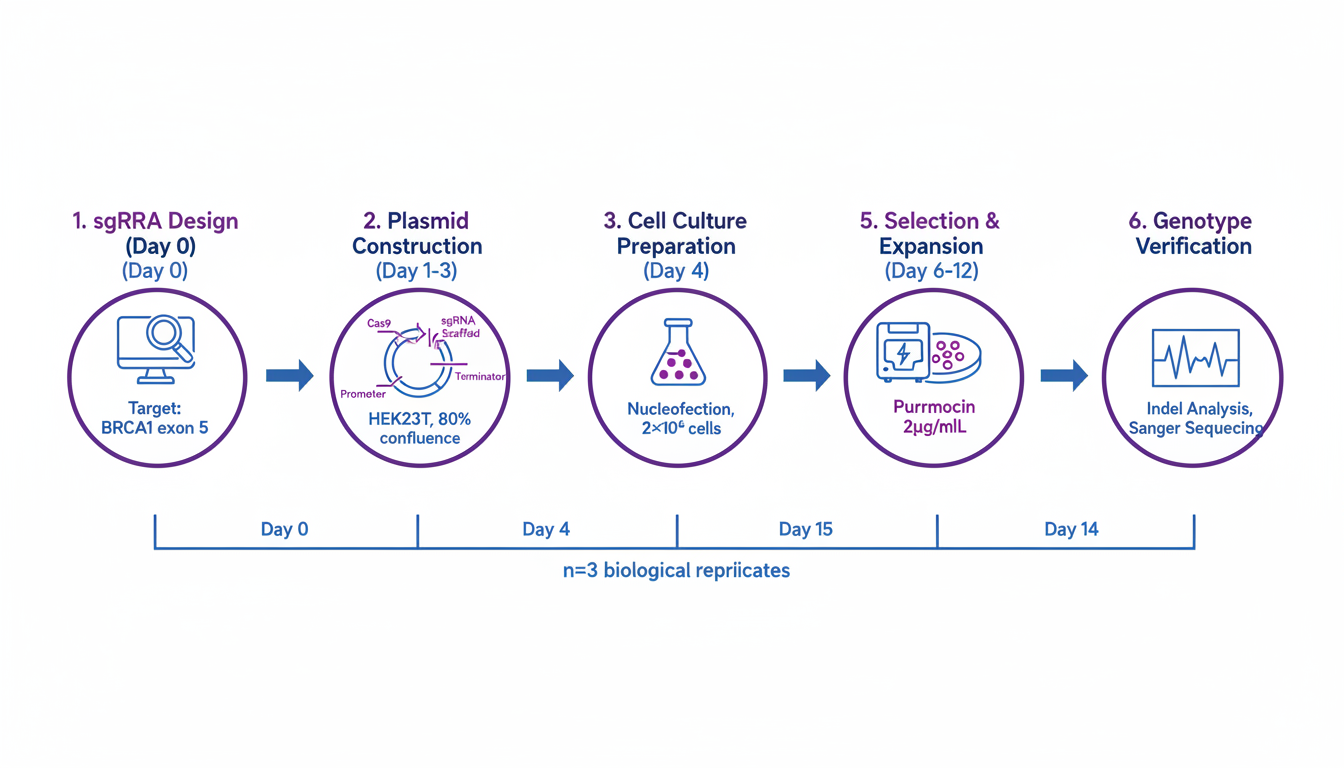
1. 線形シーケンシャルワークフロー
シンプルなステップバイステップのプロセス:
Step 1 → Step 2 → Step 3 → Step 4 → Result最適な用途: 明確な進行を伴う簡単なプロトコル
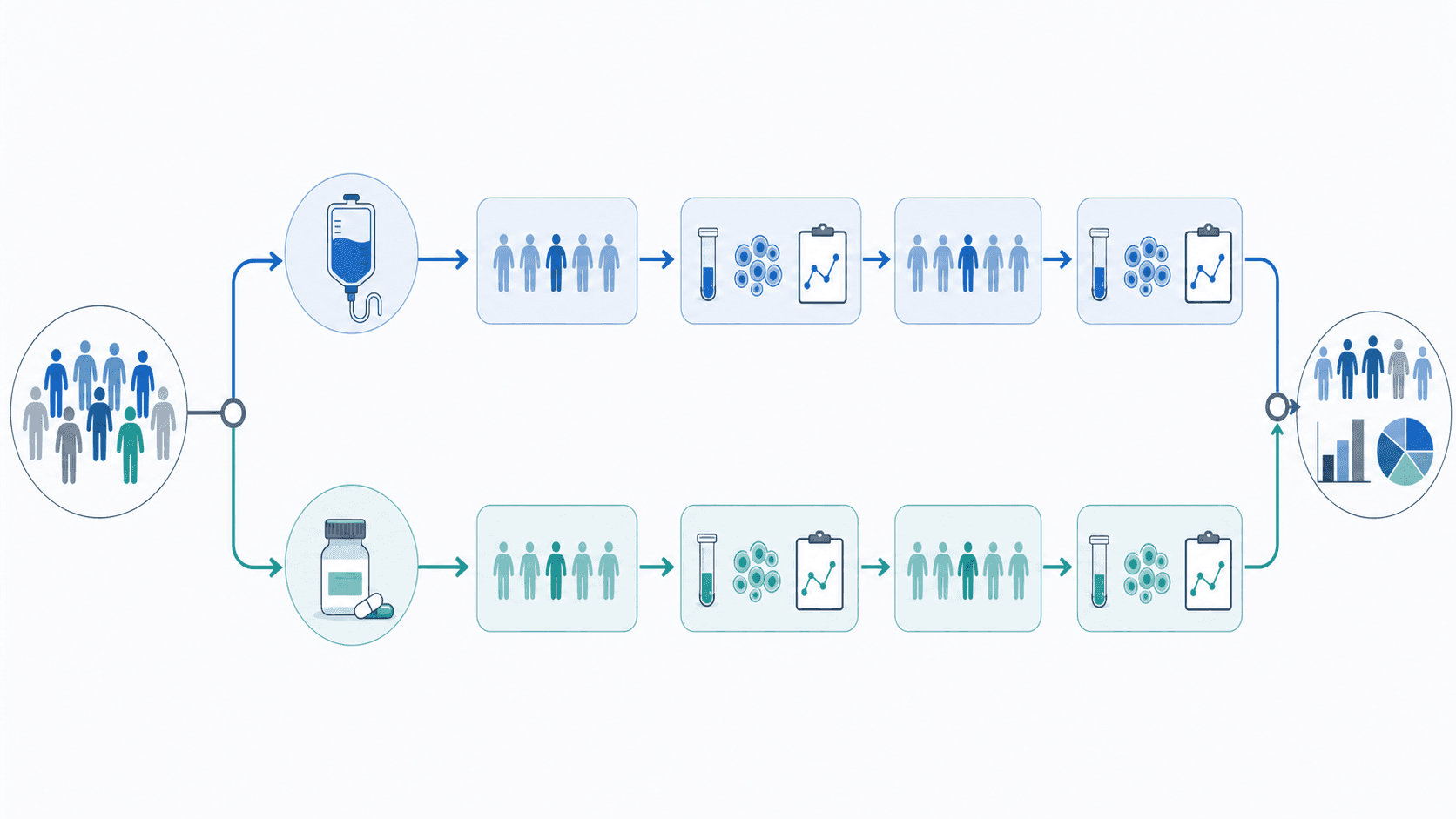
2. 分岐ワークフロー
意思決定ポイントまたは並列パスを持つプロセス:
→ Path A →
Start → → Result
→ Path B →最適な用途: 条件または複数のサンプルタイプを持つメソッド
3. 循環ワークフロー
反復またはフィードバックプロセス:
Step 1 → Step 2 → Step 3
↑ ↓
←←←← Repeat ←←←←←最適な用途: 最適化手順、反復分析
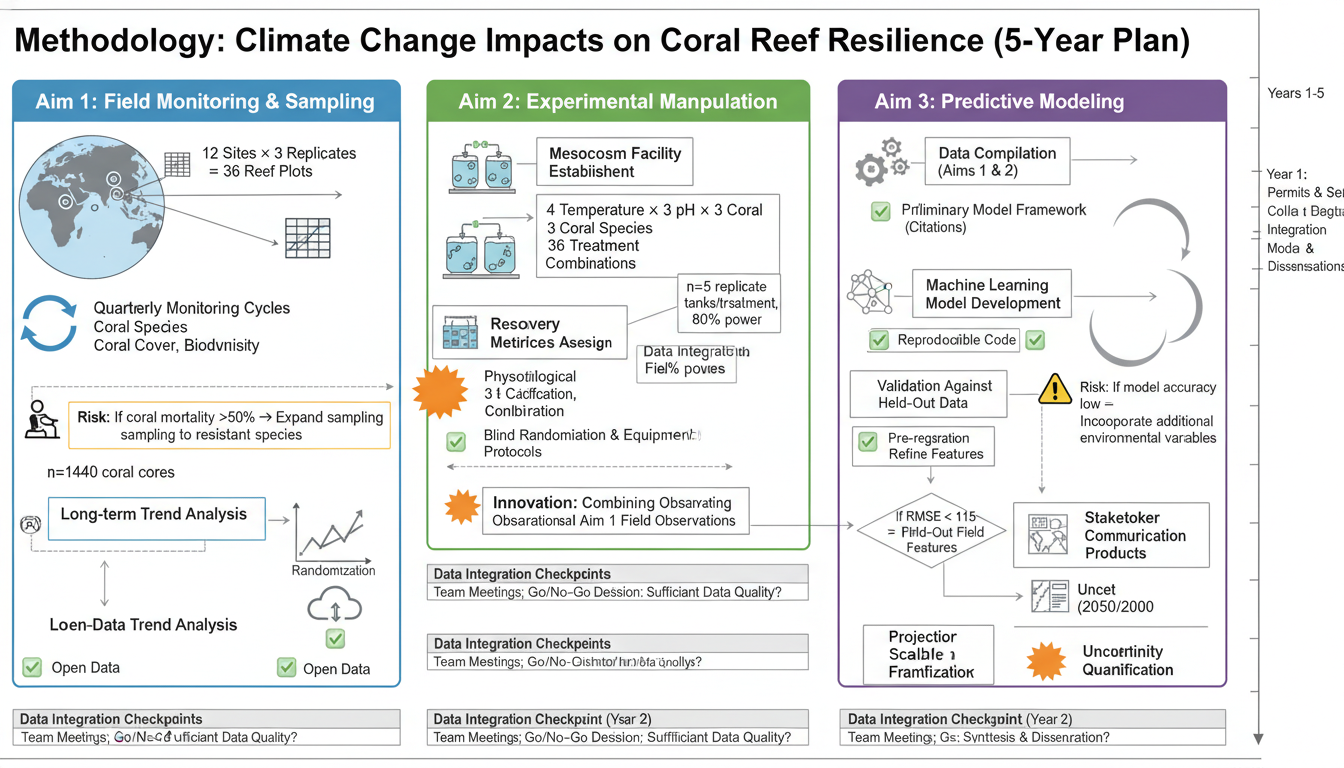
4. 多段階ワークフロー
明確な段階を持つ複雑なプロセス:
[Sample Prep] → [Treatment] → [Analysis] → [Data Processing]最適な用途: 複数日のプロトコル、複雑な実験デザイン
設計原則
視覚的階層
- メインフロー: 目立つ、中央の配置
- 主要なステップ: アイコンまたは色で強調表示
- 詳細: 小さいテキスト、二次的な要素
- タイムライン: 関連する場合に表示
方向性フロー
推奨されるパターン:
- 左から右(最も一般的)
- 上から下(代替)
- 全体を通して一貫した方向
避けるべきこと:
- 方向の混合
- 不明瞭な矢印の方向
- 循環的な混乱
情報密度
含める:
- 必須ステップのみ
- 主要なパラメータ(時間、温度)
- 重要な試薬
- 意思決定ポイント
除外する:
- 細かい詳細(代わりにテキストで)
- 明らかなステップ
- 過度な専門用語
分野別のワークフロー図の作成
生物学およびライフサイエンス
細胞培養実験:
Experimental workflow for cell biology,
cell seeding → treatment (24h) → harvest → analysis,
specific cell line "HeLa" indicated,
treatment conditions "Drug X, 10 μM" labeled,
timeline bar below showing days,
analysis methods: "Western blot, qPCR, Flow cytometry",
life sciences publication style動物実験ワークフロー:
In vivo experiment workflow diagram,
animal model → treatment groups → intervention → endpoints,
"C57BL/6 mice, n=10/group" indicated,
treatment arms shown in parallel,
sacrifice time points marked,
tissue collection and analysis specified,
preclinical research style分子生物学プロトコル:
Molecular cloning workflow,
PCR amplification → gel extraction → ligation → transformation,
vector and insert icons,
colony screening step,
sequence verification endpoint,
molecular biology methods figure style
分子生物学のワークフローは、象徴的な表現から恩恵を受ける
化学
合成ワークフロー:
Multi-step synthesis workflow diagram,
starting material → intermediate 1 → intermediate 2 → product,
reaction conditions above each arrow,
purification methods noted (column, recrystallization),
yield percentages at each step,
organic chemistry methods style分析プロトコル:
Analytical chemistry workflow,
sample collection → preparation → measurement → data analysis,
specific techniques labeled,
quality control steps included,
instrument parameters noted,
analytical methods figure format材料科学
材料合成:
Nanomaterial synthesis workflow,
precursor preparation → reaction → purification → characterization,
reaction conditions (temperature, time, atmosphere),
characterization techniques listed,
scale indicated,
materials science methods styleデバイス製造:
Device fabrication workflow diagram,
substrate preparation → deposition → patterning → testing,
layer-by-layer steps shown,
equipment/techniques at each step,
cleanroom requirements noted,
engineering methods figure format臨床および医学研究
臨床試験ワークフロー:
Clinical study workflow diagram,
patient screening → enrollment → randomization → intervention → follow-up,
inclusion/exclusion criteria summarized,
treatment arms in parallel,
assessment time points marked,
CONSORT-style diagram elementsサンプル処理:
Biospecimen processing workflow,
collection → transport → processing → storage → analysis,
sample types indicated,
time constraints noted,
temperature requirements shown,
biobank protocols styleワークフロー図のAIプロンプト
基本的なワークフローテンプレート
Experimental workflow diagram for [field] research,
[number] main steps: [list steps],
left to right flow with arrows,
icons representing each major step,
key parameters labeled,
timeline indicated below,
publication-ready methods figure style詳細なプロトコルワークフロー
Detailed experimental protocol workflow,
[your experiment type] methodology,
Step 1: [description with parameters],
Step 2: [description with parameters],
[continue for all steps],
critical steps highlighted,
QC checkpoints marked,
reproducibility-focused design比較ワークフロー
Comparative experimental workflow showing two methods,
Method A (left/top) vs Method B (right/bottom),
shared steps in center,
differences highlighted with color,
time/cost comparison indicated,
methods comparison figure styleハイスループットワークフロー
High-throughput screening workflow diagram,
library/sample input → primary screen → hit identification,
secondary validation → lead selection,
numbers at each stage (e.g., "10,000 → 500 → 50 → 5"),
funnel visualization style,
drug discovery/screening formatデザイン要素
アイコンとシンボル
一般的なワークフローアイコン:
- 🧪 試験管(反応)
- 📊 グラフ(分析)
- 🔬 顕微鏡(イメージング)
- 💻 コンピューター(データ処理)
- ⏱️ 時計(時間ポイント)
- 🌡️ 温度計(温度)
アイコンの使用:
- ステップタイプをすばやく識別する
- 視覚的な関心を加える
- テキストの多い領域を分割する
- 一貫したスタイルを作成する
カラーコーディング
機能的な色:
- 青:サンプル/材料の流れ
- 緑:生物学的プロセス
- オレンジ:化学反応
- 紫:分析/測定
- グレー:品質管理
段階の色:
- 明るい色:初期段階
- 暗い色:後期段階
- 一貫した進行
コネクタと矢印
矢印の種類:
- 実線:メインプロセスフロー
- 破線:オプション/条件付きステップ
- 二重線:可逆プロセス
- 分岐:意思決定ポイント
ベストプラクティス:
- 一貫した矢印スタイル
- 明確な方向性
- 可能な場合は交差を避ける
- 時間/条件でラベル付けする
レイアウトテンプレート
線形テンプレート
┌────────┐ ┌────────┐ ┌────────┐ ┌────────┐
│ Step 1 │───→│ Step 2 │───→│ Step 3 │───→│ Step 4 │
└────────┘ └────────┘ └────────┘ └────────┘
Day 0 Day 1 Day 3 Day 7分岐テンプレート
┌────────┐
────→│ Path A │────┐
┌────────┐ │ └────────┘ │ ┌────────┐
│ Start │────┤ ├───→│ Result │
└────────┘ │ ┌────────┐ │ └────────┘
────→│ Path B │────┘
└────────┘多段階テンプレート
┌─────────────────────────────────────────────────────┐
│ Phase 1: Setup │
│ ┌──────┐ ┌──────┐ ┌──────┐ │
│ │ Prep │──→│ Treat│──→│ Check│ │
│ └──────┘ └──────┘ └──────┘ │
└─────────────────────────────────────────────────────┘
↓
┌─────────────────────────────────────────────────────┐
│ Phase 2: Analysis │
│ ┌──────┐ ┌──────┐ ┌──────┐ │
│ │Collect│──→│Analyze│──→│Report│ │
│ └──────┘ └──────┘ └──────┘ │
└─────────────────────────────────────────────────────┘よくある間違い
1. 詳細すぎる
問題点: すべてのマイナーステップが含まれている 解決策: 定型的なステップを要約する。重要なポイントのみを詳細に説明する
2. 不明瞭なフロー
問題点: 読者がプロセスを追うことができない 解決策: 明確な矢印を使用する。一貫した方向を維持する
3. 重要な情報の欠落
問題点: 重要なパラメータが省略されている 解決策: 時間、温度、濃度を含める
4. 一貫性のないスタイル
問題点: アイコン、フォント、色が混在している 解決策: スタイルガイドを作成する。一貫して適用する
5. 間違った複雑さのレベル
問題点: 対象読者にとって単純すぎるか、複雑すぎる 解決策: 詳細レベルを読者の専門知識に合わせる
ワークフロー図を作成するためのツール
AI搭載
- SciDraw: 説明から完全なワークフローを生成する
- 迅速なプロトタイピングとアイデア出しに最適
従来のソフトウェア
- Illustrator/Inkscape: デザインを完全に制御できる
- PowerPoint: 迅速で使い慣れている
- Lucidchart/draw.io: 図に特化している
- BioRender: ライフサイエンスに焦点を当てている
推奨されるワークフロー
- AIで下書き: SciDraw でコンセプトを生成する
- 構造を洗練: 実際のプロトコルに基づいて調整する
- 磨きをかける: 特定のラベルとパラメータを追加する
- エクスポート: ジャーナルの要件に合わせてフォーマットする
ワークフロー図の作成を開始する
明確なワークフロー図でメソッドセクションを変革する:
- SciDraw AI Drawing にアクセスする
- 実験ワークフローを説明する
- 生成してカスタマイズする
- 出版準備が整った図をエクスポートする
あなたのメソッドは、すぐに理解できる視覚化に値します。
関連記事: