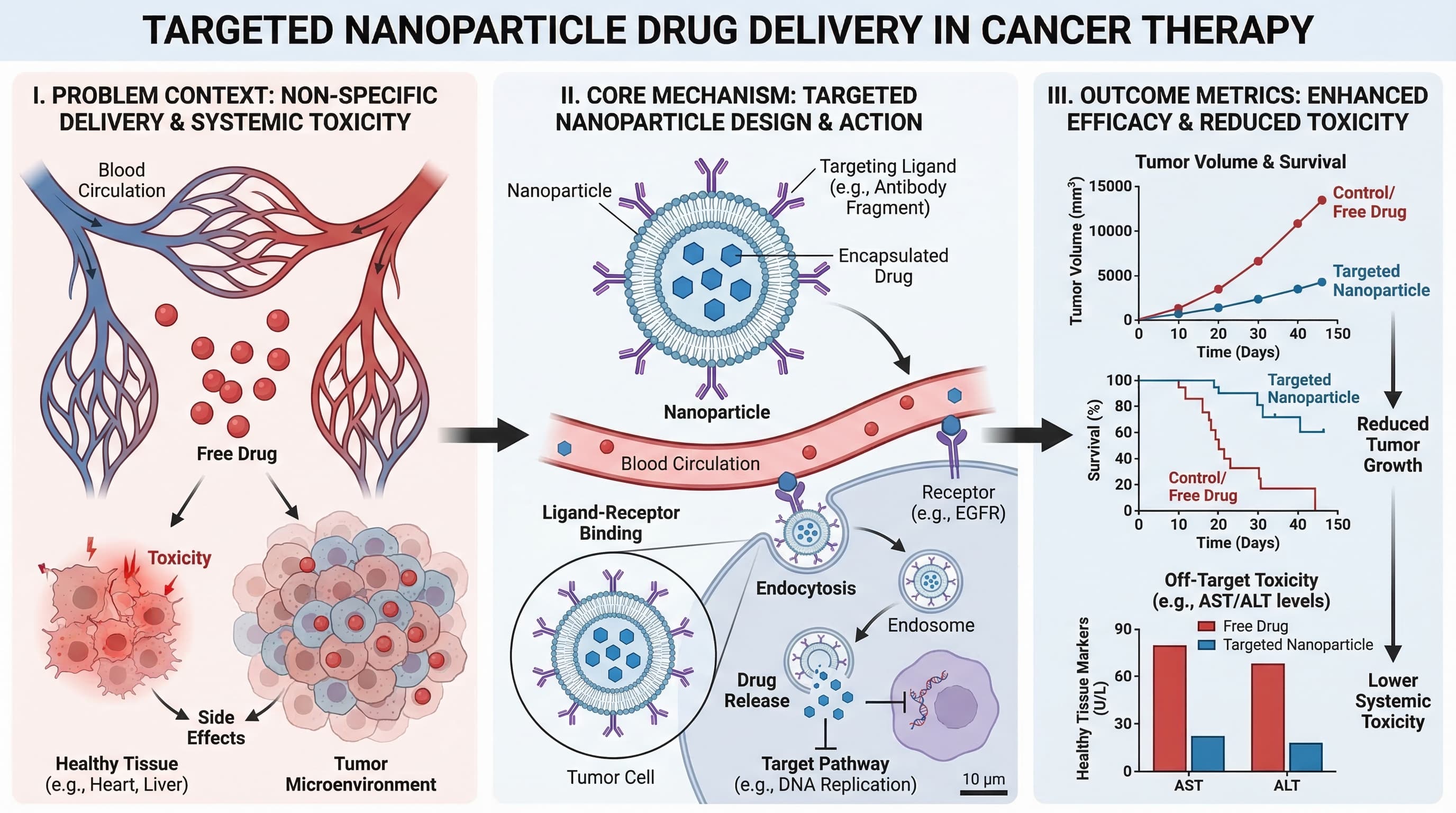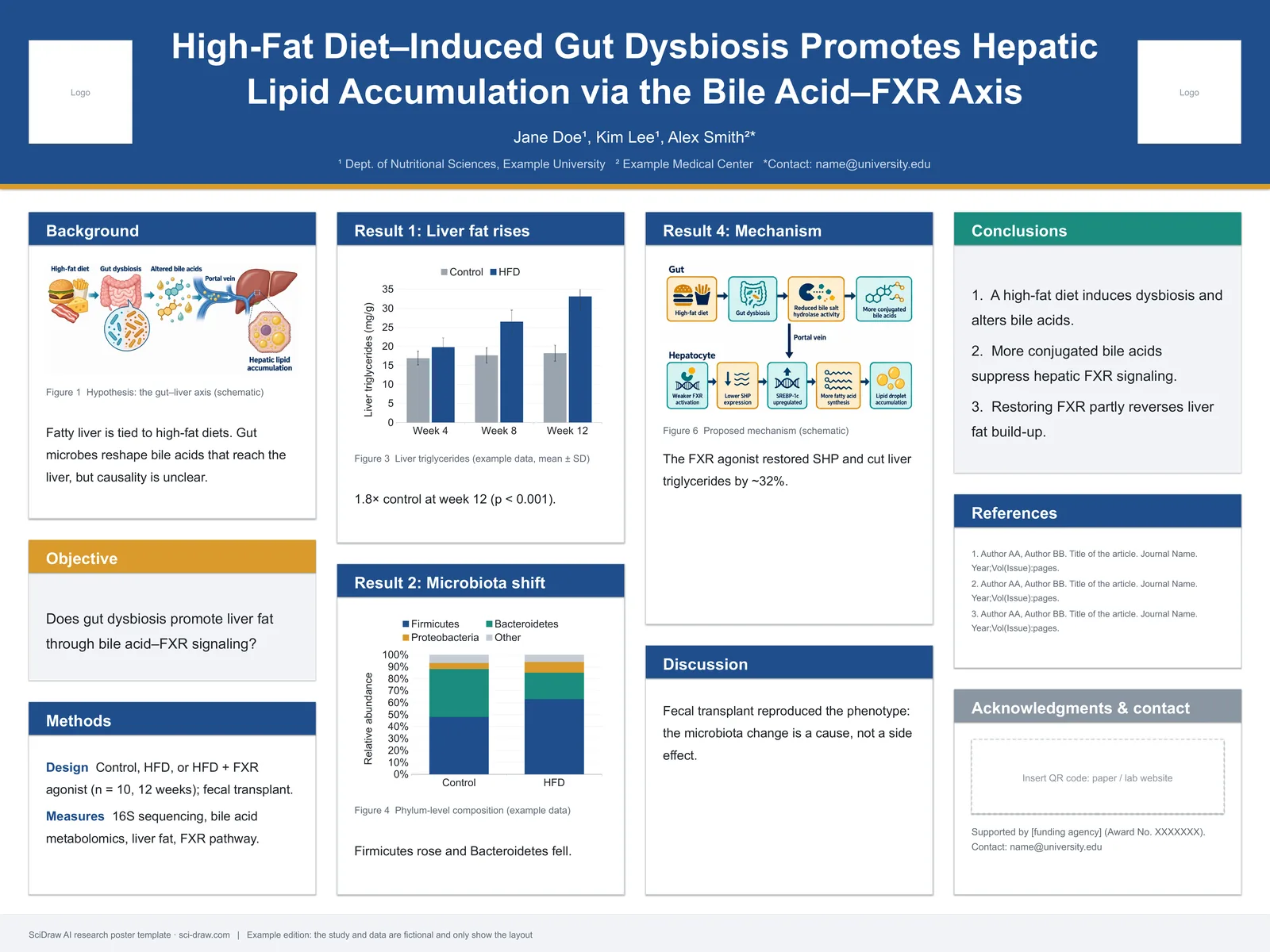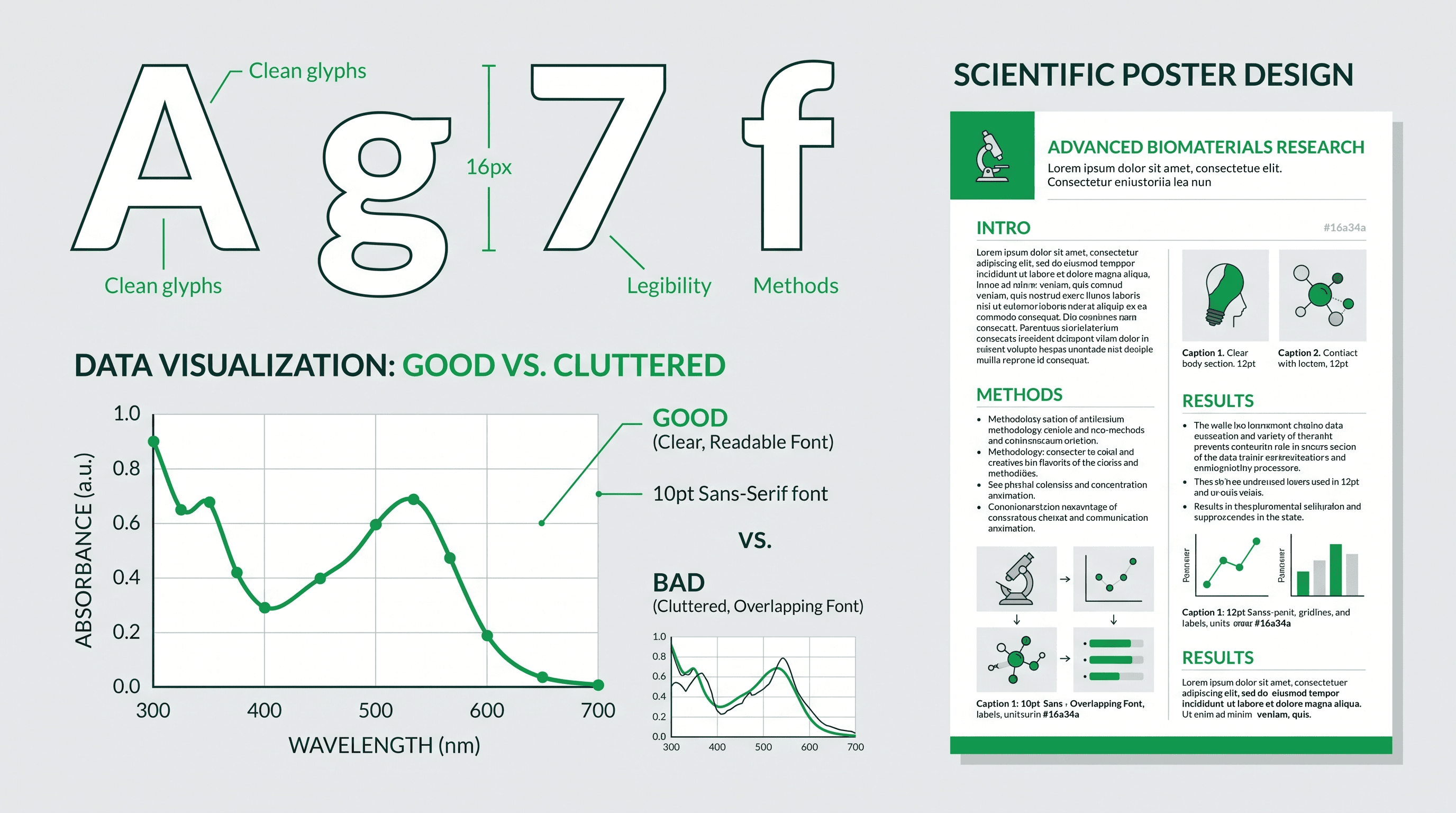
Scientific figures are the visual backbone of research papers. They communicate complex data, illustrate mechanisms, and help readers understand your findings at a glance. Yet creating publication-quality figures remains one of the most time-consuming aspects of academic writing.
AI-powered scientific figure generators are changing this landscape, enabling researchers to create professional visuals without graphic design expertise.
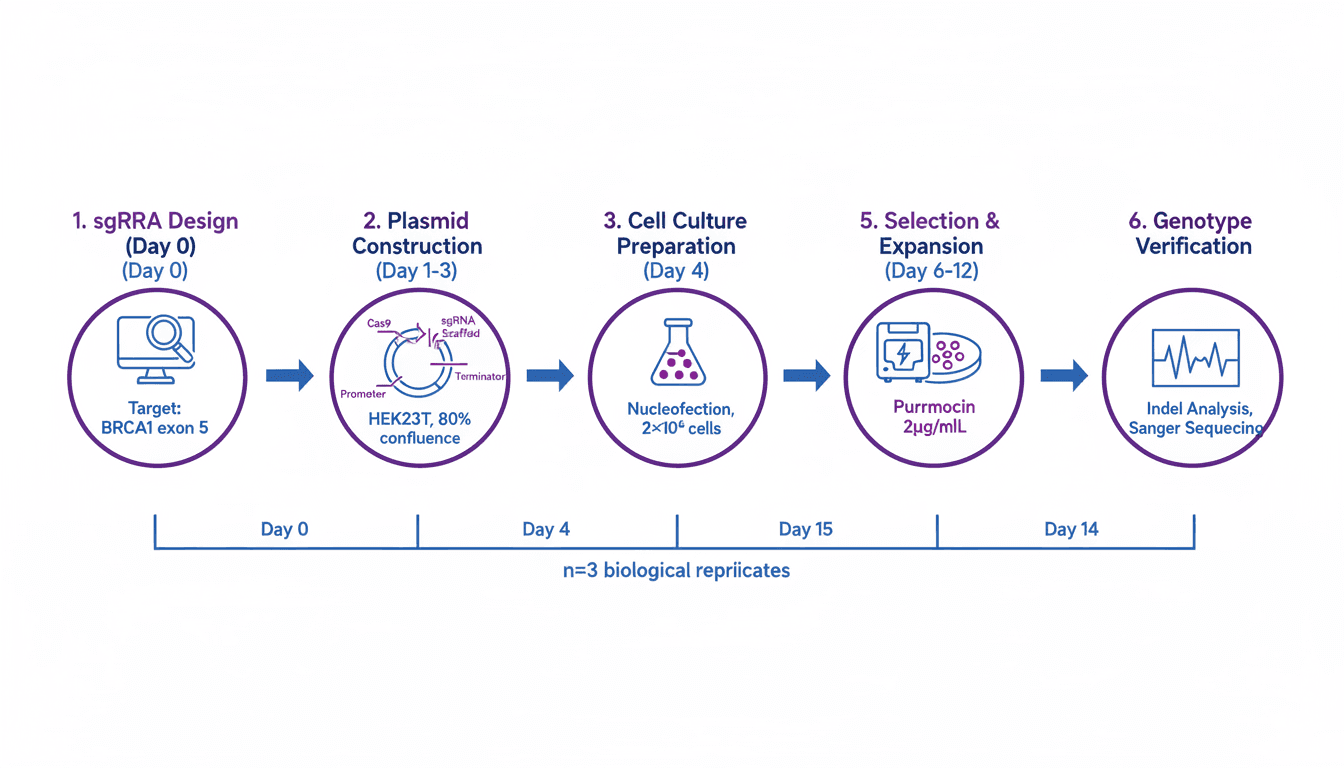
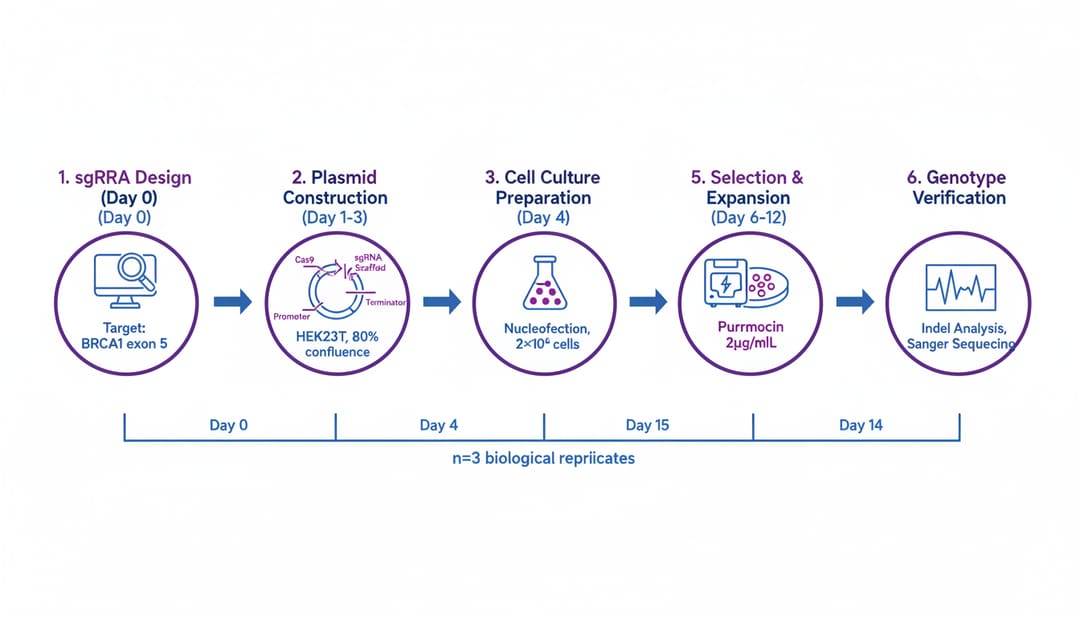 AI-generated scientific figure showing experimental workflow
Ready to make one? Describe your figure in the free Scientific Figure Maker and get a journal-ready draft you can edit and export.
Why Scientific Figures Matter
Figures in research papers serve multiple critical functions:
- Data visualization: Presenting complex datasets clearly
- Mechanism illustration: Showing how processes work
- Method documentation: Explaining experimental procedures
- Results communication: Highlighting key findings
The Impact on Your Paper
Research indicates that:
- Papers with clear figures are cited 30% more often
- Reviewers spend 60% of review time examining figures
- Readers look at figures before reading text
- Well-designed figures improve acceptance rates
Types of Scientific Figures
1. Data Visualization Figures
These figures present quantitative results:
- Bar charts and histograms
- Line graphs and scatter plots
- Heatmaps and correlation matrices
- Box plots and violin plots
2. Schematic Diagrams
Visual explanations of concepts:
- Experimental setups
- Molecular mechanisms
- Signaling pathways
- Workflow diagrams
3. Microscopy and Imaging
Visual evidence from experiments:
- Electron microscopy images
- Fluorescence microscopy
- Medical imaging (MRI, CT)
- Spectroscopy data
4. Structural Figures
3D representations:
- Protein structures
- Crystal structures
- Molecular models
- Anatomical illustrations
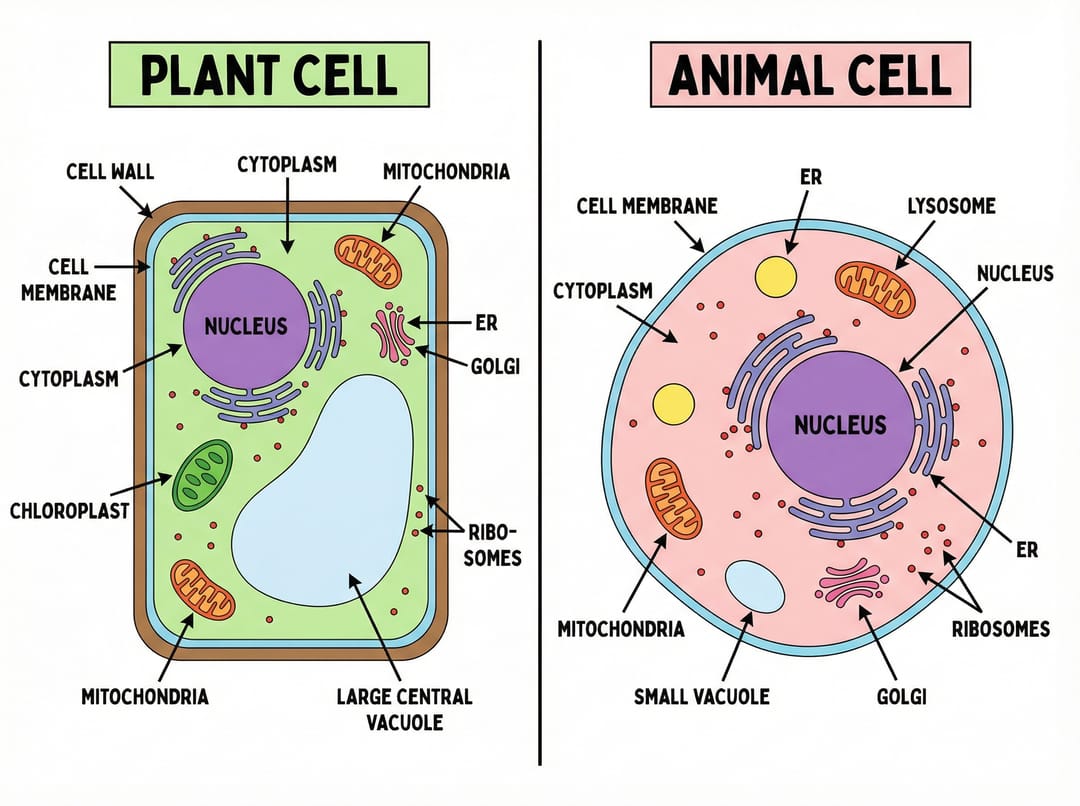 Various scientific visualization styles
How AI Figure Generators Work
Modern AI figure generators use advanced machine learning to:
- Understand context: Interpret your description of scientific content
- Apply scientific accuracy: Maintain proper proportions and relationships
- Follow conventions: Use standard scientific visualization practices
- Generate variations: Create multiple options for you to choose from
Traditional vs AI-Powered Creation
| Aspect | Traditional Method | AI Generator |
|---|---|---|
| Time required | 2-8 hours | 5-30 minutes |
| Software needed | Illustrator, BioRender, etc. | Web browser |
| Learning curve | Steep | Minimal |
| Cost | $50-500/month | Free to low cost |
| Consistency | Varies with skill | Consistent quality |
Creating Figures with SciDraw AI
Step 1: Choose Your Figure Type
Select from specialized templates:
- Mechanism Illustration: For molecular and cellular processes
- Experimental Workflow: For methods sections
- Data Visualization: For results presentation
- Concept Diagram: For introduction figures
Step 2: Describe Your Content
Write a detailed prompt including:
- Subject matter: What you're illustrating
- Key elements: Specific components to include
- Relationships: How elements connect
- Labels: Text annotations needed
- Style: Visual aesthetic preference
Example prompt for a signaling pathway:
Cell signaling pathway figure showing insulin receptor activation,
membrane receptor binding insulin hormone,
intracellular cascade: IRS1 → PI3K → AKT → GLUT4,
phosphorylation events marked with "P" symbols,
glucose uptake into cell shown as final outcome,
clean scientific illustration style,
white background, labels in Arial font,
suitable for biochemistry journal
Step 3: Select Visual Style
Match the style to your target journal:
- Flat illustration: Modern, clean look
- Scientific illustration: Detailed, textbook style
- Isometric 3D: Adds depth and dimension
- Minimalist: Maximum clarity
Step 4: Generate and Refine
The AI creates your figure, which you can then:
- Regenerate with modified prompts
- Adjust colors and labels
- Export in various formats
- Scale to required dimensions
Best Practices for Scientific Figures
Design Principles
- Simplicity: Remove unnecessary elements
- Clarity: Every element should be immediately identifiable
- Consistency: Use the same style across all figures
- Hierarchy: Guide the eye to important information
Technical Requirements
Resolution: Minimum 300 DPI for print, 72 DPI for web Format: TIFF for submission, PNG/JPEG for drafts Color mode: CMYK for print, RGB for digital Size: Check journal specifications
Accessibility
- Use colorblind-friendly palettes
- Include alternative text descriptions
- Ensure sufficient contrast
- Avoid relying solely on color to convey information
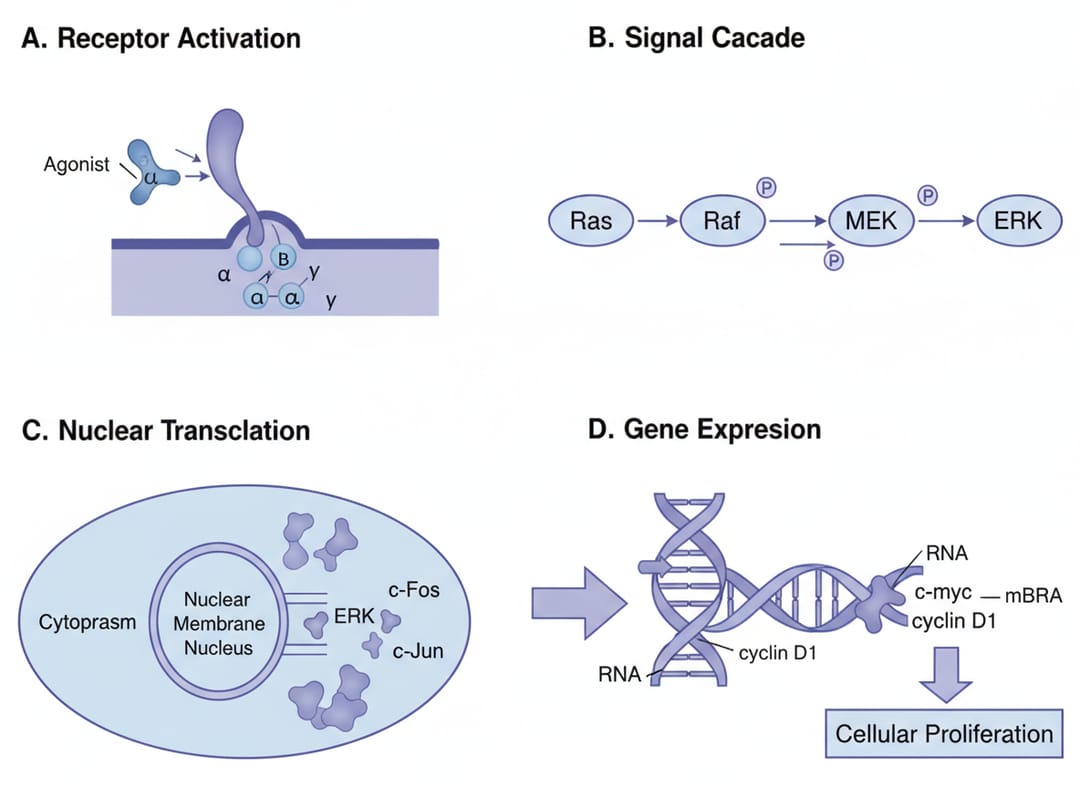 Multi-panel figures organize complex information effectively
Figure Types by Research Field
Biology and Life Sciences
Cell biology figures:
Eukaryotic cell cross-section,
detailed organelles: nucleus, mitochondria, ER, Golgi,
process of [your research focus] highlighted,
arrows showing direction of process,
scale bar "10 μm", cell biology style
Molecular biology figures:
Gene expression pathway,
DNA → transcription → mRNA → translation → protein,
your intervention point circled,
regulatory elements labeled,
molecular biology journal format
Chemistry
Reaction mechanism:
Organic reaction mechanism figure,
electron pushing arrows showing bond formation/breaking,
transition state in brackets,
reaction conditions above main arrow,
stereochemistry indicated where relevant
Molecular structure:
3D molecular structure of [compound name],
ball-and-stick representation,
key functional groups highlighted,
hydrogen bonding shown as dashed lines,
chemistry journal style
Physics and Engineering
Experimental setup:
Laboratory setup schematic,
laser source → optical components → sample → detector,
beam path shown with arrows,
components labeled with specifications,
engineering diagram style
Medical Sciences
Clinical process:
Patient treatment workflow,
diagnosis → treatment phases → outcomes,
timeline indicated,
key metrics at each stage,
medical illustration style
Common Figure Mistakes
Mistake 1: Information Overload
Problem: Too much data in one figure Solution: Split into multiple panels or figures
Mistake 2: Inconsistent Styling
Problem: Different fonts, colors, line weights Solution: Create a style guide and stick to it
Mistake 3: Poor Labeling
Problem: Labels unclear or missing Solution: Every element should be identified
Mistake 4: Low Resolution
Problem: Pixelated images in print Solution: Always work at 300+ DPI
Mistake 5: Ignoring Guidelines
Problem: Figures don't meet journal specs Solution: Check requirements before creating
Maximizing Figure Impact
For Journal Submission
- Read figure guidelines carefully
- Use vector formats when possible
- Include detailed captions
- Number figures in order of mention
- Keep file sizes manageable
For Presentations
- Simplify for distance viewing
- Increase font sizes
- Use high contrast colors
- Animate if appropriate
- Provide context verbally
For Social Media
- Create square versions for Instagram
- Add your key finding as text overlay
- Use eye-catching colors
- Keep it simple and striking
Start Creating Scientific Figures
Transform your research visualization workflow with AI:
- Visit SciDraw AI Drawing
- Select a scientific template
- Describe your figure in detail
- Generate publication-ready visuals
Stop spending hours on figure creation. Let AI help you communicate your research effectively.
Related Guides
- Cell Biology Illustration Tutorial — professional cellular diagrams
- Chemistry Diagram Prompts — 40 prompts for molecular visualization
- Biomedical Illustration Prompts — 50 AI prompts for biomedical visuals
- Environmental Science Diagram Prompts — 30 prompts for environmental visuals
- AI Architecture Diagram Prompts — 30 prompts for system architecture
- Scientific Figure Maker Tool — create figures online