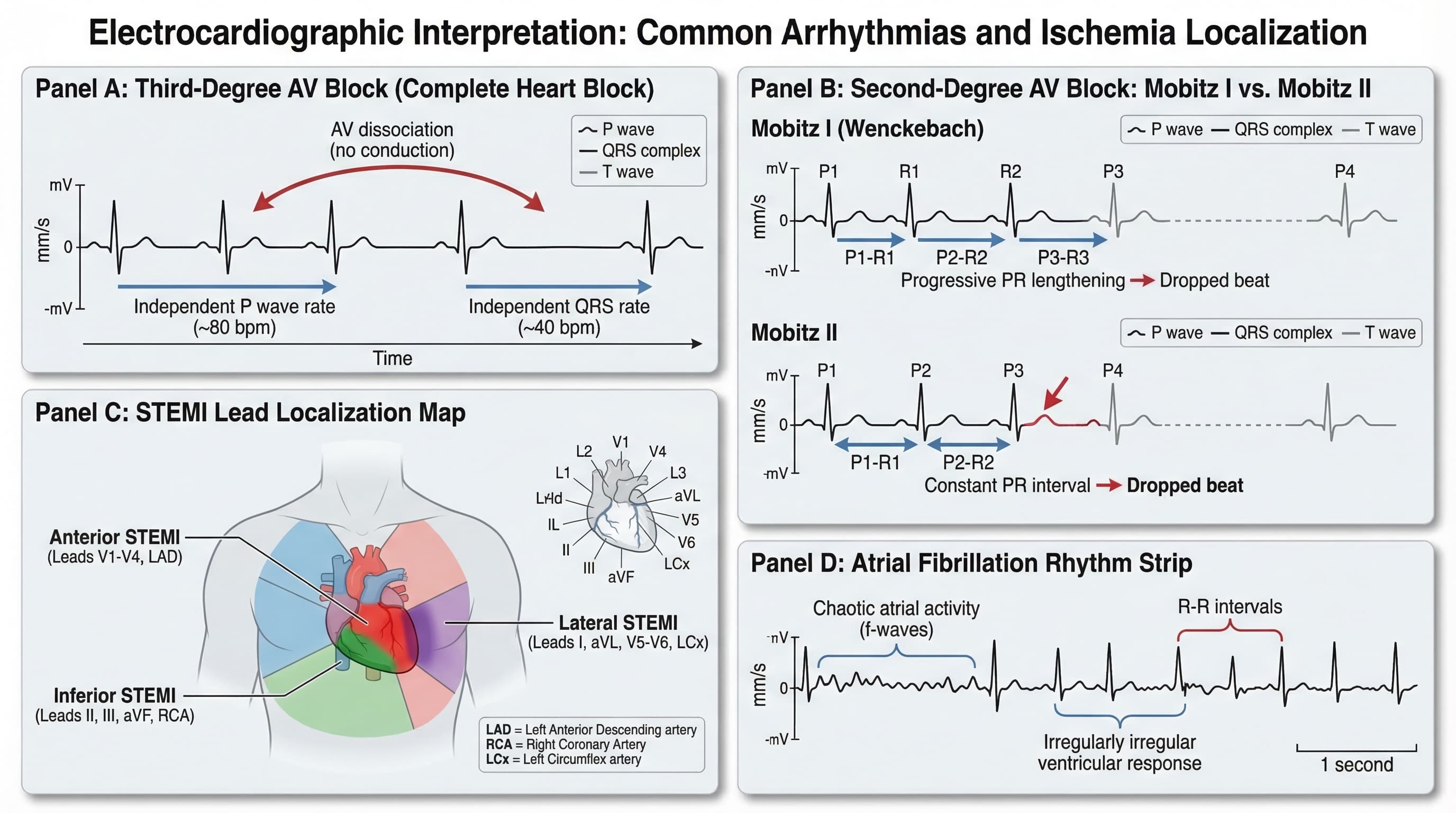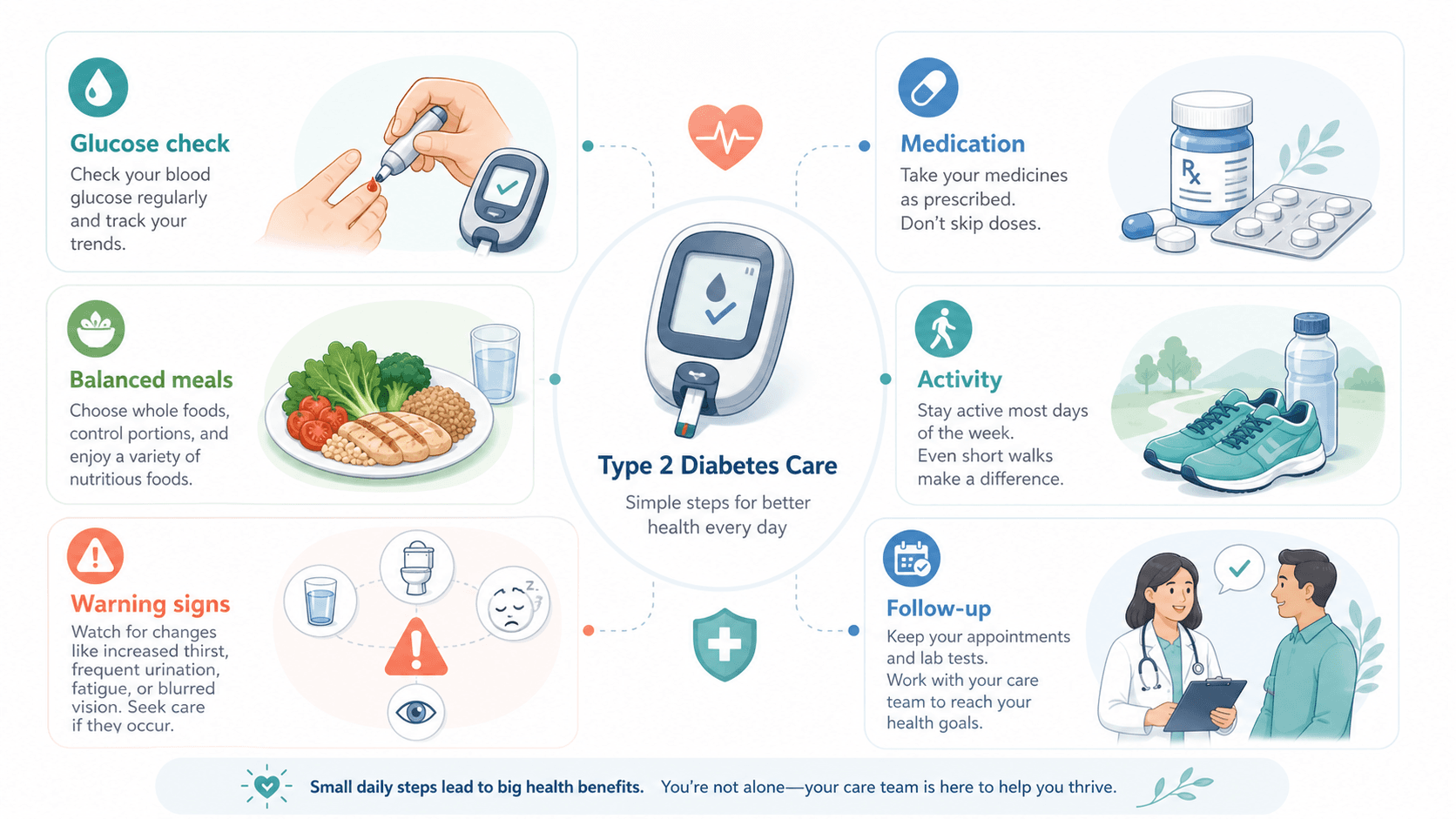
A diabetes educator at a community clinic kept getting the same after-hours call: "My sugar is high, what do I do?" The pre-discharge pamphlet covered 12 things in three columns of text — insulin titration, foot care, dietary advice, exercise, sick-day rules, warning signs. Patients had stopped reading by tile seven. The educator rebuilt the visual as one action per tile, six tiles total, and the after-hours call volume dropped by half in three months.
That is the whole problem with medical infographics. They are not journal figures — no one is going to study them. They are decision aids. The visual either earns a 30-second read at the kitchen table or it gets folded into a drawer. This guide is how to use AI to build the kind that gets read.
Common mistakes that make medical infographics fail
- Treating the infographic like a textbook chapter. Dense, comprehensive, with every safety caveat. The patient skips it.
- Borrowing the language of journal figures. Latin labels, mechanism arrows, hazard ratios. Reads as gatekeeping for a non-clinician audience.
- Mixing routine, warning, and emergency into one visual layer. The reader cannot tell which symptom means "go to bed" vs. "call the clinic" vs. "go to ER."
- Using alarming imagery to drive urgency. Red faces, exclamation marks, blood. Patients tune it out or get scared into inaction.
- One infographic for every audience. A pamphlet for newly-diagnosed type 2 diabetes is not the same artifact as a refresher for a patient on insulin for 10 years. Build for one situation per visual.
Bad prompt vs. better prompt
A real before/after on a diabetes self-management handout:
Too short — produces a comprehensive but unfollowable wall of icons:
Make an infographic about managing type 2 diabetes for patients.Restructured — produces a six-tile decision aid:
Create a medical infographic for newly-diagnosed type 2 diabetes patients to take home after their first appointment.
Layout: six tiles of equal size, arranged 3x2.
Each tile shows one action with one icon and a one-line label (max 7 words).
Tiles in order: (1) check blood sugar morning and night, (2) take medication with breakfast, (3) walk 20 minutes after lunch, (4) eat protein at every meal, (5) call clinic if sugar above [X] twice, (6) ER if confused or vomiting.
Use calm clinical palette (muted teal and warm gray). Plain-language labels, no Latin, no abbreviations.
Routine actions (tiles 1–4) use the teal accent; warning (tile 5) uses warm gray with a dashed border; emergency (tile 6) uses a distinct outlined frame — color-blind safe, no red/green coding.
Output as layered SVG so labels can be translated for our Spanish and Mandarin patient population.
Notice what the second prompt does that the first does not: it caps the number of items, caps the words per label, separates routine from warning from emergency visually, and bakes in translation-readiness.
Note: prompts stay in English. Current image models respond most stably to English tokens. Native-language body + English prompt is standard practice in the scientific community.
The decision hierarchy that earns the 30-second read
A patient-facing visual that gets used has a clear hierarchy across three categories. Bake this into every prompt:
| Category | What it answers | Visual treatment |
|---|---|---|
| Routine | What do I do this week? | Primary palette, regular border, equal-weight tiles. |
| Warning | When do I call the clinic? | Distinct accent (not red), dashed border, slightly separated from routine. |
| Emergency | When do I go to the ER? | Outlined frame, separated panel, single largest-text instruction. |
Mixing these three at the same visual weight is the most common reason medical infographics fail to drive action.
Example figure
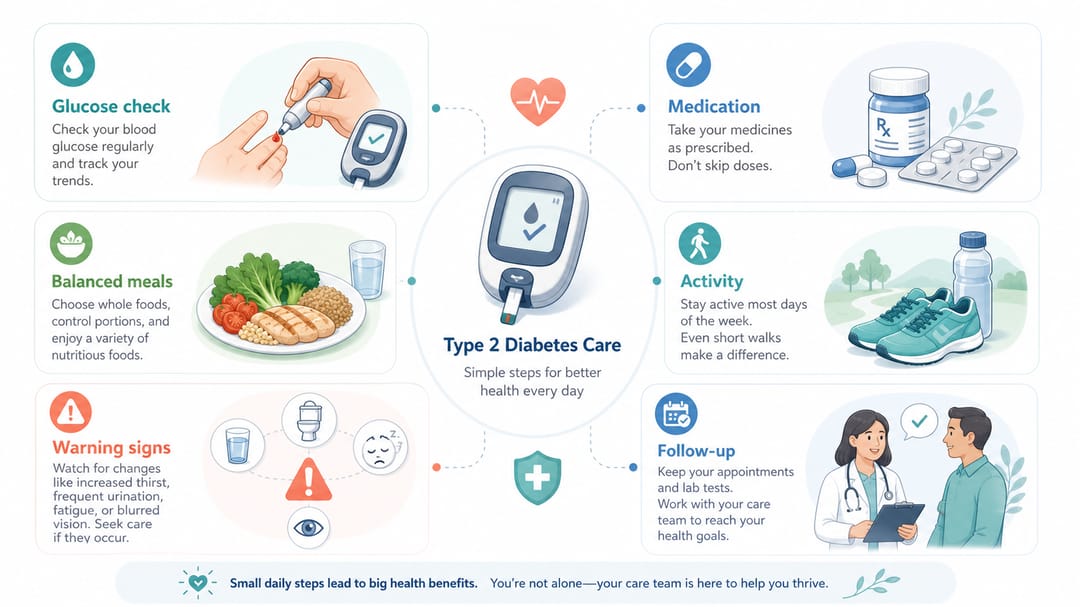
What to notice: the routine tiles, warning sign, and emergency instruction are visually distinct; labels are plain language with no jargon; the tone reads clinical but not frightening; the structure is the message — read three rows, know the week.
Copy-paste templates by infographic purpose
Replace bracketed text with your case. Always specify the audience and the three-tier hierarchy.
1. Patient self-management handout (single condition)
Create a patient self-management infographic for [condition] for [audience, e.g., newly-diagnosed adults / post-discharge].
Layout: six tiles in a 3x2 grid.
Routine tiles (4): one action each, one icon, one-line label of [max 7 words].
Warning tile (1): when to call the clinic, distinct accent, dashed border.
Emergency tile (1): when to go to the ER, outlined frame, largest text.
Plain-language labels, no Latin, no abbreviations.
Calm clinical palette, color-blind safe (no red/green only encoding).
Output as layered SVG for translation.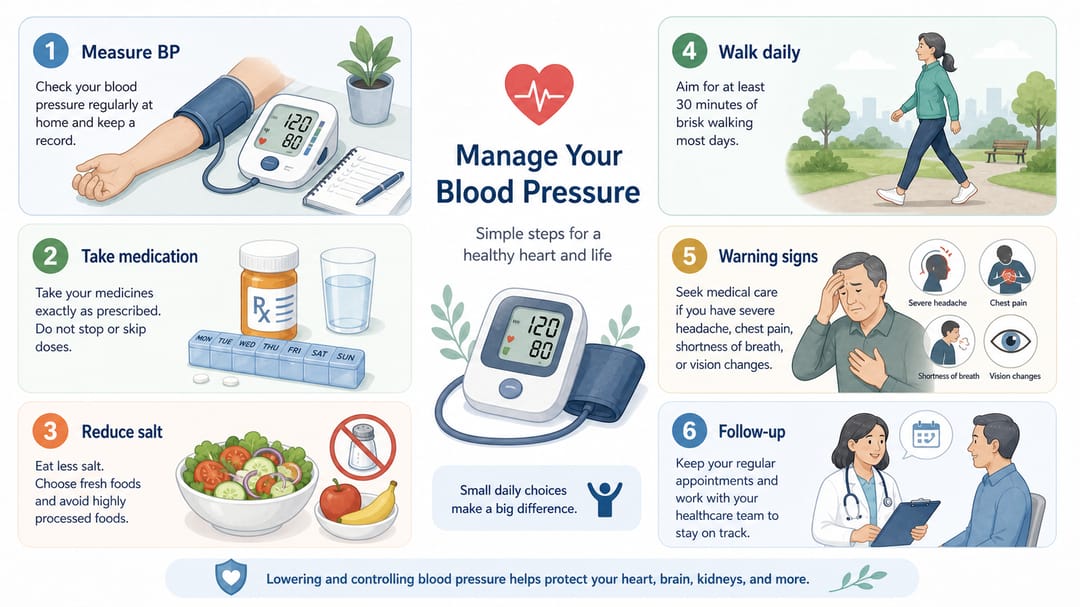
2. Clinical pathway summary for care teams
Design a clinical pathway infographic for [care pathway] for [clinical audience, e.g., nursing team / urgent care intake].
Structure: horizontal flow with these decision points: [triage], [diagnosis], [treatment decision], [follow-up], [referral criteria].
Each decision point is a labeled node; each arrow is one decision.
Use professional hospital training style, clear yes/no decision diamonds where the path branches.
Labels match our internal terminology exactly. Do not invent thresholds or criteria not in our source document.
Layered SVG, version date in footer.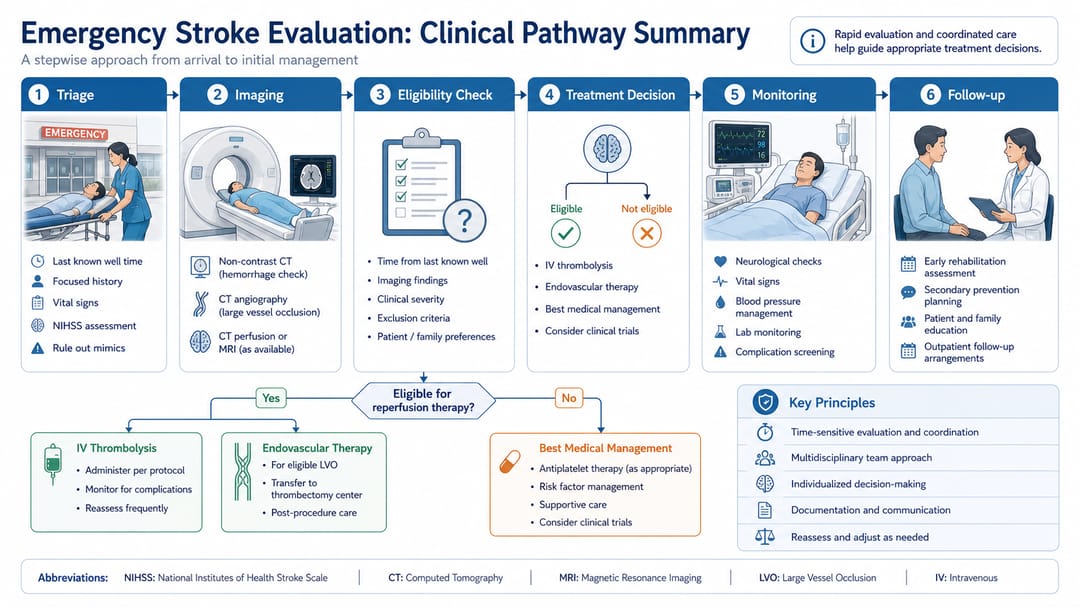
3. Disease mechanism explainer (mixed clinician + educated layperson)
Create a medical education infographic explaining the mechanism of [disease] for [audience].
Show four labeled blocks: (1) anatomical site, (2) pathological process, (3) downstream symptoms or biomarkers, (4) treatment target.
Schematic medical illustration style, not photorealistic.
For the layperson audience: include a one-sentence plain-language summary under each block, in italic.
For the clinician audience: include the technical term in parentheses next to each block label.
Make no claim about prognosis, treatment efficacy, or recovery timeline.
Layered SVG.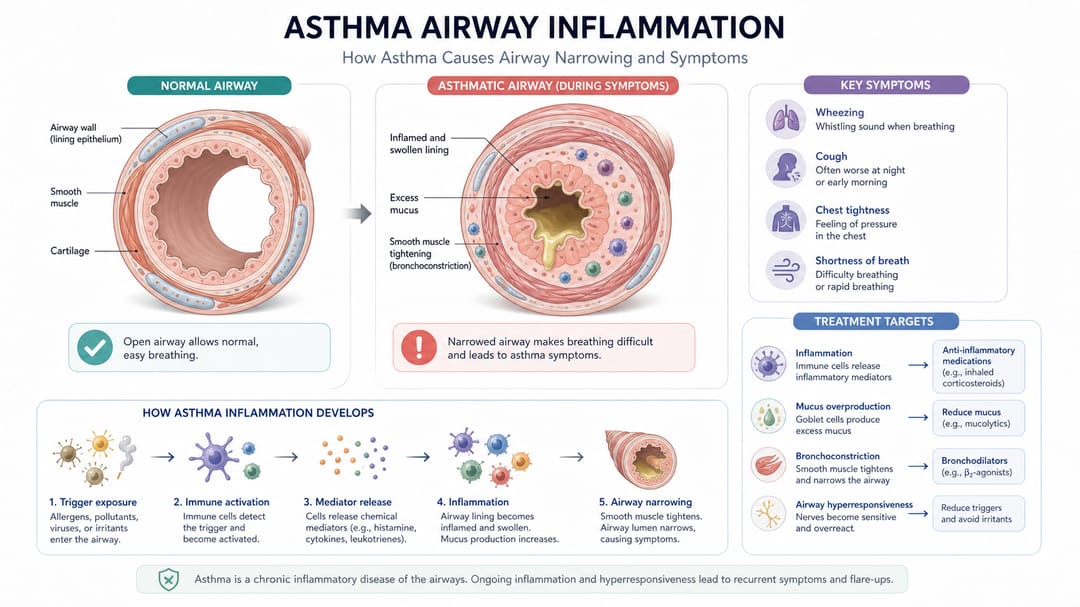
4. Medication or vaccination schedule
Create a medication/vaccination schedule infographic for [patient population].
Visualize the timeline horizontally with month or week markers.
Mark each dose or visit as a labeled circle on the timeline, including the medication name and the action.
Use a single color for routine doses; a distinct accent for booster or catch-up doses; a clear outlined frame for "missed dose, contact clinic" guidance.
Below the timeline, three plain-language tiles: (1) what to expect, (2) common side effects (no severity language), (3) when to call.
Layered SVG, version date in footer.
How different readers should use this guide
- Nurse educator / patient teacher: template 1 first. Limit yourself to one action per tile, six tiles maximum. The handouts that get used are the short ones.
- Clinical operations / quality improvement: template 2. Make sure the source pathway document is approved before the infographic, not after. Update the version date every time the source changes.
- Medical communications / disease awareness campaign: template 3. Pair the clinician version and the layperson version as a set — same content, different density.
- Pharmacy team / immunization clinic: template 4. Always include the missed-dose path; it is the most common patient question and the most-missed instruction in standard schedules.
- Hospital marketing or community health: pick the template by audience and avoid dramatized imagery. Patients trust the visuals that look like the clinic, not the visuals that look like a TV ad.
A realistic SciDraw AI workflow
- Write the single decision the visual is meant to support. "Newly-diagnosed type 2 patient knows what to do this week + when to call us." If you cannot write this, the infographic is not ready.
- Pick the template that matches the decision. Self-management, pathway, mechanism, or schedule.
- Enforce the three-tier hierarchy in the prompt. Routine, warning, emergency must be visually distinct.
- Generate one variant and have a clinician + patient (or patient advocate) review it. Patients catch confusing visuals; clinicians catch unsafe ones. Both reviews matter.
- Export as layered SVG and translate by swapping the text layer. Patient population is multilingual; design for it from day one.
- Date and version the infographic. Patient handouts go out of date. Footer should say "v1.2 — March 2026" so the front desk can pull old copies.
- Track which version reduced calls or improved adherence. That is the real evaluation, not aesthetic judgment.
Pre-distribution checklist
- One decision per visual, one action per tile.
- Routine / warning / emergency visually distinct (not red/green only).
- Plain-language labels, no Latin, no abbreviations the audience would not know.
- No alarming imagery, no exaggerated outcome claims, no statistics without source.
- Clinician approved.
- Patient or patient advocate has read it and can paraphrase the decision.
- Layered SVG export, ready for translation.
- Version date in the footer.
Related SciDraw AI workflows
Medical Infographic Maker · Medical Illustration Generator · Clinical Illustration Generator · Book Illustration Maker
FAQ
Can this be used directly for patients?
Treat AI output as a draft. Patient-facing material should be reviewed by a clinician and ideally a patient advocate or health-literacy specialist. AI cannot judge whether the wording matches your community's health literacy.
Should the infographic include every warning sign?
No. Include the warning signs that change the patient's action — what to do, who to call, where to go. Move detailed safety language into the accompanying text or video. A visual with 12 warnings is functionally the same as a visual with none.
How should clinical risk be shown?
With calm hierarchy, not alarm. Separate routine, warning, and emergency. Use distinct visual treatments (border style, outlined frame, larger text for emergency) — not red faces or exclamation marks. Anxiety reduces decision quality.
What about health literacy levels?
State the target reading level in the prompt — e.g., "plain language at a 6th-grade reading level." And test the draft with a patient or patient advocate from the target community before printing. AI cannot self-assess literacy.
How long do these infographics stay current?
Date everything. Care pathways change, medication doses change, contact numbers change. Build a quarterly review into the workflow and put the version date in the footer so old prints can be pulled.
Can I show outcome statistics?
Only if the statistic comes from a real source you can cite, and only with a confidence interval or context. AI-invented percentages on a patient handout are a regulatory and clinical risk.
What if our patient population is multilingual?
Always export to layered SVG and translate the text layer for each language. Do not regenerate the infographic per language — the icons, colors, and hierarchy must stay identical so the visual stays trusted across the community.