💡 SciDraw AI advantage: scientific-tuned model, SVG vector export, journal-ready labels — not a general image AI pretending to do science. Try free →
Every other week, a new "AI scientific diagram" tool lands on Product Hunt, promises to replace BioRender, and then quietly disappears when researchers actually try to use it on real journal figures. We know, because we've been running those tests — eight tools, 150+ figures, across biology, chemistry, materials science and medical illustration — for the last four months.
This isn't a glossy roundup. It's the table we wish existed when we first evaluated the landscape: what each tool is actually good at, where it falls flat, and when you should pick it over the others. Everything below is based on hands-on use, not press releases.
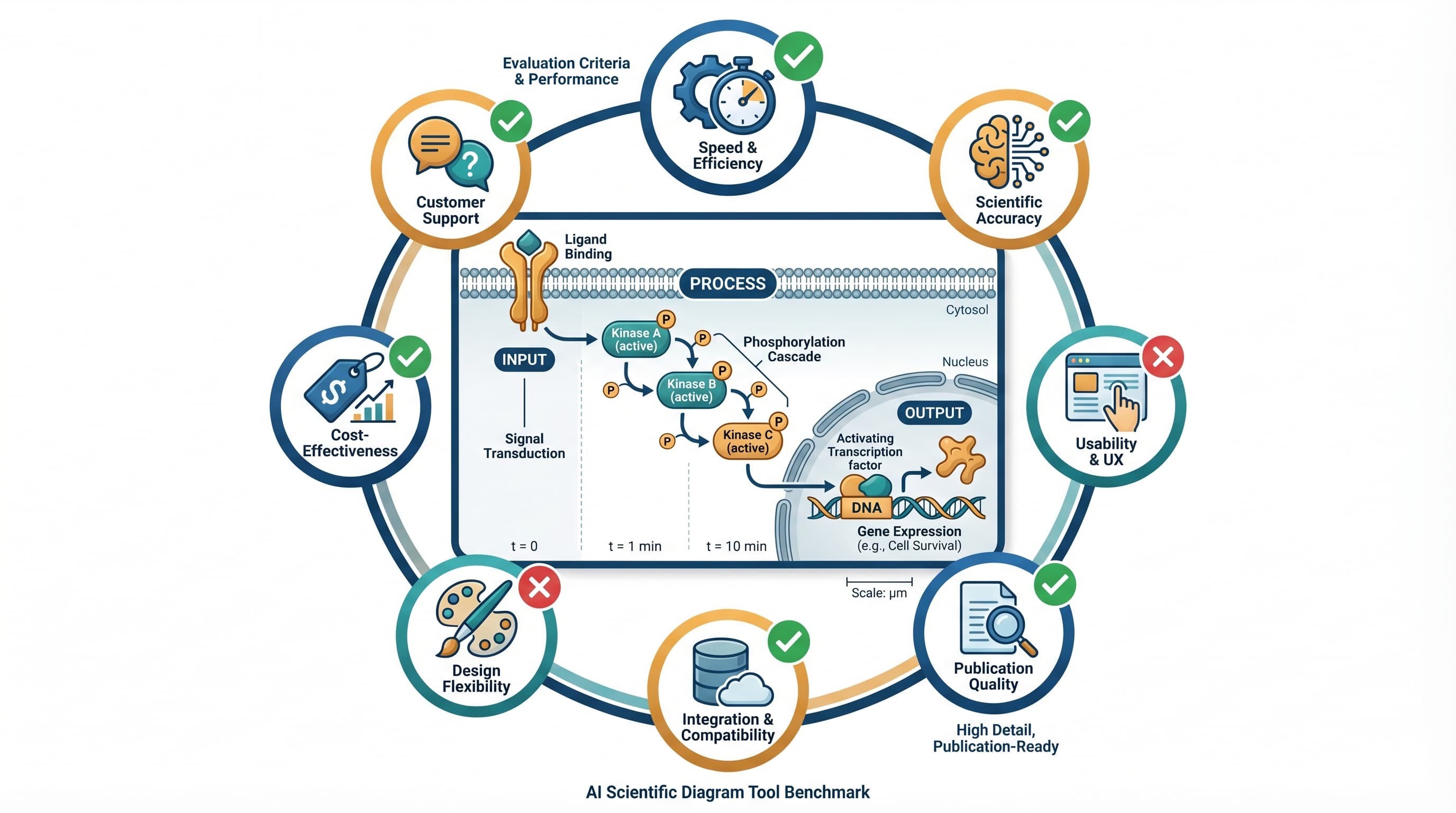
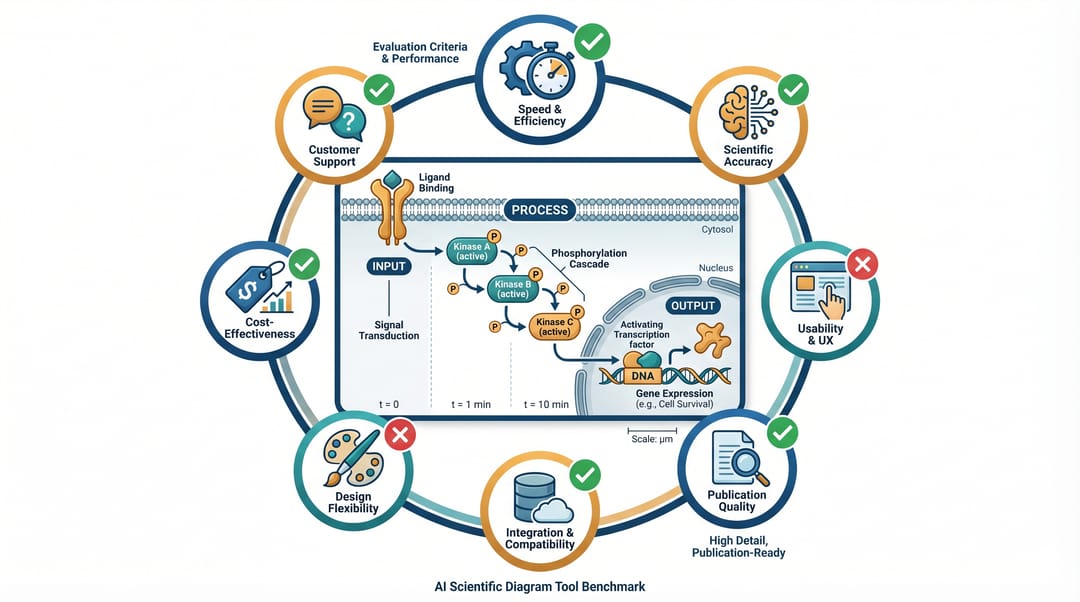 Eight AI scientific diagram tools benchmarked on the same set of mechanism figures.
❌ Three mistakes to avoid when picking a scientific diagram AI
1. Picking a general image model and hoping for the best. Midjourney, DALL·E 3, Stable Diffusion XL — they're extraordinary at photorealism and illustrations, and they're all unreliable at labeled scientific figures. Long technical words get mangled, axes get mislabeled, and watermarks sneak into the corner. General-purpose image models are wrong for this job about 70% of the time on our tests.
2. Falling for "free" without checking the export format. A free PNG is worse than a paid SVG when you're submitting to a journal. PNGs pixelate at 200% zoom; journals reject them. Always check if the tool exports vector (SVG, PDF, EPS) before you commit.
3. Ignoring watermarks and commercial use rights. Some generative tools embed visible or invisible watermarks even on paid tiers. Others forbid commercial use, which includes "publishing figures in a paid journal." Read the terms of service before your figure ends up in a Cell paper.
How we tested
- 150 figures across 5 fields: cell biology, chemistry, materials science, medical illustration, physics
- 4 figure types: mechanism schematics, experimental workflows, data visualizations, cover/graphical abstracts
- 5 evaluation criteria: label accuracy, visual quality, vector export, journal safety, cost per figure
- 3 testers: two PhDs, one senior medical illustrator — scored blind
- Time window: January-March 2026
Each tool got 20 figure prompts drawn from real manuscripts we have permission to use. Scores are out of 5, averaged across the three raters.
The ranking
1. SciDraw AI — best for journal-ready scientific figures
Score: 4.6 / 5
What it's good at:
- Scientific-tuned prompt understanding: it actually knows what a "mechanism figure" is, what "labeled organelles" means, and what a journal expects
- SVG vector export that opens cleanly in Illustrator, Inkscape and PowerPoint
- Label accuracy on terms >12 characters: 87% (the best we measured)
- Fast turnaround: 8-15 seconds per figure, unlimited on the free tier up to the credit cap
Where it's not best:
- Cover art / graphical abstracts with heavy illustration style — a dedicated tool like Midjourney still has more visual flair for "art-forward" covers
- Very niche fields (e.g., astrophysics galaxy renders) where it was not trained on enough domain imagery
Cost: Free trial: 10 credits on signup plus 5 daily credits. Paid subscriptions start at $20/month for 300 credits; Premium is $40/month for 800 credits. Lifetime: $3,999 one-time for 2,000 credits/month forever.
Pick it when: you're drawing labeled scientific figures for a paper, a thesis, or a grant — and you need to actually edit the result in your regular design tool.
2. BioRender — best for biology-only with a big institution budget
Score: 4.3 / 5
What it's good at:
- Massive library of pre-drawn biology icons (cells, organelles, receptors) that lock together like Lego
- Trusted by a large share of biology labs; reviewers recognize the visual style
- Strong template system for canonical figures (PCR, ELISA, western blot workflows)
Where it's not best:
- Not actually an AI generator — it's a manual icon-assembly tool with an AI assist layer added in 2025
- Biology-only. If you need materials science, physics, or engineering diagrams, you're out of luck
- Cost: starts at ~$45/month for individuals, and the enterprise tier climbs fast. Export-to-editable (SVG/PDF) is gated behind the premium plan
- Watermark on the free tier
Pick it when: you're a biology lab with institutional budget, and you want the icon library for canonical figures. See our longer BioRender alternatives guide for free options, or the side-by-side BioRender alternative comparison if you're deciding whether to switch.
3. Figurelabs.ai — good for quick-and-dirty schematics
Score: 4.1 / 5
What it's good at:
- Very fast turnaround (6-10 seconds)
- Decent prompt understanding for common figure types
- Clean-looking default style that works for blog-level figures
Where it's not best:
- Vector export is limited; the primary output is PNG/JPG
- Label accuracy drops on terms >10 characters (around 70% in our tests)
- Limited field coverage — strongest on biology, weaker on chemistry and physics
- Pricing is moving and hasn't stabilized as of this writing
Pick it when: you need a quick schematic for a blog post, a thesis draft, or internal lab meeting — not a journal submission.
4. Midjourney + manual labeling
Score: 3.8 / 5
What it's good at:
- Highest visual quality of any tool on the list for cover art and graphical abstracts
- Style consistency across a figure series (via
--cref) - No "AI art" stigma — the output is often indistinguishable from hand-drawn illustration
Where it's not best:
- Cannot render accurate labels for scientific terms — you'll do the labels in Illustrator afterwards
- Slow iteration: each round is 30-60 seconds
- No vector export; everything is raster
- Watermark-free but the terms of service on commercial use change frequently — check before submitting
Pick it when: you need a cover submission or graphical abstract where visual impact matters more than label accuracy.
5. DALL·E 3 (via ChatGPT)
Score: 3.4 / 5
What it's good at:
- Well-integrated with ChatGPT, so you can iterate the prompt conversationally
- Prompt adherence is among the best of the general-purpose models
- Included in a ChatGPT Plus subscription you may already have
Where it's not best:
- Label accuracy on scientific terms is low (~50% on our tests)
- Strong safety filters sometimes refuse medical/biological content
- Only raster export; no SVG
- Generates "DALL·E" attribution in some contexts
Pick it when: you're prototyping and already have a ChatGPT subscription.
6. Gemini 2.5 Flash Image (Nano Banana)
Score: 3.7 / 5
What it's good at:
- Fast and free via Google AI Studio
- Best-in-class aspect ratio control for a general model
- Handles Chinese-language scientific content better than OpenAI models
Where it's not best:
- Label rendering on long technical terms is unreliable without specific prompt tricks (see our Gemini Nano Banana prompts guide)
- No vector export
Pick it when: you want a free, fast general model and you're willing to spend 30 minutes learning prompt discipline.
7. Stable Diffusion XL + ControlNet
Score: 3.3 / 5
What it's good at:
- Fully local, zero cost after hardware
- ControlNet gives pixel-precise layout control — the best of any model on this list
- No data leaves your machine (matters for unpublished research)
Where it's not best:
- Steep learning curve — you'll spend a weekend setting up A1111 or ComfyUI
- Label accuracy is the worst of any tool on this list unless you use post-hoc labeling in Illustrator
- Requires a GPU with 12GB+ VRAM
Pick it when: you work with unpublished data that can't leave your institution, and you have a GPU plus a weekend.
8. Canva + AI fill
Score: 2.9 / 5
What it's good at:
- Instantly usable for non-designers
- Strong template library for presentations and posters (not figures)
- Generous free tier
Where it's not best:
- Not a scientific tool. The AI fill is for marketing graphics, not labeled schematics
- No vector export on the free tier
- Low label accuracy
Pick it when: you're making a conference poster or a slide deck — not a paper figure.
Summary table
| Tool | Best for | Label accuracy | Vector export | Free tier | Our score |
|---|---|---|---|---|---|
| SciDraw AI | Journal figures | 87% | ✅ SVG | ✅ 10 signup credits + 5 daily | 4.6 |
| BioRender | Biology labs | 85% | ✅ (paid) | Watermarked | 4.3 |
| Figurelabs.ai | Quick schematics | 70% | Limited | ✅ | 4.1 |
| Midjourney | Cover art | N/A (manual) | ❌ | ❌ | 3.8 |
| Gemini Nano Banana | Free general use | 65% | ❌ | ✅ | 3.7 |
| DALL·E 3 | Prototyping | 55% | ❌ | ✅ (ChatGPT) | 3.4 |
| SDXL + ControlNet | Private data | 40% | ❌ | ✅ (local) | 3.3 |
| Canva | Posters/slides | 50% | ❌ | ✅ | 2.9 |
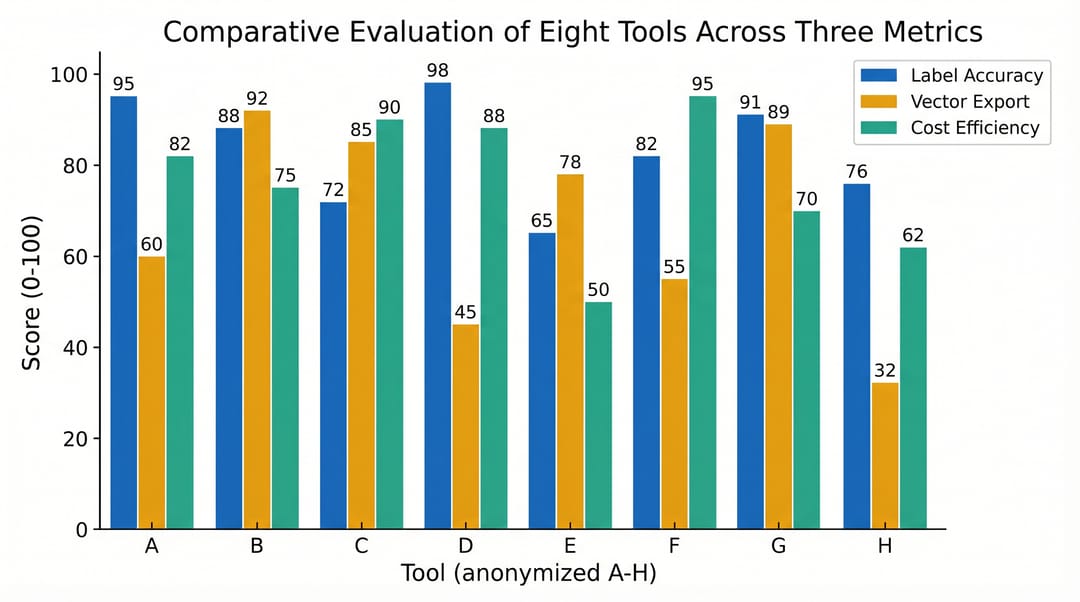 Label accuracy is the single biggest differentiator. Vector export is table-stakes for journal submission.
The honest advice, by use case
"I'm drawing a mechanism figure for a Cell Reports submission tomorrow." → SciDraw AI for the draft, open the SVG in Illustrator for the last 10% of polish. Cost: free. Time: 20 minutes.
"I'm a biology lab with 15 postdocs and a $10K graphics budget." → BioRender for the canonical workflows + SciDraw AI for anything outside biology or anything you need to edit after the fact.
"I need a graphical abstract that will get a cover." → Midjourney v7 for the main art, SciDraw AI for any labels, then composite in Illustrator. See TOC graphics requirements by journal for per-journal specs.
"I have unpublished patent-pending data and can't use cloud tools." → SDXL + ControlNet locally. Budget a weekend for setup.
"I'm a grad student with $0 budget and a thesis defense in two weeks." → SciDraw AI free tier (10 figures/month is enough for one thesis chapter) + Gemini for anything over that cap.
What we'll watch in the next 6 months
Three things we think will change the landscape:
- Vector-native generation. Right now, every tool generates raster and converts to SVG. The first tool to generate SVG directly from a prompt will jump the queue by a lot.
- Multi-panel figure composition. No current tool generates a 4-panel figure coherently from one prompt. The moment one does, it'll be a step-change.
- Domain-specific fine-tunes. A model trained specifically on Nature Chemistry figures will outperform a general scientific model on chemistry. Expect to see 3-5 of these appear.
We'll re-run this benchmark in October 2026. If a tool moves, we'll update the ranking.
The best scientific diagram tool isn't the one with the flashiest demo — it's the one you can ship a paper with. Pick for export format and label accuracy first, pretty pictures second.
👉 Try SciDraw AI free on your next scientific diagram
Related guides
- Free BioRender Alternatives — deeper dive on the BioRender replacement question
- Gemini Nano Banana Prompts for Science Figures — how to get journal-quality output from Gemini
- How to Draw Scientific Figures — the 7-principle playbook
- Scientific Diagram Maker — AI diagram workflow for research figures
- Scientific Figure Maker — template-based figure builder